
Your Browsing History


Joseph D.
Joined on 10/10/05
0
0
product reviews
- 9
Decent Design
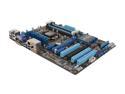
ASUS P8H77-V LGA 1155 Intel H77 HDMI USB 3.0 ATX Intel Motherboard
Pros: 6 total sata ports (2x6gb/s and 4x3gb/s) which is great for storage, all of which were nice and neatly laid out at the bottom right corner of the board (which was exactly what I wanted). Most things on the board are easily accessible...
Cons: 8 pin power input for the mobo is in an incredibly stupid place. I can't understand for the life of me why they put it where they knew it would be right in the way of the heatsink for most aftermarket coolers. It irritated me so badly that I had to knock and egg off.
8/23/2012See more detail
Well laid out
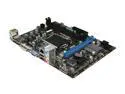
MSI H61M-P31 (G3) LGA 1155 Intel H61 Micro ATX Intel Motherboard with UEFI BIOS
Pros: Satat ports, ram slots, pci slots were laid out in intelligable locations, which made things quite easy to assemble. Board was also reasonably priced, so no complaints there.
Cons: None so far.
8/23/2012See more detail
Reasonably Priced, Good Preformance
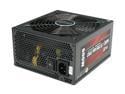
PC Power & Cooling ModXStream Pro Series 600 Watt 80+ Semi-Modular Active PFC Performance Grade ATX PC Power Supply (OCZ600MXSP)
Pros: Kit comes with 6 detachable cords, 2 for pcie, 2 (x3)for sata, and 2(x3) for molex. Always a good idea since you can just not the connect the ones you don't need, making cabelling a breeze.
Cons: If you are powering multiple HDD's in your case and they are one on top of another in your case, the cord does tend to bunch up. Each of the sata leads has 3 outputs that are about 4-5" apart, so I'd reccomend skipping a drive bay in between HDD's so that the cords don't bunch up.
Overall Review: Modular, resonably priced, quiet and cool.
8/23/2012See more detail
Peppy little processor
Intel Celeron G530 - Celeron Sandy Bridge Dual-Core 2.4 GHz LGA 1155 65W Intel HD Graphics Desktop Processor - BX80623G530
Pros: I have read other reviews saying that this proc will bottleneck high end video cards, but I really tried and couldn't make it bottleneck a GTX 500 Ti while running a game in the background (minecraft/tekkit with ~4gb of ram alloted), surfed the net, ran 4 HD (720p) youtube videos, and ran updates all at once. Still couldn't see a preformance drop. This isn't normal computing behavior I know, but I wanted to see if I should get another proc or not.
Cons: It's a ~$50 chip, so you kind of have to know it's limits. I have 2 laptops at home, one with an i3 and one with an i5, both of them still don't seem to compare to this little celeron.
Overall Review: Honestly, if you are doing a budget gaming build, and you were wondering what CPU to buy, this one is worth a shot. Especially for ~$50.
8/20/2012See more detail
Good Cooler
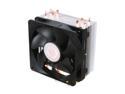
Cooler Master Hyper 212 Plus - CPU Cooler with 4 Direct Contact Heatpipes
Pros: Runs quiet, cool. Heatsink is EXTREMELY large, but seems to fin in most mid tower cases (I used it in 2 builds: one in an antec 300, and one in an MSI ravager, which also fit fine). CPU Temps running at 40C and 38C under load.
Cons: Might get in the way of ram or video cards, depending on the layout of your mobo. Bear in mind that depending on your setup (case, PSU, GPU, RAM), you might want to think about how to orient the heatsink. In both of my builds, I had the fans blowing upwards and out, not side to side. This kept heat away from my video cards and provided enough clearance for the aluminum fans.
8/20/2012See more detail
Good fans
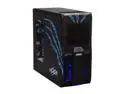
MSI Ravager IN-623 Black Steel ATX Mid Tower Computer Case
Pros: Quiet, good airflow. What more is there to say?
Cons: none.
8/20/2012See more detail