
Your Browsing History


Scott S.
Joined on 12/26/01
0
0
product reviews
- 6
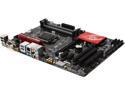
GIGABYTE G1 Gaming G1.Sniper H6 LGA 1150 Intel H97 HDMI USB 3.0 ATX Intel Motherboard
Pros: Designed for audio enthusiasts. Worked without any problems.
Cons: Well, not really a con since it can be disabled from bios, but the bright red lights on the board to showcase the noise shielded audio circuitry were irritating to me until I found the setting to turn it off.
8/12/2014See more detail
Tablet screen stops working in win 8.1.1

ASUS Taichi 31 Dual Screen 2in1 Ultrabook - i5 4GB Memory 128GB SSD 13.3" Touchscreen w/Active Digitizer Windows 8 (Taichi31-NS51T)
Pros: Works if you don't want the latest OS version
Cons: ASUS web site claims the 8.1 upgrade is supported. Apparently they had solved the problem but it resurfaced with the 8.1 update 1 in early April. My tablet mode doesn't work now and rolling back to windows 8 doesn't work either. Asus support only suggestion is to send it in for repair.
Overall Review: Get something else.
4/23/2014See more detail
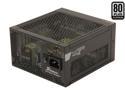
SeaSonic Platinum Series SS-400FL2 Active PFC F3 400W ATX12V Fanless 80 PLUS Platinum Certified Modular Active PFC Power Supply New 4th Gen CPU Certified Haswell Ready
Pros: No noise.
Cons: No complaints so far
8/12/2014See more detail
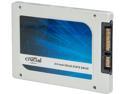
Crucial MX100 2.5" 512GB SATA III MLC Internal Solid State Drive (SSD) CT512MX100SSD1
Pros: Effortless install in new gigabyte motherboard and windows 8
Cons: No problems whatsoever
8/12/2014See more detail
Amazing case
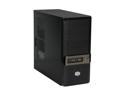
Cooler Master Gladiator 600 RC-600-KKN1-GP Black SECC Body ; Mesh Front bezel ATX Mid Tower Computer Case
Pros: Heavy, solid construction like this hard to find. USB ports on the middle of the front (where they should be!!). Five 5.25" slots with sturdy tool-less locks. Bottom mount power supply. 3.5" drives face the side, rail system is good. Front mesh size is perfect for keeping out dust, just wipe off the dust with your hand occasionally--the dust stays outside, doesn't get stuck in the filters which would be a pain)
Cons: Only USB 2 since it is an old case. Wish it didn't have fan holes on the side. I cover these up along with the top holes. Also, not a problem for me, but the feet aren't very big it might not suck much air from below if it was on a rug (you can mount the PSU with the fan up if you like, but I find plenty of air gets into the PSU from within the case even when mounted fan down).
Overall Review: I own 2 of these and I needed a new case. After looking at every possible alternative I ended up buying another one of these and will just buy a USB 3.0 bracket to go in one of the external 5.25" slots or using the 3.5" included adapter.
1/13/2013See more detail