
Your Browsing History


scott h.
Joined on 01/25/07
0
0
product reviews
- 8
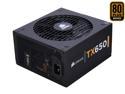
CORSAIR TX Series CMPSU-650TX 650 W ATX12V / EPS12V SLI Ready CrossFire Ready 80 PLUS BRONZE Certified Active PFC Compatible with Core i7 Power Supply & New 4th Gen CPU Certified Haswell Ready
Pros: Stable voltage even under rather heavy load.
Cons: The 2x 4 ATX12v wires were about 3" to short for my CM690 case.
Overall Review: Corsair sure knows how to pack a box, it looked like you could drop the box from 10' and not hurt the psu inside.
12/24/2007See more detail
Kabby Lake gaming build
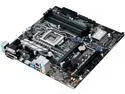
ASUS PRIME Z270M-PLUS LGA 1151 Intel Z270 HDMI USB 3.1 Micro ATX Motherboards - Intel
Pros: Booted on first try, Xmp profile runs the G. Skill trident Z ram at 3200 at 1.32v, was able to oc my 7700k to 4.5 base clock with the oc tuner in bios without any vcore increases... All in all a very stable board thus far.
Cons: Wish it had more fan headers.
Overall Review: Thus far totally happy with this motherboard.
2/7/2017See more detail
Love it
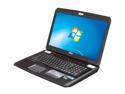
MSI GT Series 17.3" Intel Core i7-2670QM 12GB Memory DDR3 Windows 7 Home Premium 64-Bit GT780DXR-405US
Pros: This laptop is a beast, it chews up Skyrim and spits out what looks like a high production movie. This thing just doesn't lag and the frame rate at max settings is still in the 60's(software limited I think). This thing is very quiet running games, the only way to get it to really ramp up is to run Furmark burnin mode for 10min strait and even then the GPU temps level out at 77c in a 22c room.
Cons: Like others, I am not a fan of the capacitive keys that provide no feedback to show if the button was triggered or not. I also am a bit annoyed at the lack of a caps lock notification led. A personal preference would be to have dedicated volume buttons instead of using FN left and right arrows. The MSI software is very stark with zero options for customization for the soft keys and every one is a running application that fills a slot in the running tasks that show up when you Alt-Tab, this is less than desirable.
Overall Review: The MSI software could use some help, add a button feedback tone at least, let me know it did something. Give me some options to remap the keys. Give me the option to make the track pad turned off by default when a mouse is plugged in like my old Dell 9300 did. This thing is huge, it does not fit in my osprey backpack that claims to fit a 17.3" laptop when my old Dell 9300 fit just fine. I am talking 1.5" deeper and 3" wider.
12/1/2011See more detail
Nanan

Arctic Silver 7g Premium Silver Thermal Adhesive Set ASTA-7G (2-PC-SET)
Pros: Sticks to nearly everything, hot or cold.
Cons: Sticks to everything! I glued my needle nose pliers to my desk on accident.
Overall Review: The ram-sinks that came with the Aecelero S1 came with TIM on them but they failed to stick. With the AS epoxy they have been attached for a bit over a week with several hot cold cycles.
1/9/2008See more detail
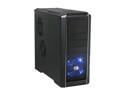
Cooler Master RC-690-KKN1-GP Black SECC/ ABS ATX Mid Tower Computer Case
Pros: Great air flow, good wiring setup, screwless drive locks hold well.
Cons: Power and reset buttons are hard to use and often require quite a bit of force.
12/24/2007See more detail
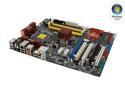
ASUS P5K-E LGA 775 Intel P35 ATX Intel Motherboard
Pros: Great MB, worked out of the box, easy to set up with labeled connectors.
Cons: SATA plugs are right under the Graphics card if you have a 9.5" card such as a 8800 series Geforce.
12/5/2007See more detail