
Your Browsing History


Shayne A.
Joined on 04/13/06
0
0
product reviews
- 33
Great
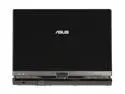
ASUS Eee PC T91MT-PU17-BK 1GB Memory 8.9" 1024 x 600 Tablet PC Windows 7 Home Premium
Pros: The touchscreen works really well on the internet, MS office, and browsing/copying/pasting/files/folders etc. It easily replaces the mouse in a way no little touchpad ever has. I havent used it for handwriting programs (Ive read other reviews that dont like it), but it works decently for drawing because it is more precise than I expected. The SSD is very fast, was nervous about it because my old eePC 900 had a painfully slow SSD. This also has one 32G drive on mini PCI-e instead of split drives. Second SD slot has a rubber cover making it feel more like an actual HD expansion, while the other one is more accessible for transferring files. Full version of Win7 is pretty sweet.
Cons: Intel GMA 500 wont handle much. I was hoping to run an N64 emulator, but it can only handle it in a 320X240 window making it playable but to small to see well. SNES emulators run perfectly at 512X448 though.
Overall Review: Windows Experience Index: Processor 1.9 Ram 4.2 Graphics 2.9 Gaming graphics 2.3 Primary HD 5.9 The numbers arent impressive but for typical netbook usage it feels pretty quick to me. If you are using your netbook for much more than the web and word processing you can probably get a bigger/more powerful laptop for a comparable price. The eeePC is incredibly small and light, that is the real advantage to it. I upgraded to 2g of RAM after a week but didnt notice any real improvement.
12/23/2009See more detail
Delicate
Kingston 16GB Flash Drive (USB2.0 Portable) DTMS/16GB
Pros: .
Cons: I just broke it in half :(
Overall Review: Its a pretty cool drive, but I wouldnt recommend keeping it in your pocket (pointless, really, if you cant take it anywhere).
8/22/2009See more detail
Works
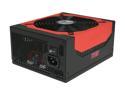
Antec High Current Gamer Series HCG-750 750W ATX12V v2.3 / EPS12V v2.91 SLI Certified CrossFire Certified 80 PLUS BRONZE Certified Active PFC Power Supply - Intel Haswell Fully Compatible
Pros: It supplies power like a champ. Wrapped cables look nice.
Cons: None
Overall Review: Running i5 processor and GTX570 card with no problems.
10/28/2011See more detail
Rocks
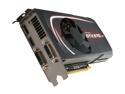
EVGA 012-P3-1571-KR GeForce GTX 570 HD w/Display-Port (Fermi) 1280MB 320-bit GDDR5 PCI Express 2.0 x16 HDCP Ready SLI Support Video Card
Pros: Ive been running all of my games on high graphic settings with no issues.
Cons: I wish I had 2 of them.
Overall Review: Running i5 2500k sandy bridge with 16g ram
10/28/2011See more detail
Nice
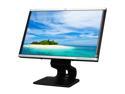
HP LA2405wg Black / Silver 24" 5ms Height/Pivot/Swivel adjustable Widescreen LCD Monitor 300 cd/m2 DC 3000:1(1000:1)
Pros: Its a monitor, worked perfectly with no issues from day 1. Looks good on 1920x1200 for all of my games.
Cons: The pivot point for adjusting the screen angle is in a weird spot at the base. If you grab the monitor by the sides and twist it feels like you are straining it. You have to grab the monitor by the top and push/pull it. The usb ports, which I have never used, are on the back of the monitor. They would only be convenient if your case is ridiculously out of reach.
Overall Review: I haven't played in the settings much, but I found you can turn off the power LED. This would be cool if you have a case that isn't lit up like Christmas.
10/28/2011See more detail
Works
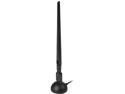
Rosewill RNX-N180UBEv3 - Wireless High Gain N300 Wi-Fi Adapter - IEEE 802.11b/g/n, (2T2R), Up to 300 Mbps Data Rates, USB 2.0 Cradle, 5 dBi High Power Antenna
Pros: Installed drivers and immediately connected to my wifi. Nice and simple. It has a decent length cable, but you can also remove the cable to plug it directly to the back of the case if you want.
Cons: Really none.
Overall Review: My router is upstairs on the other side of the house and the signal is still strong.
10/28/2011See more detail