
Your Browsing History


Kevin H.
Joined on 08/31/09
0
0
product reviews
- 15
Off to the Races!
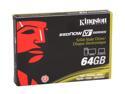
Kingston SSDNow V+ Series 2.5" 64GB SATA II MLC Internal Solid State Drive (SSD) SNVP325-S2/64GB
Pros: I love it. What else can I say about it. The thing is just really really fast. Made out of durable aluminum, very strong, almost indestructable. No Firmware needed, just plug and play. What people need to understand about this drive is that it uses a Toshiba controller. That is a good thing, the regular V use to use the J micron controller which was terrible. Also with the + a Samsung controller was also utilized. The V series has gone through 3 different cotrollers. This Toshiba for the updated + being the best yet!
Cons: I wish I could afford the 128 V+ that would be wonderfull, for my i5 4GB GD80, 64GB-59GB Formatted is just fine.
Overall Review: Turn on PCI IDE Bus Master in Bios if you have a MSI GD80, with it off the windows takes about 8-10 seconds longer to boot up. My boot up from the end of splash is 15-20 secs. That is lighting fast.
4/3/2010See more detail
Mouse is terrible
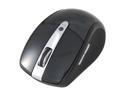
Rosewill RKM-1600RF Slim Wireless Multimedia Keyboard and Laser Mouse Combo
Pros: Good solid setup, keyboard is good. The mouse is completely flawed. The wheel squeaks only after the first few days.
Cons: Mouse, mouse wheel
Overall Review: Okay buy for the price
4/6/2010See more detail
Overall really good product
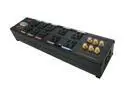
Tripplite - 10 Outlet Ultimate Protection Home Theater A/V Surge Suppressor (AVBAR10)
Pros: I love the Heavy Duty construction of this Suppressor/Conditioner, the outlets are very well constructed as well as labeled for what piece of equipment goes where. The coax and ethernet are just plain awesome. They give you three sets of coaxial in/outputs, Indicator lights tell whether grounded or not, don't be alarmed the ground in suppose to light up Red.
Cons: Cannot think of one right now.
Overall Review: Great buy for a suppressor, do not cheap out on a Surge people, they will protect up to 500,000 in limited lifetime warranty, it will not even get to that, trust me!
1/6/2011See more detail
i5 = Great mainstream CPU
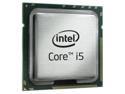
Intel Core i5-750 - Core i5 Lynnfield Quad-Core 2.66 GHz LGA 1156 95W Processor - BX80605I5750
Pros: This is my forst quad core from intel, and it works well. I paired my i5 with the GD80 from MSI. Also do not install the intel heat sink! Buy a decent cooler.
Cons: Intel cpu non-cooler! I open the box, and inside sits this puny little fan and heatsink.
Overall Review: Go with a Zalman 9800, you wont regret it. Make sure it's the one with the 1156 socket clip. Also I can overclock on air up to 4.0 with no problems at all. Not even close to 70 C. However I keep mine at a comfortable 3.6-3.8, temps idle are 35, loaded 100% it reaches 60 C flat, if I drop the voltages down to 1.31-2 the load temp drop 5 celsius. For MSI, keep v-droop on Low, high will drop the voltage in the worst way/under load. Low doop will incease slighly when under load. Have fun.
4/12/2010See more detail
Good Desktop & Notebook Mouse
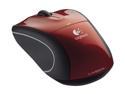
Logitech Wireless Mouse M505 (910-001326) Red 3 Buttons Tilt Wheel USB RF Wireless Laser Mouse
Pros: For the person who rated it at four stars because the description did not mention (Notebook), whether it is used for a Desktop or a Laptop is Irrelevant. Great Mouse, goes well with my Rosewill Keyboard.
Cons: None really, But... The closing for the batteries fits really loosely, not really a big deal, as you can see I did not take any stars away.
Overall Review: For a carpal tunnel hand in need of some ergonomic performance, I would turn to this mouse ASAP.
4/9/2010See more detail
Good Fan/ suspect quality control
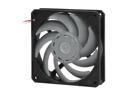
Scythe GentleTyphoon D1225C12B5AP-15 Case cooler
Pros: The Fan is near silent at full speed, trust me compared to the s- flex these are hardly noticeable. They do push some air.
Cons: My only problem with these fans is the quality control issue. Scythe obviously does not know how to soder a fan, if you barley pull on the wires there is a chance they will detach from the hub.
Overall Review: I guess if you know how to soder well than things should be alright I guess. Overall I am not going to give these a bad review, I wont do it. I would recommend these for a silent operation, just be careful on how you handle the fans.
4/9/2010See more detail