
Your Browsing History


Michael A.
Joined on 02/01/05
0
0
product reviews
- 16
Does the job but needs a 3-pin power connector.
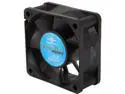
Vantec Thermoflow 60mm Double Ball BearingTemperature Controlled Case Fan - Model TF6025
Pros: Simple, cheap design that gets the job done. Quiet, too.
Cons: Vantec should have used all three pins on the 3-pin motherboard connector. Instead they only use the third pin so you can read the RPM's from the motherboard, but use Molex connectors for power. It's not a huge problem but it's an annoyance.
Overall Review: I'll probably go find some pins or something and make the power leads run off the 3-pin connector instead of the Molex, but I'm satisfied for now. Bought this fan as the third optional fan for my Thermaltake Lanbox Lite. It sits above the GPU and seems to be getting the job done.
1/15/2009See more detail
Decent
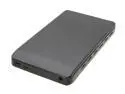
SilverStone RAVEN RVS02 Plastic 2.5" Black SATA I/II/III USB 3.0 Screwless Design External Enclosure
Pros: - Looks nice - Fast with USB 3.0 - Screwless design - Price is good
Cons: - Plastic design feels flimsy - The glue that holds the faux carbon-fiber panel was not applied very well
Overall Review: I bought this enclosure for my laptop as part of my SSD upgrade process. I took the old HDD out of the laptop and swapped it with the SSD, and then put the hard drive into this enclosure to make it external. The hard drive was thinner than the SSD (Crucial M4). I put the SSD into the enclosure first to format it, and the case started splitting. A little glue fixed it, but keep an eye out. Otherwise, the enclosure has been working reliably with my 2.5" hard drive.
6/30/2012See more detail
Great bang for the buck.
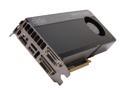
EVGA SuperClocked 02G-P4-3662-KR G-SYNC Support GeForce GTX 660 Ti 2GB 192-bit GDDR5 PCI Express 3.0 x16 HDCP Ready SLI Support Video Card
Pros: Fast! Good price point Keeps cool Looks awesome EVGA Service
Cons: None that I can see!
Overall Review: Bought this card for my new desktop PC build, along with a 3.5ghz i7 Ivy Bridge CPU, SSD and some other stuff. For being the 2nd or 3rd best card, the price to performance ratio is the best in my book. EVE Online, Mechwarrior Online, Mass Effect, whatever game I have it doesn't matter. I can run them all at highest settings at 1920x1080 and have a solid 60fps (vsync on) and little to no stutter. I'm considering getting another 23" monitor in the future, and when I do I'll definitely buy another one of these cards! IMO don't shell out another $200+ on the top of the line card. This card may be "third best" or whatever in specs, but you're getting near top of the line performance for a much better value. Also, EVGA has great support and their Step-Up program is worth looking into if you're uncertain about buying a card now or waiting for the next generation of cards.
10/23/2012See more detail
Smokin' drive!
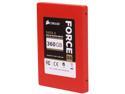
Corsair Force Series GS 2.5" 360GB SATA III Internal Solid State Drive (SSD) CSSD-F360GBGS-BK
Pros: F A S T Like really, really fast. Good price/gb for an SSD Includes 3.5" to 2.5" adapter bracket (didn't need it)
Cons: None yet!
Overall Review: Chose this drive for my new Desktop PC build. At first I was looking at 500gb SSD's but determined that I didn't need all that extra space for a lot of extra money. I use a 2TB WD for storing all my user files and documents, and the SSD holds the operating system and program files. With my 3.5ghz i7 Ivy Bridge doing the data crunching, this bad boy boots Windows 7 Home Premium in under 15 seconds after BIOS POST. I'll never put an OS on an old school hard drive again! ...That being said, I'm still wary of SSD's and you should be too. Always back up your data!
10/23/2012See more detail
Good 4pin fan.
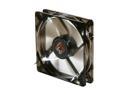
XIGMATEK FCB (Fluid Circulative Bearing) Cooling System XLF XLF-F1255 120mm Power Management White LED Black Case Fan PSU Molex Adapter/extender included
Pros: *Quiet *Good airflow *Cheap *White LED's look nice * 4-pin fan connector so your board can adjust fan speed. * Also comes with the typical 4-pin molex adapter
Cons: None that I can think of.
Overall Review: I did a lot of looking for a 120mm fan with the newer 4-pin style connectors. Unfortunately Newegg doesn't do a good job distinguishing between the 4-pin motherboard header type connector which allows you to adjust fan speed and the typical 4-pin Molex "dumb" power connector. If you've got a board that has 4-pin headers that you want to take advantage of, then this is the case fan for you! I even used one of these as the second fan for my Cooler Master Hyper 212 CPU cooler. Works and looks great!
10/23/2012See more detail
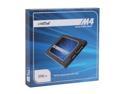
Crucial M4 2.5" 256GB SATA III MLC Internal Solid State Drive (SSD) CT256M4SSD2
Pros: - Excellent Price - F A S T - It worked right off the bat
Cons: - You'll want a second hard drive to hold all your media
Overall Review: I upgraded my laptop's "old-skool" 7200rpm hard drive with this SSD. My hard drive went from being the clear bottleneck to one of the fastest components (W7 hardware score jumped from 5.9 to 7.6). My laptop boots in 30 seconds from poweron and there is NO waiting for stuff to load now. It's night and day. The only caveat is the drive space. 256gb is more than enough for Windows 7, some programs and games. I planned for this, and my old internal HDD is now in an external enclosure. If you're still on the fence about SSD's, I'd say wait for the larger capacity ones to drop in price before you buy one for a laptop. For a desktop, use the old HDD as a secondary internal drive for all your documents and media and you'll never want to go back.
6/30/2012See more detail