
Your Browsing History
 We‘re shipping as usual! The Canada Post strike only affects certain remote deliveries and PO Boxes. Details
 Holiday Shipping Details & Extended Holiday ReturnsWe‘re shipping as usual! The Canada Post strike only affects certain remote deliveries and PO Boxes. Details Holiday Shipping Details & Extended Holiday Returns

Joined on 07/22/03
Lightning Fast Router! Superb features
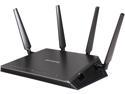
Pros: Installation: Superb setup instructions! Very straightforward. I was up and running in a few minutes. The Netgear genie is extremely well laid out. Very straightforward and easy to access all of the major controls. Best of all, Netgear has both a "BASIC" and "ADVANCED" configuration, so both novices and experts will be happy. The Basic Home provides you a streamlined GUI that gives you all the relevant information (Internet status, wireless login info, attached devices, etc.) This is the best router configuration tool Ihave ever seen, among dozens of routers. Default channel for 5GHz band is 153. There is no automatic mode for 5GHz. I checked Vistumbler and found the only other 5GHz router around me was also a Netgear router on the same band. You might want to use a similar application to make sure your signal does not overlap and interfere with another router. Based on the ADVANCED Home configuration, it looks like "up to 1733Mbps" is equivalent to 80 MHz channel bandwidth, so the signal will channel bond 4 nearby bands in total. Changes to the wireless channel took around a minute - a bit agonizing. If you are looking to police your kids surfing habits, Netgear has taken parental controls to the next level. They have a mobile app to allow you to dynamically change the settings on the router. Pretty cool. QoS is disabled by default. You may want to enable this as this may improve throughput of multiple devices connected at the same time. Netgear's dynamic option is nicely hooked into a performance optimization database that can automatically update. The R7800 also has an option called "ReadySHARE" that allows you to remotely access a USB drive connected to the router. Handy if you want to keep your intranet secure by only uploading specific content to the USB drive, without opening a port through your firewall. NETGEAR downloader allows you to download files directly from the internet directly to a USB hard disk. This is an additional layer of security that would also keeps your intranet secure. Lastly, there is a "Guest Network" option to allow visitors to access your internet, without giving the network key. Downloadable firmware updates make firmware updating a snap. It only took about 3 minutes to upgrade. Speed: I used Acrylic Wi-Fi and Vistumbler to view other wireless networks around me and change the channel to avoid interfering ones. I compared my results from transferring a 1GB file over the network to a PC hard-wired to the router 5-feet away (USB 2.0, WPA2-PSK w/AES TKIP encryption): Netgear R7800 Nighthawk X4S (V1.0.1.30): Using an 802.11n adapter @ 2.4GHz (Premiertek PL-18N - 300Mbps max) - 113s @ 72Mbps (w/o QoS) Using an 802.11ac adapter @ 5GHz (Buffalo AirStation WI-U2-866D - 866Mbps max) - 43s @ 186Mbps (with QoS) Using an 802.11ac adapter @ 5GHz to transfer to TWO devices simutaneously (Buffalo AirStation WI-U2-866D - 866Mbps max) - 47s @ 174Mbps (with QoS) Using an 802.11ac adapter @ 5GHz to transfer to TWO devices simutaneously (Buffalo AirStation WI-U2-866D - 866Mbps max) - 62s @ 132Mbps (w/o QoS) D-Link DIR-868L: Using an 802.11n adapter @ 2.4GHz (Premiertek PL-18N - 300Mbps max) - 121s @ 66Mbps Using an 802.11ac adapter @ 2.4GHz (Buffalo AirStation WI-U2-866D - 450Mbps max) - 95s @ 84Mbps Using an 802.11ac adapter @ 5GHz (Buffalo AirStation WI-U2-866D - 866Mbps max) - 43s @ 186Mbps Using an 802.11ac adapter @ 5GHz to transfer to TWO devices simutaneously (Buffalo AirStation WI-U2-866D - 866Mbps max) - 45s @ 182Mbps TP-Link Archer C2600: Using an 802.11n adapter @ 2.4GHz (Premiertek PL-18N - 300Mbps max) - 76s @ 105Mbps Using an 802.11ac adapter @ 5GHz (Buffalo AirStation WI-U2-866D - 866Mbps max) - 316s @ 25Mbps Using an 802.11ac adapter @ 5GHz (TP-LINK T4U - 866Mbps max) - 41s @ 195Mbps Using an 802.11ac adapter @ 5GHz to transfer to TWO devices simutaneously (TP-LINK T4U - 866Mbps max) - 92s @ 87Mbps Range: The best I have ever used! I walked approximately 150 feet from the router and still had a very fast 3 bars on my LG GS4 with data disabled. The best that comes close to this was an Almond+ (100ft), but it did not touch the speeds of this router. Physical: This router includes 4 removable RPSMA antennas, however they have probably been optimized for the MU-MIMO of the router. All LEDs, except the power LED can be disabled.
Cons: Physical: Large. Size of a 10" iPad. Takes up a lot of desk space. Warranty: Warranty is 1 year, which is a bit short.
Overall Review: Extremely fast 1.7GHz dual Core 1.7GHz Qualcomm IPQ8065 CPU - possibly the fastest available. This router is tied for second behind the Nighthawk X8 for fastest individual band transfer rates on the 5GHz band (1733MBps). Page loads are super snappy, range is the best I have ever seen and speed on the 5GHz band is right around the top. It is also tough to complain about the 4 x MU-MIMO with beamforming to support multiple devices simultaneously, 4 x Gigabit ports, 2 x USB 3.0 and 1 x eSATA port. You really need a better client adapter to get the full benefits of this router. Make sure to enable QoS to get the full benefits of this router. Considering the features, ease of setup, compatibility, speed and range of this router, I have to give this 5 eggs.
Lightning Fast Router, but with some compatibility issues
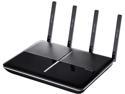
Pros: Installation: Superb setup instructions! Very visual. I was setup within a minute. Automatically gives you the option to clone your MAC address, which was a problem that I spent a few hours trying to troubleshoot before when trying to setup a competitor's router for internet access with a cable modem. Great features for the novice, such as telling you the "WAN port is unplugged" when the router is disconnected from a modem or "!" mark next to internet indicating there is an issue there. Speed: I used Acrylic Wi-Fi to view other wireless networks around me and change the channel to avoid interfering ones. My results from transferring a 1GB file to a PC hard-wired to the router 5-feet away (USB 2.0, WPA2-PSK w/AES TKIP encryption): TP-Link Archer C2600: Using an 802.11n adapter @ 2.4GHz (Premiertek PL-18N - 300Mbps max) - 76s @ 105Mbps Using an 802.11ac adapter @ 5GHz (Buffalo AirStation WI-U2-866D - 866Mbps max) - 316s @ 25Mbps Using an 802.11ac adapter @ 5GHz (TP-LINK T4U - 866Mbps max) - 41s @ 195Mbps Using an 802.11ac adapter @ 5GHz to transfer to TWO devices simutaneously (TP-LINK T4U - 866Mbps max) - 92s @ 87Mbps D-Link DIR-868L: Using an 802.11n adapter @ 2.4GHz (Premiertek PL-18N - 300Mbps max) - 121s @ 66Mbps Using an 802.11ac adapter @ 2.4GHz (Buffalo AirStation WI-U2-866D - 450Mbps max) - 95s @ 84Mbps Using an 802.11ac adapter @ 5GHz (Buffalo AirStation WI-U2-866D - 866Mbps max) - 43s @ 186Mbps Using an 802.11ac adapter @ 5GHz to transfer to TWO devices simutaneously (Buffalo AirStation WI-U2-866D - 866Mbps max) - 45s @ 186Mbps Almond+: Using an 802.11n adapter @ 2.4GHz (Premiertek PL-18N - 300Mbps max) - 155s @ 52Mbps. Using an 802.11ac adapter @ 2.4GHz (Buffalo AirStation WI-U2-866D - 450Mbps max) - 760s @ 10.53Mbps. Using an 802.11ac adapter @ 5GHz (Buffalo AirStation WI-U2-866D - 866Mbps max) - 171s @ 47Mbps. TRENDnet AC1750: Using an 802.11n adapter (Premiertek PL-18N - 300Mbps max) - 79s @ 101Mbps. Using an 802.11ac adapter @ 5GHz (Buffalo AirStation WI-U2-866D - 866Mbps max) - 51s @ 157Mbps Buffalo AC1200: Using an 802.11n adapter @ 2.4GHz (Premiertek PL-18N - 300Mbps max) - 52s @ 158Mbps. Using an 802.11ac adapter @ 5GHz (Buffalo AirStation WI-U2-866D - 866Mbps max) - 42s @ 195Mbps Overall, the C2600 is one of the fastest adapters I have ever tested. Range: The best I have ever used! I walked approximately 150 feet from the router and still had a very usable 2 bars on my SGS5 with data disabled. The best that comes close to this was an Almond+ (100ft), but it did not touch the speeds of this router. Physical: This router includes 4 removable RPSMA adapters. Thankfully not proprietary. It also lets you disable the LEDs, so you don't have to deal with this at night, if this is in a room you sleep in. Warranty: Warranty is 2 years, which is about average.
Cons: Physical: Large. Size of a 10" iPad. Takes up a lot of desk space. It's kind of shame, because the C8 is vertical and takes up less physical space. Software: Error message when trying to login to the router multiple times. "User admin is currently logged into this router. You cannot login at the same time. Please try again later." It takes about 10min before the router clears out the cache and allows you to relogin. Annoying. During intitial setup, the wizard states "the 5GHz network is not available due to restrictions in your country." However, by default it is actually enabled. QoS is disabled by default. MU-MIMO is enabled. Hardware: Compatibility issues with a Buffalo AirStation WI-U2-866D adapter. Transmit speeds were totally unusable until I turned off "WMM" on the adapter. After disabling it, they were slow, but usable. I have been using this adapter to compare multiple routers without any problems. I also had problems with a Premiertek PL-18N. The transfer would sometimes drop out midway through the transfer. This may have been related to the adapter, but I can't be sure.
Overall Review: Extremely fast 1.4GHz dual core processor. This router is also currently tied (AFAIK) for second behind the Nighthawk X8 for fastest individual band transfer rates on the 5GHz band (1733MBps). Page loads are super snappy, range is the best I have ever seen. It is also tough to complain about the 4 x MU-MIMO with beamforming to support multiple devices simultaneously, 4 x Gigabit ports, readily replacable antennas and 2 x USB 3.0 ports for NAS. The biggest problem I had with this router were the compatibility issues I faced with using non-TP-Link WiFi adapters. The TP-Link T4U is fast, but overheats and stops working. While this is a great router, it's a problem when you limit what options can connect to it. Based on the specs, I was really expecting this to be the router I would not have to replace for the next 5 years. Otherwise, I would have had no problems recommending this router to anyone. Also, other routers are beginning to support WiFi enabled devices for home automation. If you are buying something purely for the speed, range, or have multiple devices then this is an excellent choice, but for this price range, you may want to consider other devices that include this feature, however may not be as fast.
Works O-K
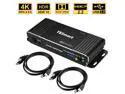
Pros: Easy toggle between one computer and another
Cons: -Does poor job of recognizing more than one button press at a time. You really have to slow down, hold down the keys for awhile when you hit "CTRL-C" and wait for it to capture the keystrokes.-Mouse uses generic driver. My mouse (Logitech G903) requires the driver to set the DPI setting so it can move quickly around the screen. Connecting it to this switch means it is using a generic driver and the DPI drops to the lowest setting. This slows down my mouse movements.-Occasional duplication of keystrokes. You might hit a "g" and it will input it 5 times. This is extremely rare and seems to occur when I am attempting to do multiple keystrokes.
Overall Review: Works okay, if you are willing to accept some limitations.
Fast, durable drive at a competitve price
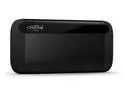
Pros: Body: Unibody, all aluminum construction makes this a more durable, physical design than competing plastic drives. Installation: Installation was simple. Removed from box and packaging, attach USB-C cable to drive and attached other end to computer. Cable is a heavy duty, but very short 8" long. Crucial includes a quick start guide that redirects you to the website to download free cloning and optimization software. The drive came pre-formatted in exFat format and looks like it would be compatible with PC and Mac computers out of the box. Once attached to a Windows computer, you will need to assign a drive letter. To do this, right click on the Start Menu -> Run -> Type in "Computer Management" and select "Disk Management." From here, look for disk 3 with a size of 931.39GB, right click and select "Change Drive Letter and Paths" to assign the drive letter. Since the drive is already formatted, it will immediately be available. Software: Drive includes a link to the website, which has software "Crucial Storage Executive." Features of Crucial Storage Executive include: -S.M.A.R.T. - gives drive's health -Firmware updates - already latest -Sanitize drive - No drives supported. (Bleachbit) -PSID revert - No drives supported. If your drive is encrypted and you need to regain access, it will wipe the drive and give you back access. -Momentum Cache - Did not allow me to enable. "May enhance overall system performance." -Flex capacity - No drives supported. -Over Provisioning - allows you to gain performance by giving free space to the SSD controller. Reduces space. -Device Selft Test - No drives supported. Speed: I compared the performance of this drive to my WD Black 256GB Performance SSD - M.2 2280 PCIe NVMe SSD and Seagate Barracuda ST4000DM005 4TB 64MB Cache 5900RPM HD SATA 6Gb/s. The results using CrystalDiskMark 7.0f (1GiB), HDTune 2.5.5 and copying internal files: Crucial X8 Portable SSD ***CrystalDiskMark*** Seq1MQ8T1: Read 726.33 MB/s / Write 784.29 MB/s Seq1MQ1T1: Read 650.45 MB/s / Write 699.80 MB/s RND4K_Q32T16: Read 295.13 MB/s / Write 265.41 MB/s RND4K_Q1T1: Read 35.95 MB/s / Write 49.50 MB/s 4K: Read 0.603 MB/s / Write 1.798 MB/s ***HDTune*** Minimum Transfer Rate = 325.2 MB/sec Maximum Transfer Rate = 345.8 MB/sec Average Transfer Rate = 332.2 MB/sec Access time = 0.1 ms Burst Rate = 204.0 MB/sec CPU Usage 2.5% ***Custom*** 1GB large file copy = 5 s 1GB small files copied (14,700 files) = 21 s Western Digital Black 256GB Performance SSD (M.2 2280 NVMe) ***CrystalDiskMark*** Seq1MQ8T1: Read 1544.40 MB/s / Write 648.96 MB/s Seq1MQ1T1: Read 1142.13 MB/s / Write 669.31 MB/s RND4K_Q32T16: Read 695.78 MB/s / Write 361.52 MB/s RND4K_Q1T1: Read 39.33 MB/s / Write 118.18 MB/s ***HDTune*** Minimum Transfer Rate = 99.0 MB/sec Maximum Transfer Rate = 729.5 MB/sec Average Transfer Rate = 401.2 MB/sec Access time = 0.1 ms Burst Rate = 76.8 MB/sec CPU Usage 1.8% ***Custom*** 1GB large file copy = 3 s 1GB small files copied (14,700 files) = 9 s Seagate Barracuda ST4000DM005 4TB 64MB Cache 5900RPM HD SATA 6Gb/s ***CrystalDiskMark*** Seq1MQ8T1: Read 224.18 MB/s / Write 114.49 MB/s Seq1MQ1T1: Read 127.28 MB/s / Write 97.72 MB/s RND4K_Q32T16: Read 1.26 MB/s / Write 0.78 MB/s RND4K_Q1T1: Read 0.34 MB/s / Write 0.70 MB/s ***HDTune*** Minimum Transfer Rate = 139.6 MB/sec Maximum Transfer Rate = 203.9 MB/sec Average Transfer Rate = 170.5 MB/sec Access time = 11.5 ms Burst Rate = 181.0 MB/sec CPU Usage 1.2% 1GB large file copy = 11s 1GB small files copied (14,700 files) = 422 s Wow! This drive cooks on sequential read rate (large file transfers). Write speed for 4K (small file transfers) is also fast, although it's a little slower than the WD Black drive, but this other drive has an ideal transfer interface - directly attached to the motherboard and the difference is in seconds. It smokes the software RAID 0 HD setup, which took over 7 minutes to perform the same action. Warranty: The warranty is three years, which is solid compared to competitors.
Cons: All USB 3.1 Gen 2 devices are now called USB 3.2 Gen 2 devices and offer up to 10Gbps (1025MB/s) maximum transfer rates. In reality, the real world transfer rate is much lower. I attached this USB 3.2 Gen 2 drive to a USB 3.2 Gen 2 port. These were the results: -Transferring 194 large files (5GB) took 39 seconds over USB (140MB/s). -Transferring 38,247 small files (~5GB) for testing took about 20 minutes over USB (<1MB/s). If you have to transfer lots of small files, like documents, the USB 3.2 interface will be a bottleneck. That is nothing against this drive, just a limitation of the interface.
Overall Review: Overall, this is a fast, secure, light and attractive looking drive with a good warranty from a great company. The American company Micron (Crucial) has been in the memory business for over 41 years and produces some of the fastest and most reliable memory/SSDs available. Personally, I use some award winningly fast Crucial DDR4 for my PC. I did not reach the advertised 1050MB/s transfer rate (720MB/s), but that is typical. This drive is still, at a minimum, 40% faster than most of it's competitors... and at a lower price. I would not hesitate to recommend this drive.
Excellent all around laptop and great value
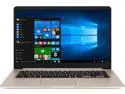
Pros: Design: The ASUS S510UN-DB55 comes with a very slick looking silver, aluminum top to protect the display, whereas the case is plastic, painted a matching silver color. I wish the entire case was aluminum, but some is better than nothing and it is a welcome touch at this price range. This is a light ultra-book weighing less than 3lbs with a well designed keyboard with a full backspace key, however unfortunately no number pad - I would have preferred a number pad for gaming, but the NVIDIA GeForce MX150 will only average you 30fps in GTA V or Tomb Raider, so it's not really ideal for gaming anyway. It's still more than capable of running something like Fortnite, though. The touchpad is large and responsive with support for standard multi-touch. The keyboard feels relatively solid with a firm back support. Installation: This laptop is ready to go out of the box, after going through a few of Windows 10 Cortana data gathering prompts. Software: The S510UN-DB55 comes with Windows 10 Home. I installed ClassicShell out of the box to replace the cluttered interface. Storage: The S510UN-DB55 comes with a 1TB drive, with 960GB actual space and 893GB free out of the box - a decent amount. The shining jewel of this laptop is that it is powered by 16GB of Intel's much hyped Optane memory. Intel Optane was developed in conjunction with US-based Micron Technology as a new memory type called 3D XPoint. It serves to essentially replace DRAM by offering performance close to DRAM memory, while offering all of the permanent storage benefits of NAND. ASUS used this ultra-fast Optane memory to replace the 16GB of DRAM typically found in a laptop and ship it with 4GB+16GB of Optane - a less expensive option. How does this impact performance? Speed: Here is how performance compared with and without Optane installed: S510UN-DB55 with 16GB Optane (Toshiba MQ04ABF100 1TB, 128MB Cache, 5400 RPM) Startup Time (to Windows login screen): 12s CrystalDiskMark Seq: Read 894.0 MB/s / Write 157.5 MB/s 4K: Read 177.9 MB/s / Write 88.32 MB/s HDTune Min Transfer rate: 10.8MB/s Max Transfer rate: 140.1MB/s Average: 93.3MB/s Access Time: 18.8ms CPU Usage: 12.7% S510UN-DB55 without 16GB Optane (Toshiba MQ04ABF100 1TB, 128MB Cache, 5400 RPM) Startup Time (to Windows login screen): 24s CrystalDiskMark Seq: Read 69.40 MB/s / Write 23.48 MB/s 4K: Read 0.282 MB/s / Write 0.247 MB/s HDTune Min Transfer rate: 6.0MB/s Max Transfer rate: 77.7MB/s Average: 29.5MB/s Access Time: 29.1ms CPU Usage: 2.7% 1GB Large File Copy test: 31s 515MB Small File Copy test (<100kb files): 5m 36s As you can see, the boost from Optane is tremendous! Real world performance feels just as snappy as an SSD with the added storage space of a HD. Display: Display is a vibrant 1920 x 1080 IPS display. From other sites, it offers a 72% color gamut. Sound: Quality is okay. Loudness is good. The S510UN-DB15 is at least 30% louder than the F510UA I had before. If you need it louder, you can download the ICEpower application and adjust the equalizer. Unfortunately, speaker placement is poor - speakers are underneath in the front, which makes it a real problem if you are going to watch or listen to something on any non-flat surface (i.e. your bed). Battery life: Full-screen video playing : 4hrs 5min Upgradability: -2 x SO-DIMM PC4 DDR4 2400T memory slots. 1 slot being used by a 4GB Samsung memory module. -1 x M.2 2280 SATA III slot that is being used by the 16GB Optane module. You can replace this with an SSD drive. -1 x SATA III port, occupied by the 1TB Toshiba drive.
Cons: Physical: Does not use aluminum all around. Software: By default, there are 2 McAffee apps and 6 preinstalled ASUS apps, at least 3 of which are bloatware. Warranty: 1 year warranty is standard for devices of this type, but could be longer.
Overall Review: This laptop has everything the average user could need. Great IPS display, large and fast storage, excellent battery life, video capable of light gaming or HD video and decent sound. More RAM would not hurt, but there is space to pop in another module for very little money. Overall an excellent laptop.
Fast, secure and attractive little drive
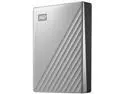
Pros: Installation: Installation was relatively easy. Removed from box, removed from blister pack, attach USB-C cable to drive and attach other end to computer. It also includes a USB-A (standard rectangle) to USB-C (oval shape) adapter, if your computer does not have a USB-C port. Cable is a heavy duty, but a very short 12-16" long. User guide is on Western Digital's website. With Windows 8.1 already running, the drive was not automatically recognized. To get it recognized, I opened Windows Explorer -> right-click on "This PC" (My Computer in earlier versions of Windows), selected Storage -> Disk Management. From here, I found the disk with the approximate size (1862.99 GB for 2TB drive) and assigned it a drive letter. The drive is pre-formatted to NTFS. Typical install process for any new, mass storage drive, I just thought it would be easier with an external one. Software: Already on the drive is a program to install Western Digital's "Discovery" for Windows or Mac. Some of the features of this program include: *It allows connected WD devices like WD My Passport and other supported drives to be managed under one application (My Cloud Home) *It simplifies complex tasks like securing the drive with a password or managing drive settings *It allows for device registration in order to receive important software updates and notifications *It displays device status such as capacity, free space available, drive security and so on This program has another potentially cool feature - it also allows you to import files from your other cloud accounts including Dropbox, Google Drive, OneDrive, Facebook, Instagram accounts, etc. My results from trying to import from a few services: * Google Drive - automatically downloads all of your Google Drive account and lets you set the destination, but doesn't let you choose the source folders/files. You also can't upload. * Dropbox - automatically downloads all of your DropBox account and lets you set the destination, but doesn't let you choose the source folders/files. You also can't upload. * Facebook - did not work, because Discovery tries to use a non-https URL. There is a big icon for "My Cloud Home," but that is a separate external backup system sold by WD and not relevant to this product. There are other optional Apps you can install from the Discovery software, however only three are free "WD Drive Utilities", "WD Security", "WD Backup." The paid apps say "Learn More." The password protection is under the security app and gives you 256-bit encryption to make this drive unbreakable - don't lose the password! Physical: Blue/black case is a nice, anodized dark blue with some texturing. Seems sturdy enough to protect the contents. Speed: I compared the performance of this drive to my Seagate BarraCuda ST4000DM005 4TB. The results using CrystalDiskMark 2.2, HDTune 2.5.5 and copying internal files: Seagate BarraCuda ST4000DM005 4TB 64MB Cache, 5900RPM ***CrystalDiskMark*** Seq: Read 170.5 MB/s / Write 159.6 MB/s 4K: Read 0.603 MB/s / Write 1.798 MB/s ***HDTune*** Maximum Transfer Rate = 197.4 MB/sec Average Transfer Rate = 182.5 MB/sec Minimum Transfer Rate = 139.6 MB/sec Access time = 11.7 ms Burst Rate = 197.4 MB/sec 1GB large file copy = 10.5 s 1GB small files copied (14,700 files) = 32 s Western Digital My Passport Ultra 2TB ***CrystalDiskMark*** Seq: Read 346.4 MB/s / Write 129.6 MB/s 4K: Read 1.038 MB/s / Write 6.320 MB/s ***HDTune*** Maximum Transfer Rate = 249.3 MB/sec Average Transfer Rate = 242.8 MB/sec Minimum Transfer Rate = 129.6 MB/sec Access time = 0.5 ms Burst Rate = 165.9 MB/sec 1GB large file copy = 9s 1GB small files copied (14,700 files) = 32s Wow! This drive cooks on sequential read rate (large file transfers), although write speed is a little slower than the 3.5" drive. On the other hand, write speed for 4K (small file transfers), demolishes the other drive. However, in real world testing, it took the same amount of time to transfer small files as the Seagate BarraCuda. Without knowing the true specs, the 0.5 ms access time makes me believe this is a hybrid SSD-mechanical drive. Whatever - it works. Warranty: The warranty is three years, which is solid compared to competitors. Noise: Quiet - I could not hear the drive over my low speed case fans.
Cons: * Lack of import settings with software program * No built-in ability to upload to cloud servers * Cost premium for the lower capacity models
Overall Review: Overall, this is a fast, secure, light and attractive looking drive with a good warranty. While the software could use some work, if you are looking for portable storage, this is a great choice.