
Your Browsing History


James J.
Joined on 09/06/01
0
0
product reviews
- 3
Best LCD Monitor I've ever owned...
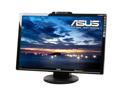
ASUS VK266H Black 25.5" HDMI Widescreen LCD Monitor w/ Built in Speakers 300 cd/m2 1000:1 (ASCR 20000:1 ) w/ Component and SPDIF out Connector
Pros: Huge screen with no dead pixels! 2ms pixel response with adjustable overdrive. No ghosting at all with PixPerAn flag and car tests, with a readability score of 8. 1:1 Pixel option, along with Fullscreen, 4:3, and Overscan modes. Component & HDMI inputs… perfect for 360 & PS3. SPDIF Coaxial output for HDMI audio. Headphone jack. Good webcam that works well in low light conditions. Dynamic contrast of 20000:1 – ASCR off by default. DCDi for deinterlacing and anti-aliasing 480i video, such as from an older PS2 or DVD player connected via componet cables. Colors are good without adjustment in STD mode; Native White Point is aprox D65. Calibration results with ColorEyes Display Pro w/Spyder2 (STD Mode, RGB 100/100/100, B90/C80, Gamma L): Native WP=6534K, Lum/BP = 272/0.69, dE avg=0.45, max = 1.16.
Cons: No USB ports. No built-in microphone. No Composite input (it would make sense with DCDi). Headphone jack should be on the side, not in back. I have better speakers in my laptop (I’m not kidding). The stand has no height adjustment. The included cables are of dubious quality… Higher resolution displays are more prone to interference issues, so higher quality (i.e. thicker) cables are recommended.
Overall Review: Bottom Line: You will not find a better monitor at twice the price… period.
1/2/2009See more detail
Quake 3 @ 88fps !!!
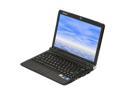
Lenovo IdeaPad S12(29595DU) Black Intel Atom N270(1.60 GHz) 12.1" WXGA 2GB Memory 250GB HDD Netbook
Pros: Silky smooth HD videos on a netbook! Windows 7 runs surprisingly well. ~5 hour battery life. The first netbook that you can actually game on. Here are some benchmarks: Quake 3 @ 1280x800, max detail – 87.8 fps. 3Dmark01 – 5302 3Dmark03 – 3640 (vs. 707 on the standard S12 w/Intel 945 graphics) 3Dmark06 – 1358 (vs. only 71 on the standard S12)
Cons: Loaded with cr@pware and advertisements. The included McAfee AV is a resource hog and slows things down… I’ll replace it with MS Security Essentials, which has a smaller footprint. Glossy lid – Think twice before removing the protective plastic film.
Overall Review: Older games should run fine; Cisco mentioned Civ4. I’ve only tested Quake 3, but other games based on this engine should be fine, including: Call of Duty, Return to Castle Wolfenstein, Star Trek Elite Force 1&2, Jedi Outcast & Academy, American McGee’s Alice, and Medal of Honor Allied Assault, to name a few. You will need the new Flash 10.1 beta and the latest nVidia ION drivers. For smoothest playback, make sure you’re not using the Energy Star or Power Saver modes. An external DVD drive would be a wise investment; Create a recovery disc ASAP. I’ve devoted an 8GB class 6 SD card to ReadyBoost, which does seem to increase performance, and might actually increase battery life to due decreased HDD usage. Bottom Line: I’m very happy with my purchase.
11/22/2009See more detail

SAMSUNG 19" a-si TFT/PVA LCD SXGA LCD Monitor 20 ms 193P-SV
Comments: Just got one of these babies, and I’m impressed: Pros: No dead pixels! :) Very sleek design… best looking LCD monitor PERIOD. Extremely wide viewing angles, pivots 90 degrees, and is wall mountable. Text at the default resolution is incredibly crisp… every pixel is well defined. Say goodbye to eye strain :) Color reproduction is actually better than on my Philips 201b4 21” crt monitor. Photos look fantastic. At an optimum brightness/contrast of 30/81, the black is darkest of any LCD I’ve seen before. Tom’s Hardware measured the contrast ratio at an amazing 1139:1, exceeding specs. Cons: White has a barely discernible red tint… and with DVI the colors are not adjustable. But better a slight red tint than green or blue, since it’ll give photos a little warmth. At 20ms, games have less ghosting than I had expected, but it is still noticeable. In Quake 3 ghosting is minimal, but in Half-Life 2 it is very bad due to the bright, high contrast outdoor areas. Ghosting is worse with dark objects against a white background than the reverse. Despite what others say, no lcd monitor (not even at 12ms) will satisfy hardcore FPS gamers. If gaming is your primary focus, wait a couple of years for the 5ms lcds… or set yourself up with dual monitors like I did :)
2/4/2005See more detail