
Your Browsing History


Jeff R.
Joined on 06/25/11
0
0
product reviews
- 8
I like it.
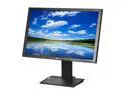
Acer 24" IPS Height & Pivot Adjustable IPS LCD Monitor w/ DisplayPort 14 ms D-Sub, DVI, DisplayPort B243PWLKbmdrz
Pros: Portrait mode. More Pixels. IPS is nice.
Cons: Bad backlight bleed. BLACK isn't black.
Overall Review: I'm comparing this monitor ( the Acer B243PWL ) with my previous one, the HP w2338h, a non⋅IPS (TN) non⋅LED ( CCFL, Fluorescent ) display, 1920 x 1080, 23". Brightness is set to Zero, Contrast to 100%, slight gamma adjustment. ASCR (dynamic contrast) is OFF... what a joke that is ! Colors at RGB( 32 29 28 ). DVI cable. The viewing angle isn't great, but it's MUCH BETTER than what I had. The higher resolution ( 1200 instead of 1080 ) is VERY nice. Portrait is better than lanscape. I'm keeping this monitor ! I use 100% BLACK backgrounds, all the time, and the backlight bleed⋅through is HORRENDOUS. The corners are MUCH brighter than the middle. In a dark room, as I am, black isn't truly black, of course. For the price ( $280 + $12 shipping ), I doubt I could find an LED backlit monitor with less backlight bleeding. I'll live with it. It has many more shades of grey than my previous monitor. It's slow to turn on and the splash screen is annoying. No stuck pixels. No Back⋅Light Flickering. After lowering the brightness, the "IPS (anti⋅glare) Glow" was gone. No hum (my CCFL had a tiny hum). ■
11/29/2012See more detail
Edge backlit, not "full-array local dimming"
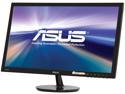
ASUS VS248H-P 24" 1920 x 1080 Full HD VGA DVI HDMI Asus Eye Care with Ultra Low-Blue Light & Flicker-Free LED Backlit LCD Monitor
Pros: Can be mounted with a better stand ( costs extra ).
Cons: Edge backlit, not "full-array local dimming". LED backlight has unavoidable bluish tint. Warning: When ASUS speaks of "50 million·to·one" contrast, they're comparing entire screens, not pixels; i.e. this frame ( whole screen ) vs. the previous one. When viewing a static frame ( as in a text editor ), the (ANSI) contrast is no better than cheap LCD monitors. In a dark room, a cheap CRT ( tube ) has much better contrast. OLED TVs have the best contrast, and they're credit·card thin (!), but too expensive for mere mortals. 55-inch OLED monitors appeared at CES 2012, but aren't for sale.
Overall Review: In comparison, "Retina Displays" are small screens, say 9 inches (iPad), with higher resolutions than most 27 inch monitors. So the pixels-per-inch is ultra high, more than your "retina" can see. Also, because Retina Displays are IPS TFT, they have wider viewing angles and better color reproduction. On the iPad's Retina Display, for example, the brightness adjusts to ambient lighting, saving power; but the (ANSI) contrast ratio no better than cheap LCDs. LED backlighting saves power.
5/9/2012See more detail
The i7-5775c is as cold as ice, but doesn't perform better.
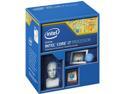
Intel Core i7 5th Gen - Core i7-5775C Broadwell Quad-Core 3.3GHz LGA 1150 65W BX80658I75775C Desktop Processor
Pros: x
Cons: y
Overall Review: At first, my "ASUS GRYPHON Z97" wouldn't boot with my i7-5775c in place. Yet, when my i7-4790s was in place, everything worked fine. I thought updating to the latest BIOS would be enough; it wasn't. I thought the chip was bad; it wasn't. The solution: Rename "GRYPHON-Z97-ASUS-2801.CAP" (the latest BIOS) to "Z97GP.CAP". Put it in the root folder of a USB stick ( NTFS formatted ), in the special USB port. ShutDown. Remove the i7-4790s. Put in the i7-5775c. Press the "BIOS FLASH" button for 3 seconds. Wait for it to stop blinking ( the USB stick blinks too ). "CoreTemp" says my OverClocked i7-5775c is 27°C ( 80°F ), drawing 4 Watts; my i7-4790s was 37°C ( 99°F ), drawing 16 Watts. I use the provided fan. It's as cold as ice but, for me, it doesn't perform any better than my i7-4790s. I'm running Win10 on a 3840 x 2160 IPS monitor. I was hoping for improved performance when playing 4096x2160, 60 fps videos; sadly, it didn't happen ( but it's a hair better ). By the way, Zoom Player 12.1, the latest beta, was a _huge_ upgrade for me. Previously, my HighContrast Theme (Win10) broke EVR ( "Enhanced Video Renderer", MicroSoft's latest, post VMR9 ). FullScreen videos, in Windows Mode ( NonExclusive ), showed tearing, -- and my only alternative, VMR9, couldn't do 4096x2160, 60 fps ! After upgrading to zPlayer 12.1, I had to turn off "Smart Play"; i.e. let MicroSoft decide what filters/decoders to use. With that, 4096x2160, 60 fps videos play fine ( but seeking is slow ).
6/24/2016See more detail
Now, 60Hz works in Portrait mode, 2160 x 3840.
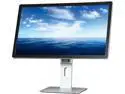
Dell 23.8" IPS UHD LCD Monitor IPS 4K 6 ms HDMI, DisplayPort, USB 3.0 UltraSharp UP2414Q
Pros: Now, 60Hz works in Portrait mode, 2160 x 3840. Now, power·cycling the monitor causes no problems. I updated my graphics driver ( Intel Core i7-4790s, Intel HD Graphics 4600 ) using the "Device Manager", Windows 8. Latest update: March 3rd, 2015 ( this year ). The "DisplayPort v1.2" cable that came with the monitor was broken; so I bought a new, much better one.
Cons: No Cons.
Overall Review: IPS colors rock!
4/16/2015See more detail
Powerful/Cheap 4K/UHD, only 40 watts.
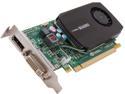
NVIDIA® Quadro® K600 VCQK600-PB 1GB GDDR3 PCI Express 2.0 x16 Low Profile Workstation Video Card
Pros: Powerful/Cheap 4K/UHD, only 40 watts.
Cons: More speed at less cost would be nice, obviously. I had to switch to the "Zoom Player Free" video player because KMplayer failed to properly utilize this card. It took me awhile to figure that out.
Overall Review: Moderator, please delete my previous review, since "user error" the only problem, not the video card.
3/11/2014See more detail
If you get one that doesn't lock up every 4 days...
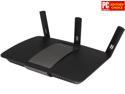
Linksys EA6900 AC1900 Dual Band SMART Wi-Fi Gigabit Router
Pros: If you get one that doesn't lock up every 4 days, it's better than the Linksys E4200
Cons: At 3.5 amps, it runs hot. Likely, the wall wart is too cheap, not good enough.
Overall Review: I bought two of these AC1900/EA6900 routers. One works fine, the other doesn't. Compared to the Linksys E4200, it's a better router, I think. I ran no benchmarks, or anything like that. The "broken" one locked up every 4 days. I could connect to it, sometimes, but no Internet. After cold⋅booting it, it was good for another 4 days. Likely, I got a bad "wall wart" power supply. At 3.5 amps, it runs hot. Likely, the wall wart is too cheap, not good enough. I sent the bad one in, for a replacement. If it fails again, I'll ask for a refund. ■
11/7/2013See more detail