
Your Browsing History
 We‘re shipping as usual! The Canada Post strike only affects certain remote deliveries and PO Boxes. Details
 Holiday Shipping Details & Extended Holiday ReturnsWe‘re shipping as usual! The Canada Post strike only affects certain remote deliveries and PO Boxes. Details Holiday Shipping Details & Extended Holiday Returns

Joined on 11/06/07
HIS 5750
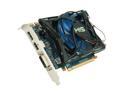
Pros: This the only single-slot 57xx card that I know of. That makes it ideal for use in systems where there is no adjoining open slot for the cooler, such as my Dell Optiplex 755. This card is a lot faster than my previous Radeon HD3xxx card (of course) and offers DirectX 11 support. Overall, a very good value for the money.
Cons: None.
Overall Review: Things to be aware of: 1) Be sure you have the latest video drivers (Catalyst 9.12 was released today, December 17th). Catalyst 9.11 was the first version to support the 5xxx cards and had a few issues. 9.12 addresses those and also improves performance (8% in STALKER: CoP, for example). 2) If you are upgrading from the factory video card in a non-gaming-oriented PC, make sure you have the correct power supply cable available. While this card came with a 4-pin hard drive adapter cable, the factory power supply in the Dell Optiplex 755 doesn't have those connectors, either. Since I was upgrading the power supply anyway, this wasn't a problem for me.
Great price, buggy firmware
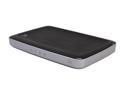
Pros: Very inexpensive (was $49.99), 7 Gigabit Ethernet ports, simultaneous dual band, attractive form factor. Perfect for SOHOs who don't require the cutting edge of 802.11ac but need lots of Gigabit ports without using multiple devices.
Cons: Buggy firmware! It simply cannot deal with a 255.255.255.224 netmask - it hands out DHCP addresses to clients saying the netmask is 255.255.255.0, and ignores the configured DHCP pool address range. Setting the mask to 255.255.255.0 at least causes it to respect the DHCP pool range and hand out proper addresses, but it is bizarre to think that WD doesn't understand thre are many networks smaller than a Class C in 2013. It fails to correctly autonegotiate to 1Gb Ethernet when connected to a Dell PowerConnect 8024 10GbE switch (defaulting to 100 / full), but does correctly autonegotiate 1Gb with a Cisco Catalyst 4948-10GE. Granted, neither of these are likely to be found on a home network, but autonegotiation simply should not fail in 2013. This was verified on multiple LAN ports as well as the WAN port. More a missing feature than a bug, but there's apparently no way to upload a "real" SSL certificate to the device. It seems to come with an un-alterable embedded SSL certificate. Hopefully we'll have moved on before the SSL certficate expires in 2022. Arguably a mis-feature, after logging in the WPA2 keys are shown in cleartext on the device's home page. It would be better for security if it required navigating to a separate page to show the keys. I can envision a situation where someone would log into the device to confirm that a client was connected, but could be "shoulder surfed" by anyone watching. They'd have to tell users "I can troubleshoot this for you, but I need you to leave the room while I log in".
Overall Review: None of the cons will prevent my deployment of the unit so I'm giving it 3 eggs for "average". These are just the things I found while pre-configuring the unit for deployment. I didn't do wireless range testing or check for overheating (two things other reviewers seem to report frequently) yet. I may amend my review in the future if I discover additional issues. This is with the latest firmware, 1.07.16. I can't say for sure if these happened with earlier firmware, as I had problems requiring me to update before finishing the config. [One was that setting a custom NTP server and clicking "Synchonize" would return alerts like "Invalid XML received!" or a plain "The web page could not be displayed" from the browser.]
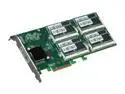
Pros: This is (obviously) a VERY fast device. It is bootable (if that's a concern), and appears to the host OS as a LSI 1068 RAID controller, which means there support for other operating systems (I'm running it under FreeBSD, for example). I'm seeing sustained write speeds of 500MB/sec (on a 64GB test file, more than 1/4 of the total card capacity). Since it is a self-contained PCIe card, there's no fiddling with power or data cables and it doesn't take up any drive bays.
Cons: First, it is expensive. But you knew that already. You may have to shuffle boards around in your system to find a slot where the card will clear motherboard components. One of the features that has been mentioned on other sites is the replacable/upgradable flash SODIMMs. The card I received did not have the stacking connector for a daughterboard, so it won't be upgradable to a P88, though it should be able to go to 512MB with larger SODIMMs.
Overall Review: As the R2 series Z-drives are brand new, there isn't a lot of info about them on either OCZ's web site or the 'net in general. The "manual" is a single sheet of paper the size of a CD-ROM. I wound up buying this drive with no confirmation if it would work with FreeBSD (fortunately, it does - quite nicely). Once there's more information available, people might be more willing to try this product.