
Your Browsing History


Steven C.
Joined on 06/25/06
0
0
product reviews
- 3
Simple & Sufficent
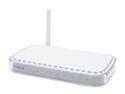
NETGEAR WGT624 Wireless Firewall Router IEEE 802.3/3u, IEEE 802.11b/g
Pros: Installation, range, reliable.
Cons: None.
Overall Review: Before this router I used the less powerful but equally efficient 54 Mbps version that the local cable provider brought for installation. Since that one worked fine without any trouble for 2 years I decided to buy the faster 108 Mbps to have as my own after moving. The installation is quite easy with the cd provided. It tells you step-by-step what cords to plug in and when to turn on/off the router during setup. I've been using the router for almost 3 weeks without a problem. The range is great as I use an adapter in a guest bedroom for a second computer. Unless you get a bad seed I don't see a reason why you shouldn't buy this router. It is easy to setup, has security features, great range, and is reliable.
10/12/2007See more detail
NexStar 3 is nice.
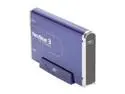
Vantec NexStar 3 3.5" IDE to USB 2.0 External Hard Drive Enclosure (Midnight Blue) - Model NST-360U2-BL
Pros: Price, quality.
Cons: One of the two screw holes on the back wouldn't line up straight so I only used one. That's all you need.
Overall Review: This is my first external enclosure so I was a bit cautious when installing a hard drive into it the first time especially with everyone saying how easy it is, well, it really is quite easy to do. I installed a 250GB Seagate drive without any issues. The process consisted of changing the jumper from default to master/single use, plugging in both cables, sliding the drive into place so the holes would line up, screwing it into place, plugging in the LED cable, then powering up with the USB cable/power connector. After the drive was recognized by Windows I formatted/partioned the drive with Windows disk management instead of Seagate tools so it took roughly an hour. The enclosure runs a bit warm but not hot and the LED light on front is very bright but those aren't negatives. I also tried an old WD drive but it crashed a couple years ago and made an awful loud noise when inside the case so I couldn't salvage anything from it, not that I expected to anyway. Enclosure works great!
2/18/2008See more detail
Seagate is quality.
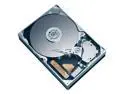
Seagate BarraCuda 7200.10 ST3250820A 250GB 7200 RPM 8MB Cache IDE Ultra ATA100 / ATA-6 3.5" Hard Drive (Perpendicular Recording) Bare Drive
Pros: Price, Seagate quality.
Cons: None.
Overall Review: This is the third Seagate drive I'm now running with the other two being bought in '04 & '06 with no problems with any of them. I bought this drive to put in a NexStar 3 external enclosure and the installation was fairly effortless. As most know since this is an OEM drive all you get is the drive itself and also the little jumper. I moved the jumper from the default slot to master/single drive, then plugged in both cables, slide the drive into the enclosure, put the screws into place, plugged in the LED cable and powered up. I formatted/partioned the drive using Windows Disk Management instead of downloading the software from Seagate, so it took roughly an hour for Windows to format. It is very quiet running. Seagate will continue to get my business.
2/18/2008See more detail