
Your Browsing History


Patrick S.
Joined on 08/17/06
0
0
product reviews
- 38
Great Drive
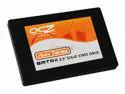
OCZ Apex Series 2.5" 60GB SATA II MLC Internal Solid State Drive (SSD) OCZSSD2-1APX60G
Pros: Absolutely blazing speed. I have 2 of these in raid-0 and it screams! I upgraded from a single 10,000RPM 150 gig drive and it peaked around 80MB/S read. My raid setup with these gets around 340MB/s read I can hit up to 190MB/s write speed with ONBOARD RAID, I. Not even using a raid card. Windows vista ultimate boots in under 20 seconds now and took around 45 seconds before. I tried copying files from other hard drives to test sustained speed, my fastest drive couldn't read as fast as these bad boys could write so it was limited by the read of my 2nd drive. Also, all this and the drives don't make a peep, the only sound from my computer now is the fans no more coffee maker sounds from 10,000 rpm drives!
Cons: Very complex to get to work perfectly. These need a 256kb raid stripe to work at max speed, onboard raid cards only have 128k max, this limits the max write speed when using these in raid but not too badly. If you don't know or care to learn about partition offset, raid stripe size, registry modification, disabling prefetch and superfetch (in vista) then stay away from solid state disks. Windows was not designed to run on solid state disks, it was made for hard disks and this shows when setting up the disks. It can be setup wonderfully but it takes some time, effort, and technical know-how to get it working perfectly. You'll also need a 2.5" to 3.5" adapter to mount these into a desktop case correctly.
Overall Review: Check out OCZ's forums for SSDs if you're considering buying one of these. They clearly outline what is required to set the drives up correctly. Mine is up and running now with blazing load times in any programs/games I've tried out.
2/21/2009See more detail
Decent
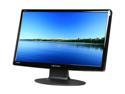
Hanns·G HH-251HPB Black 24.6" 2ms HDMI Widescreen LCD Monitor 300 cd/m2 DC 15000:1(800:1) Built-in Speakers
Pros: I got 2 of these and run them in dual monitor. They look good and are big for the price.
Cons: If I adjust the brightness down then the dimmer circuit in the monitor makes a high pitched whine sound. I have to use the brightness adjustment on the video card control panel instead. I have a spot that's starting to intermittently stick with the red pixel on one of the monitors. I have to press on it with my finger to get it unstuck. They take a while to turn on, my computer with 2 SSD in raid-0 actually boots faster than my 2nd monitor can turn on so my desktop is up but I can't do anything on the 2nd monitor for a few seconds. Built in speakers are bad, although I don't use them.
Overall Review: If you want super high end monitors don't buy these. If you want decent monitors for the price then these are pretty good.
6/5/2011See more detail
Great board, exudes quality feel
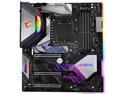
GIGABYTE Z390 AORUS XTREME LGA 1151 (300 Series) Intel Z390 HDMI THUNDERBOLT 3 USB 3.1 Extended ATX Intel Motherboard
Pros: This board is great, and it has everything I could possibly want RGB headers, fan headers, pump connections, good VRM cooling etc Looks and feels very high quality, seems like they spent some time making it "quality" Great overclocking, 9900k @ 5.2 on 1.35Vcore RGB works well, the program is easy to use and intuitive. Update: The VRM is staying very cool, never heating up even with limited airflow across it due to water cooling. Memory runs at 3600mhz just fine, no issues there Debug LEDs are helpful for diagnosing issues.
Cons: Only one USB 3.0 Front panel connection (my case supports 2) The OC touch panel thing is a bit of a gimmick, and the extra RGB controller box doesn't work with the corsair fans (I didn't end up using the extra controller at all) Some of the manual left a bit to be desired Update: Some of the BIOS settings are pretty complicated and not fully explained, if you're doing serious OCing be prepared to do some reading about the settings. See other thoughts, I had a minor issue which required BIOS update to resolve. BIOS update via USB requires a usb2.0 flash drive which I didn't have, had to update in OS.
Overall Review: If your using this for an RGB build, you may plan around using its controller. A lot of the parts I had don't work directly with the type of RGB controller that comes with this, so I have a bit of a wiring headache to tie up in the back of my case. Adding an update after ~1 month. I had a minor issue, which was ultimately resolved via BIOS update. I had a situation where after a few restarts the Vcore voltage would jump by around .15v. I read around online and found other boards with a similar issue and usually a BIOS update fixed it. This fixed it for me. Fortunately I noticed the Vcore spike as I was running 1.4V so this was pushing it to 1.55v which was WAAAAY to high. Updated to F3 and restarted a few dozen times and tried sleep/wake combo and it seems to have resolved it.
12/10/2018See more detail
Good performance, but at a price
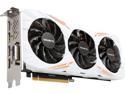
GIGABYTE GeForce GTX 1080 Ti 11GB GDDR5X PCI Express 3.0 x16 ATX Graphics Card GV-N108TGAMING OC-11GD
Pros: Got this card a couple of days ago and it is total overkill for everything I play in 1440p. I never get less than 144 frames in any games, even with every single setting maxed, and overriding the application settings to force more quality through the control panel, the framerate never dips at all, even in the most seizure inducing battles with hundreds of things on the screen The gigabyte utility is really easy to use I was able to overclock the card like crazy very easily (although temps were a problem so it went back down in speed on its own)
Cons: This card is HOT. I can feel heat radiating off of the side of the card from several inches away. The fans are somewhat noisy, if I change the curve then it gets too hot and throttles. I'm stuck running the fans fairly high to keep it cool enough. My 970 almost never ran the fans, and when it did, you couldn't even hear them. The gigabyte utility looks sort of stupid and isn't that great overall (aside from being simple to use)
Overall Review: People that buy a card, clearly showing that it DOES NOT HAVE A BACKPLATE should not list this as a con. If you buy a product that's supposed to have one, and its missing then this is a con. If you're hoping to get a huge OC out of this card then you may be disappointed, stock settings seem borderline too hot unless you run the fans at 80-100% all the time. (which is REALLY noisy) For the price you should expect this card to run just about everything maxed and it delivers. ***Update*** After over 2 months of ownership I have no further complaints. The card consistently runs at around 80c but it seems to be happy at that temperature. I run wildlands at 1440p on all settings highest. possible with max distance etc. The fan seems to have gotten quieter since I first got it, but still audible and much louder than my 970. Also, my boost clock with all max in wildlands is sitting at around 1870 mhz consistently. Not sure what kind of stable boost everyone else is getting.
6/12/2017See more detail
For the price this thing is fantastic
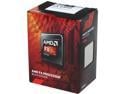
AMD FX-6300 - FX-6000 Series Vishera 6-Core 3.5 GHz Socket AM3+ 95W Desktop Processor - FD6300WMHKBOX
Pros: Good overall performance Excellent price/performance ratio
Cons: The stock cooler really sucks and is really noisy, don't even bother using it.
Overall Review: Replaced the cooler with a $20 CPU cooler and it works fantastic.
10/7/2016See more detail
Great value
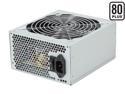
COOLMAX ZX Series ZX-500 500 W ATX12V v2.2 / EPS12V v2.91 SLI Ready CrossFire Ready 80 PLUS Certified Active PFC Power Supply
Pros: Works as intended, meets all needs.
Cons: None
Overall Review: This serves the purpose it is supposed to. An affordable, reliable power supply for a midgrade system.
10/7/2016See more detail