
Your Browsing History


Grant G.
Joined on 08/10/16
0
0
product reviews
- 5
Great Mouse - Fix Synapse Though
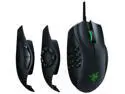
Razer Naga Trinity MOBA / MMO Gaming Mouse - 16,000 DPI 5G Optical Sensor
Pros: - Sensor really is perfect. It can track flickshots inside games. - I needed those sidebuttons, and this is one of the few, if not the only one with a perfect sensor AND this many buttons.
Cons: - Scroll wheel skips sometimes. - Mouse feet wear quickly. - The synapse software is probably the biggest issue here, expect crashes and profiles to be lost.
Overall Review: - Razer needs to fix their synapse software ASAP.
2/26/2018See more detail
Two DoA's in a row
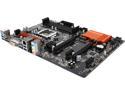
ASRock Z170 Pro4S LGA 1151 Intel Z170 HDMI USB 3.0 ATX Intel Motherboard
Pros: None
Cons: Does not post. No fans work. Two boards bad in a row. Made sure to not bend any pins and to be delicate with zero force. Clearly there's a warehouse full of defective motherboards a factory messed up and we're playing hot potato with them.
Overall Review: Warehouse of bad batch. Avoid.
8/30/2016See more detail
Great 240hz monitor. Intended for Gamers.

Alienware AW2518HF 24.5" FreeSync Gaming Monitor, 1920 x 1080, 240 Hz, 1ms Response Time, AlienFX, DisplayPort, HDMI, 3 x USB 3.0
Pros: 240hz with freesync as promised on both the DP and HDMI ports. Built in fps counter reads the current freesync framerate state, which is very useful for debugging purposes around variable refresh rate. Low latency is slick. You will never need to worry about triple buffering and anti lag tools ever again. 240hz monitor means the entire driver on your pc is pumped fast enough to compensate for it.
Cons: Usual TN display colors and viewing angles. Using overdrive shows more ghosting at lower refresh rates. FreeSync has blank-out issues specifically on the DisplayPort port when the fps drops to a specific number. Can be worked around with EDID overrides via third party tools to change the link timings. Default contrast has whitest whites being slightly ghosted too much, set to 74 rather than 75 stepping to bring this in line with the AOC monitor using the same panel.
Overall Review: The 240hz is achieved with a compromise on colors. This is intentional as it’s meant for gamers and not studio artists. TN panels were the first kind of panel to do 240hz, while IPS were still unreleased at the time this monitor came out.
9/30/2019See more detail
Bait & Switch From Seller

OtterBox Defender Series Case for iPhone 5/5s/SE - Black
Pros: N/A
Cons: They give you a commuter series case instead of the defender one. Clear bait and switch by them, it's probably why it's 50% off as of typing this.
3/7/2018See more detail
Extremely response TN Panel for gamers with mediocre colors
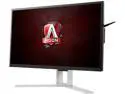
AOC AGON AG251FZ 24.5" Gaming Monitor, FreeSync, FHD (1920x1080), TN Panel, 240Hz, 1ms, Height Adjustable, DisplayPort, HDMI, USB
Pros: - Pixel response times were great - Panel brightness can be configured, flicker free - None of that "Freesync flicker" that some other monitors had. - LFC works due to the 48-240hz freesync range. - Overdrive function works and brings added clarity. - Freesync works over HDMI and DisplayPort.
Cons: - Classic TFT color distortion, even when viewing from straight on (menu bars on top and bottom of the screens look off unless you raise or lower your head to be exactly straight on to them). - I had to RMA because dead pixels that only were "dead" when I used freesync that dropped below 120hz or locked it to any refresh rate below 120hz with it off. The panel only functioned properly in 240hz mode, so it's a manufacturing defect of some sort, never seen this kind of specific one before though. - "Low Latency" mode in the settings does not work for AMD GPUs, 12ms avg latency@240hz is still about 3 frames worth of lag at 240hz. - HMDI port only goes up to 144hz, even though it accepts freesync, you need to use DisplayPort to get the 240hz mode. - Have to set it to gamma mode 3 to get the most accurate out of the box display colors. - Overdrive ghosts extra hard on lower framerate modes only, for whatever reason.
Overall Review: - Only get this monitor if you're doing competitive gaming. - Any artist will DETEST working with this monitor, use it for gaming, and gaming only. The compromises that 240hz brings to the table are lower color fidelity in order to reduce latency and blurring on the display, which is totally worth it, if you're using it as intended.
2/20/2018See more detail