
Your Browsing History


PHILIP T.
Joined on 02/26/05
0
0
product reviews
- 7
plug and play!
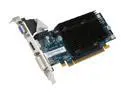
SAPPHIRE Radeon HD 3450 512MB GDDR2 PCI Express 2.0 x16 CrossFireX Support Graphics Card 100234HDMI
Pros: bought this to replace an old 6800gs card. uninstalled the drivers from the old card, shut down, popped in the new card and it's up and running! even used the hdmi port to the tv before installing the drivers. 1080p looks pretty. this should extend the life of my old p4 for a little longer.
Cons: none so far.
4/16/2009See more detail
PC Case + Portable A/C unit
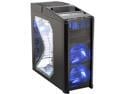
Antec Nine Hundred Black Steel ATX Mid Tower Computer Case with Upgraded USB 3.0
Pros: Need a case that doubles as an A/C unit? This is the case for you! Clear side panel makes it easy to see your build... 2x120mm fans and 200mm top fan keep your components as cool as any air-cooled setup can be. Plenty of room for enthusiast builds or server.
Cons: Can be a little noisy with all the fans... leave the tri-cool fans at low or medium. Front edges could have been smoother, but can't have it all. PSU mounts at bottom to allow 200mm top fan to be more effective. Unfortunately, 200mm fan doesn't double for drink cooler (only mesh cage covering it). There is that other tray next to it though... ;)
Overall Review: build: Abit IP35-E, E6750 @ 3.6Ghz, 4GB Crucial DDR2-1066, EVGA 7950GT 512MB, 500GB SATA-HD
2/10/2008See more detail
good psu for a green pc
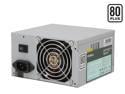
Antec earthwatts EA380 380W Continuous Power ATX12V v2.0 80 PLUS Certified Active PFC Power Supply
Pros: solid psu... 80+ efficiency... quiet... no problems...
Cons: it's not prettier? dependable efficient psu... how boring?! =P
Overall Review: build: pentium d 945, 2gb corsair ddr2-667, visiontek x1300, 2 ide-hd
2/10/2008See more detail
Doctor Octopus ;)
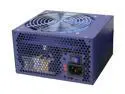
FSP Group FSP400-60THN-R 400W ATX 2.0 Power Supply
Pros: solid psu, good weight, fortran quality... stable & quiet... lots of cables.... good cable length. put this in a micro atx case, so don't need cable length, but even if used for a full tower, it would be plenty.
Cons: lots of cables! only 2 sata heads, so you'll need an adapter for all sata setup with dual optical + hdd. easy enough to fix for just a few bucks. ;)
Overall Review: i usually go with antec or coolermaster since fsp is usually pricier. jumped on this as a solid value for a dependable 24/7 pc.
2/10/2008See more detail
works as advertised
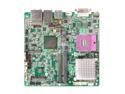
BIOSTAR 945GC Micro 775 LGA 775 Intel 945GC Micro ATX Intel Motherboard
Pros: Very easy setup. Used 2 of these to build 2 systems, celeron d with xp pro and e6420 with vista. used hard drives with the os preloaded already... worked like a charm. just install the drivers from the bios disc and do a windows update, and you're all set. no hassle of re-imaging. even games and programs that were installed on the previous system worked without a hitch. saved tons of time.
Cons: Nothing that isn't expected for a "micro" atx board! Just make sure your cables don't restrict airflow or get in the way of the fans when you're all done.
Overall Review: 2 builds with this mobo: build 1 - celeron d, 2gb ddr2-533, visiontek x1550, xp pro... build 2 - e6420, 2b corsair ddr2-667, asus 8800gt, vista-32
2/10/2008See more detail
Great for showcasing your hardware
Antec Nine Hundred Black Steel ATX Mid Tower Computer Case with Upgraded USB 3.0
Pros: Great ventilation to keep your components cool. Easy to see the entire setup through the side window. Plenty of room for your extra drives. Blue LED fans really add to the look.
Cons: Can be noisy if the fans are set to high. Medium seems to be enough to get the air moving though... I feel a draft sitting next to it.
2/7/2008See more detail