
Your Browsing History


Jason L.
Joined on 07/12/02
0
0
product reviews
- 8
Great enclosure
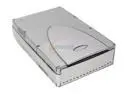
BYTECC ME-320U2F(COMBO) 5.25" IDE USB 2.0 & 1394 External Enclosure
Comments: I have at least 6 of these at work or home. DVD/CDRWs, DVD-RW, Western Digital hard drives all work wonderfully. USB, USB 2.0 or Firewire with no problems. Firewire is the interface of choice as the transfer rate is higher and CPU utilization is lower. I continue to recommend this enclosure to employees and clients. The stackable nature is also a plus. Newegg is Newegg (flawless!).
4/6/2004See more detail
Board good when not defective
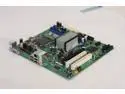
Intel BOXDG41RQI LGA 775 Intel G41 Micro ATX Intel Motherboard
Pros: A solid inexpensive board when it arrives in a functioning state. I have built six working systems with it and am considering a few more. I spend a lot of money with Newegg; 20+ orders to business this just year. They usually get it right.
Cons: While I have built six working systems, I have had two boards that arrived with problems (6 of 8 worked). Board #1 was deployed to a user without realizing that there was no audio output. Upon the next attempted reboot, it never POSTed again. I tried to RMA this board to Newegg, but apparently they are now tracking exact serial numbers to specific orders. This board was apparently purchased on a slightly earlier invoice and Newegg returned the defective board to me without replacement. A test box for our Win7 deployment was recently built. I got all of the way to final configuration stages before realizing that there was no audio output. I plugged in a hard drive with our production WinXP build and confirmed no audio output. Replacing the 2nd bad motherboard with a 3rd resulted in working audio. So now I have two bad boards with one wasted Newegg RMA attempt.
Overall Review: cont'd I have no way to determine which exact order this motherboard was purchased under as Newegg, despite having and using this information, does not make it available during the online RMA submission process. I do not feel confident RMAing Intel motherboards to Newegg anymore. I regularly place orders of identical components weeks or a few months apart. Sometimes, I am unable to immediately assemble and thoroughly test all features upon receiving the parts. In the case of at least one of these boards, it was purchased as a spare and has purposely been sitting around. Which order did the 2nd bad motherboard come from? I have no idea. I’m not going to waste my time on 2nd aborted Newegg RMA attempt. Here’s to hoping Intel fixes their problems with their audio output and RMA’s me two working boards. Newegg, please assign serial numbers to my invoices if you expect me to know which order to RMA them against. Newegg lost a $20K laptop order today based upon this experience
8/12/2010See more detail
Lenovo T520 + Intel 510 = 40 second warm boot
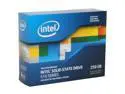
Intel 510 Series (Elm Crest) 2.5" 250GB SATA III MLC Internal Solid State Drive (SSD) SSDSC2MH250A2K5
Pros: It is fast (unless you reboot it in a Lenovo laptop) and large enough to be used for the intended task.
Cons: Lenovo T520 + Intel 510 = 40 second warm boot delays due to an incompatibility with Lenovo's Thinkvantage Active Protection Sensor Diagnostics. Basically, on warm boot, it hangs at POST displaying Thinkvantage Active Protection Sensor Diagnostics for 40 seconds before continuing to boot. Look, I really don't care who is responsible. Somebody at Lenovo or Intel needs to address this issue. I am completely tired of seeing documented issues such as this one all over manufacturer's sites and other forums only to have NO RESOLUTION AFTER 7 MONTHS. I now have a whole department with a big public presence that will get to explain '40 second warm boots' to any that are curious.
Overall Review: If this issue sees resolution from either manufacturer, I will return and increase the rating.
1/10/2012See more detail
Network broken for corporate and Gigabyte is clueless
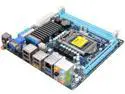
GIGABYTE GA-H67N-USB3-B3 LGA 1155 Intel H67 HDMI USB 3.0 Mini ITX Intel Motherboard
Pros: This motherboard was on the market at the right time and with a feature set that looked good. Timing-wise, many other manufacturers were still lagging in getting their boards out. I wish I had had the time to wait for Intel or had spotted what I consider a major flaw before purchasing and then deploying 5 more.
Cons: Quite simply, there is a driver or BIOS flaw that is delaying this card's ability to get an IP address from the DHCP server in a timely manner. It has to do with Spanning Tree Protocol being enabled on multiple Cisco switches. This card, unlike the 65 others in various laptops/workstations throughout my corporate environment, does not detect STP immediately after TCPIP starts but waits. This allows the user to reach their desktop before the network is functioning. File redirection, drive mappings, group policy all fail. Based upon Gigabyte's failure to properly address a defect in their product where the customer, me, has done all of the troubleshooting and research for them, I cannot recommend this motherboard or any other product from Gigabyte. This issue is related to a standard networking protocol enabled on several different enterprise switches. As a home user, you will probably never be affected by this. Will you risk that the next unaddressed flaw will?
Overall Review: I spent hours (6+ calls over many weeks) calling Gigabyte's Tech Support trying to get them to take this seriously and to understand that despite their repeated mis-directions, all other network cards in my environment are working with Spanning Tree Protocol enabled with no special workarounds such as enabling 'Port Fast'. John, specifically, did not seem to grasp the concept of 60+ computers working fine and their 6 computers are not. He was repeating what he has been told, the company line, and will not consider the possibility that their product is broken. So, Windows XP SP3 with latest network drivers and BIOS will place Windows event IDs 1003 and 1007 related to DHCP failures. The user will reach the desktop (SSD installed) before networking has an IP address. All resources/functions that are dependent on the network fail. This will happen every time the computer is rebooted/cold booted.
8/31/2011See more detail
IT Administrator
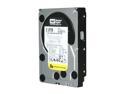
WD RE4 WD2003FYYS 2TB 7200 RPM 64MB Cache SATA 3.0Gb/s 3.5" Internal Hard Drive Bare Drive
Pros: Arrived quickly and should be compatible with my 9650se-4lpml RAID controller.
Cons: HORRIBLE, HORRIBLE, HORRIBLE PACKAGING JOB by Newegg staff. I ordered 5 drives (4 + 1 spare). They arrived in the 'bulk styrofoam carrier' that the mfg ships OEM drives in. Newegg staff wrapped one thin layer of bubble wrap around the carrier and tossed it into a box of styro peanuts. The box arrived with the tape mostly ripped open because the 'chunk o drives' had been bouncing around inside the box; 2 of the drives had begun to fall out of the carrier completely.
Overall Review: If any of the drives actually work and do not fail due to Newegg's utterly negligent packaging job, I will return to my review and raise the rating. Otherwise, I expect these drives to FAIL due to Newegg's lack of concern when shipping $1500 worth of very fragile product.
12/29/2010See more detail
HLFS drives failing in RAID
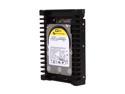
Western Digital WD VelociRaptor WD1500HLFS 150GB 10000 RPM 16MB Cache SATA 3.0Gb/s 3.5" Internal Hard Drive Bare Drive
Pros: Very fast. Eventually, I reached a high level WD support tech that was able to confirm the '50 day timer' TLER timeout issue and has offered to replace the defective drives. Please see my previous posting and another from 6/19/2009 for more details on the '50 day timer' issue. The problem does not affect all VelociRaptors but how many and which ones are only known to elite WD staff.
Cons: The '50 day timer' TLER timeout issue will cause RAID array failures and likely BSOD/hangs in single drive configurations. Because WD has kept this under wraps, customers have spent untold hours recovering/rebuilding arrays and searching the net for answers.
Overall Review: The issue was identified by WD in January of 2009 and 'fixed' in February. Unfortunately, they have not made this information generally available. I was told that the first two tech levels I spoke with at WD didn't have access to the KB info and that, as a 'six month old' problem, they wouldn't have been otherwise notified. I requested that WD create a simple tool that can identify affected drives and post it, along with the technical information surrounding the defect, on their website. I upped my rating to 3 eggs as it looks like I will have properly working VelociRaptors soon.
8/17/2009See more detail
seller reviews
- 1
Incorrect HD...Promptly Corrected
I placed an order for a specific WD hard drive to use as a spare for various servers. The package delivery was delayed by USPS. When it did arrive, the package contained a different model hard drive that would not be useful as a spare. I contacted Tech Experts via the Newegg site and they quickly arranged to send the correct drive overnight via UPS. Excellent customer service. Thanks Shawn.
On-time
Delivery
Product
Accuracy
Customer Service
Satisfactory
7/20/2015See more detail