
Your Browsing History


Jun L.
Joined on 08/24/04
0
0
product reviews
- 5
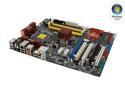
ASUS P5K-E LGA 775 Intel P35 ATX Intel Motherboard
Pros: Cannot ask for more for the money that you paid for it. Very stable on OC (with good ram). No problem when I Render video for 2 day none stop with OC to 3.0 on Q6600. Set up raid is easy but with some issue (see cons). The softwares comes with the MO is good if you think you need it.
Cons: Big issue if you are doing raid. I have set it on Raid 0 (2 HD)for OS system. And I want a single HD for data storage. This board does let you do it but easy to crash for the setting above. I have to leave the raid drives alone and use the esata at the back for storage harddrive. Plus you need a esata to sata cable. Second issue is the IDE is way down the bottom, you will see how hard to connect the IDE cable to your DVD rom.
Overall Review: This is good board for cheap workstation build. Solid performance. Sata and raid need a bit improvement.
12/17/2007See more detail
PCIE compatibility issue
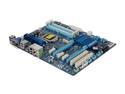
GIGABYTE GA-Z77-D3H LGA 1155 Intel Z77 HDMI USB 3.0 ATX Intel Motherboard
Pros: The bios is solid, easy to use. So far no problem on stability issue.
Cons: This board has hard time to recognize a video card that is PCIE 2.0 or PCIE 2.1. I have tried to install a Radeon 6870 to the PCIE 16x slot which the manual says I can install it and it will still run at 2.0 mode, I could not get any image at all. The video signal still will be output to the on-board DVI. I went to the bios and try to set the "first display" to be PCIE, and I still would not have signal out of the video card. I will be trying to put a PCIE 3.0 card to the motherboard and see if it will fire up.
Overall Review: I like Gigabyte motherboard, but I this time it really make me confused. I might call gigabyte customer service.
8/24/2012See more detail
PCIE compatibility issue
GIGABYTE GA-Z77-D3H LGA 1155 Intel Z77 HDMI USB 3.0 ATX Intel Motherboard
Pros: Solid board works with first boot. Utilities that came with Gigabyte is great.
Cons: Here is the catch for this board. I build this new pc to replace my old built. So I first build the pc without putting in the Video card to try out the CPU graphics from Intel. Well not too bad but not able to play game in mid setting. Then I bought a ATI 6870 pcie 2.1 to put it into the MB. The MB will not detect it at all, I tried to go to bios to do all the setting change to force to detect PCIE slots. In short I tried every pcie slots and all setting, the only one thing I have not tried is to call customer service of Gigabyte. I bought a pcie 3.0 video card, and it detected it right on first try. So, I got it. This board is not for PCIE 2.1.
Overall Review: Any Gigabyte tech. staff can address this issue?
8/30/2012See more detail
Diamond ATI TV Wonder 650
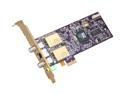
DIAMOND TVW650PCIEV ATI TV Wonder HD 650 Combo Tuner
Pros: Works for normal TV viewing purpose. Price is very reasonable, and the Catalyst Media Center is easy to use.
Cons: It has about 1 second delay between its signal input and its broadcast output signal to the PC. A real live example is that: I connect a PlayStation to the card; I push a button on my PlayStation on the controller, I will not see the responds from my LCD until 1 second later. It is impossible to use this card as a bridge to use any game console.
4/18/2010See more detail
NF4 DAGF
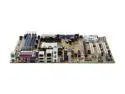
DFI nF4-DAGF 939 NVIDIA nForce4 ATX AMD Motherboard
Pros: Easy to set up, I can say this motherboard is somewhat fast than avarage.
Cons: It has a problem on IDE configuration with my secondary IDE which is where my DVD rom and DVD/RW connected to. The IDE controller only let my DVD rom running at PIO mode. I have tried to correct the mode on bios, and I never work. Finally, I contacted the DFI tech support. And he asked me not to install the Nvidia IDE driver and try to use Windows driver. And I also did that after. However, my DVD/RW still runs at PIO mode. What is bad about PIO mode? If you trying to burn 4GB at 8x on DVD/RW, you will have to wait 45min to get it done.
1/10/2006See more detail