
Your Browsing History


Matthew R.
Joined on 07/11/04
0
0
product reviews
- 4
Blazing fast SSD!
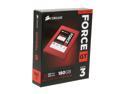
Corsair Force Series GT 2.5" 180GB SATA III Internal Solid State Drive (SSD) CSSD-F180GBGT-BK
Pros: I’m getting 523MB/s write and 554MB/s read speeds. For comparison my SATA 3 hard drive is 114MB/s write and 116MB/s read. I have them both plugged into a Gigabyte motherboard with the Intel Z77 chipset. I use the ATTO benchmark since that is the program Corsair says they use for their speed testing. Nice fire red color so it stands out in your computer. 180GB is plenty of space for Windows 7 and some games.
Cons: The plugs suck. The design of the ports does not allow the SATA cable to “click” into place. Would have been nice to make sure you cable is secure. But I have not had an issue with the cable coming out so I’m not deducting an egg. I can’t find anything else bad with this yet.
Overall Review: My computer starts in 14 seconds. All my games load super quick. Great price for the speed you get. Other SSDs are not as fast.
5/9/2012See more detail
Sweet lovely lights...and speed!
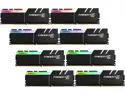
G.SKILL TridentZ RGB Series 128GB (8 x 16GB) 288-Pin PC RAM DDR4 3600 (PC4 28800) Desktop Memory Model F4-3600C17Q2-128GTZR
Pros: -If you're into RGB there is nothing better than 8 sticks of it. -Setting it with XMP worked with no issues on my Gigabyte Gaming 9 x299. -128GB of RAM. Seriously?? Yup. You need that much space. -Playing games with a RAM drive is great. -Can load Fallout 4 into a RAM drive. All 95GB of it.
Cons: -G.SKILL needs to work on the lighting control software. Hit or miss on when/if it'll work. -Price. Yeah. Can't go without mentioning that. Better have deep pockets or be willing to sell your kidney/house. -Nothing else in the cheap box except a case badge. Seriously. For that price I'd expect much better packaging and a cool t-shirt.
Overall Review: Not sure who to blame but Windows will not show the speed this RAM is running at. It shows 2133Mhz not matter what I do. But with CPU-Z and every other app it will show that it does run at 3600Mhz. Get on that Microsoft. I'm calling you out on that one. Everything else about this RAM is great. G.SKILL always makes a quality product. Thankfully I got a large case from CaseLabs. I sleep in it at night since I sold my house to buy this RAM kit.
8/4/2017See more detail
Blazing fast RAM
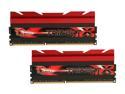
G.SKILL TridentX Series 8GB (2 x 4GB) DDR3 2400 (PC3 19200) Desktop Memory Model F3-2400C10D-8GTX
Pros: 8 GB is plenty for any gamer. 2400 MHz is super fast. WEI memory score is 7.9 with Windows 7. Just built myself an Ivy Bridge system using the i7-3770k. Computer defaulted with the RAM at 1333 MHz. It took lest then 10 clicks of the mouse to set the Bios to XMP extreme and the RAM instantly went to 2400 MHz. All voltages and timings changed correctly. RAM looks super cool with large red trident heat fins.
Cons: None yet. Can’t say the initial startup speed is a con. You have to set the XMP and everything will be fine.
Overall Review: The Gigabyte website did not list this RAM as compatible with the Z77x-UD5H board I bought. The G Skill site did list that board as compatible with their RAM. As always, you should check to make sure the RAM is compatible with your board before you buy. Don’t give the RAM a 3egg review because it’s not compatible with your motherboard. It’s not the RAM or your motherboards fault you can’t do your homework.
5/9/2012See more detail
One of the best PC cases.
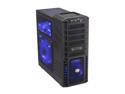
Cooler Master HAF 932 Advanced Blue Edition - High Air Flow Full Tower Computer Case with USB 3.0 and All-Black Interior
Pros: I built a computer for a friend a few months ago. Used this case. I fell in love and had to get my own. Building a Ivy bridge system now. Tons of room to work with. Lots of places to hide and tie down cables. Plenty of room behind the motherboard and the HDD area. Four large fans with blue LED lights will make your computer look really cool. All your friends will be jealous. Tons of airflow. Two real USB 3.0 ports on the front is nice. Not the fake kind where you have to route a cable through the system and out the back to plug it in. Tons of options for placing different sized fans and moving your power supply to the top. The top fill port doubles as a coaster for your beer.
Cons: It can't cook a good filet.
Overall Review: I've read some reviews that other people are unhappy with the front USB 3.0 ports being upside down. One guy wrote that he had to rip them out and solder them back on. I don't get it. On my case you just unscrew and slide out the front the tray they are on. You can clearly see that the ports are held in place with screws and have screw holes on BOTH sides. Just unscrew, flip over, screw back in place to turn them over. I rotated all four fans. I didn't like were the wire was coming from. I'm a stickler for having a nice neat computer. I like to hide and tie every wire down and take up any slack. The fan cords were coming at a bad angle and didn't think they would hide well. All solved now. Not taking an egg of for my personal issues.
5/4/2012See more detail