
Your Browsing History


Mike L.
Joined on 03/28/09
0
0
product reviews
- 3
Amazing!
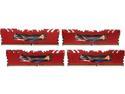
G.SKILL Ripjaws 4 Series 16GB (4 x 4GB) DDR4 3000 (PC4 24000) Desktop Memory Model F4-3000C15Q-16GRR
Pros: All I can say is WOW! I bought this kit to handle Photoshop and Illustrator and it does without even breaking a sweat! So far has handled everything I put it through with flying colors
Cons: None that I can find
Overall Review: Red also goes well with my new MSI X99s Ganing 9 AC MB. I had read that the G Skill DDR4-3000 did not work well with the MSI X99s MB without first updating BIOS. Well the guys at MSI did a solid and updated the MB's BIOS so I didn't have to do a thing and had no issues whatsoever with the memory. I LOVE my new system, THANK YOU Newegg for helping me build my dream system!
9/20/2014See more detail
MSI X99S Gaming 9 AC LGA 2011-v3 equals POWER!
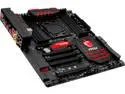
MSI MSI Gaming X99S Gaming 9 AC LGA 2011-v3 Intel X99 USB 3.0 Extended ATX Intel Motherboard
Pros: What can I say, amazing in all aspects. Great bundled software utilities. More than enough USB3 ports, easily updated with Live Update. Board came loaded with newest bios so no issues with G Skill DDR4-3000 memory. All fan headers are PWM which is nice. Killer Network works great. I paired it with the new 6-core Haswell-E 5820k CPU, 16gb G Skill DDR4-3000 memory, 256gb Samsung 840 Pro SSD, PC Power & Cooling 910 Silencer PSU, EVGA GTX 760 Graphics. Amazing system, could not be any happier. MSI knocked it out of the park with this board. I also went with all red memory & cabling to match the red on the board and can see it through the window side of my Corsair 540 case that I also painted the grilles red to match, pretty bad looking if I do say so.
Cons: EDIT: 18 months later and issues. Everything was great up until about 2.5 weeks ago, never had any problems. Wake up one day & turn it on, nothing! Lights & fans would come on and then about 3 seconds later it shuts down, then starts & shuts down over & over until I unplug it. I contact Newegg & they tell me to get a hold of MSI, which I do. I explain the problems to the tech and he says to go ahead and fill out an RMA request and send it in, which I did. After reading that it could take anywhere from 15 to 25 days to get it back I was quite surprised to get a replacement within about a week or so, COOL! (or so I thought). Whilst waiting for the replacement MB to arrive I went and bought a new $258 Corsair HX1200 PSU (thinking that may have caused the issues to begin with). Get the pc put back together with the replacement MB & new PSU, clear cmos, start it up same thing! UGH! So I clear cmos again, this time pulling out the battery for 20 seconds & tried again, same thing...turns off them immediately shuts down & repeats. So I switched over the bios B, cleared cmos, R&R'd battery and viola, it started. So now my MB has a bad bios (or something) on bios A and a good one thus far on bios B. Now I have only been running it tonight & I'm scared to death to shut it off again, but we'll see what happens. The bummer was, I didn't do anything to my pc before the issues. I didn't install any new hardware and I don't game. The other thing I don't do is overclock! Back when the processors were old athlon $40 cpu's yes, NOT a $400 cpu! Too expensive to fry one of those bad boys, plus all I do is Illustrator & Photoshop graphics so I don't need it OC'd. So, what to do? Do I tear it all back down and RMA the thing and wait 1-4 weeks to get it back? Or live with knowing I have one good bios on a MB with bios issues and be dead once the warranty expires and be out $400+ and have to buy another one? I will call them tomorrow (Monday) and see what tech support thinks I should do. I will follow up after it is hopefully resolved in the next few weeks and update this review and decide if i still think it deserves a 5 egg rating or not. Had it not been for this issue I have no problem with the 5 eggs because it's been an amazing board & given me 18 months of amazingly fast service.
Overall Review: I just cannot say enough positive things about this MB. I looked into ASUS and EVGA MB's before deciding on MSI, best PC decision I have ever made! Port locations are located in a way that there was no problems with other ports/headers. Using the new Corsair 540 Carbide series case and this MB works like it was meant to go together.
3/13/2016See more detail
Super Cooling!!!
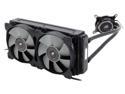
CORSAIR Hydro Series H105 Extreme Performance 240mm Liquid CPU Cooler, CW-9060016-WW
Pros: - Super efficient cooling - Easy mounting options - Very well made - No Mess - Much quieter than air cooling - Looks awesome in your case, Corsair LED logo on CPU adapter
Cons: Wish kit came with another set of long screws to use in a push/pull setup.
Overall Review: Super efficient cooling! I have my Corsair 540 case fans cooling and it is near silent. I have yet to get my i7 Haswell-E 5820k over 51 degrees playing Elite Sniper 3 or Call of Duty: Ghosts. Keeps temps low inside case as well. Far better cooling and noise levels than air cooling.
9/20/2014See more detail