
Your Browsing History


STEVEN D.
Joined on 10/29/01
0
0
product reviews
- 7
Quality entry level receiver
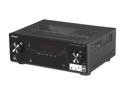
Pioneer VSX-521-K 5.1-Channel 3D Ready A/V Receiver
Pros: Plenty of connections, good sound, automated speaker setup. Excellent as a starter receiver, for a small room/apartment, or as a second home theater in another room. Most will want a higher-end receiver with more features for their primary home theater system.
Cons: No video upscaling, setup only accessible by component or RCA video, Onlly does 5.1 on it's own, spring clip speaker attachement for all but FR and FL speakers, advanced surround effects all add noticable echo/reverb
Overall Review: This is an entry level receiver. As long as you know that, and are ok with that ahead of time, you'll be very pleased with this unit. I bought this on NewEgg's Black Friday mega-deal for $90, and definitely got my money's worth. I use this receiver along with a set of Polk RM75 speakers and a Polk PW10 sub, in the bedroom and the system sounds phenominal in that role. And at that price, I won't feel much guilt if and I ever want to upgrade it. Another reviewer mentioned that it didn't have HDMI pass-thru and that you had to turn the receiver on to hear sound if your devices are all routed through the receiver. That hasn't been my experience. When my TV is powered on, it searches for another HDMI device (in my case it's only the BD player), powers it on, and routes the sound to my TV instead of to the speakers. Once I turn the receiver on, though, sound gets routed through the speaker system. It may require that you turn the ARC feature on in the receiver setup, though.
12/20/2011See more detail
Insufficient room
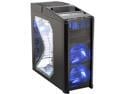
Antec Nine Hundred Black Steel ATX Mid Tower Computer Case with Upgraded USB 3.0
Pros: -LOTS of fans -Good airflow -Sleek external appearance -Tray on top of the case for external drives, or for just a handy space to put small items.
Cons: -Insufficient interior space. If your PS has a lot of cables coming out of it, you WILL run out of space. All of the PS cables will be running up the approximately 1" space between the edge of the typical ATX motherboard and the drives in the drive bay. Power and data cables coming out of the drives will be smooshed into that LARGE bundle of power cables. -Bottom mount for PS. If anything comes loose inside the case, gravity may end up dropping it right into your PS fan. -Doing any work inside the computer requires complete disassembly of the case. Because of the aforementioned cable smoosh effect with the drive bays, you need to remove both of them in order to clear out room inside the case to work. This, in turn, requires both side panels to be removed. -No tool-less installation features for drives. -$110 is too much for this case, especially w/o a PS.
Overall Review: I just finished my third computer build and selected this case for the build. I was astonished by the surprising lack of interior space. The drive cubes BOTH have to be removed to do any work inside, and the interior routing for the power cables makes installing anything in horizontally mounted SATA or IDE drive ports on the mobo next to impossible. Once the job is done, the case looks great, but working inside it is a pain in the neck. I used a RAIDMAX Smilodon case for my last build and really liked the latched fold out side panels which give plenty of room to work, and the tool-less drive installation. It lacks the larger diameter fans, unfortunately. That case is also $30 cheaper, though. If you do a lot of work inside the case, I'd steer you away from the Antec 900. There's just not enough room.
11/4/2010See more detail
Still a reliable CPU 7 years later
Intel Core i5-760 - Core i5 Lynnfield Quad-Core 2.8 GHz LGA 1156 95W Desktop Processor - BX80605I5760
Pros: - Has held up both physically and technologically over time
Cons: - No reason to purchase one any more.
Overall Review: I built a computer around this processor back in 2010. I still use the computer today. The CPU and Mobo still chug right along. I've got the chip overclocked to around 3.8 GHz the entire time, and nary a hiccup. Checking a recent Tom's Hardware CPU hierarchy, this guy is still in the fourth highest tier, and still gives modern processors a run for the money. WIth 12GB of RAM, my systems bottleneck is still the graphics card (NVidia GeForce GTX 580) for most modern games.. I should be able to probably get another 2-5 years out of the system, just upgrading the graphics card. A computer that lasts 10 years before becoming obsolescent to contemporary software is an amazing achievement.
6/19/2017See more detail
Good memory for older computers
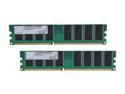
G.SKILL Value 2GB (2 x 1GB) DDR 400 (PC 3200) Desktop Memory Model F1-3200PHU2-2GBNT
Pros: It's RAM. Pop it in to the slots and it works.
Cons: Motherboard only registered 333 MHz clock speed for these sticks. That's possibly my fault, as I didn't have time to investigate if memory settings were adjustable in the BIOS.
Overall Review: Got these as a Christmas present to give my Dad's overly slow Dell Dimension 3000 a little more speed and eventual longevity. After replacing the pair of 256MB sticks he already had with these new ones, he said the machine was operating noticeably faster. So he's pleased with them so far. I just wish I had had more time up there to investigate the BIOS and see if I could get them up to their full 400 MHz clock speed from the 333 MHz the motherboard was registering.
12/30/2010See more detail
Nearly invisible
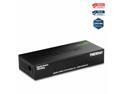
TRENDnet 8-Port Unmanaged Gigabit GREENnet Desktop Metal Switch, Fanless, 16Gbps Switching Capacity, Plug & Play, Network Ethernet Switch, Lifetime Protection, Black, TEG-S80G
Pros: -In use for several months continuously with no need of a reset. -Gigabit speed -8 ports -Simple to set up. Plug it in, attach ethernet cables. Done.
Cons: -None
Overall Review: It's a network switch. It should be a matter of plug it in and forget it's there. It should integrate seamlessly with your network, and be transparent in it's effect. That's exactly what you get here. High speed data transfer and a device you never have think about. It does it's job all the time, every time. For $40, it's well worth the price if you need to expand your home (or office) gigabit LAN.
11/4/2010See more detail
Good monitor for a good price
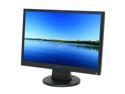
Hanns-G 22" Active Matrix, TFT LCD WSXGA+ LCD Monitor 5 ms D-Sub, DVI-D Hi-221DPB
Pros: - Low price - Large screen - No dead pixels - Bright, crisp graphics
Cons: - Doesn't come with a DVI cable (that lost a star in my rating. I already had one at home from my previous monitor, so I used it, instead of the VGA cable that the monitor comes with.) - Kind of a lousy, cheap stand
Overall Review: The screen is approximately the same height as a 19" standard 4:3 aspect ratio monitor but has about 1/3 extra real estate along its width.
12/2/2008See more detail