
Your Browsing History


Michael C.
Joined on 12/29/07
0
0
product reviews
- 17
Great Value
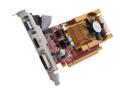
MSI GeForce 9400 GT 512MB GDDR2 PCI Express 2.0 x16 Low Profile Ready Graphics Card N94GT-MD512
Pros: Overclocks like a pro, low profile
Cons: Sound over HDMI... I won't go into it, but trust me do your homework first re 2 & 3 pin SPDIF header pins on your mobo... :/
Overall Review: Wonder if I can find a block so I can run liquid? Can't seem to find one here on the egg that is low profile enough :(
9/17/2009See more detail
Cheap

IMC CH-8118 USB 2.0 Da Pao Webcam - 8.0 MP (Software Enhanced)
Pros: Cheap, driverless
Cons: Cheap build quality, no trace of actual metals used (all plastic design).
Overall Review: There is a micro-sized bubble in the lens itself that is distorting the top right quadrant of the image ever so slightly. People who don't know how to use a webcam better learn, there is nothing packaged with this device (no warranty card, no instructions, nada). Comes in a tiny box from manufacturer (about 2 packs of smokes in size), but shipped by Newegg in a giant box full of peanuts (box big enough for a power supply, a graphics card, and the webcam all in one). Please stop with the wasteful packaging Newegg! This would have easily fit in a bubble envelope.
10/1/2009See more detail
Decent
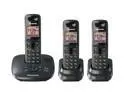
Panasonic KX-TG6423T 1.9 GHz Digital DECT 6.0 3X Handsets Cordless Phone Integrated Answering Machine
Pros: DECT 6.0, decent reception, no external antennae.
Cons: Black & white screen with super-low resolution
Overall Review: I expected one with color since the "image viewer" originally showed one with color (been taken care of, thanks Egg). Despite tons of looking, I still haven't found one :(
10/3/2009See more detail
Slick, a little stiff
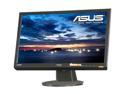
ASUS VH222H Black 21.5" 5ms HDMI Widescreen 16:9 Full HD 1080P LCD Monitor Built in Speakers 300 cd/m2 1000:1 (ASCR20000:1) w/ SPDIF out
Pros: Piano-black gloss finish, HDMI full 1080p 5ms, shipping was fast, no dead pixels.
Cons: No vertical adjustment, VESA mount holes are slightly off, full column of light on the right hand side leaking from YT video in full screen, heard that audio over HDMI does not work with 90% of cards... we'll have to see how that turns out.
Overall Review: It did come with a SVGA and DVI-D cable, but no HDMI or SPDIF. Overall, I would have given it three stars but the price and quick shipping without damage gave it that extra egg.
8/21/2009See more detail
GUI could use some work
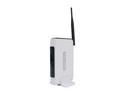
TP-LINK TL-WR541G IEEE 802.11b/g eXtended Range Wireless G Router up to 54Mbps/ 10/100 Mbps Ethernet Port x4
Pros: Easy setup, no issues
Cons: Cluttered GUI with a lack of power options, no discernible QOS tinkering with this guy.
Overall Review: I wish I could flash Tomato on it
8/18/2009See more detail
Painless
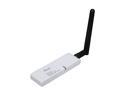
Rosewill RNX-G1W Wireless White Dongle with External 2dBi SMA Antenna IEEE 802.11b/g USB 2.0 Up to 54Mbps Wireless Data Rates
Pros: Painless setup, no drivers needed. Works well with Linux as well.
Cons: None
Overall Review: Don't run the disk, that always seems to be more trouble than it is worth. Just use Wireless Zero.
8/18/2009See more detail