
Your Browsing History


peter l.
Joined on 10/24/04
0
0
product reviews
- 10
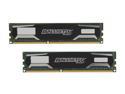
Ballistix Sport 16GB (2 x 8GB) DDR3 1600 (PC3 12800) Desktop Memory Model BLS2KIT8G3D1609DS1S00
Pros: Great modules. I noticed some people complaining that their RAM was DOA, but Crucial has an extremely high success rate in my experience. Myself and several friends have been building machines for ourselves and others for many years and have never had Crucial modules fail.
Cons: none.
Overall Review: If you go through Crucial's web page, you can find out if the RAM is compatible with your motherboard. They will also give you the part number which you can then search for on newegg. The newegg price is half of what Crucial charges through their website, which is strange but true.
9/13/2012See more detail
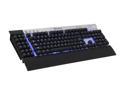
Corsair Vengeance K90 Black/Metal USB Wired Gaming Performance, MMO Mechanical Keyboard
Pros: Solid keyboard. Has kind of a different key structure --- the keys are raised pretty high, so it takes some time to get used to. But the keys are very responsive, and give you that pleasant, old school clickity clack. You get 18 additional programmable keys, but there are actually 3 sets of 18 you can switch between using M keys at the top. The scroll wheel is quite fluid and does not feel like it has discrete jumps but is rather continuous.
Cons: Not all the keys are mechanical --- just the 'main keyboard', the arrow keys, and the numpad. The F keys, home/insert/etc group and G keys are not mechanical. The non-mechanical key are not well backlit, and the backlight The software for the keyboard feels like an afterthought and could easily be better.
Overall Review: Overall a very solid keyboard with a few minor flaws keeping it from being perfect.
9/15/2012See more detail
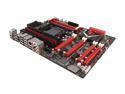
ASUS ROG Crosshair V Formula-Z AM3+ AMD 990FX + SB950 USB 3.0 ATX AMD Gaming Motherboard with 3-Way SLI/CrossFireX Support and UEFI BIOS
Pros: Great motherboard. Installed easily, everything is well-labeled onboard and in the manual. This is my first new desktop in around 8 years, it's amazing how much better these things have gotten. The BIOS is fantastic. There is a two-digit quartz crystal-type display inside that lets you know at what stage in the boot the board is; it's not exactly always super informative in the manual what code means what, but it can be useful if you didn't seat your memory correctly. At the very least it gives you clues as to what the issue is. Overall I'm impressed, ASUS used to make the best AMD motherboards; I don't know if that's necessarily the case, still, but this board certainly met all my expectations. Except for one minor complaint (see below)
Cons: There is an internal port (10 pin, I think? Maybe they're 12, can't remember) on the motherboard where you could plug a USB3.0 expansion card. But the motherboard does not come with such an expansion card. I suppose some cases with built-in front USB3 ports might be able to plug directly into this, which could be nice. But in the past ASUS has included an expansion card when they have had internal USB ports. It seems like on a high-end model such as this, the cost as a percentage of price would be relatively low.
9/13/2012See more detail

RAZER DeathAdder RZ01-00151400-R3U1 Black Wired Optical Precision Gaming Mouse - 3.5G Infrared Sensor
Pros: If you have big hands, this is a solid mouse. The buttons are well placed and responsive. Not much else to say.
Cons: The packaging is way over sized and they give you so many sheets of paper and 'nice' paper booklets with nothing useful on them. I would have given a 5 if not for them being absurdly wasteful. I had to go outside and hug a tree after opening it.
9/13/2012See more detail
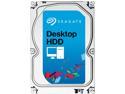
Seagate Desktop HDD ST1000DM003 1TB 64MB Cache SATA 6.0Gb/s 3.5" Internal Hard Drive Bare Drive
Pros: drive runs smooth, no issues.
Cons: none.
9/13/2012See more detail
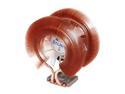
ZALMAN CNPS9900ALED 120mm 2 Ball Low-noise Blue LED CPU Cooler
Pros: Overall a nicer heatsink. Processor is running cool. The fan is very quiet, like all Zalman products I have used.
Cons: I installed this on an ASUS Crosshair V Formula-Z with an AM3+ processor and it was a bit difficult to install. There was too much room between the two mounting brackets, and it was difficult to get the threads to start. Still installed fine, I just got worried that I was using the wrong brackets, even though I wasn't. So installation could have been easier. That's why I gave it a 4 instead of a 5.
9/13/2012See more detail