
Your Browsing History


Kunal B.
Joined on 02/27/06
0
0
product reviews
- 2
Good Printer ... so far
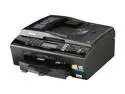
Brother Professional Series MFC-J615W Inkjet All-in-One Printer with up to 8.5" x 11" Duplex Printing
Pros: Good quality prints. Easy set up - no need to install driver CD, since Windows 7 (x64) automatically installs drivers. Though I recommend installing the software included in the CD, since it has nice features. I've connected it via USB (I may switch to wireless later). Copy - You can set dpi from 100 to 1200. Takes a few seconds at 100 (poor quality) to about a minute for 1200. The quality is good for a personal printer. Scan - If you don't install the included software, you can only scan to image (using Windows Scan and Fax), but if you do, you can scan to image, photo (saves as BMP), and OCR (converts scan to a text file), email. OCR works really well. I get an unexpected/unhandled error when I select email. You can also preset custom scan settings. Photo Capture - Printer has two media slots (SD/SDHC and Sony). You can use included PaperPort software to edit images. I actually like this software since you don't need to have technical image editing knowledge. Cont'd in Othe
Cons: One con so far - not really a huge deal ADF (Automatic Document Feeder) can only fit 15 pages (according to the manual). This was not mentioned in the specs. when I bought it from NewEgg. If I had know this, I might have bought Brother MFC-J265W ($60 at 40% off) instead of this one ($80 at 33% off), since ADF seems to be the missing feature (and manual duplex).
Overall Review: Fax - I don't use it. Who really does these days? I've printed/copied 30 times so far and have not had any issues. I am very pleased with the quality of the prints. They're not outstanding, but for a personal printer its really good. Also has some nice features such as Watermark copy (was not avail in my previous printer). It also has Ink Save (supposedly saves ink, but I have yet to try this) ---------- Other Thoughts ------------ I will update my review if I have any unpleasant experiences (or otherwise). I will also update if it won't let me scan if the ink runs low/out (yes, some printers actually won't let you scan if you run out of ink!!). According to the manual if it runs out of one color, it will still allow you to print B/W (some printers won't let you do that also, so it's nice that this printer will let you).
10/15/2010See more detail
Defective
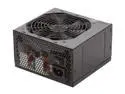
Thermaltake TR2 W0388RU 600 W ATX 12V v2.2 Power Supply
Pros: None
Cons: Did not power up. Does not work.
Overall Review: I'm going to get it exchanged. I will update my review once I get it.
6/6/2010See more detail