
Your Browsing History


Jonathan T.
Joined on 05/09/07
0
0
100%


product reviews
- 80
Huge, very fast drive
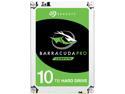
Seagate BarraCuda Pro ST10000DM0004 10TB 7200 RPM 256MB Cache SATA 6.0Gb/s 3.5" Hard Drive Bare Drive
Pros: Installed and formatted with no problems. Formats at 9.09TB...will hold massive amounts of data...even a ton of Blu-ray movies. Used CrystalDiskMark to benchmark and got very good transfer rates: Sequential Read: 245.6MB/s Sequential Write: 232.6MB/s I also did a real time data transfer from my Corsair Force SSD drive and actually got faster rates than the benchmark: Read: 254MB/s Write: 243MB/s Very quiet drive with great response. I haven't used Seagate drives for a while, but if this drive stays reliable, that will change. I'm really impressed with the speed. I have another mechanical drive that is also SATA 6, and this one is over 100MB/s faster!
Cons: So far, I have no complaints at all about this drive.
Overall Review: This drive has a transfer rate just under half of some very fast SSD drives I have...for a mechanical drive, it's freakin' fast!
9/15/2016See more detail
Good Range
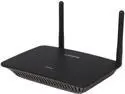
Linksys RE6500 Wireless AC1200 Dual Band MAX Wi-Fi Range Extender
Pros: Easy setup, extended the range of the Netgear N router by double. 5 bar signal on my laptop from about 300 ft away from the router. Areas of the house that had 1 bar to no signal at all now have full 5 bars. Download speeds were the same as when connected directly to the router, so it's very efficient with no apparent loss in speed.
Cons: Can't figure out why, but the wireless computers connected to the extender randomly pop up no internet connection warnings. The computer shows full connection to the extender, but does not connect to the internet. I unplug and reset the extender and then it works fine. It has done this 4 times in about a month...kind of annoying to stop what you were doing and have to reset, therefore the 3 egg rating.
Overall Review: Hopefully I'll figure out the issue because when it is functioning properly, it works great!
7/27/2015See more detail
Fast, Stable SSD
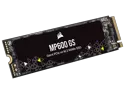
Corsair MP600 GS M.2 2280 1TB PCI-Express 4.0 x4 3D TLC Internal Solid State Drive Up to 4800 MB/sec (SSD) CSSD-F1000GBMP600GS
Pros: The drive installed in my system and formatted with no issues. I have it installed along with a Corsair MP600 PRO XT 1TB. I ran AS SSD Benchmarking Tool on both drives. I attached pics of both drive's results. The MP600 PRO XT results are: Sequential Read - 6056.44 MB/s and Sequential Write - 5330.35 MB/s. The MP600 GS was slower: Sequential Read - 4401.29 MB/s and Sequential Write - 3218.31 MB/s. Both are PCIe Gen. 4, but there is a substantial difference in performance. To be fair, the MP600 GS is rated at 4800 MB/s read and 3900 MB/s write, so it is close to the claimed speed. I also ran a transfer test between the two SSDs. I transferred a 31.1 GB Blu-ray movie (.bdmv) from the PRO XT to the GS and back to the PRO XT and the transfer took right at 9 seconds each way. I've been running it now for about 3 weeks and have had no issues.
Cons: For a Gen4 PCIe drive, it's a little slower than others I own or have tested, but you'll never notice a difference in everyday use, or while gaming. So, not really any cons.
Overall Review: Very fast, stable SSD from an excellent company that I have used countless products of there's and have not been disappointed yet.
6/26/2023See more detail
Excellent Performance For A Competitive Price
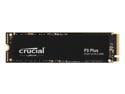
Crucial P3 Plus 2TB PCIe 4.0 3D NAND NVMe M.2 SSD, up to 5000MB/s - CT2000P3PSSD8
Pros: Fast transfer rates for a reasonable price. I ran AS SSD Benchmark and CrystalDiskMark to benchmark the drive and compare it to my Corsair MP600 Pro XT 1TB drive. AS SSD Benchmark: Corsair: Sequential Read 6085.72 MB/sec, Sequential Write 5615.35 MB/sec Crucial: Sequential Read 4198.64 MB/sec, Sequential Write 4048.06 MB/sec CrystalDiskMark: Corsair: Sequential Read 7371.32 MB/sec, Sequential Write 5615.38 MB/sec Crucial: Sequential Read 5026.30 MB/sec, Sequential Write 4362.87 MB/sec Both drives scored higher in CrystalDiskMark and I ran them 5 times each and used the highest score. They both exceed their claimed speeds, and granted, the Crucial drive is a bit more expensive ($50 more for the equivalent 2TB drive). The Crucial drive performed quite well and I'm sure that most people would not be able to notice a difference in everyday use. I ran a real world file transfer from the Corsair to the Crucial, and vice versa, and in both directions, the blu-ray "Avatar" (38.2GB) transferred in 14 seconds. So, in actual real world tests, both drives transferred at the same rate.
Cons: Some may like the drive to have a factory heatsink, but in my system, both M.2 drives were within 2*C of each other, although the Corsair has a factory heatsink. Besides, that...I have nothing negative to say about the drive.
Overall Review: For reference, my system: AMD Ryzen 7 5600X Gigabyte X570 Aorus Elite 48GB Corsair Vengeance RGB Pro DDR4 3600Mhz Asus ROG Strix RTX3060 12GB Especially at this price point, I would recommend this drive without a doubt. I have used and installed many Crucial products for others, and have had no issues with any at all!
11/11/2022See more detail
Ridiculously Fast!
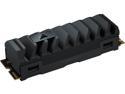
Corsair MP600 PRO XT M.2 2280 1TB PCI-Express 4.0 x4 NVMe 1.4 3D TLC Internal Solid State Drive (SSD) CSSD-F1000GBMP600PXT
Pros: This SSD is extremely fast, even compared to my Samsung 970 EVO Plus NVMe drive. It runs at an average of 42*C and I never got it over 54*C even under heavy load using CPUID HWMonitor. The installed heatsink is apparently effective, because the Samsung is about 8*C hotter. I used two different SSD benchmarking software and got the following results: AS SSD: Sequential Read 6227 MB/s Sequential Write 5288 MB/s CrystalDiskMark: Sequential Read 7302 MB/s Sequential Write 5828 MB/s These numbers utterly destroy the Gen 3 Pcie Samsung 970 Evo which scored 3285 MB/s read and 2657 MB/s! I transferred a 6gb Mpeg file from the Corsair to the Samsung and it transferred in under 3 seconds...it didn't even give me a transfer rate it was so fast.
Cons: I can come up with nothing negative to say about this drive.
Overall Review: I've been really impressed with this drive and it has had absolutely no issues at all. I've attached pictures of the benchmarking scores and it's installation on my motherboard. I would definitely recommend this drive, it is extremely impressive. Just to give an idea of my system that it's installed in: AMD Ryzen 7 5800X 8-core CPU Gigabyte X570 Aorus Elite Motherboard 48gb Corsair DDR4-3600 RGB Memory ASUS ROG Strix RTX 3060 12GB DDR6
6/27/2022See more detail
Powerful Laptop in a Small Package
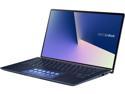
ASUS ZenBook 14.0" Intel Core i7-10510U 16 GB LPDDR3 Memory 512GB SSD Windows 10 Pro 64-bit UX434FLC-XH77
Pros: I was impressed with how fast the computer loads at startup and how fast it works overall. It is lightweight, with the aluminum housing, it seems to disperse heat very quickly when you load the system while gaming or stress testing. It is overall the same measurements as my Dell Inspiron 13" laptop, and this laptop is substantially lighter and thinner, although it has a 14" screen. There is only about a 3/16" border around the screen. The touchpad is something that takes a little getting used to...it is also a touchscreen. You can drag shortcuts to your most used programs there so you don't have to minimize what you're doing to access them. It can also be turned off with a touch so it becomes a regular touchpad. The lighted keyboard is very handy when using the laptop while in a dark area. It is definitely not a gaming laptop, but is capable of some mid-range gaming. It will run pretty much anything else very efficiently...video editing, movies, and web browsing is lightning fast. I believe unless you load something graphic intensive, it uses the Intel Graphics, but when it detects better graphics are required, it switches over to the dedicated graphics card, the nVidia MX250. The M.2 512GB PCIe SSD is extremely fast, much faster than SATA SSD drives and is also upgradeable if you need more space. The battery lasts about 6-7 hours with light use (web browsing, etc.) and the screen brightness at half brightness. Overall, it is a really great laptop as far as power in a compact package...not to mention it has a very sleek, modern appearance. I've had it for several months and have had zero issues with performance or any malfunctions.
Cons: The only con I can think of, is it doesn't have a touchscreen. The other small laptop I have has a touchscreen, so I guess I'm just used to that and keep reaching for the screen, especially while web browsing. So that's probably more of a "me" issue than the laptop's issue.
Overall Review: I would definitely recommend this laptop for schoolwork or business because of it's portability and power to do pretty much anything you need to do!
6/6/2020See more detail