
Your Browsing History


Louis B.
Joined on 12/07/09
0
0
product reviews
- 16
Easy way to go with an SSD
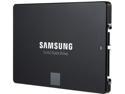
SAMSUNG 850 EVO 2.5" 500GB SATA III 32 layer 3D V-NAND Internal Solid State Drive (SSD) MZ-75E500B/AM
Pros: The goal was to upgrade a computer so that the boot drive was an SSD. This SSD came with cloning software that made the process totally painless. Hooked the SSD to a USB port, loaded the cloning software and cloned the hard drive to the SSD. Disconnected the hard drive and put the SSD in its place. Fired up the computer and it worked perfectly.
Cons: None seen.
Overall Review: Anyone who wants to speed up a slower computer should consider installing an SSD.
1/10/2018See more detail
This NAS worked 100%.
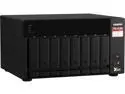
QNAP TS-873A-8G-US 8 Bay Ryzen Desktop NAS (Diskless)
Pros: Unit comes with 8 mb of RAM. Upgrading to 32 was easy and allowed use of the more advanced QTS Hero software.
Cons: Should come with 16 mb of Ram instead of 8.
Overall Review: This NAS was very easy to install upgraded Ram and M2 SSD drives to compliment the hard drives. Once set up with 32 mb of RAM, 2 SSD drives and the 8 hard drives, everything worked great. No issues at all with setup and use of the NAS.
2/8/2024See more detail
High Quality Product
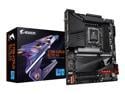
GIGABYTE Z790 AORUS ELITE AX LGA 1700 Intel Z790 ATX Motherboard with DDR5, Quad M.2, PCIe 5.0, USB 3.2 Gen2X2 Type-C, Intel WiFi 6E, 2.5GbE LAN, Q-Flash Plus, PCIe EZ-Latch
Pros: Easy to install. Excellent component layout. Excellent SSD mounting and heat sinks. Silent operation.
Cons: No product manual was included.
Overall Review: I have had excellent luck with Gigabyte motherboards. This one did not disappoint.
3/26/2023See more detail
Excellent product.
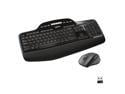
Logitech MK710 Wireless Keyboard and Mouse Combo — Includes Keyboard and Mouse, Stylish Design, Built-In LCD Status Dashboard, Long Battery Life
Pros: Substantially built and is easy to type on. Purchased an identical keyboard 2 years ago and it worked so well that I purchased another.
Cons: Keyboard has snap-out legs on the back side to adjust the angle of the keyboard. These work OK, but can easily fold over.
4/24/2017See more detail
Fast, Quiet and Problem-Free
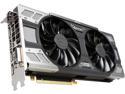
EVGA GeForce GTX 1080 FTW GAMING ACX 3.0, 08G-P4-6286-KR, 8GB GDDR5X, RGB LED, 10CM FAN, 10 Power Phases, Double BIOS, DX12 OSD Support (PXOC)
Pros: -Easy installation and setup. No problems or glitches. Software worked first time. -Very, very quiet even at high load. Far quieter than a 980 TI. -Excellent thermal performance. Better than I expected. Temperatures never approached thermal throttling limits.
Cons: No issues of any type.
Overall Review: 1080p monitor users should seriously consider this card. Don't need to have a higher resolution monitor to be satisfied with the improved performance of this guy.
9/7/2016See more detail
The motherboard and memory combination worked well. Built the system, booted it up without any problems, enabled XMP memnory profile and everyshing worked flawlessly. I used an M2 SSD as the boot dr
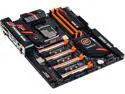
MB GIGABYTE | GA-Z170X-SOC FORCE RT Configurator
Pros: Building a PC with components that do not play well together can lead to hours of troubleshooting and frustration. This combination was well thought out and works well.
Cons: The 4 TB hard drive slows system boot-up. This is not a problem unless one wants a system that boots instantly. The boot device needs to be an SSD or, better yet, an M2 drive.
Overall Review: I like the Gigabyte motherboards - particularly the OC series. These motherboards have proven themselves to be excellent performers.
5/29/2016See more detail