
Your Browsing History


David W.
Joined on 06/19/11
0
0
product reviews
- 8
Update
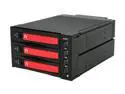
Thermaltake RC2300101A MAX-2533 5.25" (x2) Bay to 3.5" (x3) Bay Mobile Rack HDD Canister
Pros: Same as earlier review, good build quality and functionality, integrated fan, good price, easy set-up. I love the fact that you can power on or off any individual HDD at any time (hot-swap works great), or, alternatively, you can turn on/off the entire unit (all three drives) with one button.
Cons: The blue LED lights (four large lighted buttons and one smaller fan indicator) are FAR too bright. I have covered them with some black tape, which unfortunately eliminates the drive access indication function of the LED-lit buttons. However, this is a small price to pay to get rid of the most annoying and distracting set of blinding blue lights I've ever had to deal with.
Overall Review: The reason for this update to my review is that one of my biggest gripes (the lack of spare trays to purchase) has been remedied. Now Thermaltake is selling spare trays on their website (part# PM00357-CO) for $20/ea. Of course, that means the price of the complete MAX-2533 backplane unit (w/ 3 trays included) is only six dollars more than buying just three spare trays alone. (?!?)
6/11/2012See more detail
I Should Have Listened!
Seagate BarraCuda 7200.11 ST31500341AS 1.5TB 7200 RPM 32MB Cache SATA 3.0Gb/s 3.5" Internal Hard Drive Bare Drive
Pros: Huge 1500GB drive. Latest SATA II features. Best cost-per-GB HDD available. (Wonder why?)
Cons: While formatting this drive, I noticed that it vibrates strongly and made those clicking sounds that often spell doom. So I called Seagate and they told me that this was "no big deal." They told me to use SeaTools disk diagnostic on it to see if there is any *real* problem. I ran every test and it passed OK. I didn't want to trust my data to a drive that made noises like that, but Seagate tech support said that if it passed all SeaTools tests, then I could not return it, since there is nothing wrong with it! Okay, so I very STUPIDLY trusted this advice and used the drive as mass temp storage of my video files while I formatted or replaced my older data HDDs, thinking that I could keep it as a full backup for extra redundancy. But before I could copy most of the data off it back to my other drives, it died! After only two weeks! After passing every test on SeaTools! After I told Seagate support that I didn't trust it! I know! I'm an IDIOT!
Overall Review: I read the scary reviews and was going to pass on it, but the positive reviews here and elsewhere made me think that it was not as bad as the hype. When I read newer reviews that indicated a newer firmware was finally showing up on them, I went for it. Big mistake. This is just a very cheaply made drive with a high failure rate. Buy it if you like to gamble, maybe you'll get a good one. I'm not about to trust Seagate ever again. It wasn't just that their drive died on me, it was their horrible support! What good is a 5-year warranty if they will not honor it before catastrophic failure? It showed one of the most common signs of a failing HDD -- the click of death -- but this was not good enough for Seagate. If it passes their diagnostic, they consider it perfect. Until it dies a few days later. Then it's "sorry for the inconvenience. Hope you didn't put anything important on it." From now on it's only WD or Samsung for me. Something happened to Seagate's quality control.
12/21/2008See more detail
Solid Construction
Thermaltake RC2300101A MAX-2533 5.25" (x2) Bay to 3.5" (x3) Bay Mobile Rack HDD Canister
Pros: This is a great 3-bay HDD enclosure. It takes up two 5.25" bays and is easy to install. It is well constructed and has performed flawlessly for me since I bought it two months ago. I have a 2TB WD Green and two 3TB 5K3000 Hitachi's in there now and have had no issues formatting and using these large HDDs in this unit.
Cons: The LED lights are way too bright for me. But now that I know I'm keeping this item I will be fixing that shortly, perhaps with a black Sharpie as another reviewer mentioned. My biggest gripe with this unit is the lack of spare trays available. Called Thermaltake support I was told that they are still waiting for inventory from Taiwan and could give no ETA on availability. Another Thermaltake rep told me via email that they have no plans to sell spare trays. Depends on who you talk to there. Since you have to use four screws to install a drive into the tray, and there are no spare trays (yet?) the "hot-swap" functionality of this unit is less useful since it isn't much easier or less time-consuming than opening your case and swapping out internal drives.
Overall Review: The hot-swap feature is still useful for turning on and off individual drives in the unit without the need for rebooting. I haven't used it as a boot drive selector, but it would be excellent for that, too. The plastic button on the front of the trays to open them feels flimsy, however they have not given me any problems. I love this unit -- just wish I could get some spare trays.
10/19/2011See more detail
Best Game in Years

Fallout 3 PC Game
Pros: This game grabbed me right from the start and kept me riveted throughout the 110 hours it took me to finish all the side-quests and find almost every place on the map before doing the end mission. And now that I've just finished, I want to start a new character and do things a bit differently this time... Hey, actual replay value! It's huge, remarkably immersive, and very open. But the main quest is an easy place to find structure if the world feels overwhelming. At the same time, if you'd rather do your own thing you can put off the main storyline and wade into the *pile* of side-quests, places to explore, and unique NPCs -- it's incredible the amount of content left lying around for you to find ...or miss. Also, this game is as mod-friendly as other Bethesda RPGs -- a gift that keeps on giving.
Cons: The end sequence needs some more work. The devs should have done it right. However, I'm optimistic about the modding community's imagination and capabilities in polishing that up, as well as other minor flaws. Many people complain about the interface, and I can understand their point, but I got used to it faster than I thought I would and soon I didn't even think about it. It's a Pip-Boy.
Overall Review: I read here so many posts on game crashes. I don't know what to say, I never had any real issues with game stability. Throughout several weeks of playing Fallout 3 at high settings all the way to the end (and every side-quest), I have had exactly one crash. I can't even be sure it was the game's fault, since it was just once. I play at 1920x1200 with most in-game settings maxed, except no AA. It looks gorgeous. (Not "Crysis" gorgeous, but then again, not Crysis slideshow either.) Q6600 @ 3.2, P5E, 4GB DDR2, 8800GTS 512, PCP&C S750, XP Pro
1/13/2009See more detail
Best 24"
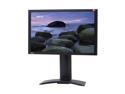
BenQ FP241W Black 24" 6ms(GTG) DVI Widescreen HDMI LCD Monitor 500 cd/m2 1000:1
Pros: P-MVA panel, incredible color reproduction and contrast (nice blacks), backlight is completely uniform across the whole panel, fast response time (gaming is a joy!), excellent sturdy stand w/ full adjustments, zero dead pixels, zero edge bleed, no input lag that I can notice, full input array: HDMI & DVI (w/HDCP), VGA, Component, Composite, S-Video; USB hub; very BRIGHT.
Cons: Too bright, in fact. But nothing that can't be easily adjusted. The default brightness of 90 is almost blinding. But that capability is good for watching DVDs with high dynamic range. (Otherwise I set it to 28 for reading text and even gaming.) The buttons on the side are a bit of a pain to use.
Overall Review: I play PC games a lot, and I would never settle for a monitor that had noticeable input lag or ghosting. This BenQ is the best I've used. I like it better than the 2407 or the 244T, both of which have less uniformity in brightness and color across their screens. This LCD is just gorgeous to look at, and has performed flawlessly since I got it in Feb 07.
9/15/2007See more detail
AVOID
OPTI-UPS Gaming Series GS1100B 1100VA 550W 6 Outlets Line Interactive UPS 6-Outlet USB
Pros: Looks nice.
Cons: Truly awful customer support from OPTI-UPS. I bought this unit because it claims to be able to handle 550 watts, but it was never able to handle anywhere near that. My PC draws 375W at full load, but that was too much, and the battery back-up would fail instantly when testing or when power was cut. So I tried to RMA it back, but OPTI-UPS told me that nothing was wrong with it since my PC was "too powerful for it." They claimed that since my PSU had Active PFC that meant "it could draw up to 50% more power than it's rated for" and therefore my 375W was really 560+ watts !!! After I contacted NewEgg to help me out, OPTI-UPS finally allowed me to RMA it, but after 3 weeks they ended up returning the same unit back to me, unchanged. It still will not work with my PC. By the time I got it back and found it wasn't repaired, it was too late to get a refund, so I'm stuck with it. I will never buy anything from OPTI-UPS again.
Overall Review: Call me crazy, but in my opinion if a product claims to handle 550W, then it should not fail at 375W. And if it does fail, then the manufacturer should not take the position that "550 really means 300 to us." That's just false advertising. I may have just gotten a bad unit, and my experience may not hold true for other units of the same make/model, but that is the reason for manufacturer warranties. Either they are not telling the truth about this unit's actual power handling capabilities, or they just refused to fix a faulty unit that was under warranty (and tried every way they could to weasel out of any obligation to their customer). Either way, I will be avoiding this company in the future.
5/12/2007See more detail