
Your Browsing History


Matt K.
Joined on 10/18/12
0
0

product reviews
- 3
Wonderful upgrade
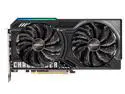
ASRock Challenger Radeon RX 9060 XT 16GB GDDR6 PCI Express 5.0 x16 Graphics Card RX9060XT CL 16GO RX 9060XT
Pros: Upgraded to this 9060 xt 16GB from a 6650 xt 8GB. Temps are 20-25 Celsius cooler than my old GPU that needed a thermal paste refresh. Runs ESO on Ultra settings in 1440p in the 40s and 50s temps at 120+ fps all day. Doing all of this in a PCI-E 4.0 x16 slot. It will perform better once I build it a system with a PCI-E 5.0 x16 slot to really let it shine. Just uses the same 6+2 PCI-E connector from the power supply and just the tiniest bit more power. (176w vs. 182w iirc) Lighting strip is nice, can be toggled off with a switch near connector. Dual fan option is plenty to keep it cool, and allows it to fit in tiny cases at 249mm length and true two slot 41mm height.
Cons: Lighting strip cannot be configured with ASRock Polychrome Sync, which is a bummer, but definitely not worth an egg off. GPU does not deliver me tacos every afternoon, but I remain hopeful.
Overall Review: Would absolutely recommend this card for anyone upgrading from an older 1080p card, especially a PCI-E 4.0x8 card like mine was, even on an AM4 system that can only offer it PCI-E 4.0x16. Loving this card after a few weeks of use. Great work again ASRock and Newegg!
4/19/2026See more detail
Cables are always a hit and miss
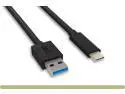
Nippon Labs 6.6ft. USB Type C 3.2 Gen 2 Male to Type A Male Cable,10G, 3A, BLACK USB Type-C to A Cable
Pros: Cable works and arrived in a timely manner.
Cons: Had to trim the plastic around the usb-c connector to fit it into the receptacle on my mouse, immediately voiding any warranty it might have had. I don't consider that a manufacturer problem, or if it is, its as much the mouse manufacturer's fault as it is the cable manufacturer's fault. The worse issues, however, were that it was a thick, more rigid cable, meaning great for travel/charging, not great for using with a mobile mouse for gaming. Most importantly, the cable was not 6.6ft (2 meters). It was 6ft. The entire reason I bought it was because I knew I would want the extra length. I could've bought a 5-pack of 6ft cables for less than what I was charged for this one, that was shorter than advertised.
Overall Review: Would recommend for a charging cable or keyboard. Would NOT recommend for a 6.6ft cable, or a gaming mouse.
4/19/2026See more detail
Works flawlessly, painless install, low temps
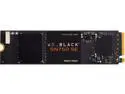
Western Digital WD Black SN750 SE NVMe M.2 2280 500GB PCI-Express 4.0 Internal Solid State Drive (SSD) WDS500G1B0E
Pros: Arrived promptly Installed without issue Temps stay very low
Cons: None so far
Overall Review: Definitely would recommend. I installed it as a game drive, not a boot drive. My ASRock B550m/AC m.2 slot is directly under where the graphics card sits. I'm not sure how much clearance there would've been for bulky heatsinks, but I placed a small case fan nearby blowing basically directly across it to exhaust out an open PCI cover slot in the case, and temps stay between 28C-41C all the time, seemingly, which is wonderful. The WD Dashboard software available on the website is very helpful for monitoring that temp on my taskbar at any time during use.
11/28/2021See more detail