





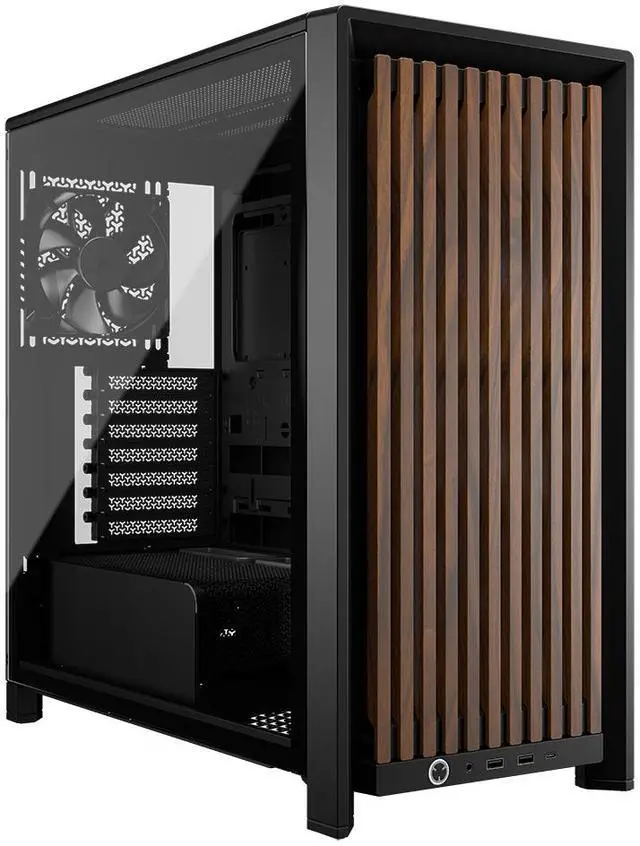
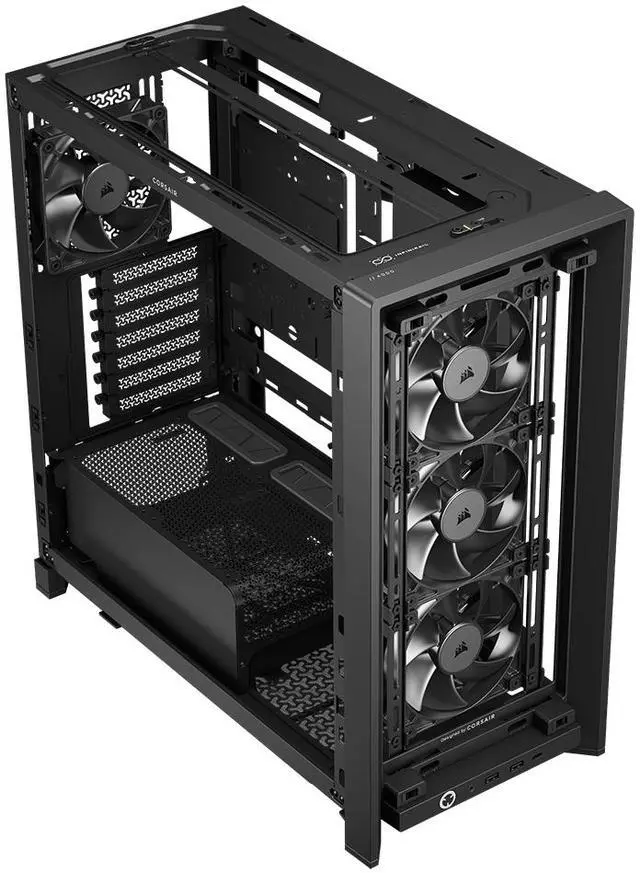
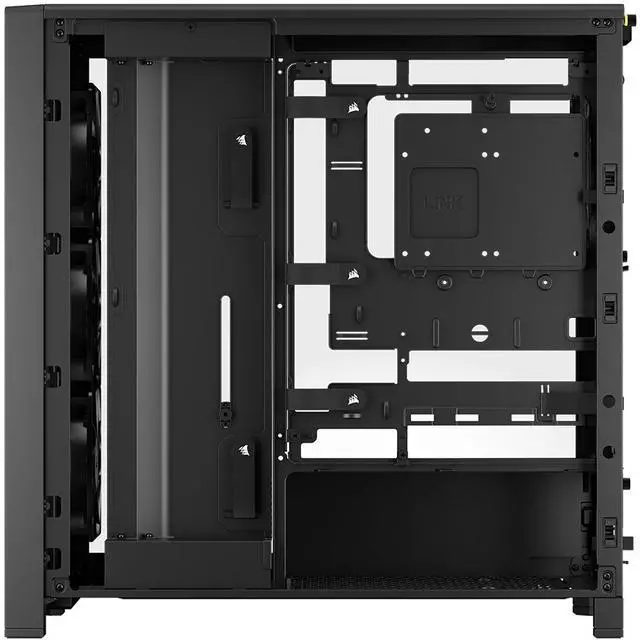
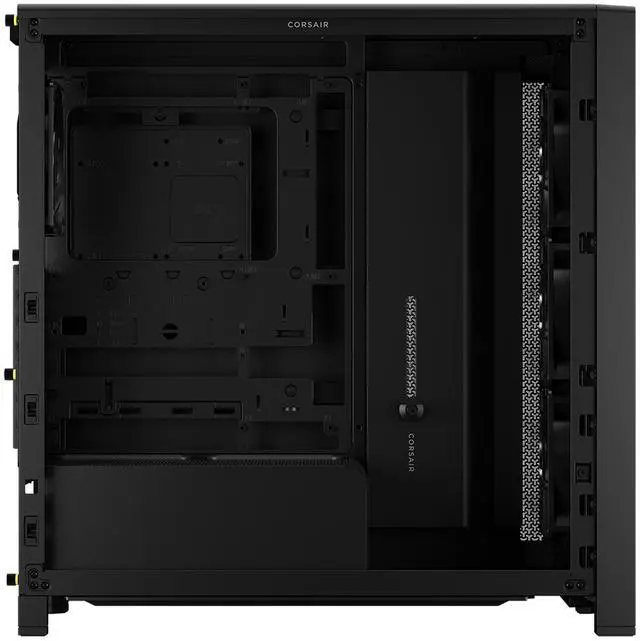
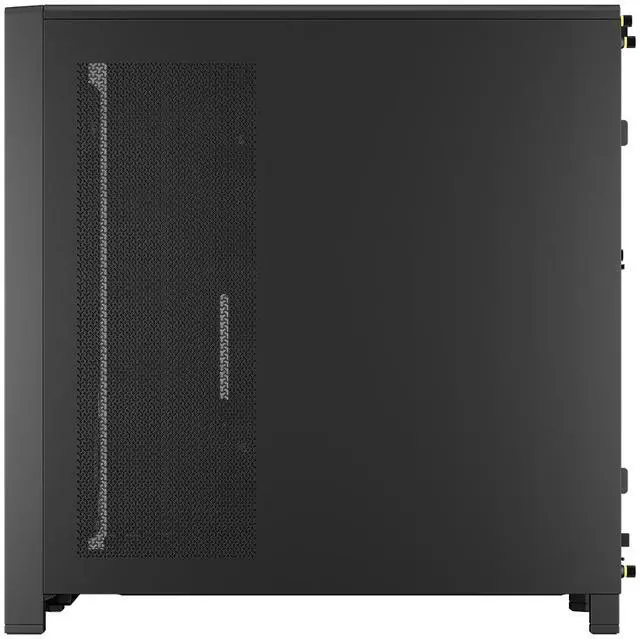
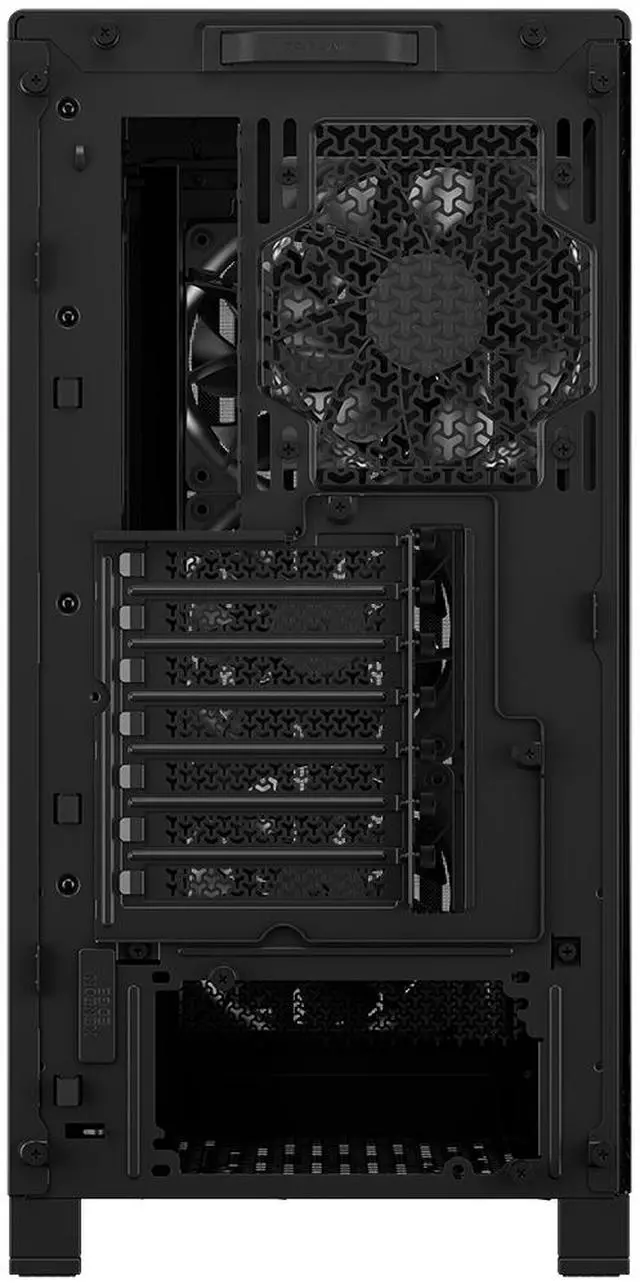
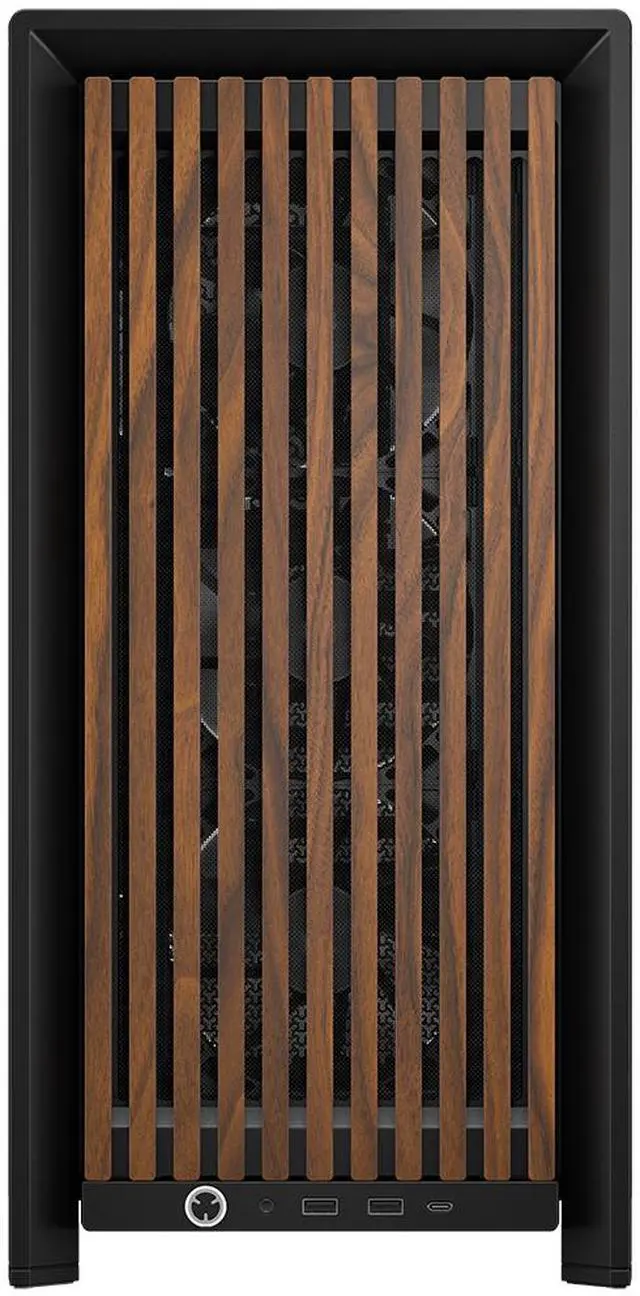
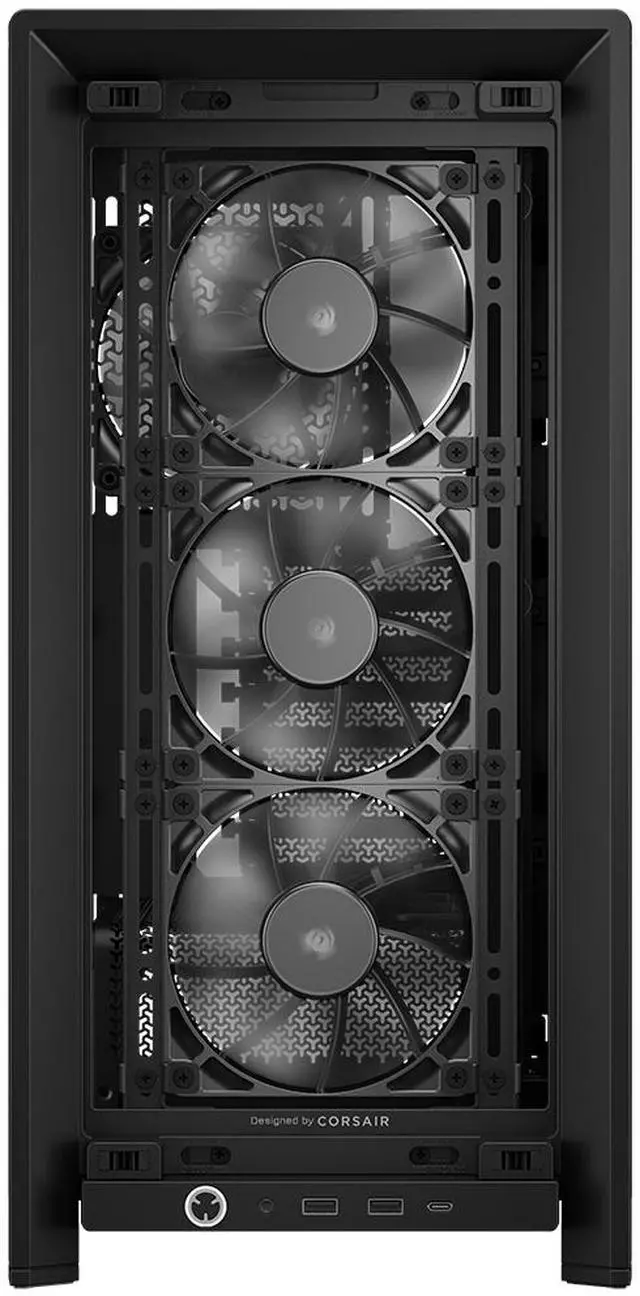
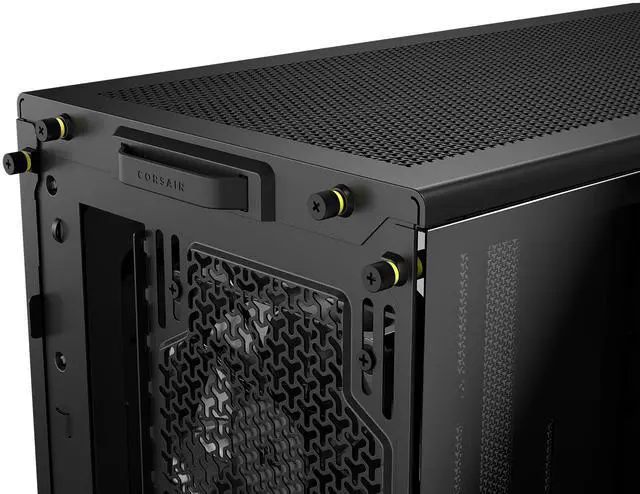


CORSAIR FRAME 4000D WOOD RS Modular High Airflow Mid-Tower PC Case, Black & Walnut. 3x 360mm Radiator Mounts. 4x RS120 PWM fans included - 13x 120mm fan mounts or 7x 140mm fans.
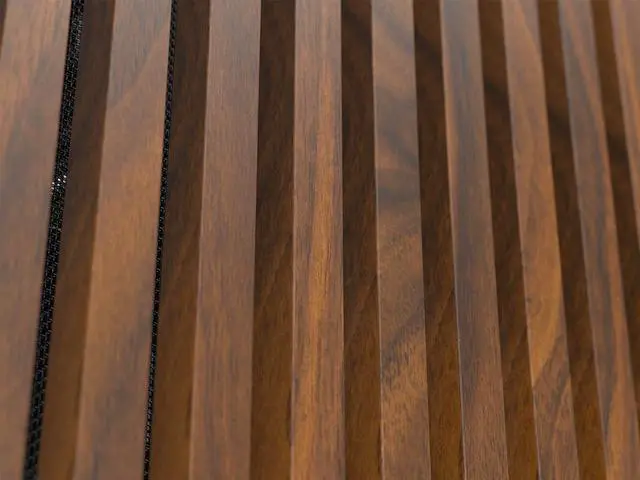
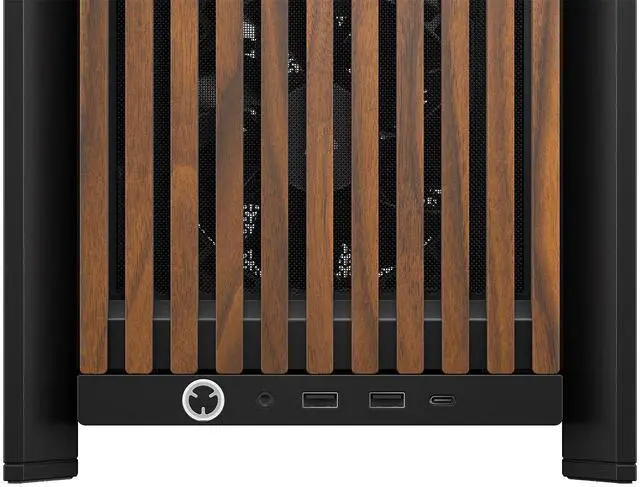
- Unique wood front panel for a great blend of style and performance
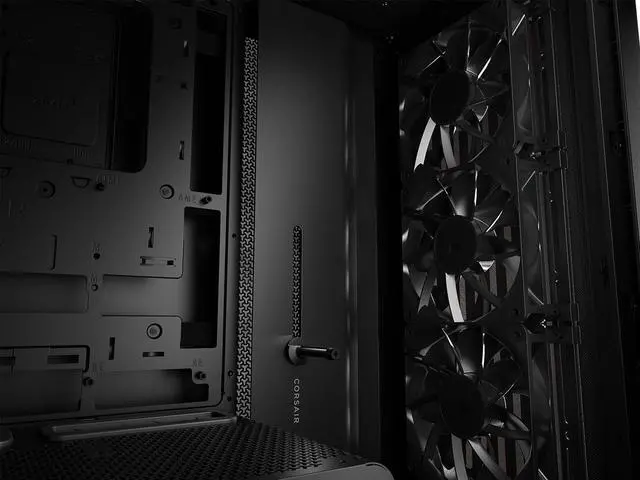
- 4x CORSAIR RS120 PWM Fans pre-installed for powerful full-system cooling
- Supports 13x 120mm fans or 7x 140mm fans
- Incredible customization with the FRAME Modular Case System
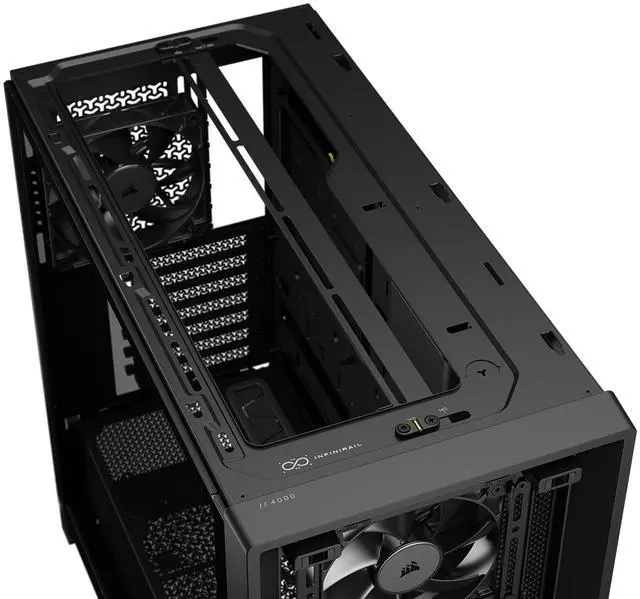
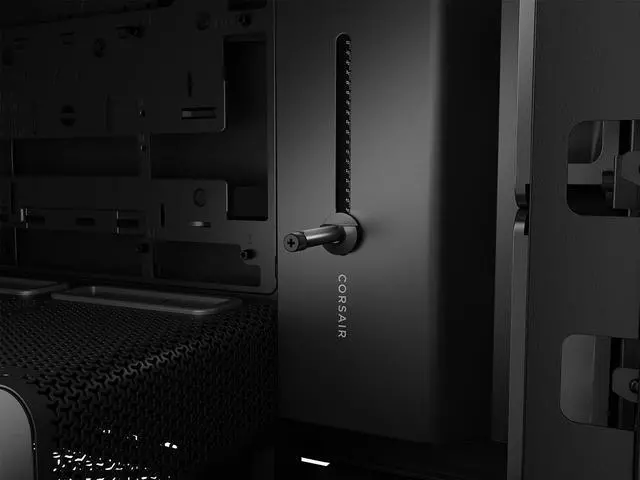
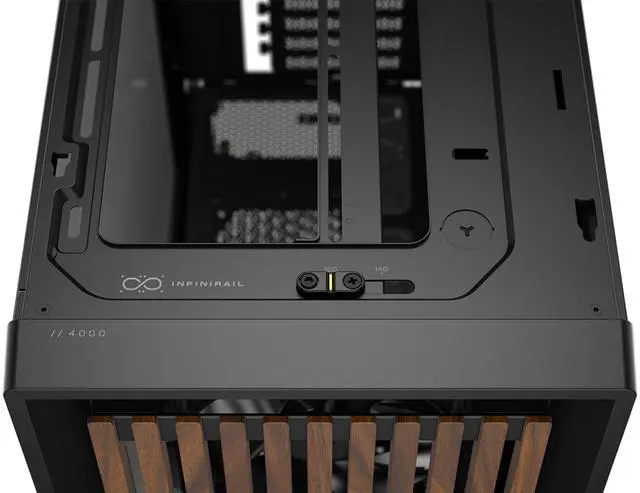
- CORSAIR InfiniRail Fan Mounting System delivers unmatched flexibility
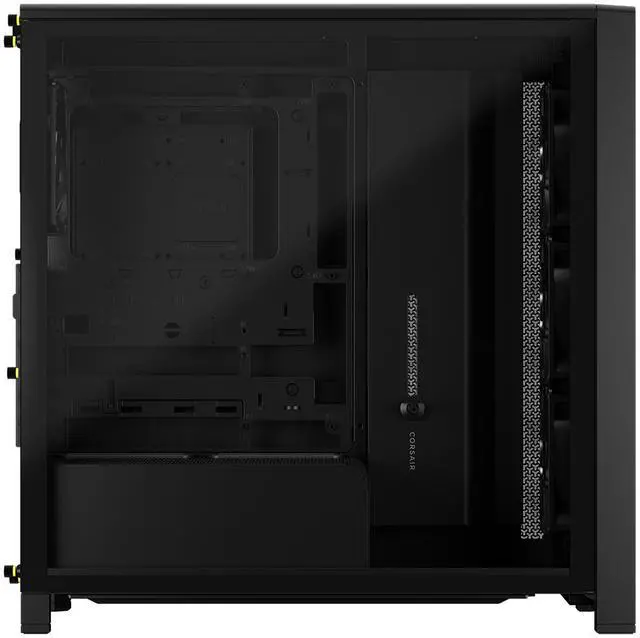
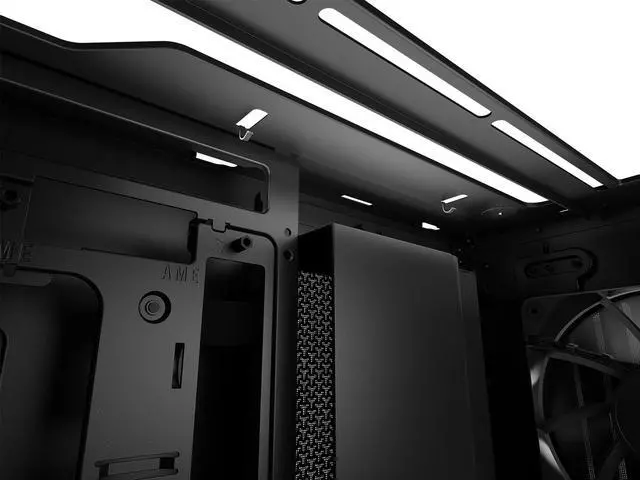
- Removable internal panel covers cables or acts as a fan mount
- 3x 360mm radiator mounting locations for great cooling
- Supports the latest reverse-connection motherboards
- Stay connected with an easily accessible USB front I/O panel
- Included drive tray for 1x 3.5" hard drive and 2x 2.5" SSDs
- Included GPU Anti-sag Stabilization Arm
- Larger than the original 4000D for better GPU support
- Larger than the previous 4000D for better GPU support
- Built from the ground up for easy iCUE LINK integration
+
+
Overview
Specs
Reviews (1,452)
Warranty & Returns
Warranty, Returns, And Additional Information
Warranty
- Limited Warranty period (parts): 5 years
- Limited Warranty period (labor): 5 years
- Read full details
Return Policies
- Return for refund until: January 31, 2027
- Return for replacement until: January 31, 2027
- This item is covered by Newegg.ca's Extended Holiday Return Policy.
- Read full return policy for details.
We want to ensure your holiday shopping this year is hassle-free. That’s why we’re automatically extending our return policies on almost every product! For purchases placed between November 1st, 2026 and December 31, 2026 you will have until January 31, 2027 to return your product.
Manufacturer Contact Info
- Manufacturer Product Page
- Manufacturer Website
- Support Phone: 1-510-657-8747
- Support Website
- View other products from Corsair
LOADING...
The CORSAIR FRAME 4000D WOOD RS is a modular ATX mid-tower PC case with a real wood front panel, four included RS120 PWM fans, and support for up to three 360mm radiators, making it a strong fit for builders who want high airflow, clean aesthetics, and room for powerful gaming or creator hardware.
Recommended For
- Builders who want a high-airflow gaming or workstation case without moving up to a full tower. The FRAME 4000D platform is repeatedly positioned around flexible fan/radiator layouts, roomy GPU clearance, and easier cable management for modern high-wattage parts.
- PC builders who care about furniture-friendly aesthetics as much as thermals. Corsair markets the WOOD RS around its real wood front panel, and coverage around the 4000D Wood launch consistently frames it as an airflow case for users who want a cleaner living-room or desk look instead of a typical all-mesh gamer style.
- DIY users planning custom cooling or future upgrades. The case is built around modular panels, rail-based fan positioning, and support for multiple 360mm radiator locations, which fits builders who expect to rework airflow, swap parts, or iterate on the build over time.
- Builders using large modern GPUs who want built-in clearance and support features rather than improvising. Corsair includes a GPU anti-sag arm, and both official specs and community posts point to the FRAME 4000D being roomier than older 4000-series designs.
- Corsair ecosystem users who want an easier path to neat fan and cable routing. Corsair explicitly pitches the case for iCUE LINK-friendly builds, and reviews highlight its cable bar, routing paths, and builder-focused layout.
Real-World Use Scenarios
- Building a high-airflow gaming PC with a long modern GPU and a 360mm AIO: the case is typically used for mainstream-to-high-end gaming builds where users want good thermals without moving to a larger full tower, and reviews consistently indicate it is easy to fit large parts and maintain strong airflow.
- Putting together a clean first or second custom build: users who want straightforward cable routing, less cramped assembly, and fewer awkward fit issues generally get an easier building experience than in many compact mid-towers, especially with standard ATX layouts and all-in-one coolers.
- Customizing airflow for a mixed-use PC that handles gaming, rendering, or long sessions under load: the modular rails and side/top mounting options are commonly used by enthusiasts who want to tune fan or radiator placement around their exact parts rather than accept a fixed layout.
- Creating a desk-visible PC that looks more like furniture than a typical all-metal gaming tower: the wood front version is positioned for users who care about appearance as much as cooling, so it fits well in home offices or living spaces where a standard mesh case may look too industrial.
- Upgrading from an older mid-tower to gain room for newer components without going oversized: community discussion suggests the case works well for users moving to larger GPUs, newer motherboard layouts, and more flexible cooling, but it is less ideal if the build depends on multiple hard drives.
Spec Summary
| Attribute | Value |
|---|---|
| Best For | Builders who want a mid-tower with a wood-front aesthetic and flexible cooling—supports Mini-ITX to E-ATX motherboards, multiple radiator locations up to 360 mm, and long GPUs up to 405 mm |
| Case Type & Compatibility | ATX mid-tower case compatible with Mini-ITX, Micro-ATX, ATX and E-ATX (305 mm x 277 mm); 7 expansion slots; bottom-mounted PSU; supports GPUs up to 405 mm and PSUs up to 200 mm |
| Materials & Exterior | Black & Walnut finish with a steel chassis, tempered glass side panel and a solid wood front panel |
| Cooling & Fans | Air-cooled design that ships with 4x RS120 PWM fans and uses the InfiniRail fan-mount system to install fans at front/top/rear/side/bottom per the listed fan options; includes built-in fan capability and dust filters |
| Radiator Support | Multiple radiator locations with support up to 360 mm at front/side/top and up to 140 mm at rear per the listed radiator options |
| Drive Bays & Storage | Internal capacity for 1x 3.5" hard drive and 2x 2.5" SSDs (3 internal drive bays total) |
| Clearances | CPU cooler height clearance 170 mm |
| Dimensions & Weight | External dimensions 488 x 239 x 486 mm; item weight 9.7 kg |
| Front I/O & Connectivity | Front I/O includes two USB 3.0 ports |
| Mounting, Filters & Special Features | Bottom/front/side dust filters, bottom PSU mounting, InfiniRail fan mounting, and reverse GPU anti-sag support |
| Model Identifiers | Corsair FRAME 4000D WOOD RS — model CC-9011340-WW |
Reference Q&A
Q: Should I buy the CORSAIR FRAME 4000D WOOD RS or the older Corsair 4000D Airflow?
A: Choose the FRAME 4000D WOOD RS if you want a more current 4000-series layout with more internal flexibility, larger GPU clearance, broader radiator support, reverse-connector motherboard support, and four included PWM fans. Choose the older 4000D Airflow if your priority is a simpler, proven airflow case and you do not need the modular FRAME system or the wood-accent design. Across reviews and community discussions, the FRAME 4000D is generally treated as the more feature-rich evolution, while the 4000D Airflow remains the lower-complexity alternative.
Q: Is the FRAME 4000D WOOD RS worth it over the standard FRAME 4000D or FRAME 4000D RS?
A: Buy the WOOD RS version if you want the same core FRAME 4000D platform with a warmer furniture-style look and still want airflow-focused front-panel design. Choose the standard FRAME 4000D or RS version if appearance matters less than price or if you prefer a conventional mesh look. The main buying difference is styling and included configuration, not a different chassis class.
Q: Should I get the FRAME 4000D WOOD RS or move up to the Corsair FRAME 5000D?
A: Choose the FRAME 4000D WOOD RS for a mainstream ATX build where you want strong cooling support without moving to a larger chassis. Move up to the FRAME 5000D if your build needs more room for oversized components, more working space, or a less constrained custom-cooling setup. Official positioning and reviews consistently frame the 5000D as the larger step-up model, while the 4000D remains the more practical fit for most single-system desktop builds.
Q: How does the FRAME 4000D WOOD RS compare with the Fractal Design North?
A: Choose the FRAME 4000D WOOD RS if you want a wood-accent case but place more emphasis on modularity, larger GPU clearance, multi-radiator flexibility, and broader upgrade headroom. Choose the Fractal Design North if your priority is a more minimalist wood-forward aesthetic and you only need conventional mid-tower cooling support. This comparison usually comes down to visual style versus expansion flexibility rather than a basic airflow-versus-no-airflow decision, because both are positioned as airflow-oriented cases.
Q: Is the CORSAIR FRAME 4000D WOOD RS a good choice for a high-airflow gaming or workstation build?
A: Yes. It is best suited for users who want strong air cooling or a flexible liquid-cooling layout in a mid-tower size. The case includes four PWM fans out of the box, supports up to 13x 120mm fans or 7x 140mm fans, and allows large radiators in multiple positions. Compared with older 4000D-style cases that typically include fewer fans and less GPU clearance, this model is better for hotter modern CPUs and GPUs.
Q: Will it fit a large graphics card and still leave room for cooling?
A: Usually yes. This case supports GPUs up to 405 mm, which is enough for most large current-generation cards. It is a safer choice than the older 4000D Airflow for oversized GPUs because the older model is commonly listed around 360 mm GPU clearance. If you are using a very thick front radiator or unusual cable routing, you should still confirm final clearance with your exact parts.
Q: Is it a better buy than the older Corsair 4000D Airflow?
A: It is the better buy if you want more included cooling, more internal room, and a more upgrade-friendly layout. The older 4000D Airflow is the simpler value option, but it commonly comes with only two fans and less GPU room. The FRAME 4000D WOOD RS adds four PWM fans, a modular interior, support for reverse-connection motherboards, and more clearance for modern parts. The trade-off is that it is larger and may be more than necessary for a basic budget build.
Q: Is this case good for liquid cooling, or is it mainly for air cooling?
A: It works for both, but it is especially attractive for builders who want flexible cooling options. The case supports up to 360 mm radiators at the top, side, and front according to the product specifications, while also shipping with four PWM fans for strong air-cooled setups. If you want a simple air build, it already includes enough stock airflow to start. If you want a custom or large AIO setup later, the case leaves more room for expansion than typical older mid-towers.
Q: Who is this case not ideal for?
A: It is not the best fit for buyers who want the smallest possible mid-tower, maximum drive capacity, or the lowest-cost basic case. It only includes mounts for one 3.5-inch drive and two 2.5-inch drives, so it is better for modern SSD-focused builds than storage-heavy systems. It also makes more sense for users who care about airflow, GPU room, and future cooling upgrades than for someone building a simple office PC.
Q: Is the CORSAIR FRAME 4000D WOOD RS worth buying over the original 4000D Airflow?
A: It is a better fit if you want more cooling flexibility, more internal space, and newer case features in the 4000D size class. Compared with the older 4000D Airflow, the FRAME 4000D is larger, supports top 360mm radiators, includes more modular mounting options, and is built around expansion and cable-routing flexibility. The trade-off is that it is a more complex case to build in, so it makes more sense for buyers who will use the extra radiator, fan, or modular features rather than for a simple first build.
Q: Who is the CORSAIR FRAME 4000D WOOD RS best suited for?
A: It is best suited for builders who want a high-airflow ATX mid-tower with room for large GPUs, multiple radiators, and more customization than a basic mainstream case. It makes the most sense for enthusiast air-cooled or liquid-cooled builds, especially if you want the modular interior, reverse-connection motherboard support, and the included anti-sag arm. It is less ideal for buyers who only need a simple, low-effort case with minimal setup decisions.
Q: Is the FRAME 4000D WOOD RS a good choice for high-airflow or liquid-cooling builds?
A: Yes. Based on the product specs and repeated discussion around the FRAME 4000D family, it is a strong option for airflow-focused and liquid-cooling builds. It supports up to three 360mm radiator positions, up to 13x 120mm fans, and large GPUs up to 405 mm. Community discussion repeatedly focuses on strong airflow, flexible fan layouts, and better thermal headroom than older 4000D-based setups. Buyers should still plan their exact fan and radiator layout carefully because the modular interior creates more configuration choices than a standard case.
Q: What are the main trade-offs of buying the CORSAIR FRAME 4000D WOOD RS?
A: The main trade-off is complexity. The case offers more modular parts, more mounting flexibility, and support for unusual layouts, but that also means more planning and a less straightforward build process than a conventional mid-tower. Community discussion also points to a few practical caveats around certain fan layouts, such as needing extra attention when using oversized front fans. In short, it trades simplicity for flexibility.
Q: Is the CORSAIR FRAME 4000D WOOD RS a good first PC case for a beginner?
A: Usually not as a first-choice beginner case unless the buyer specifically wants its modular features. The case is capable and spacious, but repeated discussion suggests it is better suited to builders who are comfortable planning airflow, radiator placement, and case reassembly. A beginner can still use it, but much of its value comes from features that experienced builders are more likely to appreciate and use correctly.