





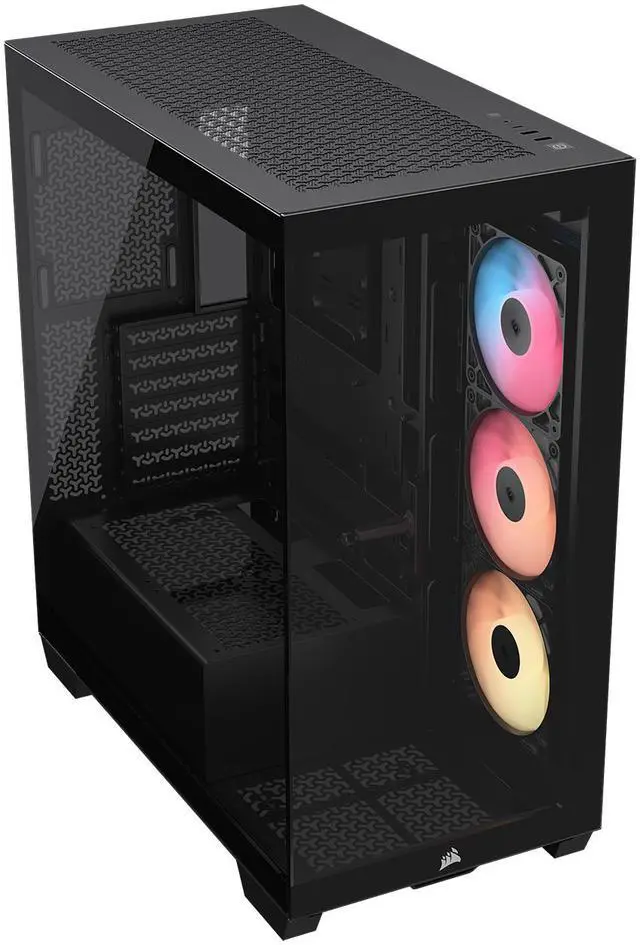
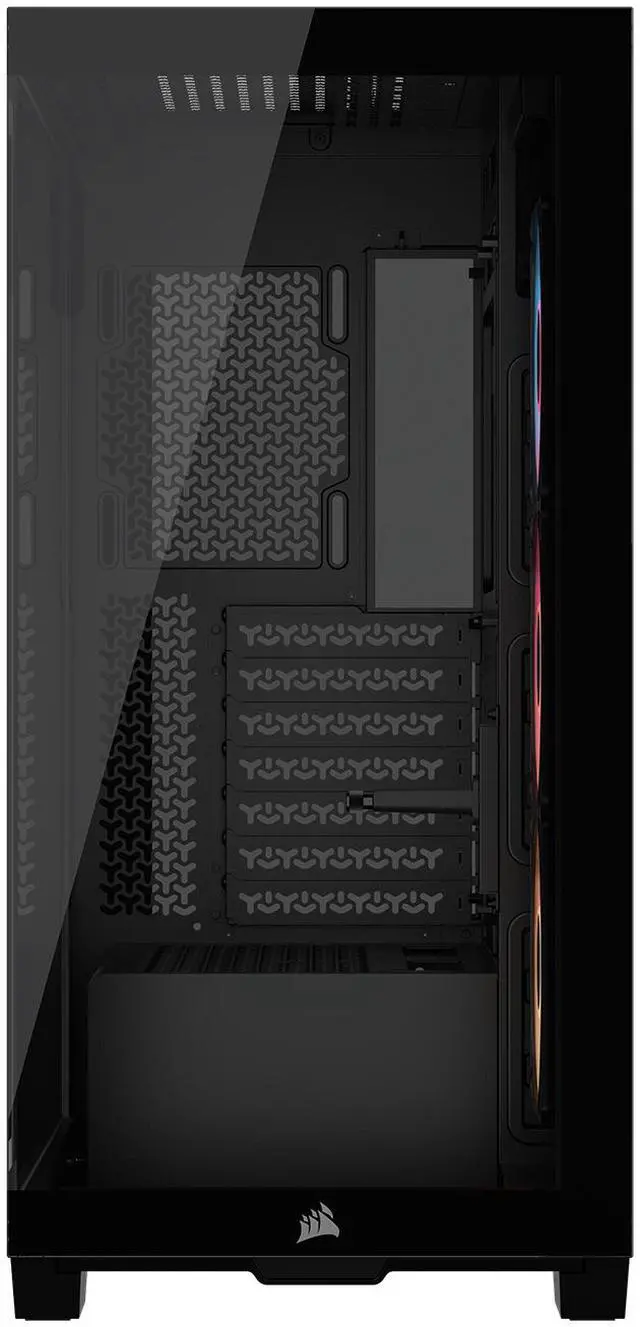
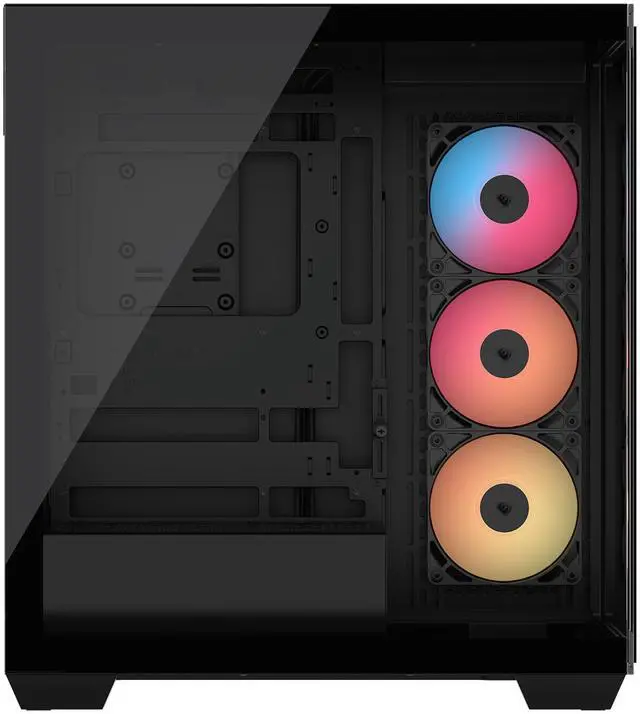
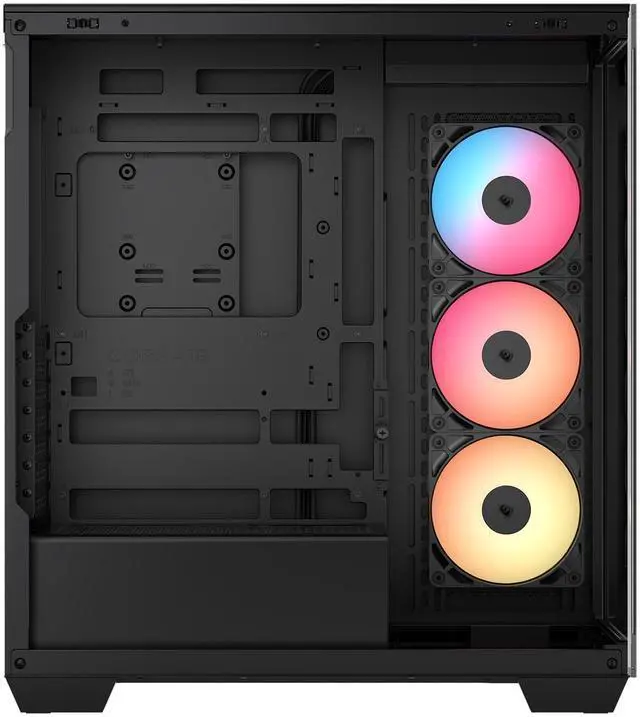


CORSAIR 3500X RS-R ARGB Mid-Tower PC Case – 3x Pre-Installed RS120-R ARGB Fans – GPU Anti-Sag Arm – Tempered Glass – Fits up to 10x 120mm Fans – Reverse Connection Motherboard Compatible
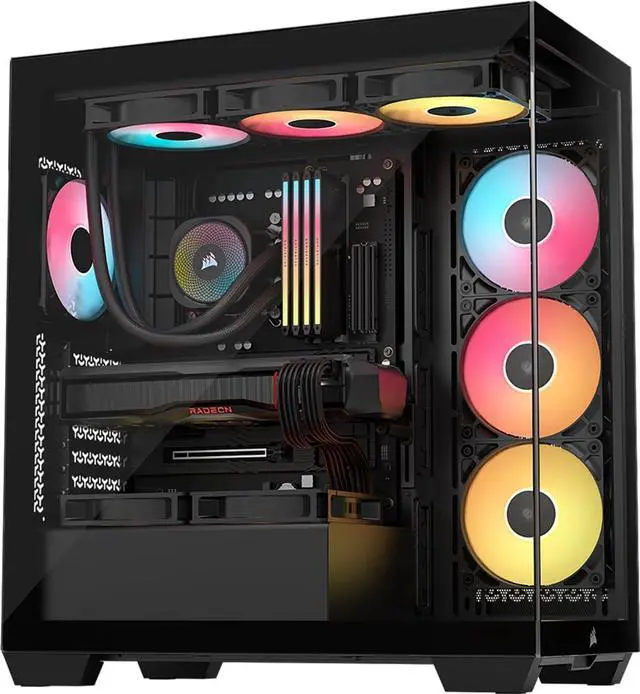
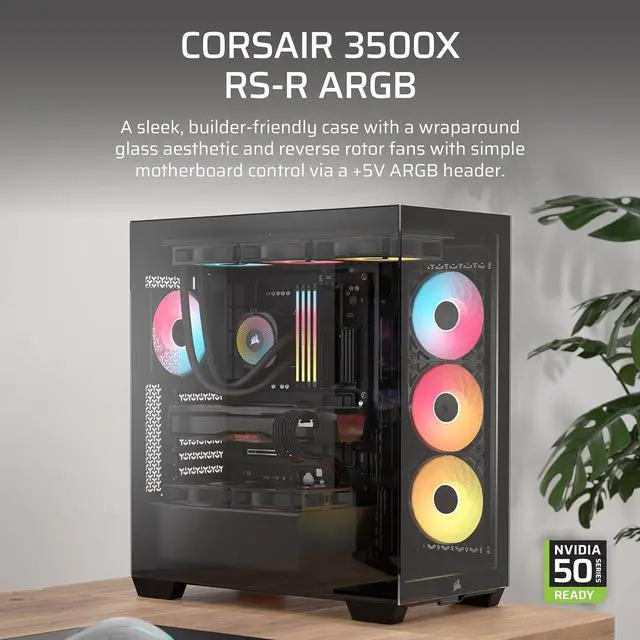
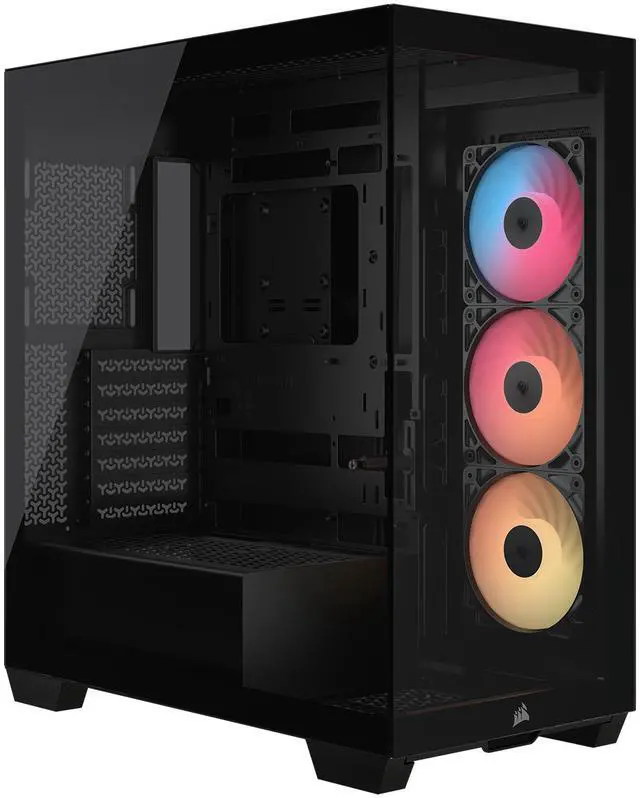
- Wraparound glass view with removable front and side panels
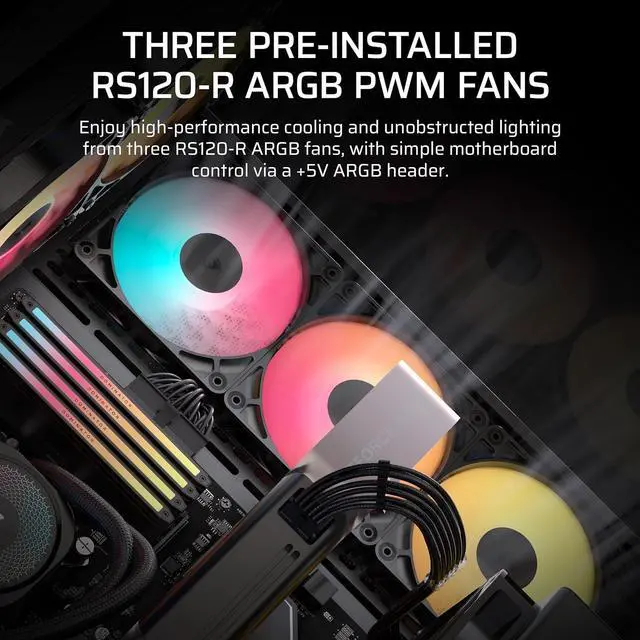
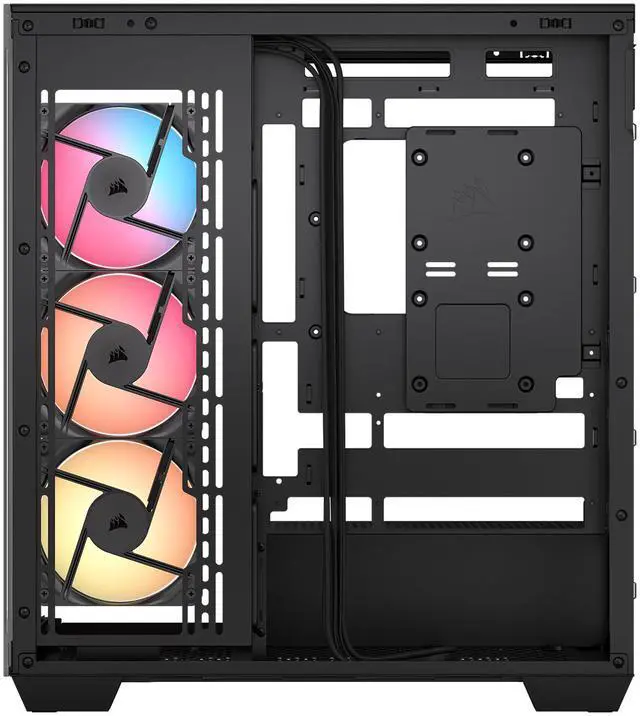
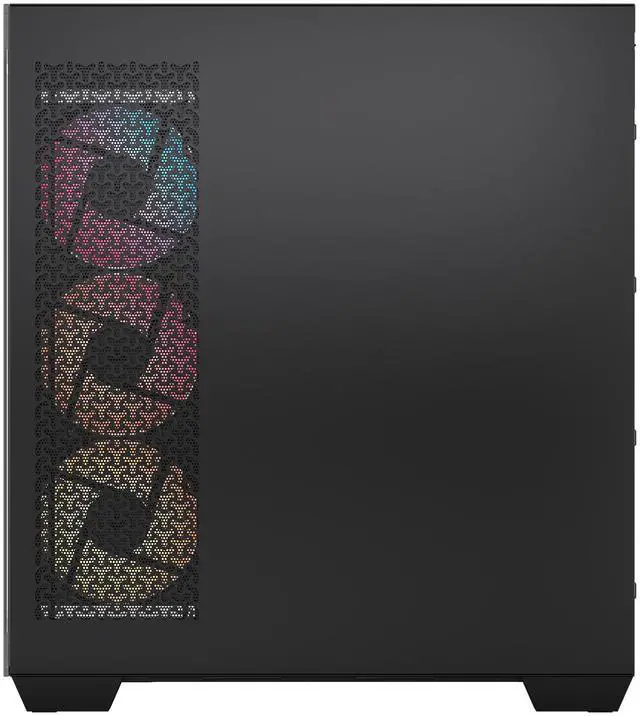
- Three pre-installed RS120-R ARGB fans
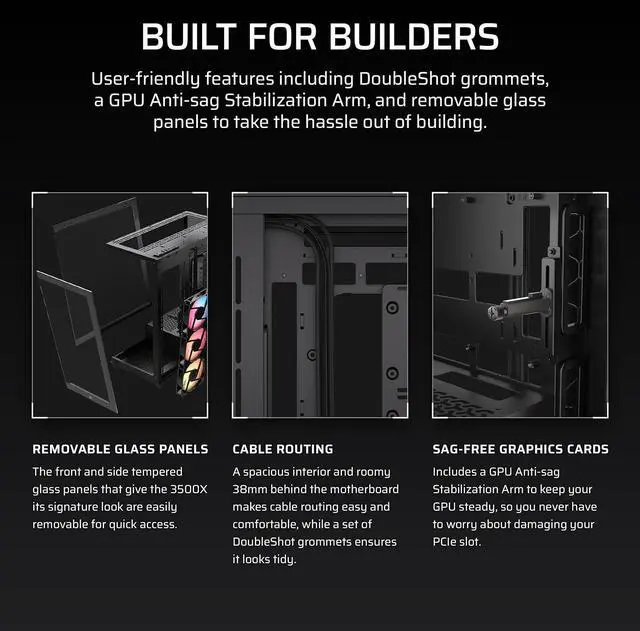
- Builder-friendly features for a high-performance custom PC
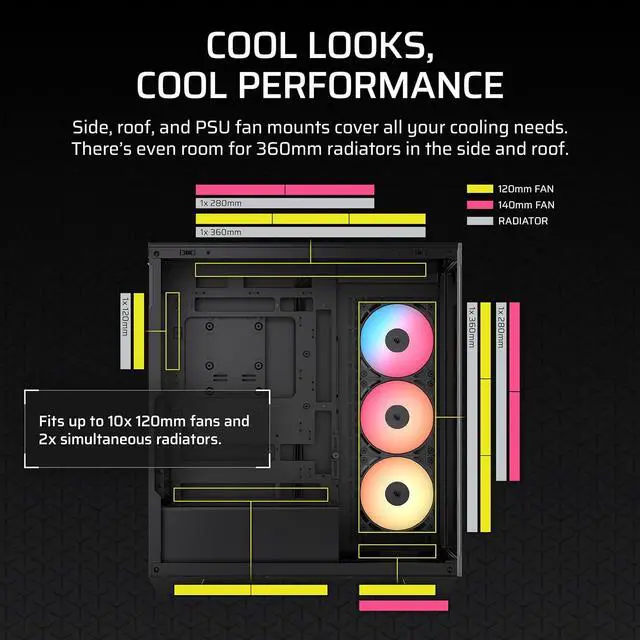
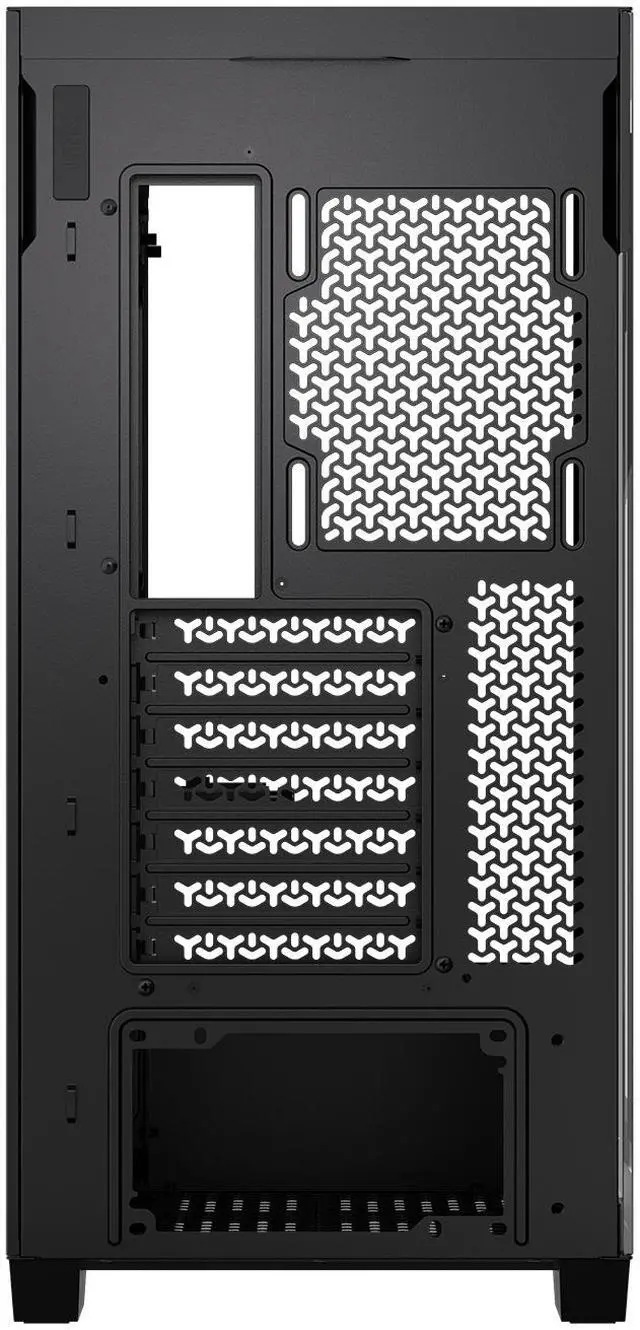
- Side, roof, and PSU fan mounting points for great cooling
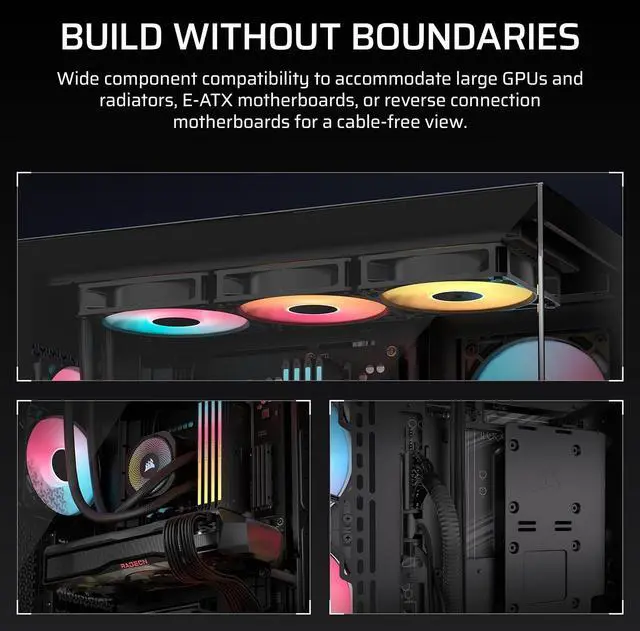
- Compatible with reverse connection motherboards
+
+
Overview
Specs
Reviews (72)
Warranty & Returns
Warranty, Returns, And Additional Information
Warranty
- Limited Warranty period (parts): 5 years
- Limited Warranty period (labor): 5 years
- Read full details
Return Policies
- Return for refund until: January 31, 2027
- Return for replacement until: January 31, 2027
- This item is covered by Newegg.ca's Extended Holiday Return Policy.
- Read full return policy for details.
We want to ensure your holiday shopping this year is hassle-free. That’s why we’re automatically extending our return policies on almost every product! For purchases placed between November 1st, 2026 and December 31, 2026 you will have until January 31, 2027 to return your product.
Manufacturer Contact Info
- Manufacturer Product Page
- Manufacturer Website
- Support Phone: 1-510-657-8747
- Support Website
- View other products from Corsair
LOADING...
The CORSAIR 3500X RS-R ARGB is a black ATX mid-tower PC case with tempered glass, three pre-installed RS120-R ARGB fans, and support for up to 10 total 120mm fans, making it a strong fit for builders who want a showcase gaming or high-airflow custom PC with broad motherboard compatibility, including reverse-connection layouts.
Recommended For
- Builders planning a clean-showcase gaming PC with a reverse-connector motherboard, especially ASUS BTF, MSI Project Zero, or GIGABYTE Project Stealth setups. Corsair explicitly validates this use case, and review/community coverage repeatedly frames the 3500X as a case that shows off cable-hidden builds well.
- Users building a glass-heavy desktop that stays in one place and is meant to be seen on the desk, not hidden under it. The wraparound tempered-glass layout, reverse-rotor RGB fans, and repeated showcase-style builds make it fit people who care about visible internals and neat lighting.
- Mainstream-to-high-end gamers using long modern GPUs and wanting airflow flexibility without moving to a larger tower. Official positioning highlights support for large GPUs, a GPU anti-sag arm, and up to 10 fan mounts, while reviews found competitive GPU thermals in gaming-focused testing.
- Builders who want room to tune airflow or add liquid cooling over time. The case is positioned for side and top 360 mm radiators and dense fan layouts, and hands-on reviews discuss using multiple cooling layouts rather than treating it as a fixed stock-fan-only case.
Real-World Use Scenarios
- A first-time builder can put together a clean-looking gaming PC without buying extra case fans right away; the three included RS120-R ARGB fans and direct motherboard control cover a basic airflow-and-lighting setup out of the box.
- Someone building a showcase PC with RGB memory, an AIO, and a large graphics card will likely choose this case for visibility first; the wraparound tempered glass makes the system easy to display, while the GPU anti-sag support helps heavier cards sit more cleanly.
- A builder using an ASUS BTF, MSI Project Zero, or similar reverse-connector motherboard can use this case to hide most visible cabling; in practice, that means a cleaner front chamber and less cable-routing clutter around the board.
- For a mainstream gaming build with a hot mid-range or high-end GPU, users can start with the included side intake and still have room to add top, bottom, and rear fans later; the usual experience is acceptable day-one cooling with a clear upgrade path if GPU or CPU temperatures need improvement.
- An upgrader moving over an existing ATX system with a long modern GPU and tower air cooler is likely to find the transfer straightforward; this case is typically used as a rebuild platform for larger gaming parts rather than a compact or space-saving setup.
- Someone planning a heavily populated fan setup should expect good flexibility but also some build-planning tradeoffs; community posts show the case works for multi-fan layouts, though tight areas around bottom fan mounting and cable routing can require extra patience.
Spec Summary
| Attribute | Value |
|---|---|
| Best For | Custom ATX / E-ATX / Micro-ATX / Mini-ITX desktop builds that need flexible multi-fan airflow and radiator support; also lists compatibility with reverse-connection motherboards (e.g., ASUS BTF, MSI Project Zero, Gigabyte Project Stealth) |
| Case Construction & Finish | Steel chassis with tempered glass panels in a black finish |
| Motherboard & Compatibility | Supports ATX, E-ATX (Extended ATX), Micro ATX and Mini ITX form factors; explicitly lists reverse-connection motherboard compatibility |
| Cooling & Fan Support | Air-cooled layout with mounts for up to 10×120mm fans (Bottom 3, Rear 1, Side 3, Top 3); supports radiators up to 360mm; dust filters on bottom/side/top and RGB lighting / built-in fan(s) reported |
| Drive Bays & Expansion | 2 × internal 3.5" drive bays and 2 × internal 2.5" drive bays, with 7 expansion slots (external attributes list internal bays quantity as 10) |
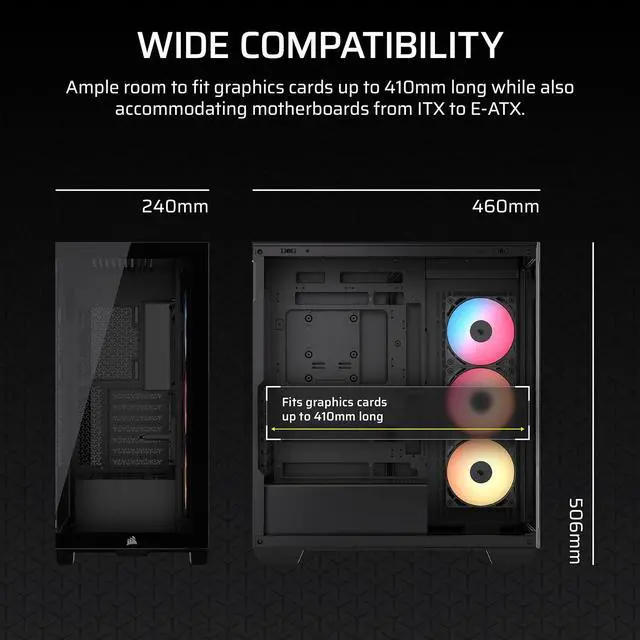
| Clearance Limits | Max GPU length 410 mm, max CPU cooler height 170 mm, max PSU length 180 mm |
| Power & PSU | Bottom-mount power supply layout; accommodates PSUs up to 180 mm in length |
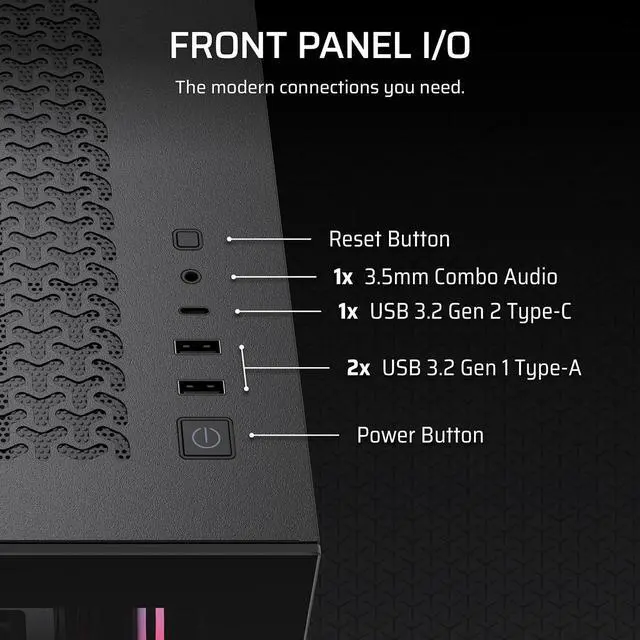
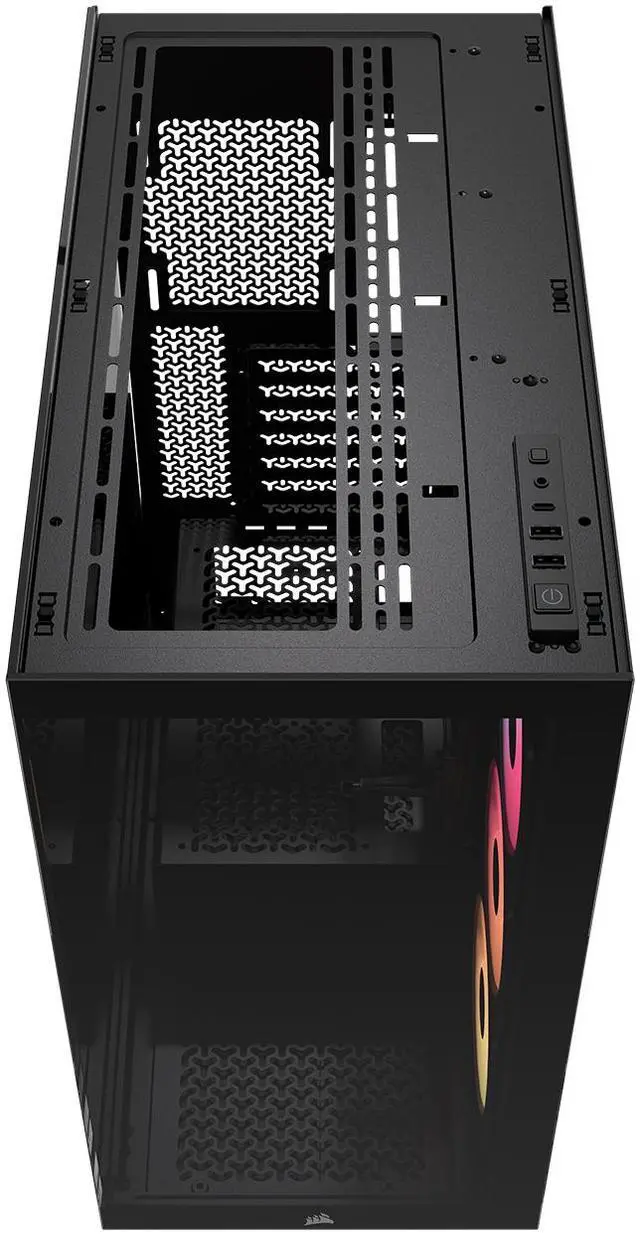
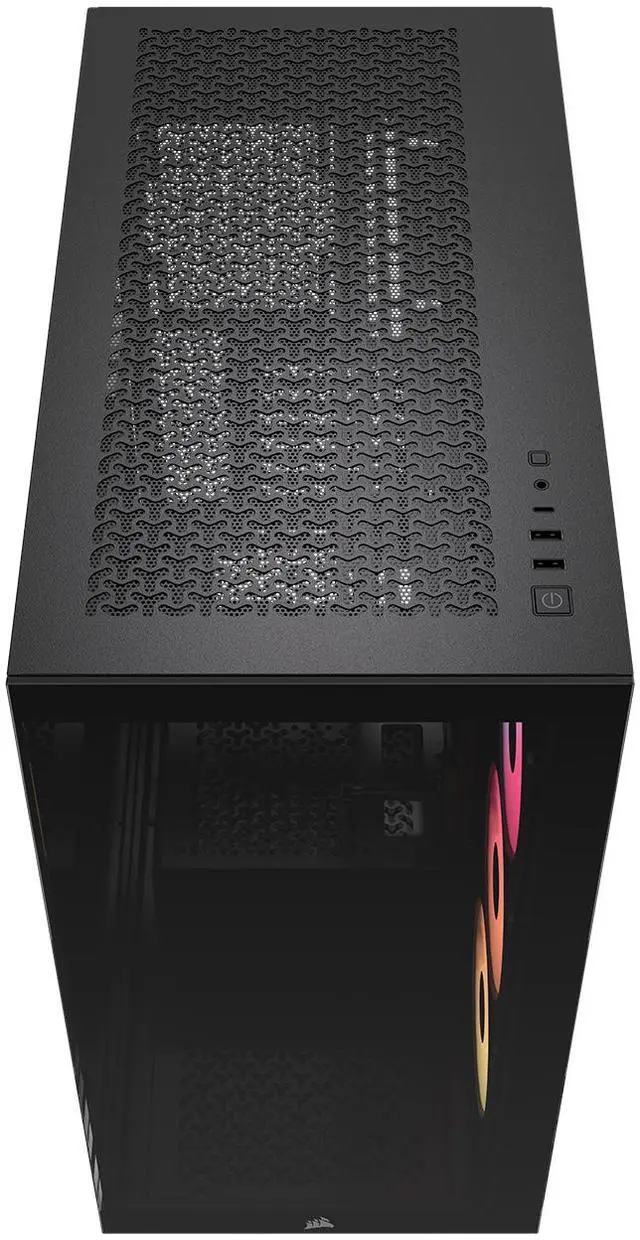
| Front I/O & Ports | Front I/O includes 2 × USB 3.0 ports |
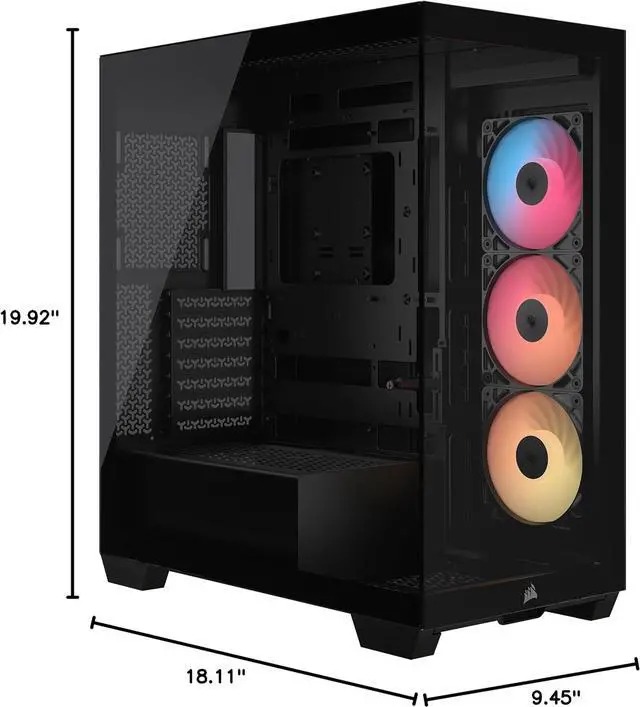
| Dimensions & Weight | Item weight 9.02 Kilograms; product dimensions 19.92126 in (depth) × 18.1102 in (width) × 9.44882 in (height); package dimensions 32.5 × 54.5 × 57.5 cm, package weight 10.96 Kilograms |
| Model Identifiers | Corsair — model CC-9011322-WW (Model name: 3500X RS-R ARGB) |
Reference Q&A
Q: Should I buy the CORSAIR 3500X RS-R ARGB or the CORSAIR 4000D Airflow?
A: Choose the 3500X RS-R ARGB if you want a panoramic tempered-glass layout, included ARGB fans, a GPU anti-sag arm, and support for reverse-connector motherboards such as ASUS BTF, MSI PROJECT ZERO, and GIGABYTE PROJECT STEALTH. Choose the 4000D Airflow if your priority is a more traditional mesh-front airflow design and a simpler performance-first layout. The 3500X is the better fit when appearance, cable-hidden builds, and showcase presentation matter more; the 4000D Airflow is the better fit when you want a conventional airflow case with fewer visual design trade-offs.
Q: Is the CORSAIR 3500X RS-R ARGB worth it over a non-RGB or lower-tier 3500X version?
A: Choose the 3500X RS-R ARGB over the base 3500X if you want a cleaner out-of-box showcase build with three preinstalled reverse-rotor ARGB fans and do not want to add matching display-side fans later. Choose the lower-tier version if you already plan to replace the stock fans, want to control your own fan ecosystem from the start, or are optimizing for lower upfront cost. The chassis platform is broadly the same, so this decision is mainly about included cooling hardware and lighting convenience rather than core compatibility.
Q: Should I choose the CORSAIR 3500X RS-R ARGB or move up to the CORSAIR 6500X?
A: Choose the 3500X RS-R ARGB if you want the same general glass-heavy showcase style in a more standard mid-tower footprint. Move up to the 6500X if you want a roomier dual-chamber layout, more separation for cables and components, and more flexibility for larger custom-cooling-focused builds. The 3500X is usually the better choice for mainstream ATX gaming builds; the 6500X makes more sense when internal space, layout separation, and premium expansion headroom matter more than keeping the case size down.
Q: Should I get the CORSAIR 3500X RS-R ARGB or the smaller CORSAIR 2500X?
A: Choose the 3500X RS-R ARGB if you want broader motherboard compatibility, more room for long GPUs, and an easier path to a mainstream ATX or E-ATX build. Choose the 2500X if you are intentionally building a more compact system and are willing to work within the smaller-form-factor limits that come with that layout. The 3500X is the safer choice for first-time builders or high-power gaming systems, while the 2500X is the better fit when reducing footprint is part of the goal.
Q: Is the CORSAIR 3500X RS-R ARGB better for a showcase build or for a portability-focused build?
A: The 3500X RS-R ARGB is the better choice for a showcase or desk-display build, not for a portability-focused one. Its wraparound glass design, wide fan support, and spacious interior are aligned with visibility and cooling flexibility rather than frequent moving. If your main goal is a transport-friendly PC, a smaller and lighter case category is usually the more practical choice. Choose the 3500X when display aesthetics, full-size hardware support, and easier component access matter more than compactness.
Q: Is the CORSAIR 3500X RS-R a good choice for a high-airflow gaming build without buying extra fans right away?
A: Yes for a solid starting point. It includes three pre-installed 120mm ARGB fans and supports up to 10 total 120mm fans, so it is suitable for a mainstream or high-performance gaming build from day one. The trade-off is that glass-focused cases usually rely more on side, top, and bottom airflow planning than a simple mesh-front layout, so enthusiasts may still want to add more fans or liquid cooling for hotter CPUs and GPUs.
Q: Will this case fit a large graphics card like an RTX 4080 Super or similar long GPUs?
A: Usually yes. The listed maximum GPU length is 410 mm, which is enough for many large modern GPUs, and retail Q&A for the 3500X specifically includes buyers asking about RTX 4080 Super fitment. The main caveat is to verify your exact card length and radiator or front/side cooling layout, because internal clearance can shrink once you add thick radiators or other hardware.
Q: Is this case worth buying if I want a very clean-looking build with a reverse-connector motherboard?
A: Yes, that is one of its strongest use cases. The 3500X RS-R is designed to work with reverse-connection motherboards such as ASUS BTF and MSI Project Zero, and the wraparound glass layout is meant to show off a cleaner cable-free interior. It is a better fit for builders who care about presentation and cable management than for buyers who only want the cheapest functional ATX case.
Q: Who is the CORSAIR 3500X RS-R best for, and who should skip it?
A: It is best for builders who want a showcase-style ATX case with tempered glass, included ARGB fans, support for large parts, and room for more cooling later. It is less ideal for buyers who need lots of internal drive capacity or who prefer a simpler mesh-front case optimized purely for value and airflow over appearance. In short, it fits gaming and display-focused builds better than storage-heavy or budget-first builds.
Q: Is the 3500X RS-R a better pick than a more conventional mid-tower if I plan to use liquid cooling?
A: It can be, if you want visual appeal and flexible cooling placement. This case supports multiple 360 mm radiators and has side and top mounting options, which makes it attractive for AIO or custom-loop planning. The trade-off versus a more conventional airflow case is that you are choosing a glass-forward showcase design, so your buying decision should depend on whether aesthetics and reverse-connector support matter as much as raw airflow-per-dollar.
Q: Is the Corsair 3500X RS-R ARGB worth buying if I want a glass-showcase case with strong cooling flexibility?
A: Yes, if your priority is a dual-glass showcase layout with high fan capacity and support for reverse-connection motherboards. The main trade-off is that it is more appearance-focused than compact or minimal designs, so build neatness and fan planning matter more than in simpler airflow cases.
Q: Who is the Corsair 3500X RS-R ARGB best suited for?
A: It is best suited for builders who want visible internals, multiple fan mounting options, and compatibility with reverse-connection motherboards. It makes the most sense for custom gaming PC builds where cable presentation and component display matter. It is less ideal for buyers who want the simplest possible first build or a more closed-off, understated case.
Q: Are the main trade-offs of the Corsair 3500X RS-R ARGB cable management and build complexity?
A: Yes. Repeated Reddit and YouTube discussion points focus on cable routing, rear-space organization, and clearance around some fan positions. The case gives you room and tie-down options, but a clean result is easier with careful planning, fewer loose cables, or reverse-connection hardware. Buyers who want a very easy cable-management experience should treat this as a trade-off.
Q: Is the Corsair 3500X RS-R ARGB a good choice for large GPUs and high-airflow builds?
A: Yes. Based on the product specs, it supports GPUs up to 410 mm long, up to ten 120 mm fan positions, and includes a GPU anti-sag arm. That makes it a practical option for modern gaming builds with large graphics cards, especially if you want extra bottom, side, and top fan placement. The trade-off is that fully populating the case can increase cable-routing complexity.