


- Free 30-day Returns
$159.99
Add to PC build list
Ships from United States.
Sold by Newegg
Shipped by Newegg
Add to Wish List(Found on 113 wish lists)


Get Educated
Make informed decisions with expert advice. Learn More

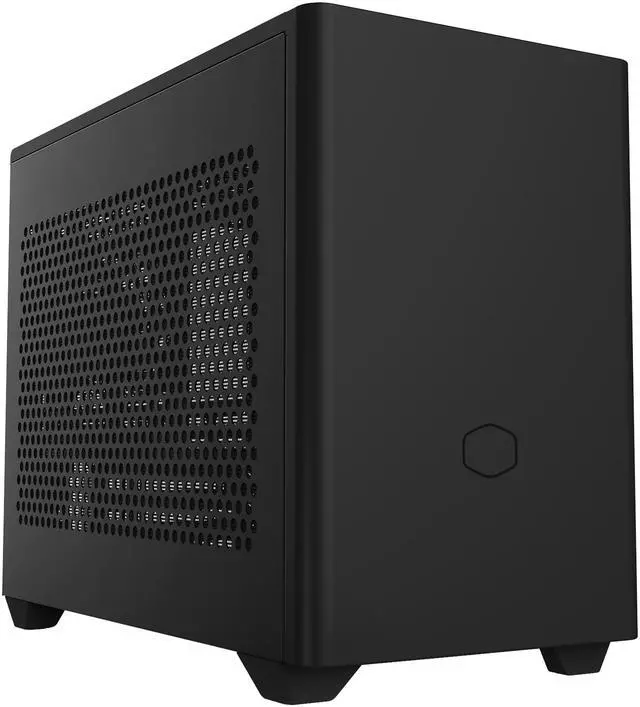
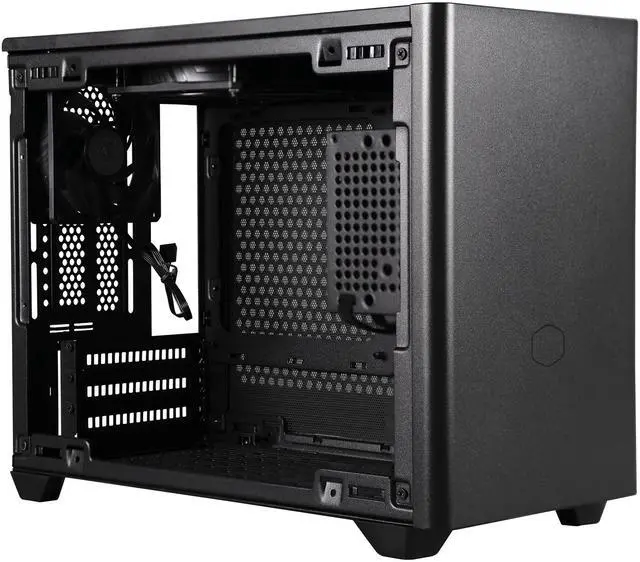
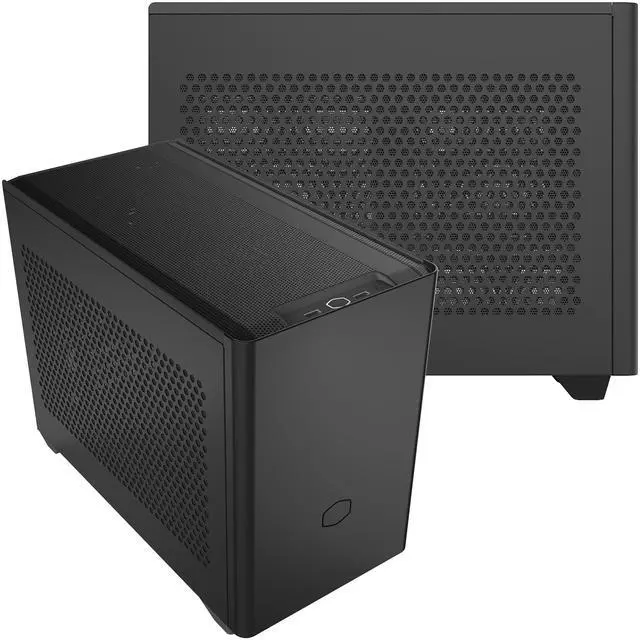
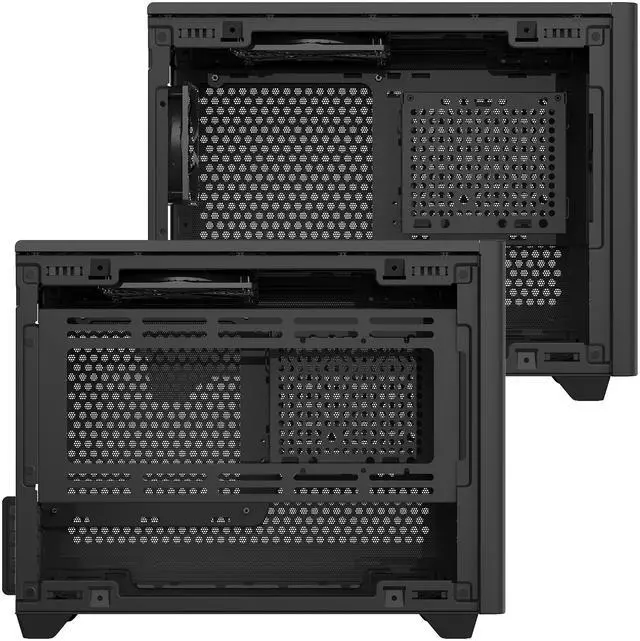


Cooler Master NR200 SFF Small Form Factor Mini-ITX Case with Vented Panel, Triple-slot GPU, Tool-Free and 360 Degree Accessibility
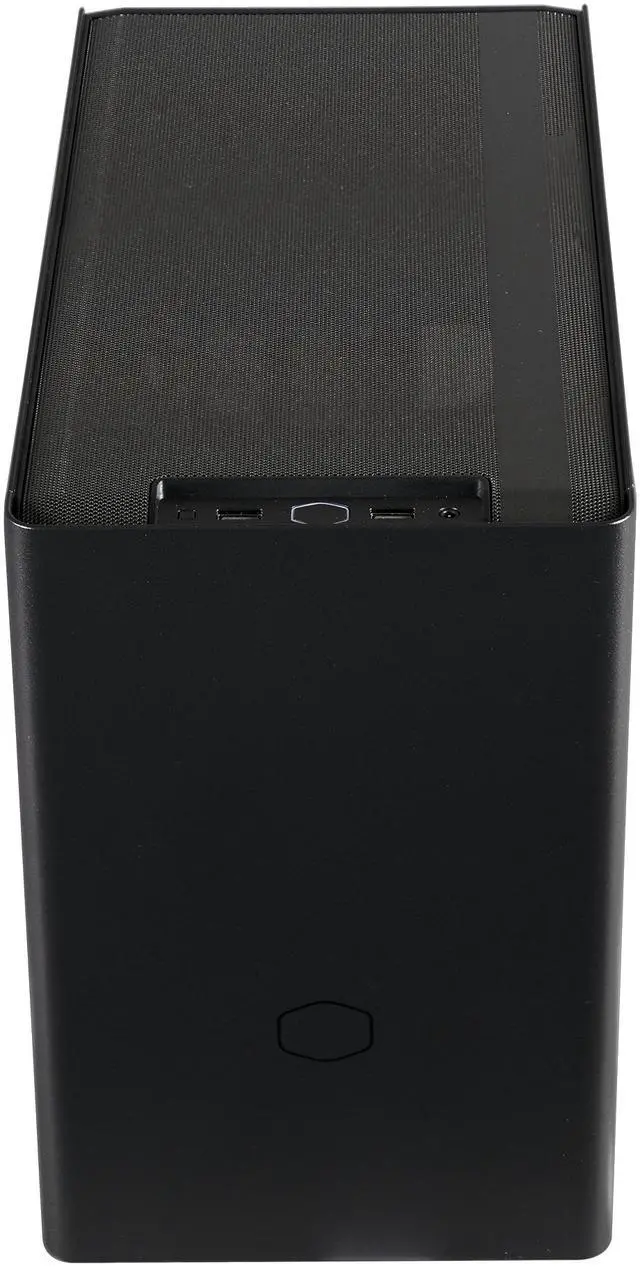
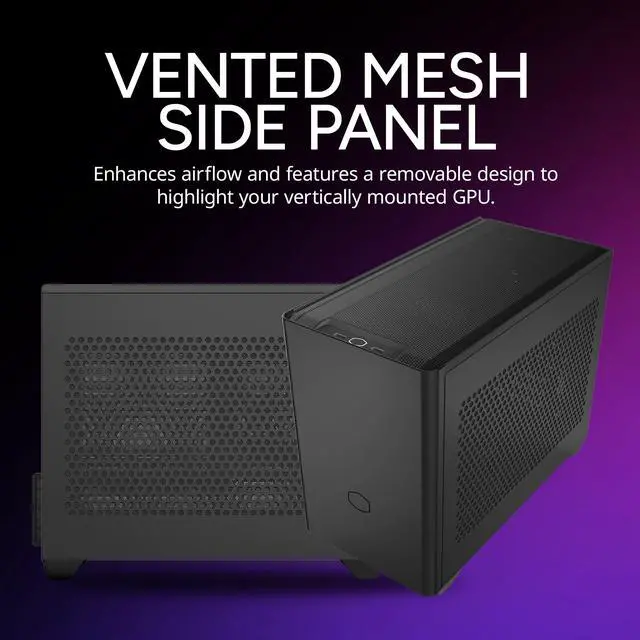
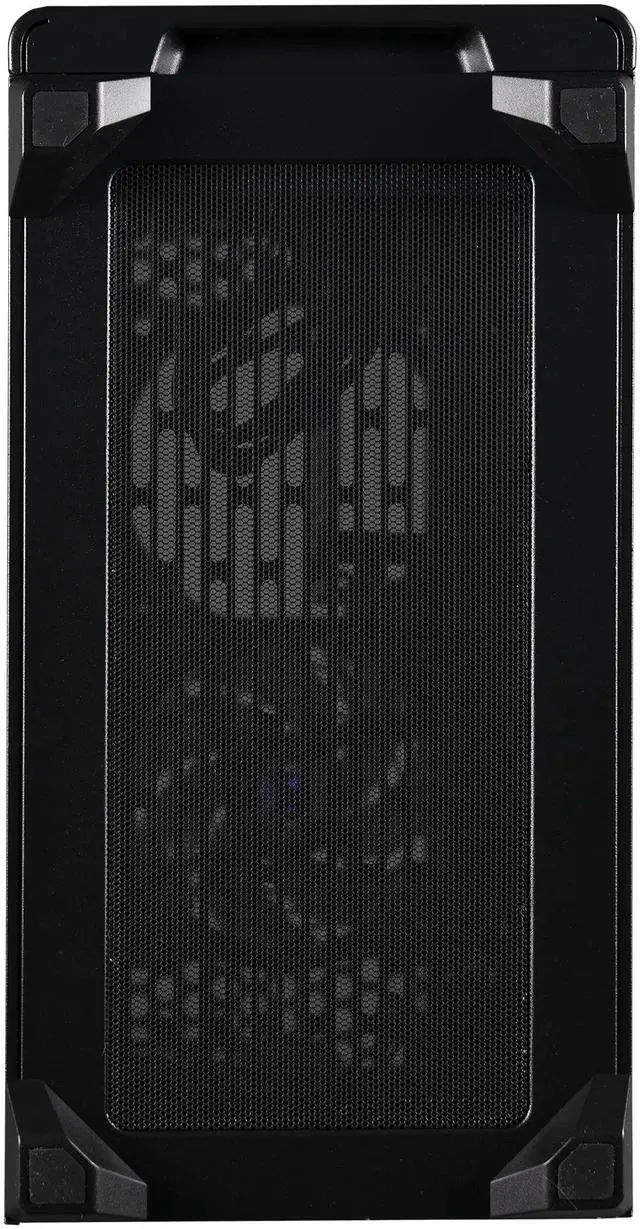
- Vented Panel: The NR200 is flanked with five ventilated steel panels for unrestricted airflow.
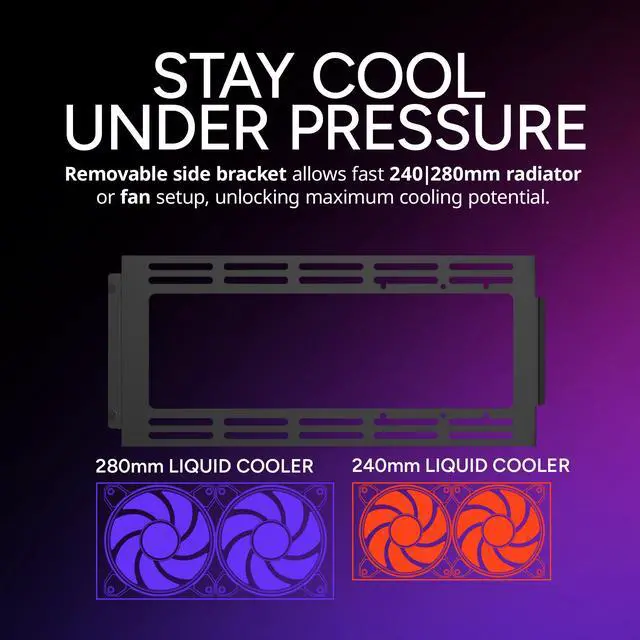
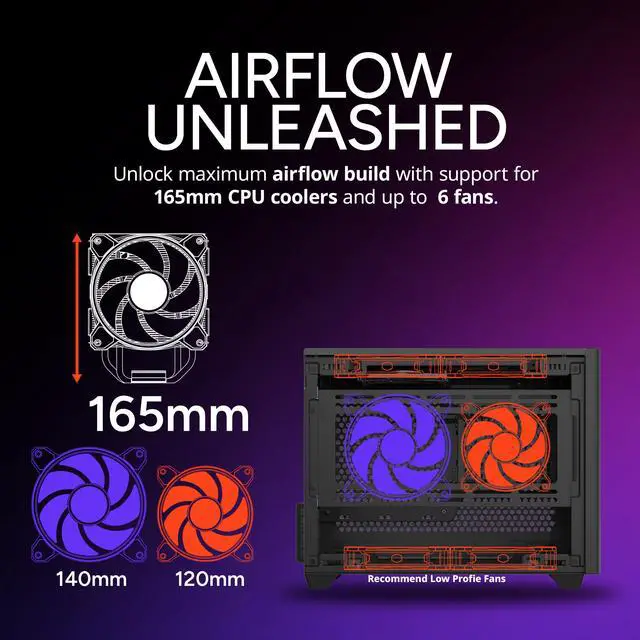
- Unrestricted Cooling Potential: Holds up to 7 fans. 5 sides of open ventilation. Fits CPU coolers up to 155mm tall or up to 280mm long radiators.
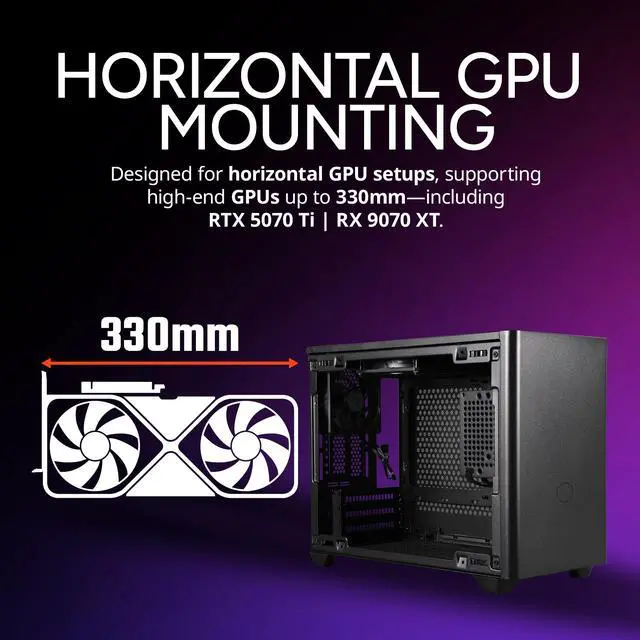
- Full-size GPU Compatible: Triple slot GPUs are supported with a maximum length of 330mm and maximum width of 156mm. Vertical mounting is optional.
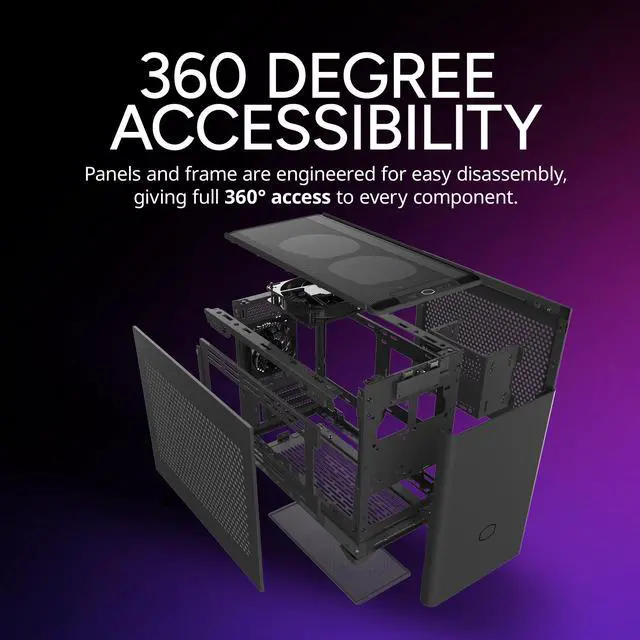
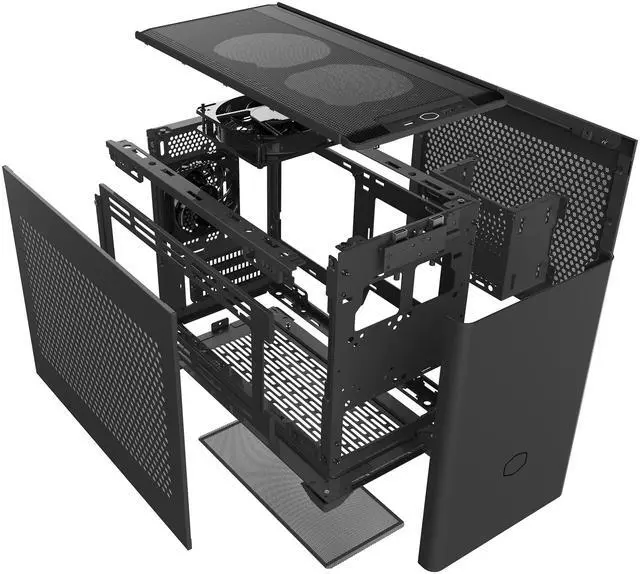
- 360 Degree Accessibility: Every panel and frame part can be dismantled to allow advanced disassembly and 360 degrees of access to work on components.
- High-quality Materials: Thick, powder coated SGCC steel lasts the life time of the chassis and resists marring from transport or handling.
- Custom Cooling Support: Two liquid cooling pump locations alongside side and bottom radiator mounting locations allow for powerful, custom water-cooled builds inside a compact enclosure.
- Easy, Tool-free access: Facilitating quick access to the internals without the use of tools.
+
+
Overview
Specs
Reviews (153)
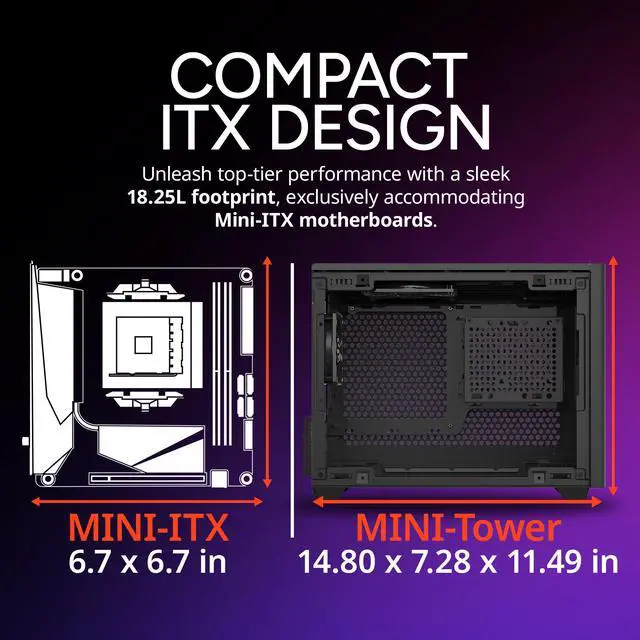
A Core Case Taking Less SpaceThe MasterBox NR200 takes all of the features found in a core performance ATX chassis and efficiently utilizes them in a space less than half the volume. Every feature is thoughtfully laid out in the 18-liter case to maximize component compatibility, ease of use, and thermal efficiency. Open ventilation and multiple fan mounts bring airflow where it's needed, while generous watercooling and aircooling clearances allow the fitment of coolers that can take advantage of all the airflow. Ample clearance for long, triple-slot graphics cards means no sacrifices are needed in GPU power to take advantage of small form factor sizing.
The frame is wrapped in a sleek and tasteful steel chassis that blends in perfectly on top of desk. Unrestricted Cooling PotentialThe NR200 can house up to 7 fans in total for every cooling configuration imaginable. Five panels are flanked with ventilation for unrestricted airflow. One 92mm and one 120mm Sickleflow fan are included. The compact structure can efficiently house CPU coolers up to 155mm in height and radiators up to 280mm in length, so even the hottest running hardware can't be held back. Tripple-Slot GPU SupportTriple slot GPUs are supported with a maximum length of 330mm and maximum width of 156mm allowing the fitment of high-end graphics cards.
The rear ventilation contains PCI slots to allow for vertical GPU mounting to better showcase the graphics card (PCI riser cable sold separately) Easy, Tool-Free AccessAll external panels and top mounted fans are secured with pins for easy removal, facilitating quick access to the internals without the use of tools. 360 Degree AccessibilityEvery panel and frame part of the NR200 frame can be dismantled. Screws are used to secure the frame parts to allow advanced disassembly and multiple angles to easily work inside of the chassis. High Quality MaterialsThick, powder coated SGCC steel keeps the fit and finish of the chassis clean and durable even with harsh traveling conditions.
Out-Of-The-Box Custom Cooling SupportTwo liquid cooling pump locations alongside side and bottom radiator mounting locations allow for powerful custom water-cooled builds inside a compact enclosure. Multiple Motherboard Support OptionsCompatible with Mini-ITX and Mini DTX. The PSU can be front mounted for extra motherboard clearance with a maximum size of 244 x 226 mm. Customization3D Printable FeetDuring the design phase we had created several variants for the case feet design. Following numerous iterations, the launch design was chosen, but we thought "why not share the iterations with our users " The team unanimously agreed with this direction.
As a result, end users can 3D print a selection of different shapes and sizes, and even choose the color based on the filament they print with. 3D Printable ATX PSU BracketHigher PositionIncompatible with front-most top mounted fan.
Note: we recommend 140/150mm max long ATX PSUs in combination with the top mounted 3d printable ATX PSU bracket for maximum compatibility. Lower PositionFully compatible with 2x 120mm fans in the top panel.
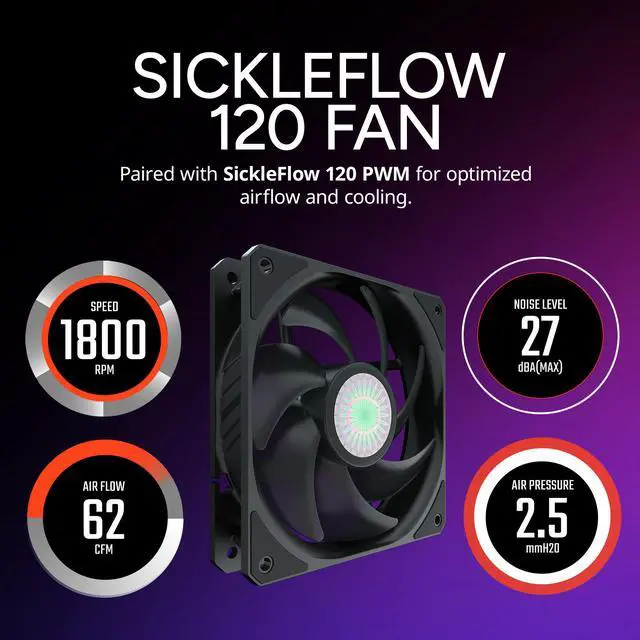
Max GPU length supported: 240mmSickleflow PWM Fans IncludedNewly Optimized blade design with updated curve that provides best balance between airflow and static pressure to take the heat away while remain extremely silence.
The frame is wrapped in a sleek and tasteful steel chassis that blends in perfectly on top of desk. Unrestricted Cooling PotentialThe NR200 can house up to 7 fans in total for every cooling configuration imaginable. Five panels are flanked with ventilation for unrestricted airflow. One 92mm and one 120mm Sickleflow fan are included. The compact structure can efficiently house CPU coolers up to 155mm in height and radiators up to 280mm in length, so even the hottest running hardware can't be held back. Tripple-Slot GPU SupportTriple slot GPUs are supported with a maximum length of 330mm and maximum width of 156mm allowing the fitment of high-end graphics cards.
The rear ventilation contains PCI slots to allow for vertical GPU mounting to better showcase the graphics card (PCI riser cable sold separately) Easy, Tool-Free AccessAll external panels and top mounted fans are secured with pins for easy removal, facilitating quick access to the internals without the use of tools. 360 Degree AccessibilityEvery panel and frame part of the NR200 frame can be dismantled. Screws are used to secure the frame parts to allow advanced disassembly and multiple angles to easily work inside of the chassis. High Quality MaterialsThick, powder coated SGCC steel keeps the fit and finish of the chassis clean and durable even with harsh traveling conditions.
Out-Of-The-Box Custom Cooling SupportTwo liquid cooling pump locations alongside side and bottom radiator mounting locations allow for powerful custom water-cooled builds inside a compact enclosure. Multiple Motherboard Support OptionsCompatible with Mini-ITX and Mini DTX. The PSU can be front mounted for extra motherboard clearance with a maximum size of 244 x 226 mm. Customization3D Printable FeetDuring the design phase we had created several variants for the case feet design. Following numerous iterations, the launch design was chosen, but we thought "why not share the iterations with our users " The team unanimously agreed with this direction.
As a result, end users can 3D print a selection of different shapes and sizes, and even choose the color based on the filament they print with. 3D Printable ATX PSU BracketHigher PositionIncompatible with front-most top mounted fan.
Note: we recommend 140/150mm max long ATX PSUs in combination with the top mounted 3d printable ATX PSU bracket for maximum compatibility. Lower PositionFully compatible with 2x 120mm fans in the top panel.
Max GPU length supported: 240mmSickleflow PWM Fans IncludedNewly Optimized blade design with updated curve that provides best balance between airflow and static pressure to take the heat away while remain extremely silence.
Warranty & Returns
Warranty, Returns, And Additional Information
Warranty
- Limited Warranty period (parts): 2 years
- Limited Warranty period (labor): 2 years
- Read full details
Return Policies
- Return for refund within: 30 days
- Return for replacement within: 30 days
- This item is covered by Newegg.ca's Standard Return Policy.
- Read full return policy for details.
Manufacturer Contact Info
- Manufacturer Product Page
- Manufacturer Website
- Support Phone: 1-888-624-5099
- Support Email: customersupport@coolermaster.com
- Support Website
- View other products from Cooler Master
LOADING...
LOADING...
The Cooler Master MasterBox NR200 is a compact Mini-ITX case built for small-form-factor PC builders who want strong airflow, support for triple-slot GPUs up to 330mm, and flexible air or liquid cooling in a space-efficient desktop build.
Recommended For
- Builders moving from a mid-tower to their first small-form-factor PC who still want an easier assembly process. The NR200 is widely positioned as a beginner-friendly ITX case because its panels come off easily and the interior is more accessible than many tighter SFF layouts.
- Gamers who want a compact desk setup without giving up full-length, triple-slot GPU support. Reviews and community builds consistently use the NR200 for high-end gaming systems because it fits large graphics cards while keeping the footprint much smaller than a standard tower.
- Air-cooling-focused builders who want SFF size but do not want to rely on low-profile coolers. Community guidance around the NR200 frequently recommends tower air coolers and bottom/top fan layouts, making it a common choice for quiet, straightforward ITX builds.
- Tinkerers who swap parts, tune cooling, or rebuild often. The removable panels and broad access around the frame make the NR200 a practical fit for users who expect to test fan layouts, change GPUs, or refine cable routing over time.
Real-World Use Scenarios
- Small-footprint gaming PC on a desk: users build around a Mini-ITX board with a long triple-slot GPU to save space without dropping to low-end graphics, and the usual outcome is a compact gaming system that still fits mainstream high-performance parts if dimensions are checked carefully first.
- Air-cooled SFF build for everyday work and gaming: users pair the case with a tower air cooler and top/rear exhaust fans to keep noise and temperatures reasonable, and the common experience is that thermals are easier to manage than in many compact ITX cases because most panels are ventilated.
- First-time SFF build with frequent part changes: users choose the NR200 because all panels come off easily and the frame is accessible from multiple sides, and the likely outcome is a less frustrating install or upgrade process than tighter sandwich-style ITX cases.
- Compact creator or enthusiast build with liquid cooling: users mount a 240mm or 280mm side radiator to handle hotter CPUs in a small enclosure, and the expected result is workable cooling in an ITX footprint, though layout choices become more restrictive than with a simple air-cooled setup.
- Portable LAN or apartment-friendly desktop: users want a case that is smaller than a mid-tower but still sturdy enough for regular moving and maintenance, and the usual experience is a solid steel chassis that travels more easily than a full-size tower while still using standard PC components.
- Tuning-focused build for users who care about airflow details: builders experiment with bottom intake fans, fan curves, and PSU position to improve GPU clearance or reduce noise, and the typical outcome is that the case rewards careful layout planning but cable management can still get tight with large GPUs and stiff SFX cables.
Spec Summary
| Attribute | Value |
|---|---|
| Best For | Compact Mini-ITX/DTX builds that need strong airflow and radiator support while retaining full-length, triple-slot GPU compatibility (up to 330mm); works with SFX/SFX-L power supplies for small-form-factor builds |
| Physical Dimensions & Weight | Compact footprint — 11.50 x 7.28 x 14.80 in (including protrusions) and 10.79 x 7.28 x 14.17 in (excluding protrusions); product weight 10.1 lbs |
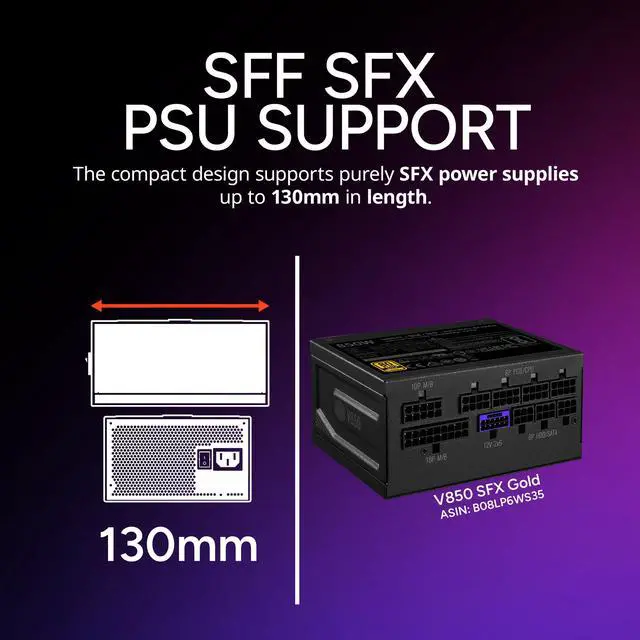
| Motherboard And Power Compatibility | Supports Mini-ITX and Mini-DTX motherboards (max board size 244 x 226 mm); accepts SFX and SFX-L power supplies with a maximum PSU length of 130 mm; power supply not included and is front-mounted |
| Cooling And Radiator Support | Holds up to seven fans with specific placements: top 2 x 120mm, rear 1 x 92mm (preinstalled), bottom 2 x 120mm (slim recommended for wide GPUs), side 2 x 120/140mm; radiator support includes side 120/140/240/280mm, bottom 120/140mm, and rear 92mm; includes side air duct and supports air cooling and AIO radiators |
| Expansion & GPU Support | Triple-slot GPU support with maximum length 330mm (including power connector), max height 156mm and max width 60mm; 3 expansion slots; vertical GPU mounting is optional and some rear radiator placements are not compatible with vertical GPU orientation |
| Drive Bays & Storage | Supports up to two 3.5-inch drives (1 installed, maximum 2) and up to three 2.5-inch drives (2 installed, maximum 3) |
| Front I O And Internal Connectors | Front I/O includes 2 x USB 3.2 Gen 1 Type-A and 1 x audio jack; external attributes list two USB 3.0 ports which correspond to the front USB ports |
| Materials And Build | SGCC steel, plastic, and mesh construction with a powder-coated finish; side panel includes a window; dust filters included |
| Case Features | Tool-free access and 360-degree disassembly for easy building and maintenance; supports custom water-cooling pump locations and multiple radiator/pump mounting options inside a compact enclosure |
| Model Identifiers | Cooler Master MasterBox NR200 (NR200 Black), model MCB-NR200-KNNN-S00, color Black, manufacturer Cooler Master |
Reference Q&A
Q: Should I choose the Cooler Master NR200 or the NR200P MAX for a high-performance Mini-ITX build?
A: Choose the NR200 if you want a lower-cost, more flexible small-form-factor case and you prefer selecting your own PSU and cooling hardware. Choose the NR200P MAX if you want a more integrated build path with a pre-installed 280mm AIO, 850W SFX PSU, and riser-based layout. In practice, the NR200 is the better fit for builders who want strong air-cooling flexibility and broader part-choice freedom, while the NR200P MAX is the better fit for users prioritizing build convenience and a bundled premium configuration.
Q: Is the Cooler Master NR200 a better choice than the SSUPD Meshlicious for air cooling?
A: For air-cooled builds, the NR200 is usually the safer choice. Its layout supports large tower coolers up to 155 mm and a conventional horizontal GPU setup, which reviewers and community builders regularly favor for easier setup and strong thermals. The Meshlicious is often chosen when space efficiency or radiator-focused layouts matter more. If your goal is an air-cooled gaming or workstation build with fewer layout compromises, the NR200 is generally the better match.
Q: NR200 or NZXT H210: which one makes more sense for a compact gaming PC?
A: Choose the NR200 if you want a smaller footprint with stronger emphasis on airflow and modern SFF component support such as triple-slot GPUs. Choose the NZXT H210 if you prefer a more traditional Mini-ITX tower layout and do not need the same level of space efficiency. The common trade-off is that the H210 is easier to view as a conventional small tower, while the NR200 is more aligned with builders trying to maximize cooling and hardware density in a true compact SFF format.
Q: Should I buy the NR200 for portability or choose a smaller SFF case instead?
A: Choose the NR200 if you want a portable-friendly system without giving up full-size GPU support, larger air coolers, or broad cooling options. Choose a smaller SFF case only if minimizing volume is the main priority and you are comfortable with tighter part compatibility and more build constraints. The NR200 is not the smallest carry-around case, but it is often the more practical option when portability still needs to coexist with mainstream high-performance parts.
Q: Will a full-size triple-slot GPU fit in the Cooler Master NR200?
A: Yes, the NR200 is suitable for many full-size gaming GPUs, including triple-slot cards, as long as the card stays within the case limits: up to 330 mm long, 156 mm tall, and 60 mm thick. That makes it a strong option for compact gaming builds, but buyers should still check exact GPU dimensions carefully because large coolers and power connector clearance can make fitment tight in small-form-factor cases.
Q: Is the NR200 a good choice for a first Mini-ITX or small-form-factor build?
A: Yes. The NR200 is a good entry point for Mini-ITX builders who want a compact case without giving up too much compatibility. Its removable panels, tool-free access, and broad support for standard-size air coolers, SFX power supplies, and long GPUs make it easier to build in than many smaller SFF cases. The trade-off is that it is still a compact enclosure, so cable routing and part selection remain more restrictive than in a Micro-ATX or ATX tower.
Q: Can the NR200 handle strong cooling for a high-performance CPU and GPU?
A: Yes, for its size, the NR200 has unusually strong cooling flexibility. It supports up to 7 fans, air coolers up to 155 mm tall, and radiators up to 280 mm on the side. That makes it suitable for powerful gaming or workstation-style Mini-ITX builds. The main trade-off is configuration complexity: some radiator and vertical-GPU combinations are not compatible, so cooling support depends on the exact layout you choose.
Q: What are the main trade-offs of the NR200 versus a larger Micro-ATX or ATX case?
A: The NR200 saves desk space and still fits high-end parts, which is the main reason to buy it over a larger case. The trade-offs are tighter build tolerances, fewer drive bays, Mini-ITX or Mini-DTX motherboard limits, and more attention needed for cooler, radiator, PSU, and GPU compatibility. It is best for buyers who want compact size without going to an ultra-restrictive SFF layout.
Q: Is the NR200 better for air cooling or liquid cooling?
A: For most buyers, the NR200 is easier to recommend with air cooling or a straightforward side-mounted AIO rather than a highly customized liquid-cooling layout. It does support advanced cooling options, including side radiators up to 280 mm and custom loop pump locations, but compatibility changes depending on GPU position and radiator placement. Buyers who want the simplest build path should prefer air cooling; buyers chasing maximum thermal tuning can use liquid cooling, but planning is more important.
Q: Is the Cooler Master NR200 still a good buy for a small, high-airflow gaming PC?
A: Yes, if you want a compact Mini-ITX case that can still fit a full-size triple-slot GPU and prioritize airflow. Reddit and YouTube discussions repeatedly treat the NR200 as a strong value choice because it combines small size with unusually flexible cooling. The main trade-off is that it is still an SFF case, so part selection and cable routing matter more than in a mid-tower.
Q: Who is the NR200 best suited for?
A: The NR200 is best for builders who want a compact desktop without giving up standard-performance parts. It suits Mini-ITX or Mini-DTX builds that need support for large air coolers, multiple fans, and GPUs up to 330 mm long and triple-slot width. It is less suitable for buyers who want maximum internal space, the easiest possible first build, or broad ATX hardware compatibility.
Q: Is the NR200 better with air cooling or liquid cooling?
A: For most buyers, the NR200 makes more sense with air cooling. Community discussion repeatedly centers on the case's strong mesh airflow and support for tall CPU coolers, while noting that radiator and vertical-GPU combinations create more compatibility limits. Liquid cooling can work, but it is usually a more specialized choice rather than the default reason to buy this case.
Q: What are the main trade-offs of choosing the NR200?
A: The NR200's main trade-offs are component compatibility planning and build constraints. While it supports strong airflow and large GPUs for its size, some cooler, radiator, RAM, and vertical-GPU combinations limit each other. It is a better fit for buyers willing to check measurements carefully than for buyers who want a no-planning, plug-and-play case.