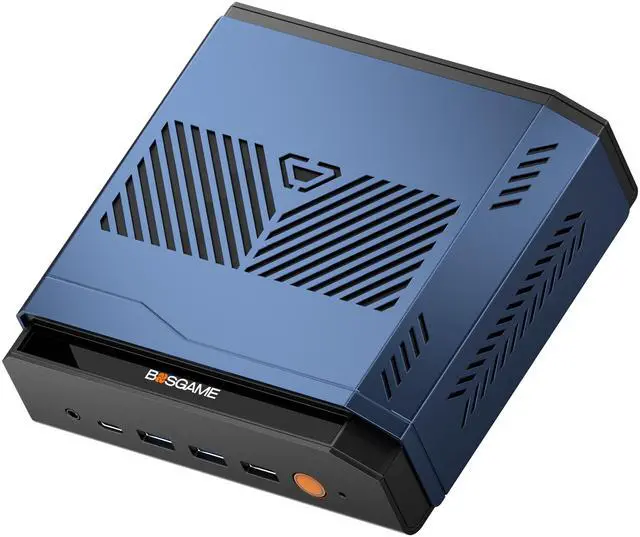
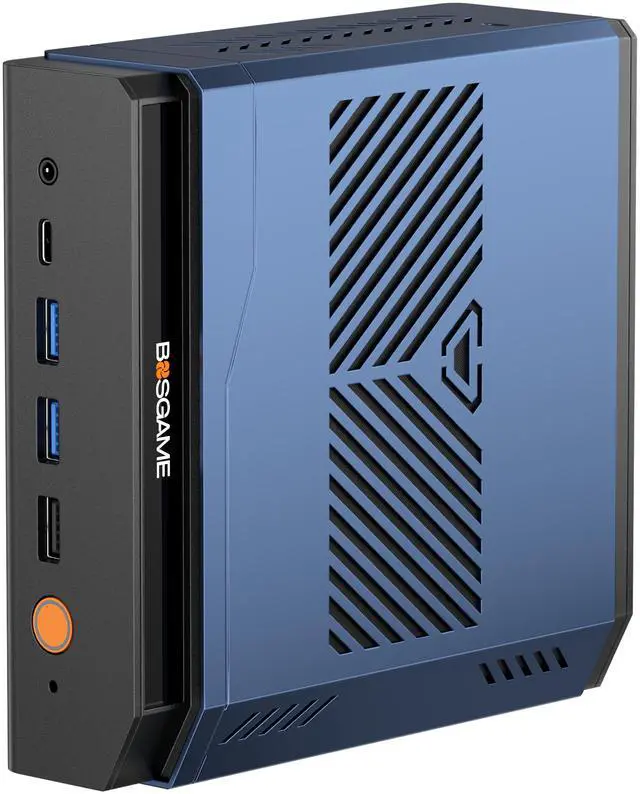
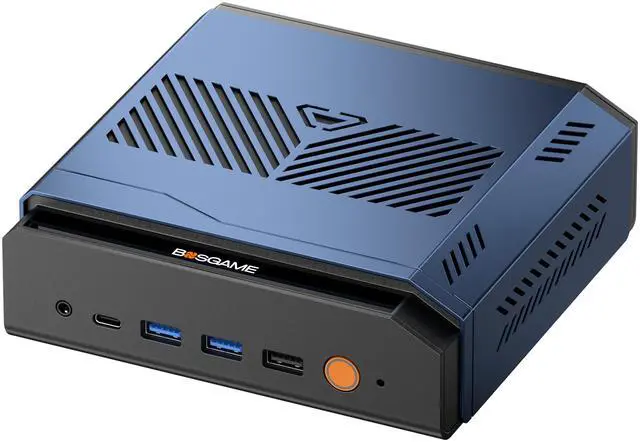
The BOSGAME VTA-439 is a barebone mini PC built around AMD’s Ryzen AI 9 HX 470, designed for users who want a compact system for AI-ready workloads, content creation, multi-display setups, or an external-GPU desktop replacement.
Recommended For
- Users building a compact workstation that still needs upgrade room for RAM and multiple NVMe drives, such as developers, homelab users, or creators working from a fixed desk.
- Desk-based users who want a small PC for multi-display productivity, trading, monitoring, or control-room style setups and care more about connectivity than tower size.
- Buyers planning to pair a mini PC with an external GPU over OCuLink for heavier rendering or gaming later, while starting with integrated Radeon 890M graphics now.
- Linux users who want current AMD mini-PC hardware with modern I/O and low setup friction, especially for a compact always-on desktop or lab machine.
- People experimenting with local AI tools on a personal desktop, where upgradeable memory, fast storage, and newer Ryzen AI platform features matter more than absolute workstation-class model throughput.
Real-World Use Scenarios
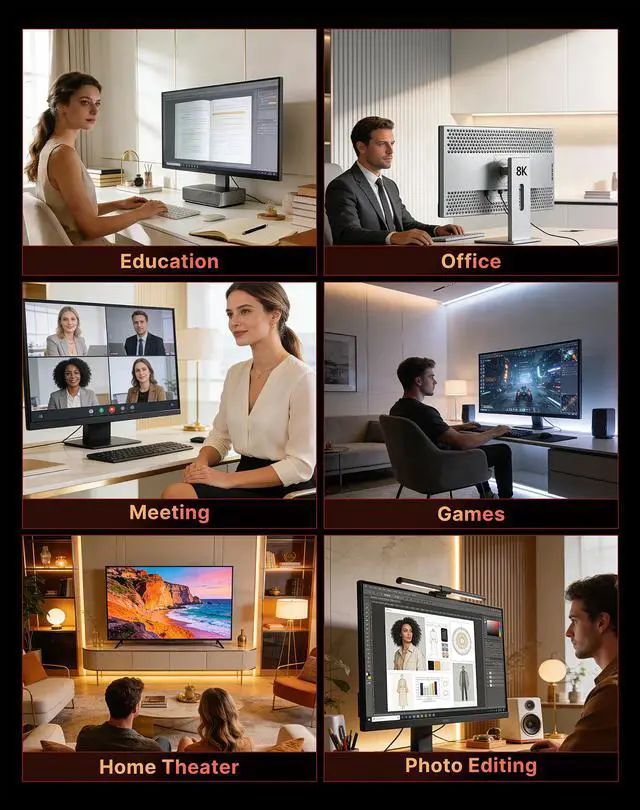
- Desk setup for coding, spreadsheets, and lots of browser tabs: users can run a full workday on a compact desktop and drive multiple monitors without the system feeling cramped for normal office and multitasking use.
- Home office or studio with two to four displays: the mini PC fits well when the goal is to keep email, documents, dashboards, chat, and reference windows open at once, with the main limitation being display and desk workflow rather than CPU responsiveness.
- 1080p gaming without a separate graphics card: this class of Ryzen AI 9 HX 470 plus Radeon 890M mini PC is typically used for esports, emulation, and many modern games at medium settings, while newer AAA titles often need reduced settings or upscaling for smoother play.
- Small creator workstation for photo work, 4K editing, and exports: users can comfortably handle mainstream content creation and media tasks on the integrated graphics, but heavier timelines, effects, or 3D work are where an external GPU becomes more attractive.
- Compact local AI or developer box: people use HX 470 mini PCs for running smaller local models, code tools, and on-device AI features, with good results for lightweight workflows but practical memory limits for larger models unless the system is configured with more RAM.
- Mini PC now, stronger gaming or GPU compute later: buyers who want a small everyday system but may outgrow integrated graphics can use the OCuLink port with an eGPU dock, which is a practical upgrade path for rendering or higher-end gaming, though it is more of a desk setup than a hot-plug laptop-style experience.
Spec Summary
| Attribute | Value |
|---|
| Best For | Buyers who want a compact, AI-ready barebone mini PC for CPU-accelerated AI tasks, content creation and light gaming with multi-display and high-speed networking needs |
|---|
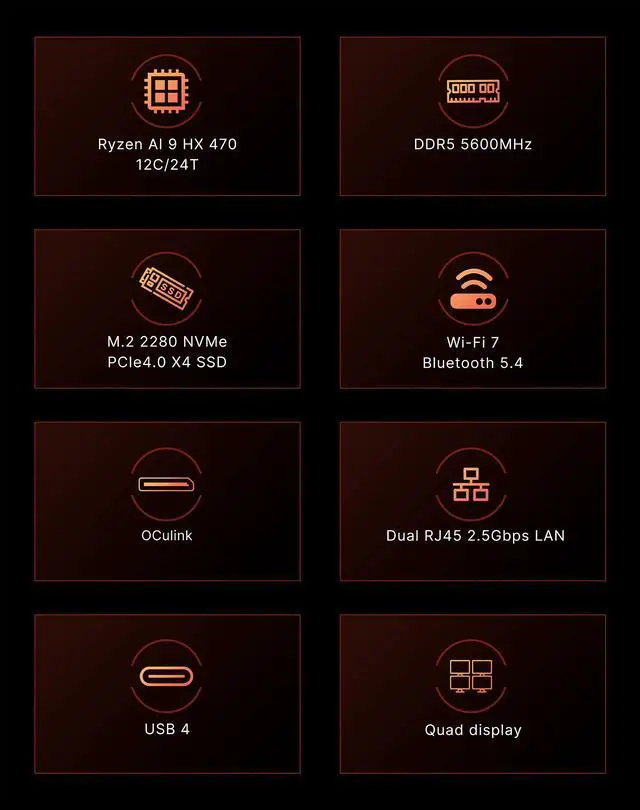
| Processor And Core Count | AMD Ryzen AI 9 HX 470 with 12 cores and 24 threads, base clock 2.0GHz and boost up to 5.2GHz |
|---|
| GPU And Graphics | Integrated AMD Radeon 890M graphics, suitable for light gaming, content creation and inference workloads when paired with the HX 470 CPU |
|---|
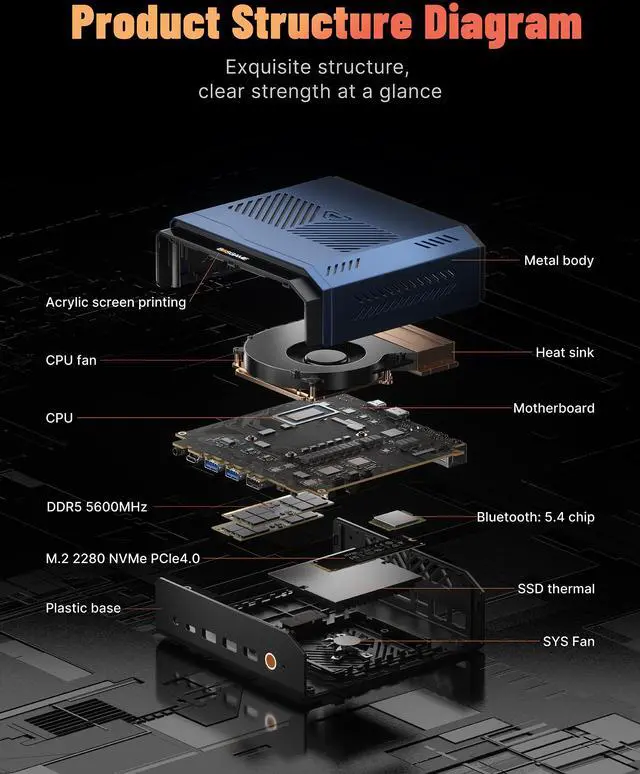
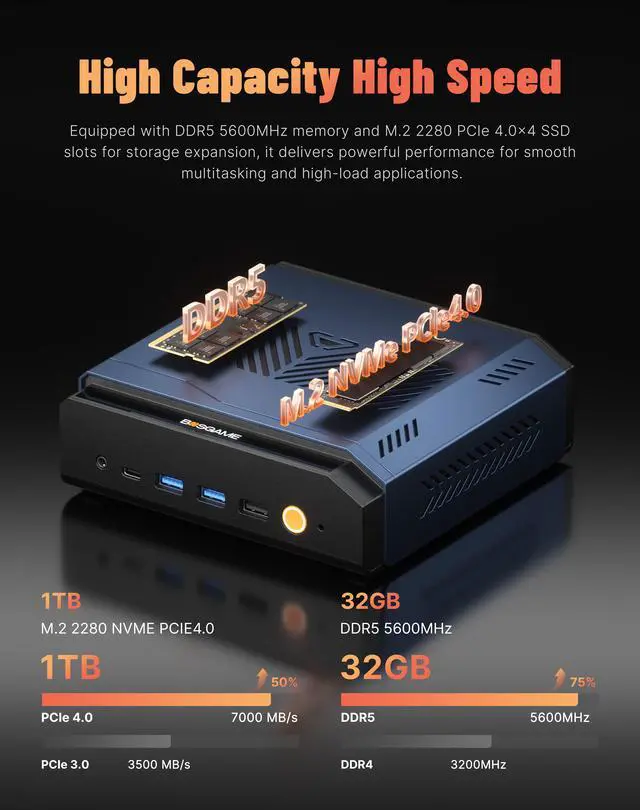
| Memory Configuration | Ships without memory; two 262-pin SO‑DIMM slots supporting DDR5-5600 in dual-channel |
|---|
| Storage And Expansion | No storage preinstalled; three M.2 PCIe 2280 SSD slots (max 8TB) |
|---|
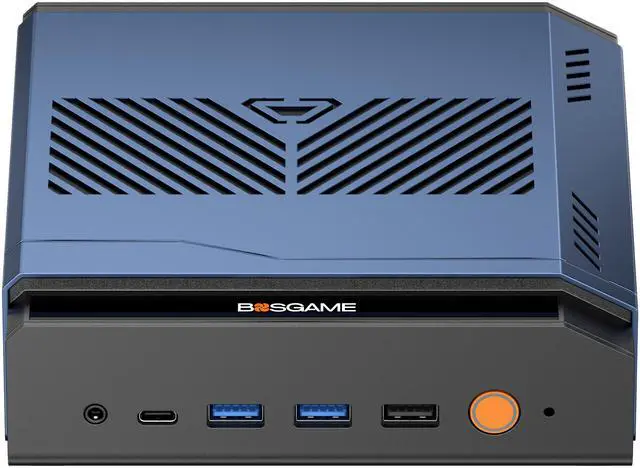
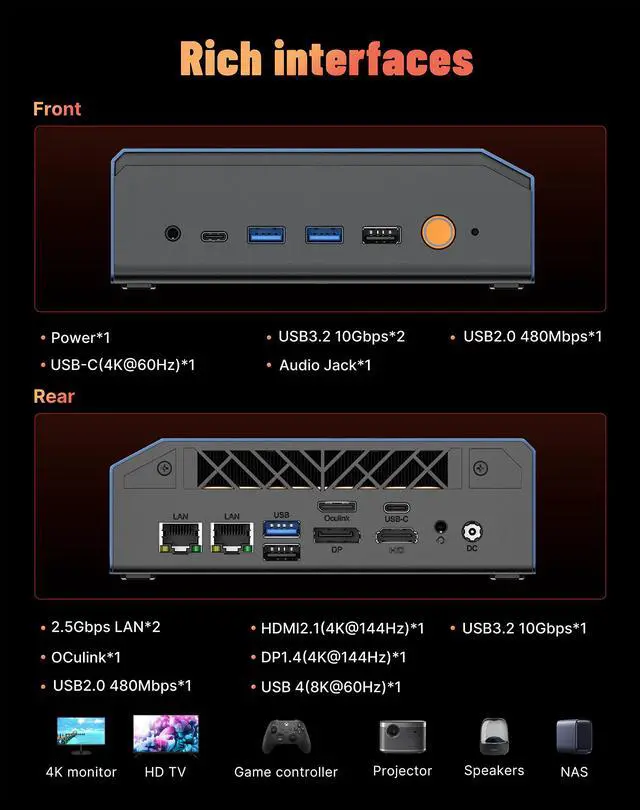
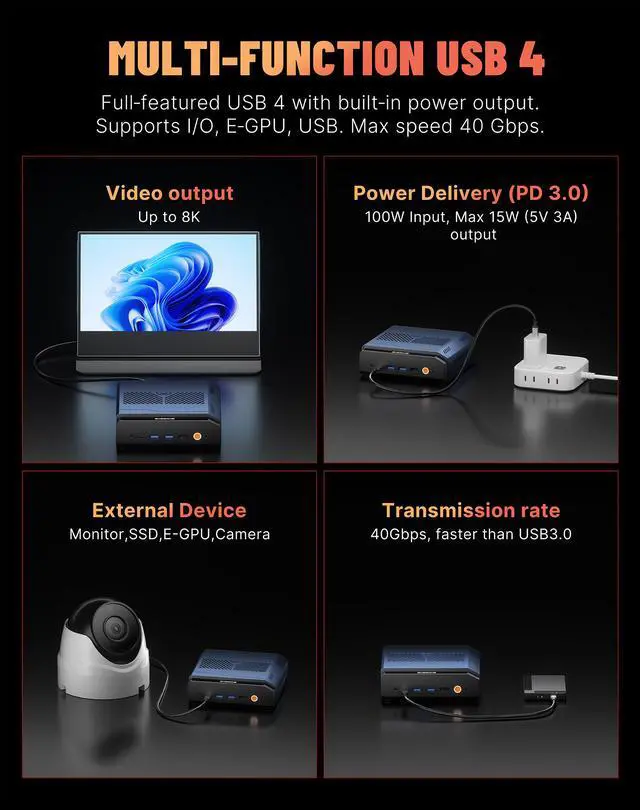
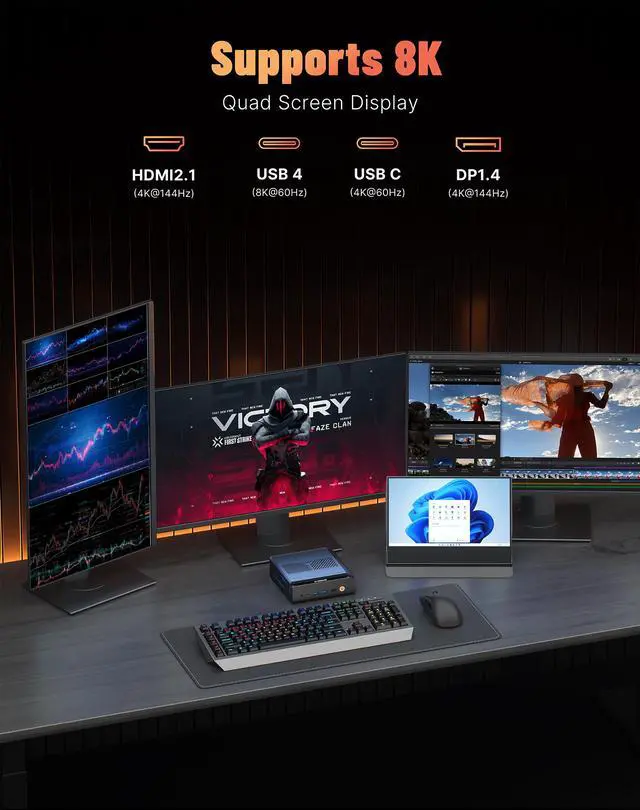
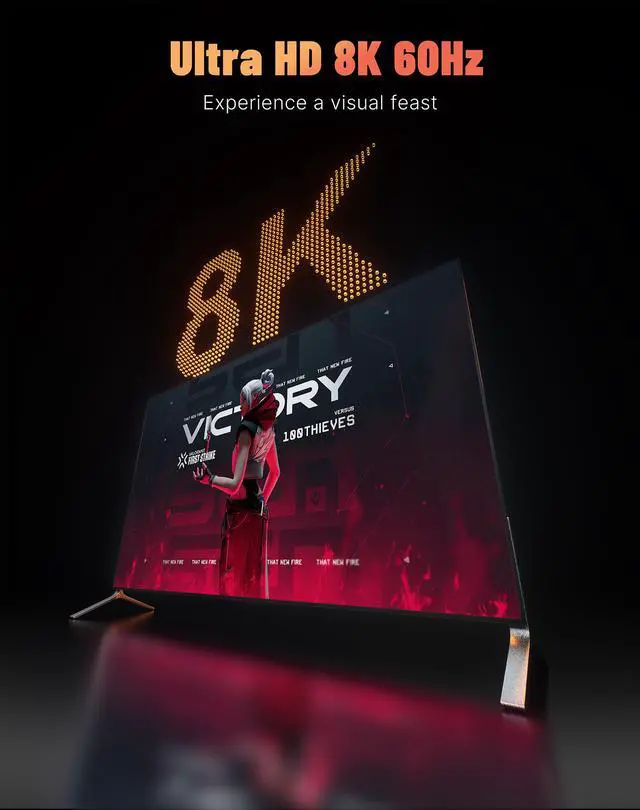
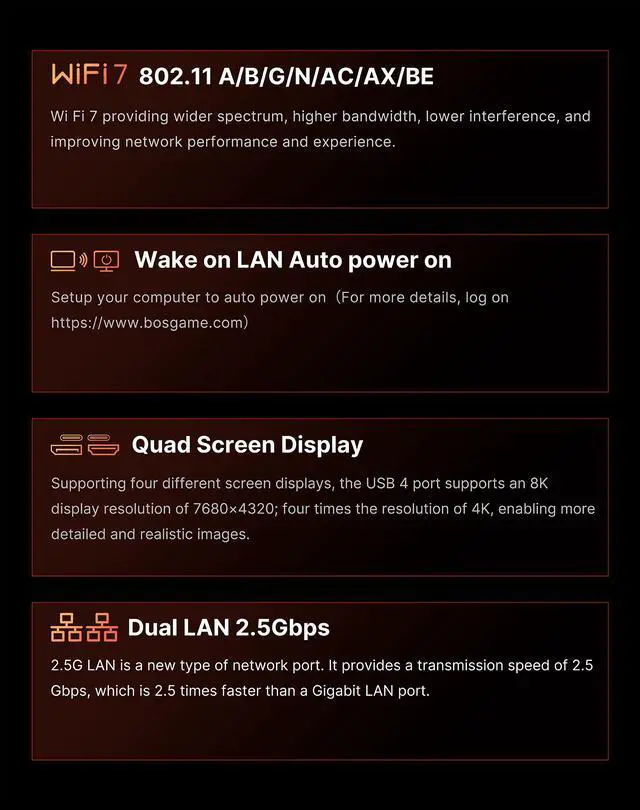
| Ports And Display Outputs | HDMI 2.1 (4K@144Hz), DisplayPort 1.4 (4K@144Hz), front USB4 (supports 8K@60Hz and 100W PD) plus two USB3.2 Gen2 ports, dual 2.5G RJ45, and an OCuLink port for an external GPU |
|---|
| Wired And Wireless Networking | Dual 2.5Gbps Ethernet and 802.11be Wi‑Fi 7 wireless with Bluetooth 5.4 |
|---|
| Power And Dimensions | AC 100–240V input with DC 19V 6.3A (119.7W) power adapter; compact chassis 153 x 147 x 45 mm and weight 765 g |
|---|
| Model Identifiers | Bosgame VTA-439 (BG-VTA-439-HX47) in Blue / Black |
|---|
| Package Contents | Includes mini VTA-439, power adapter, HDMI cable, VESA mount with screws, and user manual |
|---|
Reference Q&A
Q: Should I buy the BOSGAME VTA-439 or a Ryzen 9 8945HS mini PC?
A: Choose the BOSGAME VTA-439 if you want newer AMD platform features, stronger integrated graphics, and more AI headroom in a mini PC. The Ryzen AI 9 HX 470 uses a newer architecture than Ryzen 9 8945HS, adds Radeon 890M graphics instead of Radeon 780M, and supports a much higher NPU capability tier for local AI features. In practice, that makes the VTA-439 the better fit for buyers who want one compact system for productivity, light gaming, and AI-assisted workloads. A Ryzen 9 8945HS mini PC still makes sense if lower price matters more than having the newer CPU, iGPU, and AI platform.
Q: Is the BOSGAME VTA-439 a better choice than a smaller, portability-first mini PC?
A: Yes, if your priority is performance and expandability at a desk. The VTA-439 is still compact, but its feature set is closer to a performance mini workstation: dual 2.5GbE, USB4, OCuLink, three M.2 slots, and support for multiple high-resolution displays. A smaller portability-first mini PC is the better match when you care more about minimal size, simpler travel use, or lower power draw than expansion and upgrade flexibility.
Q: Should I choose the BOSGAME VTA-439 over a Ryzen AI 9 HX 370 mini PC?
A: Choose the BOSGAME VTA-439 when you want the same general class of premium AI mini PC but with the newer Ryzen AI 9 HX 470 platform. Both classes typically target users who want strong integrated graphics, modern connectivity, and local AI capability, but HX 470 is positioned above HX 370 with a slightly higher boost ceiling and the same Radeon 890M class graphics. That makes the VTA-439 the more current choice if pricing is close. An HX 370 system remains a reasonable alternative when it offers a meaningful price advantage with similar overall usage goals.
Q: Is the BOSGAME VTA-439 worth it over a cheaper mini PC if I may add an eGPU later?
A: Yes, if external GPU expansion is part of your plan. The VTA-439 includes OCuLink, which is uncommon in mini PCs and is widely treated by reviewers and enthusiast communities as the more performance-focused eGPU connection than USB4 alone. That makes this system a better long-term choice for users who want to start with Radeon 890M integrated graphics now and keep a clearer upgrade path for higher gaming or GPU compute performance later. A cheaper mini PC without OCuLink is the better fit if you expect to use only integrated graphics for the life of the system.
Q: Should I buy the BOSGAME VTA-439 barebone or a fully configured mini PC?
A: Choose the VTA-439 barebone if you want control over RAM and SSD selection, or if you plan to tune the system for AI, storage-heavy work, or an eGPU setup. The barebone format is especially useful here because the platform supports two DDR5 SO-DIMM slots and three M.2 SSD slots, so the value comes from customizing capacity and thermals to your workload. A fully configured mini PC is the simpler choice if you want a ready-to-run system with less setup time and do not need to choose your own memory and storage parts.
Q: Is this a good choice if I want a small desktop for office work, meetings, and general multitasking?
A: Yes, if you want a compact fixed-desk PC with strong multitasking headroom. The Ryzen AI 9 HX 470, dual-channel DDR5 support, triple or quad-display-class outputs, USB4, Wi-Fi 7, and dual 2.5G LAN make it well suited for office apps, video meetings, browser-heavy work, and light creative tasks. The main trade-off is that this is a barebone unit, so you must add your own RAM and SSD before use, and it is less convenient than a laptop for battery-powered travel.
Q: Does this barebone mini PC include RAM, storage, or Windows out of the box?
A: No. This BOSGAME VTA-439 listing is a true barebone configuration: no memory and no storage are installed. You should also expect OS setup to be your responsibility unless the seller states otherwise. It is a better fit for buyers who already have DDR5 SO-DIMM memory, want to choose their own SSDs, or prefer to build a custom setup.
Q: Who is this mini PC most suitable for?
A: It is most suitable for power users who want a compact but expandable desktop: developers, home-lab users, creators using multiple monitors, and buyers planning to add fast NVMe storage, high-capacity DDR5 memory, or even an external GPU through OCuLink. It is less suitable for buyers who want a ready-to-use family PC with RAM, storage, and operating system already installed.
Q: Is this better than a typical mini PC for gaming or creator workloads?
A: It can be, mainly because of OCuLink and its higher-end platform. Compared with typical office-focused mini PCs, the VTA-439 offers a much stronger CPU and Radeon 890M integrated graphics, plus an OCuLink port for attaching an external GPU. That makes it a better fit for light gaming, heavier creator work, and future upgrades. The trade-offs are higher total cost after adding RAM and SSD, plus more setup complexity than a prebuilt mini PC.
Q: Can it run multiple monitors, and is that useful for work?
A: Yes. This model is designed for multi-display setups and supports several video outputs including HDMI 2.1, DisplayPort 1.4, USB4, and full-function USB-C. That makes it a practical choice for spreadsheet work, coding, dashboards, trading, and creative workflows where two to four displays are useful. Buyers should still confirm the exact display combination they plan to use, especially if they want maximum refresh rate or 8K output on specific ports.
Q: Who is the BOSGAME VTA-439 a good fit for?
A: The VTA-439 fits buyers who want a compact performance PC for productivity, development, light gaming, multi-display setups, or an expandable desk setup. Its strongest decision points are the Ryzen AI 9 HX 470, Radeon 890M graphics, dual 2.5GbE, USB4, and OCuLink for adding an external GPU later. It is less suitable for buyers who want a ready-to-use system out of the box, because this barebone version does not include RAM or storage.
Q: Is the BOSGAME VTA-439 worth buying over a typical mini PC?
A: It can be worth buying if you specifically want high-end integrated graphics, strong CPU performance, fast networking, and eGPU expansion in a very small chassis. The main trade-off is value: you are paying for premium connectivity and an HX 470 platform, while still needing to add your own RAM and SSDs in the barebone model. For buyers who do not need OCuLink, dual 2.5GbE, or top-tier iGPU performance, a cheaper mini PC may make more sense.
Q: Can the BOSGAME VTA-439 replace a small desktop for work and everyday use?
A: Yes, for many users it can replace a small desktop if their workload is productivity, coding, media work, many browser tabs, and multi-monitor use. The 12-core Ryzen AI 9 HX 470, support for up to four displays, dual-channel DDR5 support, and three M.2 slots make it more flexible than many compact PCs. It is a weaker fit as a full desktop replacement only if you need a dedicated GPU from day one or want maximum upgrade freedom inside the chassis.
Q: Is the BOSGAME VTA-439 good for gaming without an external GPU?
A: It is a reasonable choice for light to moderate gaming on integrated graphics, because the Radeon 890M is one of the stronger iGPUs in this class. It is not the best choice if your main goal is high-end AAA gaming at consistently high settings. The OCuLink port is the key trade-off here: the system can start as an iGPU-based mini PC and later scale with an external GPU if gaming becomes a bigger priority.
Q: What are the main trade-offs of the BOSGAME VTA-439 barebone model?
A: The main trade-offs are setup cost and convenience. Because this is a barebone unit, you must supply memory and storage yourself, which increases total cost and adds setup time. The compact form factor gives you strong I/O and storage expansion for a mini PC, but internal upgrade options still remain more limited than a standard desktop, especially for graphics unless you use the OCuLink eGPU path.