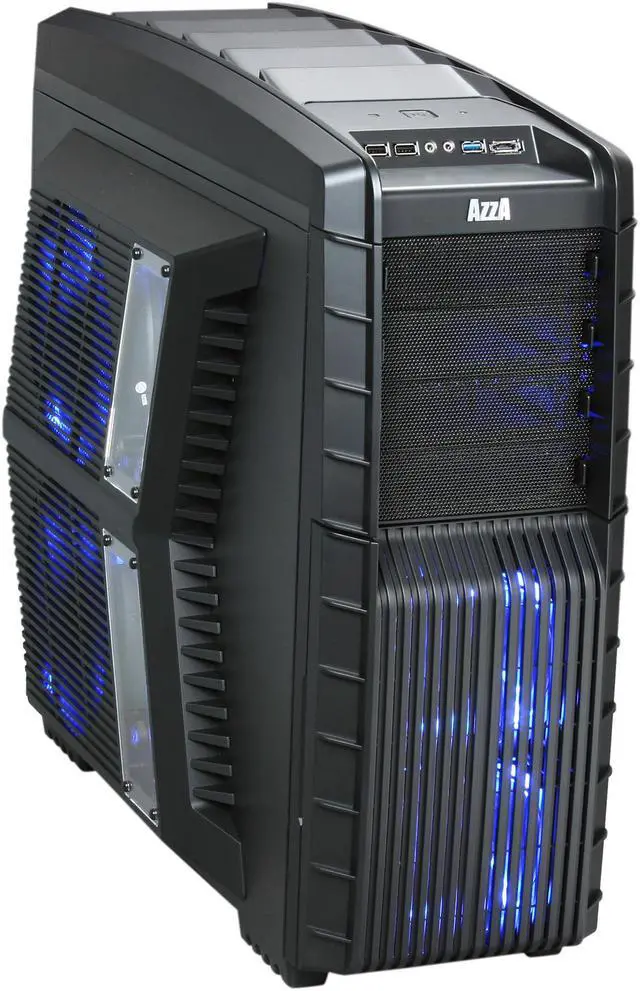
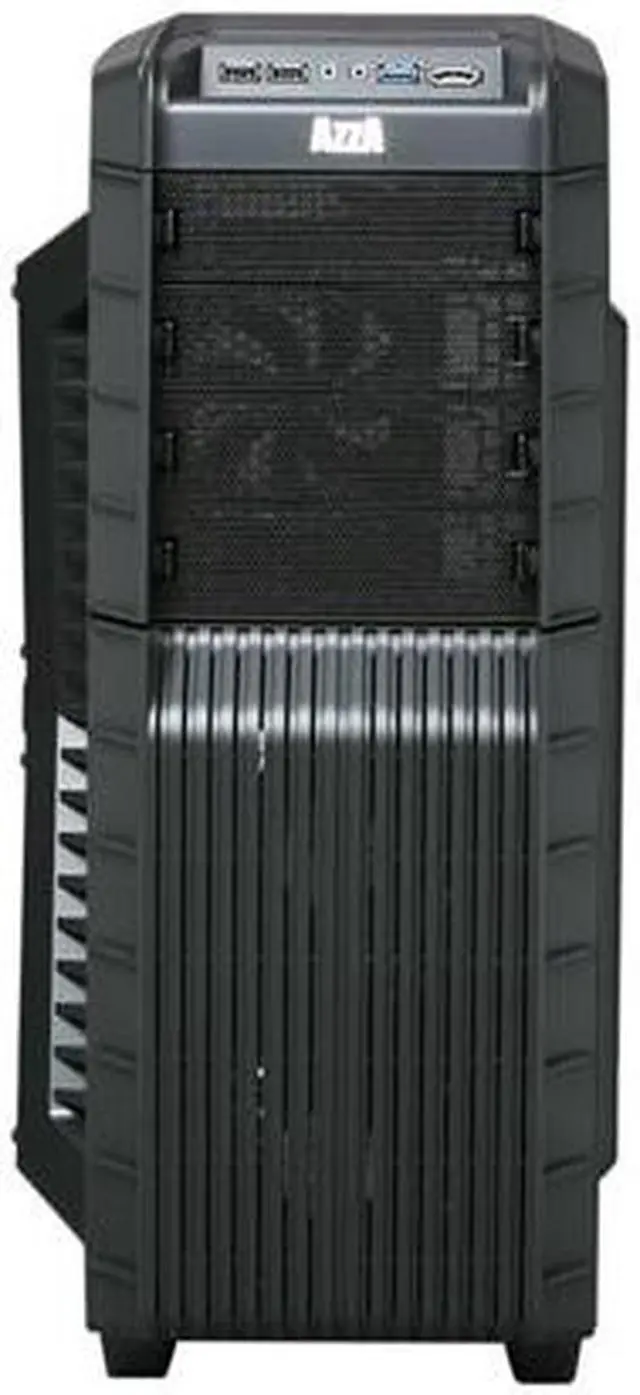
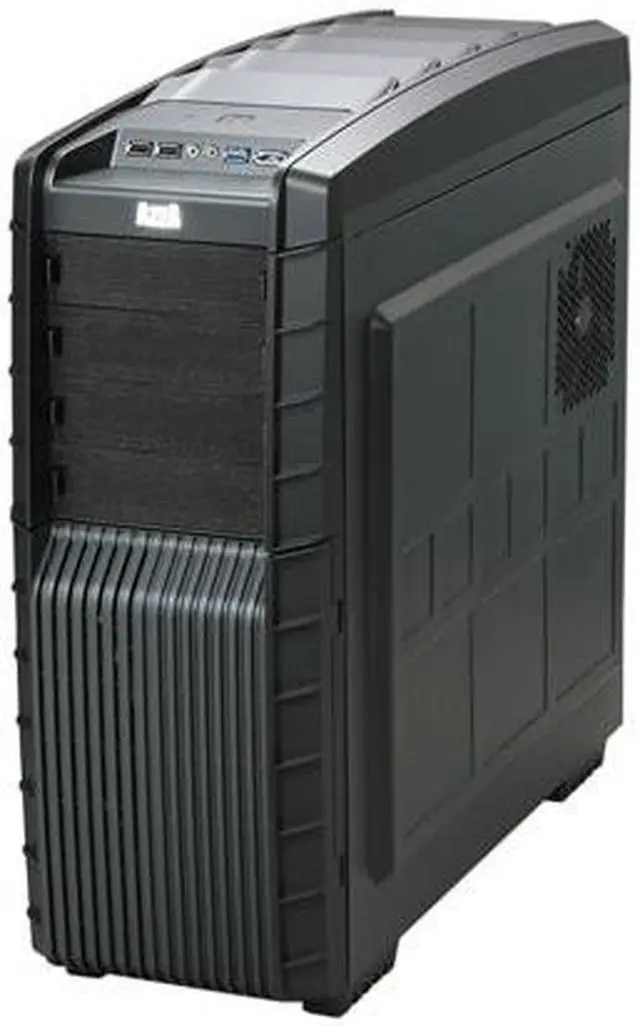
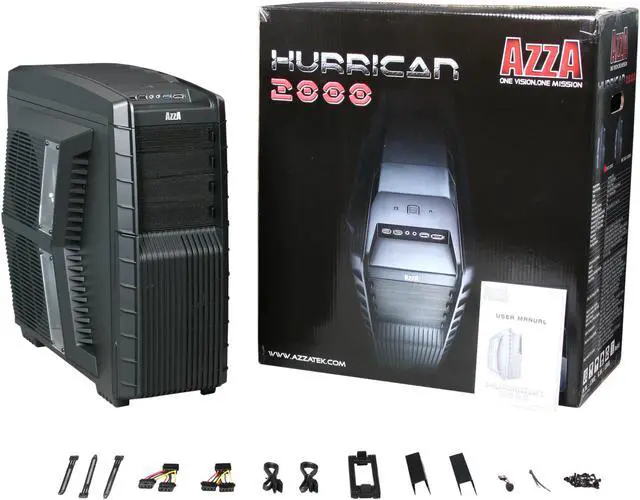
1 x USB 3.0 / 2 x USB 2.0 / Audio / 1 x e-SATA Front Ports
4 External 5.25" Drive Bays
6 Internal 3.5" Drive Bays
Overview
Specs
Reviews
Information
Ultimate Cooling System:
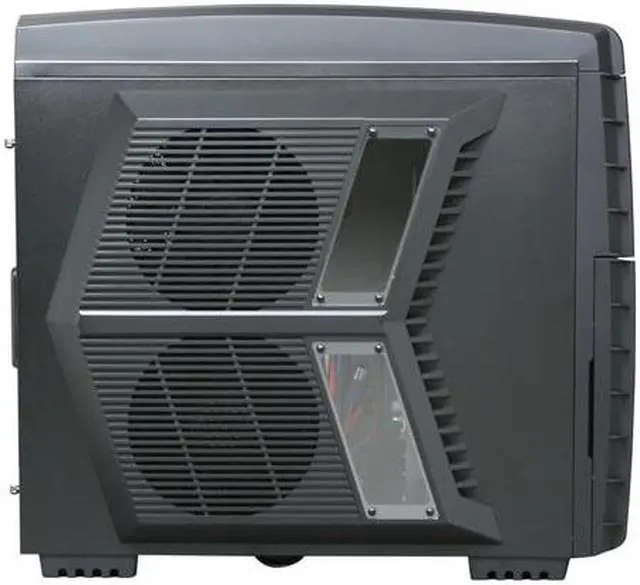
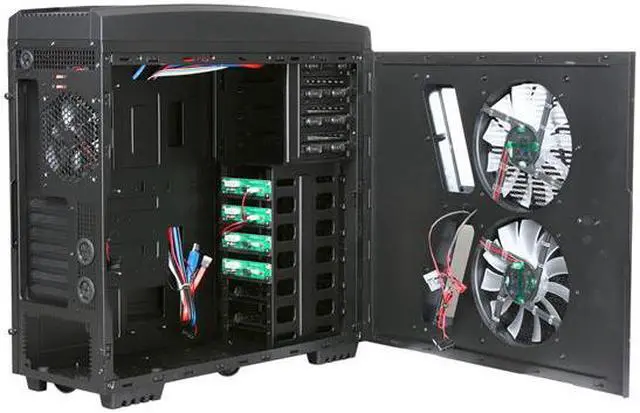
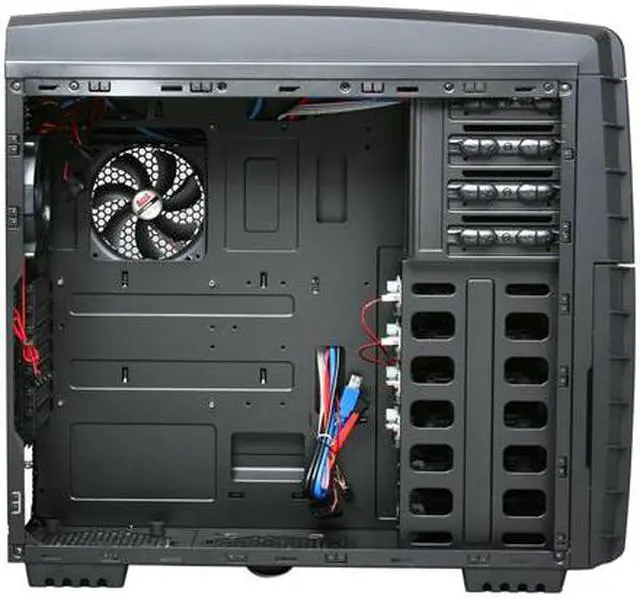
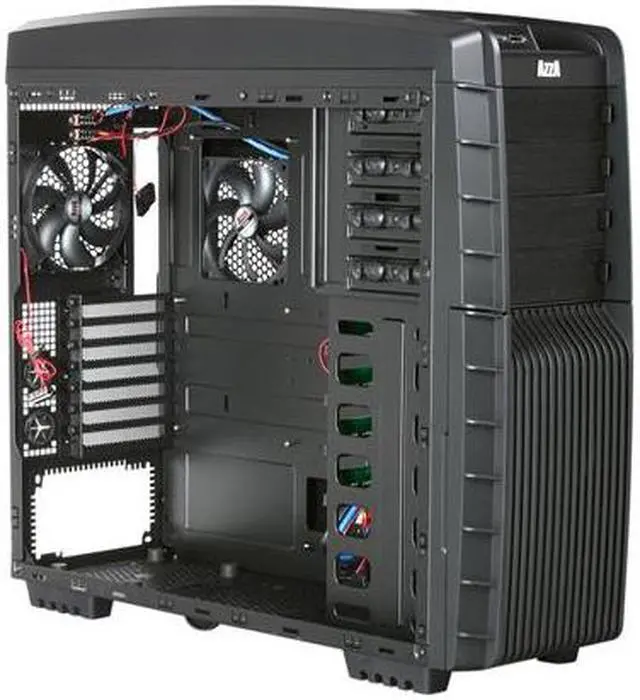
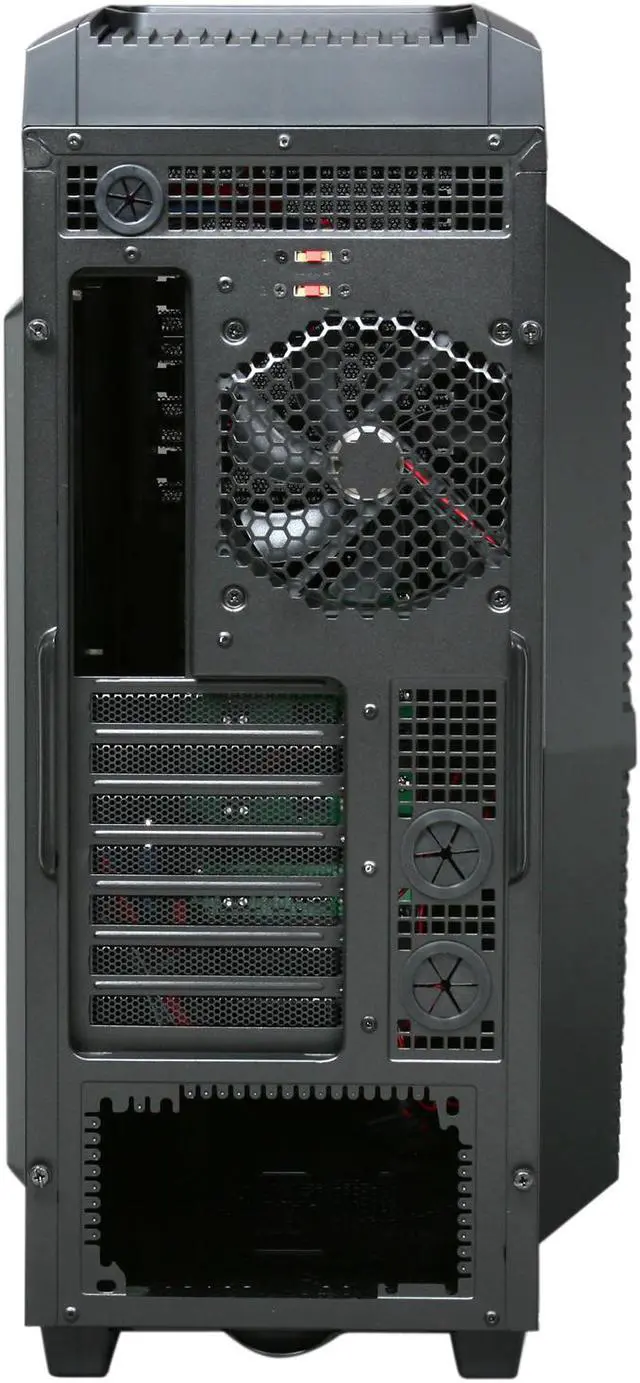
AZZA Hurrican 2000/2000R truly has everything you need to build the ultimate gaming rig. Designed with an unprecedented cooling system equipped with eight strategically positioned fans, AZZA understands the ever growing need to cool, cool, cool your high-performance components. This full tower case's innovation includes the placement of two monster 230mm fans on the side panel, with the top designed to cool your CPU and the bottom to cool your GPU. The incorporation of two side-panel fans of this size together with their tactical positioning designed for compartmentalized cooling is a feature never seen in any other chassis before. An additional two 230mm fans are placed on top for extra ventilation. Two 120mm fans in the front panel, one 120mm fan in the rear, and another 120mm fan placed next to the motherboard complete this exceptional cooling system. On top of all this, the chassis supports up to 360mm water cooling radiator.
Easy Installation and Maximum Compatibility
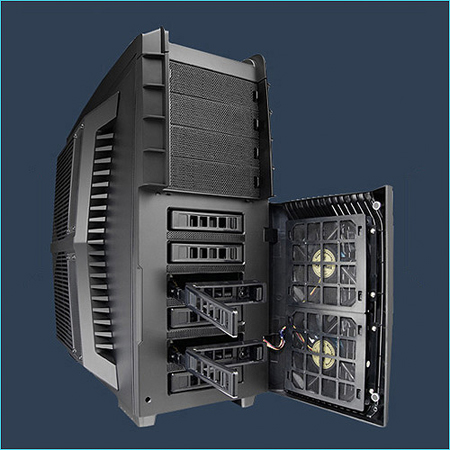
With your ease of assemblage in mind, Hurrican 2000/2000R supports four easy-swap HDD trays, eliminating the need to open the side panel or unscrew any screws. And it has another two trays for SSD and 2.5" HDD. The case can accommodate mini ATX, full ATX and Extended ATX motherboards, with extensive storage capacity and stacks of drive bays to install all your games. It also supports the longest VGA card in the market, up to 325mm (ATI 5970). And it supports the latest USB 3.0 connector in front. The list of features can go on and on. Seamlessly coupling function with its awe-inspiring styling, unrivaled by chassis of its class, Hurrican 2000 truly is in a league of its own.
Awards
Gallery
Brilliant LED Light Blue LED rays shine through the front and side mesh panels, adding a layer of mystery and eye-catching fun.
Cable Management For a tidy look and better air flow, you can route the cable through the opening and hide it behind the motherboard tray.
Bottom-Placed PSU For better case stability and independent power supply cooling.
USB 3.0 I/O Panel One USB 3.0 port, two USB 2.0 ports, one eSATA port, and two audio jacks are located on top panel for easy connection to peripherals.
Learn more about the AZZA CSAZ-2000
Model
Brand
AZZA
Series
Hurrican 2000
Model
CSAZ-2000
Details
Type
ATX Full Tower
Color
Black
Case Material
SECC Japanese Steel
With Power Supply
No
Power Supply Mounted
Bottom
Motherboard Compatibility
Micro ATX / ATX / Extended ATX
Side Panel Window
Yes
Dust Filters
Yes
Expansion
External 5.25" Drive Bays
4
External 3.5" Drive Bays
1
Internal 3.5" Drive Bays
6
Internal 2.5" Drive Bays
2
Expansion Slots
7
Front Panel Ports
Front Ports
1 x USB 3.0 / 2 x USB 2.0 / Audio / 1 x e-SATA
Cooling System
80mm Fans
No
120mm Fans
Front: 2x120mm Blue/Red LED Silent Fans (19dBA) Rear: 1x120mm Fan in Rear Right Side: 1x120mm super slim fan for CPU
230mm Fans
Top: 2x 230mm Silent Fans (24dBA) Left Side: 2x 230mm Blue/Red LED Silent Fans (24dBA)

Side Air duct
No
Dimensions & Weight
Dimensions (H x W x D)
21.60" x 10.00" x 23.20"
Weight
28.60 lbs.
Additional Info
Features
Ultimate Cooling System
Total 8 Fans
Support Water Cooling
Easy Swap for HDD
Support Longest VGA card
USB 3.0 Ready
Cable Management
Maximum Compatibility
Easy installation of CPU Cooler
Bottom Mount Power Supply
Additional Information
Date First Available
September 15, 2010
Anonymous
Ownership: 1 day to 1 week
Verified Owner
Very nice case for the money11/7/2010 10:46:49 PM
Pros: A lot of room for everything you want to put in it.
You could put a 13 inch video card if there was one.
I am very happy with the 6 hinged drive bays that hold
the standard hard drives.
The two botom trays are for 2.5 ssd or laptop drives.
The 2.5 adapters can be removed for standard drives.
Nice touch with the front door that has two magnets to keep it shut.
The top fan switches are good. there is a good steady flow of air through the roof of the tower case.
I removed the fan where a top mounted power supply to hold my h70 that should be here tomorrow. Good job n-egg! There is plenty of places to hide the cables as you can see in the pictures.
There are no wires to stop the flow of aur over the mobo.
The two side fans work but could use work.
Everything fits as it should.
Wire mesh everywhere. Sweet.
USB 3.0 on top.
Water cooling holes plus one more for the USB 3.0.
The case is solid.
For me, this case is just want I wanted and @ $100.00, free ship was super
Cons: The fans have dust filters but they are behind the fan that are in the front of the case mounted in the door to the hard drive. The door will get dusty and, the fans will get filthy. I have not tried to take the door apart yet.
The filters on the botom of the case are good and they come right out.
No filters on the top fans.
I am a bit worried about the H70 fitting in because the fan on/off switch might be in the way. Will update.
Overall Review: I have the Gigabyte X58a-UD3r
Intel I7-930
12 gigs of ram.
64 gig Crucial c-300, 1tb wd black, 1.5 tb seagate, dvd rom.
Ati 5770
Thermaltake 850.
win 7 pro
Pros: This case is pretty big, it's gonna fit anything you can put in it. There are a total of eight fans which are extremely quiet. The case is made of mostly metal except for the top and front, and even then the plastic is high quality and won't break unless you have your 300 pound friend sit on it. USB 3.0 slot, eSata, 2 USB 2.0 slots in the front. The two front fans are blowing air directly onto your HDD's, which is good obviously. All matte finish so you don't have to worry about your fingerprints on this bad boy. Since I've only had this for two days i'm kind of "guessing" on this but, I was able to install my cpu cooler without removing the motherboard. When you remove the back panel, you can see directly where you CPU is so all you have to do to install a new CPU cooler is to remove the back panel which takes the whole length of 5 seconds. Another thing that's great is how the fans on the side panel aren't taking up any depth inside the case, so huge heatsinks are a non-issue.
Cons: There are these two little rubber "things" on each foot. If you slide this case around on carpet these are going to tear off. You can just stick them back on cause they have some sort of adhesive, but it's still a con.... probably going to just super glue them if any come off again. Also, the hot swappable HDD bays do not work with IDE drives as far as I could see/test. The two intake fans on the side do NOT come with fan filters, just use a thin cloth over it and you'll be fine.
Overall Review: I thought I'd give you guys the specs to the fans in the case just in case you were curious.
- Rear Fan (Exhaust) 120 x 25 mm Fan 1000rpm / 20dBA
-Top Fan (Exhaust) 2 x 230 x 30 mm Fans 1200rpm /30dBA (Max)
-Side Fan (Intake) 2 x 230 x 30 mm LED Fans 900rpm / 24dBA
-Right Panel Fan (Exhaust) 120 x 15 mm Fan 1000rpm / 19dBA
- Front Fan (Intake) 2 x 120 x 25 mm LED Fans 1000rpm /19dBA
Now, there is a fan controller for the top 2 fans which can be run in three modes. Low, high, or off. I'll tell you right now, there is absolutely no difference in noise between low or high, but you can feel the air difference so it's practically useless to put the fan controller on anything but high.
Pros: ok so i got this case on the basis that it would hold my system. It does. has tons of room Cools great with the right amount of power
Cons: only 2 spots for non molex hard drives and if you plan on using all fans, you better have the connections and the wattage on the power supply or it wont spin them correctly! running ocz 550 fatality power supply, gigabyte mATX, 4 hard drives, 2 optical drives, xfx 5570 vga. Dont expect to be able to put all fans daisy chained to one molex, it wont work!
Overall Review: had to do MAX of 2 links per power connector. keep in mind, this thing has 8 different fans! 2 front(hard drives) 2 top(exhaust 200s) 2 side(intake) 1 cpu(120) 1 exhaust(120) the LEDs are pretty sweet looking, small case windows but thats expected with 2 huge 230s covering the rest of the side. make sure you got a usb3 capable mobo, otherwise all you got is another usb2 extension in blue.
Pros: Lots of fans
Enough room to fit anything and everything
Easy swap drive bays (4)
Simple cable management to maximize air flow
Fits a 360mm radiator if you wish to go that route
Cons: Reason why I gave it a 4 out of 5...
While the layout is great, the craftsmanship is lacking. Not a huge problem but it would be nice if the panels didn't leave a red border. It is off by about 2mm. This holds true for the right side as well. It seems that during the machining process, most things are off by that margin. With the red interior, it becomes obvious. Probably wouldn't notice with the black version.
Also worth noting that the front ports aren't that great. Not a deal breaker (for me) but still.
Finally, while not really a con, the entire case has a black on red color scheme yet the power button lights up blue? That's just wrong.
Overall Review: Aesthetically, its beautiful. I would recommend this case to anyone who wants to build a powerful rig for reasons that should be obvious. Just know that the fans need to be upgraded to some that don't suck. Also matches (if you care) the Asus ROG boards nicely.
Anonymous
Ownership: 1 week to 1 month
Verified Owner
Awesome Case!!1/25/2011 5:38:59 PM
Pros: It is BIG... and fits EVERYTHING. I need to buy more components to help fill in the empty space!
USB 3.0 on top- although, I wish it was a motherboard header design instead of having to run it out the back of the case to plug into the back of the motherboard.
Cons: I wanted a green LED version of this case, but they only offer blue or red. So I disconnected the LED's on the side fans and replaced the front fans with green LED fans. Having a green LED version would have been nice.
The red lights on the SATA easy-swap trays. However, I covered all the red LED's with 'poster putty'; LED's run cool, so it isn't like anything is going to get hot.
Also note: These are NOT 'hot-swap' trays- they are EASY SWAP trays; you have to turn your system off BEFORE removing or adding drives.
The top and side fans are 230mm which are non-standard sizes- so if they die, good luck at finding a replacement.
Overall Review: Just because the fans don't blow like a vacuum cleaner or make the case float like a hover-craft, doesn't mean it is bad for cooling. Most people don't need HIGH flow to cool their case, they just need FLOW period. Regardless of the speed of these fans, they still move the air through the case removing hot air- and does so with low noise. If your case is so warm that you need the fan speed of a vacuum cleaner to cycle the air- I suggest water cooling!!
Also, I was able to install casters on this case, which makes moving it around MUCH easier. I simply drilled holes right through the bottom rubber feet (that way I can still access the bottom screens). I was only able to use two screws per caster, but even so, it works great.
Pros: Enough room for NH-D14 and other big HSF. Fan under Socket helps cool even more. Dual side fan means one provides air for the CPU and the other provides air to the GPUs. Enough room behind the Motherboard for cable routing. Fans are very quiet. Keeps 4.2GHz i7 930 on 100% load under 70 degrees C. Keeps OC'd Gigabyte GTX460 1GB at 925/1850/4500 at 60 degrees C under 100% load.
Black screws are a nice plus to keep the color code looking nice. With an x58 Sabertooth, the system looks awesome, and the cooling is just superb.
Includes SSD 2.5in brackets and enough room for big GPUs.
Retrieving HDDs/SSDs from the front means you don't have to worry about opening the case for upgrading storage.
Filters for all intake fans, and there's an additional filter in case you want to add another fan at the bottom.
Cons: I pulled a rubber slot to fit some cables through and putting the rubber piece back in place is proving to be more complicated than expected (one of the water-cooling hole protectors). I haven't really messed around much trying to put it back together.
One of the outside screws doesn't quite tighten anymore, looks like the thread on it may have broken. Not big deal.
Overall Review: I was very worried due to no reviews, and didn't want to have to return a case due to not having enough room for Noctua NH-D14. I was pleasantly surprised when I found no issues whatsoever installing it.
The PSU installation seemed a bit awkward, but the PSU was set firmly in place.
It has 4x 230mm fans, 2 for intake, 2 for exhaust, and 4 more fans make the deal pretty sweet. While people may argue they don't like the looks, it's all personal preference. Personally, couldn't be happier with the looks and with the performance.
Fan under socket makes routing cable a chore, but once done everything is perfect
$20 MIR sweetened the deal. Beats Antec and CM pricier cases, and offers better cooling. Maybe the name is not as well known, but the product is of very high quality.
Don't expect to use the side window to show off your rig. While it's cool, the main point of the side panel is cooling, with "show off" as secondary idea.
Pros: This case is bigger then I thought but it's big enough for what I need it for & more ,, I just need to buy more hard drives now
Cons: NONE AT ALL
Overall Review: IF YOU ARE GOING TO BUY DIFFERENT FANS FOR THE TOP OR SIDE , YOU NEED TO ORDER 200-MM FANS BECAUSE THEY AREN'T 230-MM AS IT SAYS IN THE SPECIFICATIONS , SO BE AWARE OF THIS BEFORE YOU WASTE YOUR MONEY BUYING 230-MM FANS , THE GOOD THING IS THAT THE 200-MM FANS ARE A LOT CHEAPER ANYWAYS
Pros: Plenty of room, good air flow, I had this case over a year now and I would buy another one if I needed a new case. One of the better cases I have used. Nice looking design. I have gotten many nice comments on it from people who seen it. Cables tuck away nicely. Its my first case with a side window. I think it is neat since with my MB and PSU it looks like a airport inside. :)
Cons: No cons from me. :)
I read cons from some people and I think some of them need to stay away from computers. I'm sure it is possible to get a bad part. I here people complaining about the USB3.0 not being able to plug into the MB (LOL) At the time of this case release there was no MB with USB 3.0 headers so you have to pig tail it to the back. Its ok they put holes there for it. still works the same
Overall Review: Case is a tiny bit wider then your ave case. Make sure you measure where you will be placing it. Case is not to big. I have water cooling in this case and there is plenty of room for more stuff. So knock your socks off and fill it up. I dont see any cons with this case. workmanship is good no broken parts after a years of use. fans all still work. Its a case that looks good and built to last.
Pros: A lot of room for everything you want to put in it. You could put a 13 inch video card if there was one. I am very happy with the 6 hinged drive bays that hold the standard hard drives. The two botom trays are for 2.5 ssd or laptop drives. The 2.5 adapters can be removed for standard drives. Nice touch with the front door that has two magnets to keep it shut. The top fan switches are good. there is a good steady flow of air through the roof of the tower case. I removed the fan where a top mounted power supply to hold my h70 that should be here tomorrow. Good job n-egg! There is plenty of places to hide the cables as you can see in the pictures. There are no wires to stop the flow of aur over the mobo. The two side fans work but could use work. Everything fits as it should. Wire mesh everywhere. Sweet. USB 3.0 on top. Water cooling holes plus one more for the USB 3.0. The case is solid. For me, this case is just want I wanted and @ $100.00, free ship was super
Cons: The fans have dust filters but they are behind the fan that are in the front of the case mounted in the door to the hard drive. The door will get dusty and, the fans will get filthy. I have not tried to take the door apart yet. The filters on the botom of the case are good and they come right out. No filters on the top fans. I am a bit worried about the H70 fitting in because the fan on/off switch might be in the way. Will update.
Overall Review: I have the Gigabyte X58a-UD3r Intel I7-930 12 gigs of ram. 64 gig Crucial c-300, 1tb wd black, 1.5 tb seagate, dvd rom. Ati 5770 Thermaltake 850. win 7 pro