





We are a young team, and we want to change the world; Your trust can help us accelerate the pace of innovation.
A team that strives for almost perfect product details strives to provide you with a highly cost-effective product experience.
This is what we are doing. We find happiness for this.
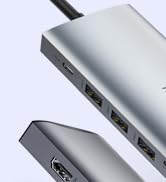
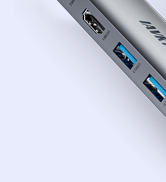
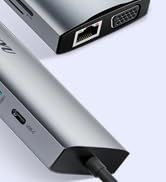
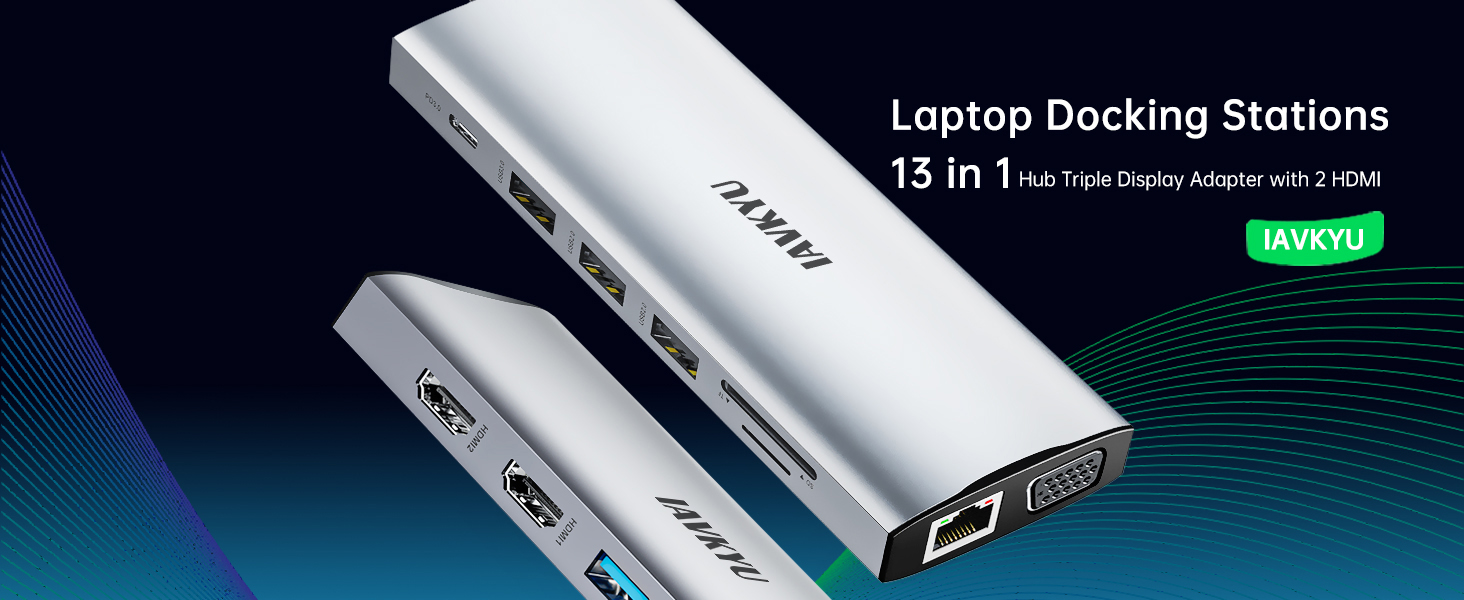
Laptop Docking Stations
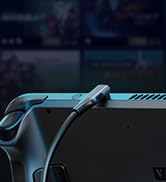
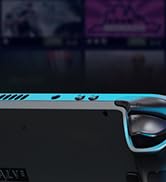
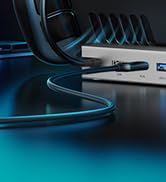
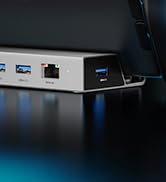
Steam Deck Dock(7-in-1)
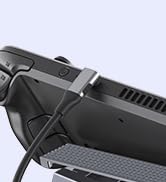
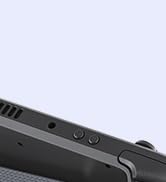
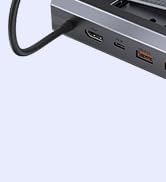
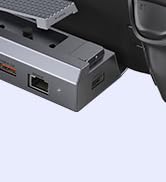
Steam Deck Dock
Is this USB-C docking station compatible with my laptop?
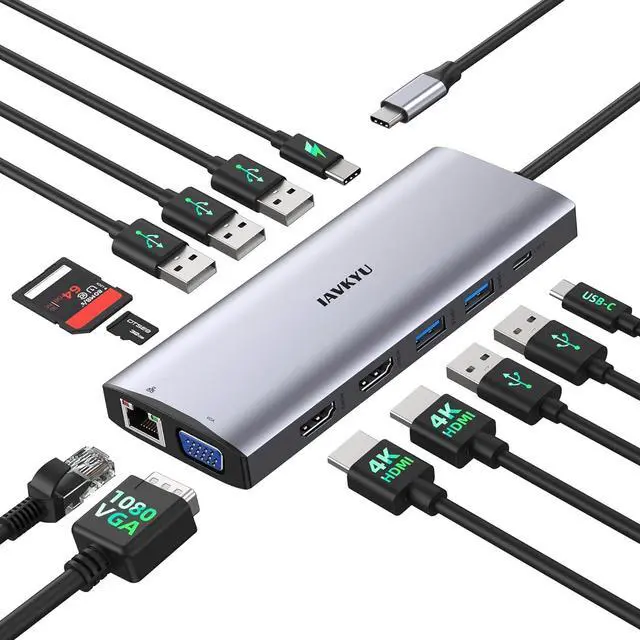
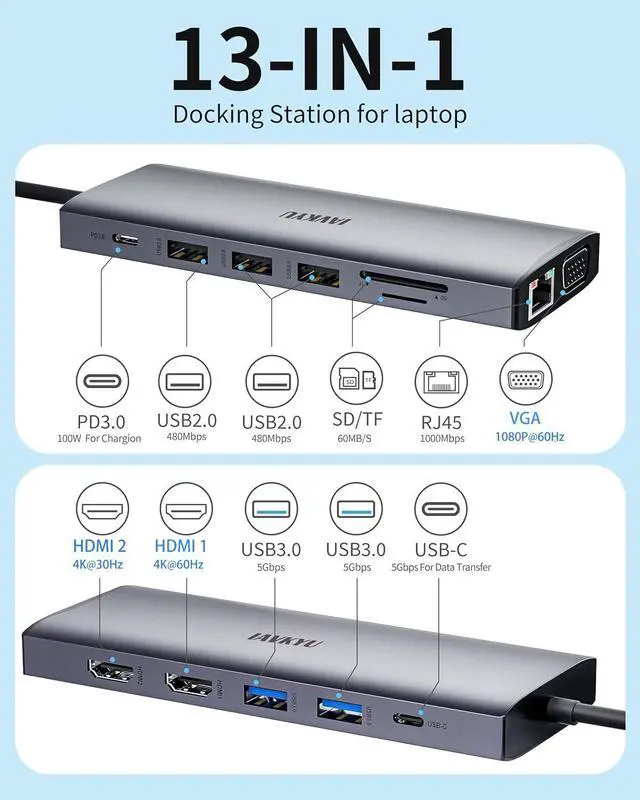
Only when the USB-C port on your laptop supports charging, data transfer, and video output simultaneously, can you fully utilize the functionality of this USB-C docking station, including USB4, Thunderbolt 3/4, Type C 3.1/3.2 Gen 2.
My docking station not charging my laptop?
1.Please check if your laptop has multiple USB-C ports and identify the one that supports PD charging.
2. Ensure that the external power input charges through the PD charging port on the docking station.
Why is there no video output?
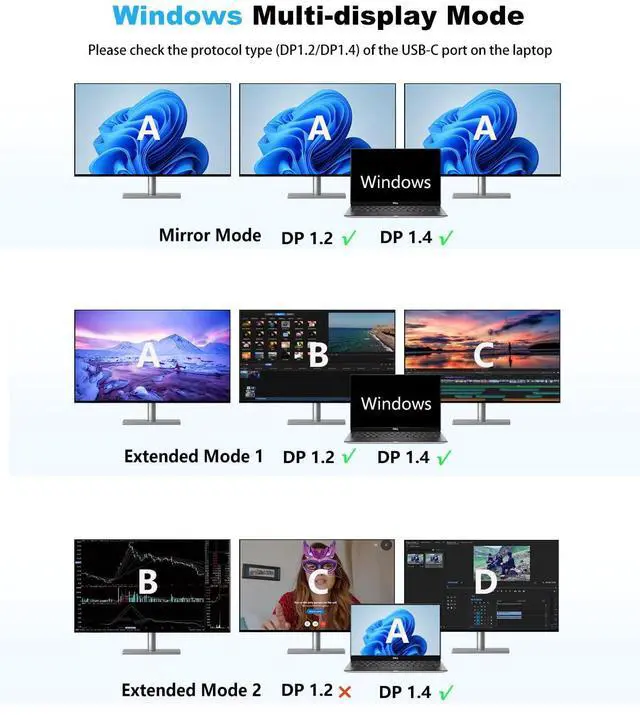
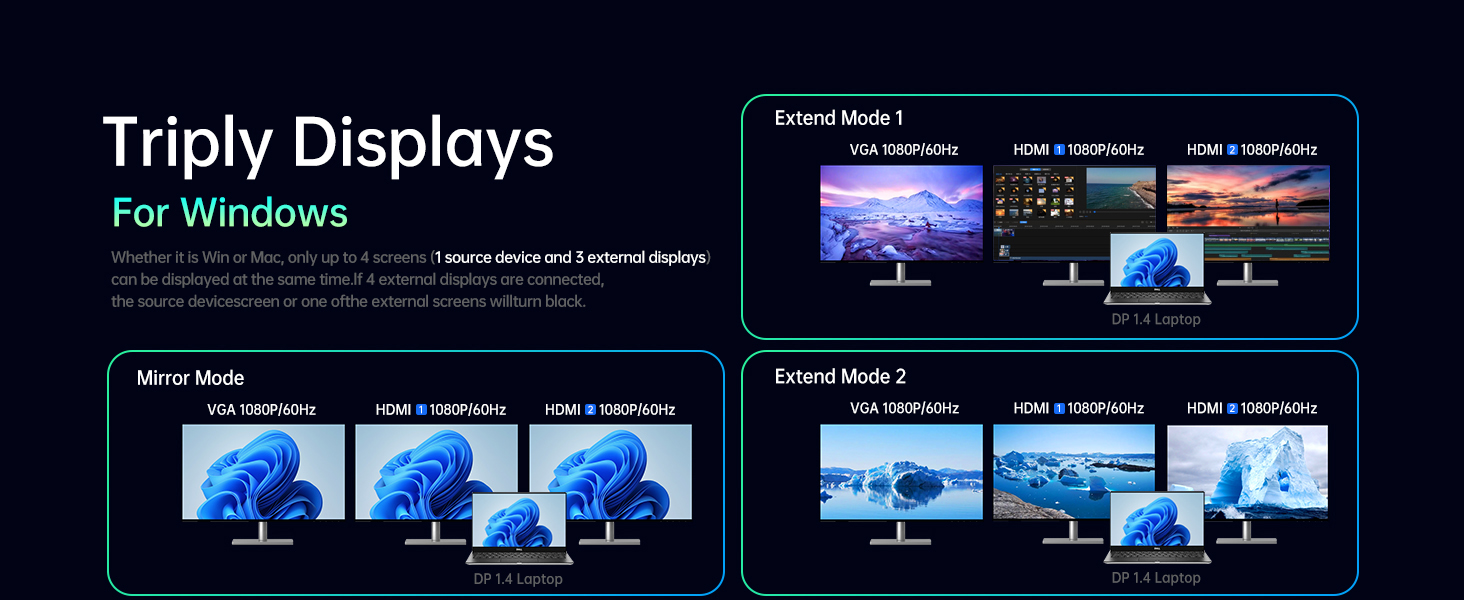
1.Please make sure your host supports DisplayPort video output functionality!
2.Please use standard HDMI/DP cables.
3.Check if the cables are well connected.
4.Ensure you select the correct input source for your HDMI and DP monitors.
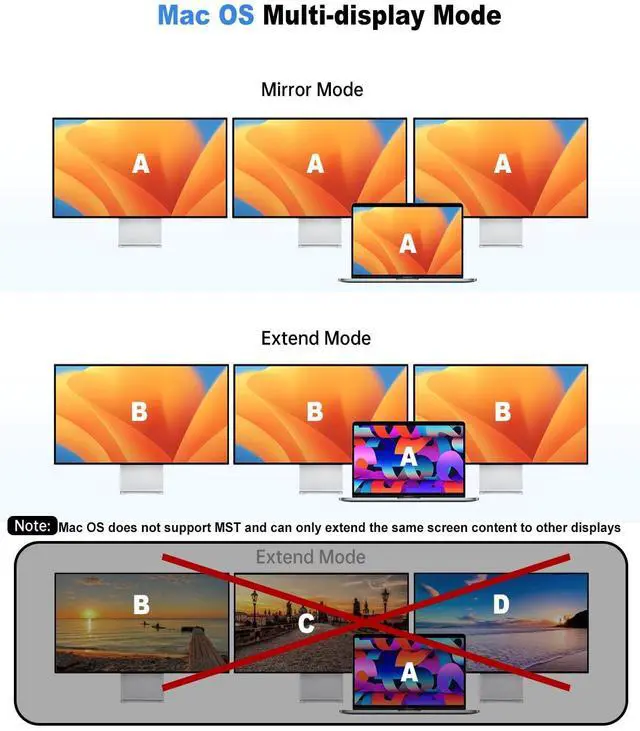
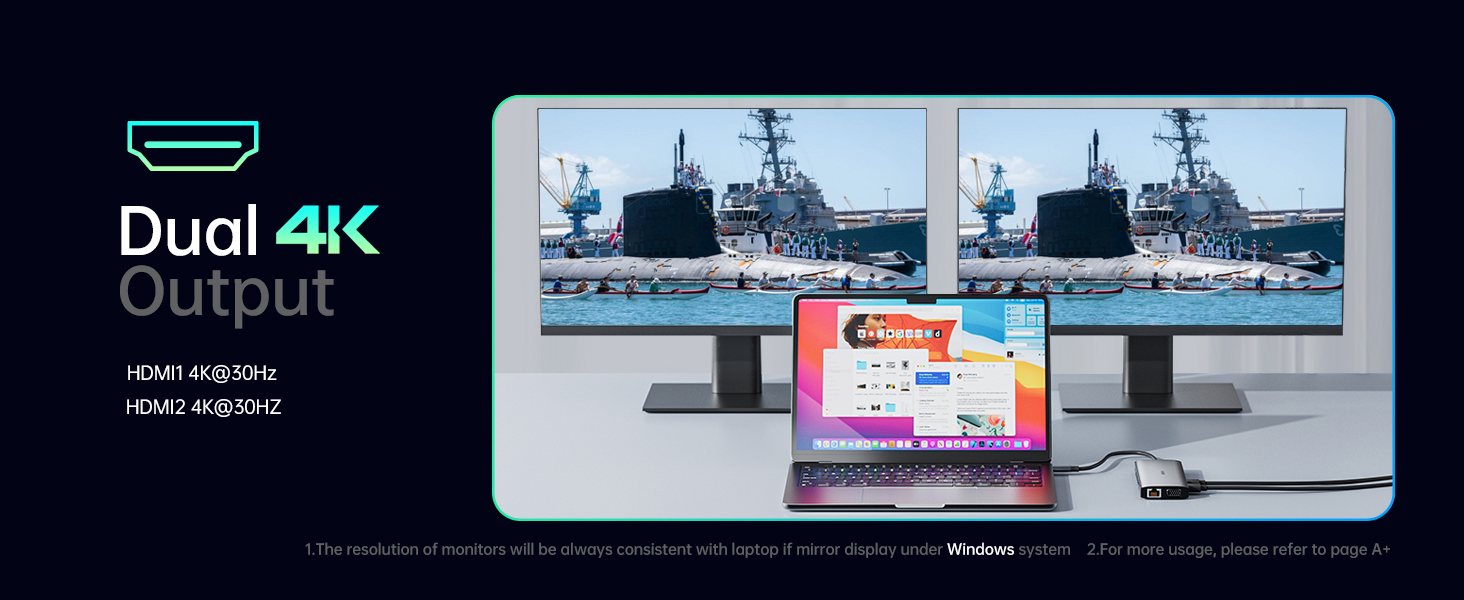
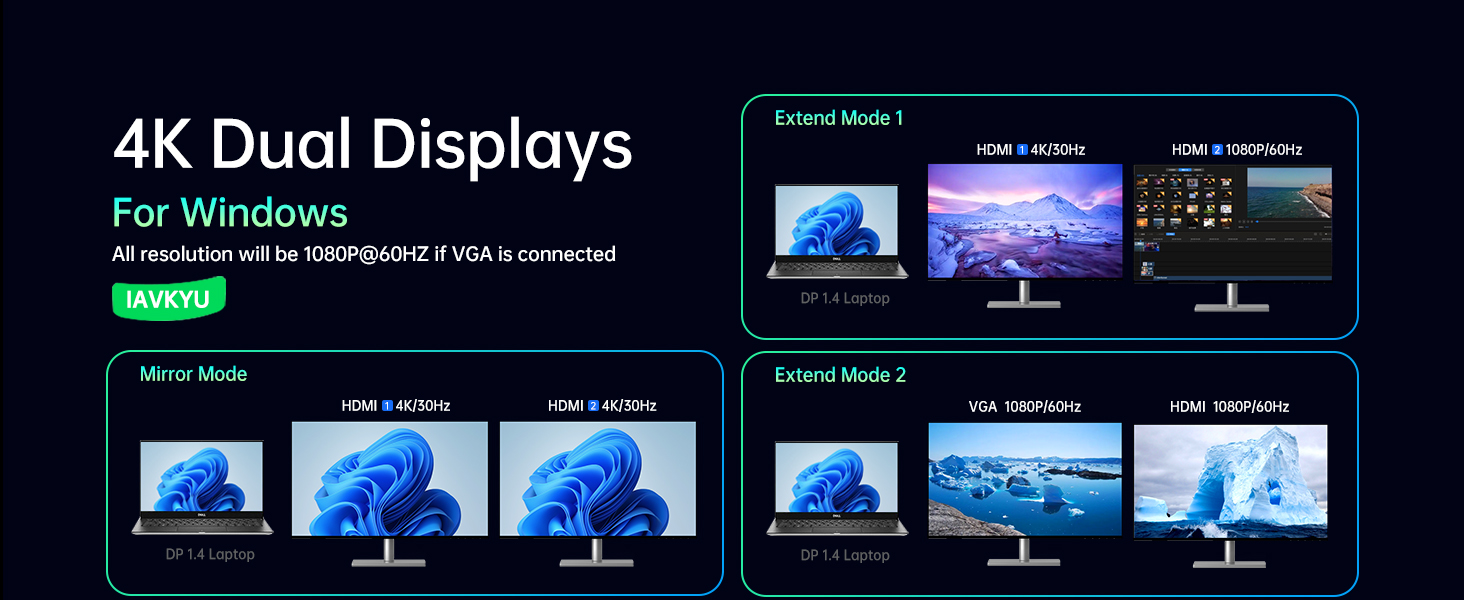
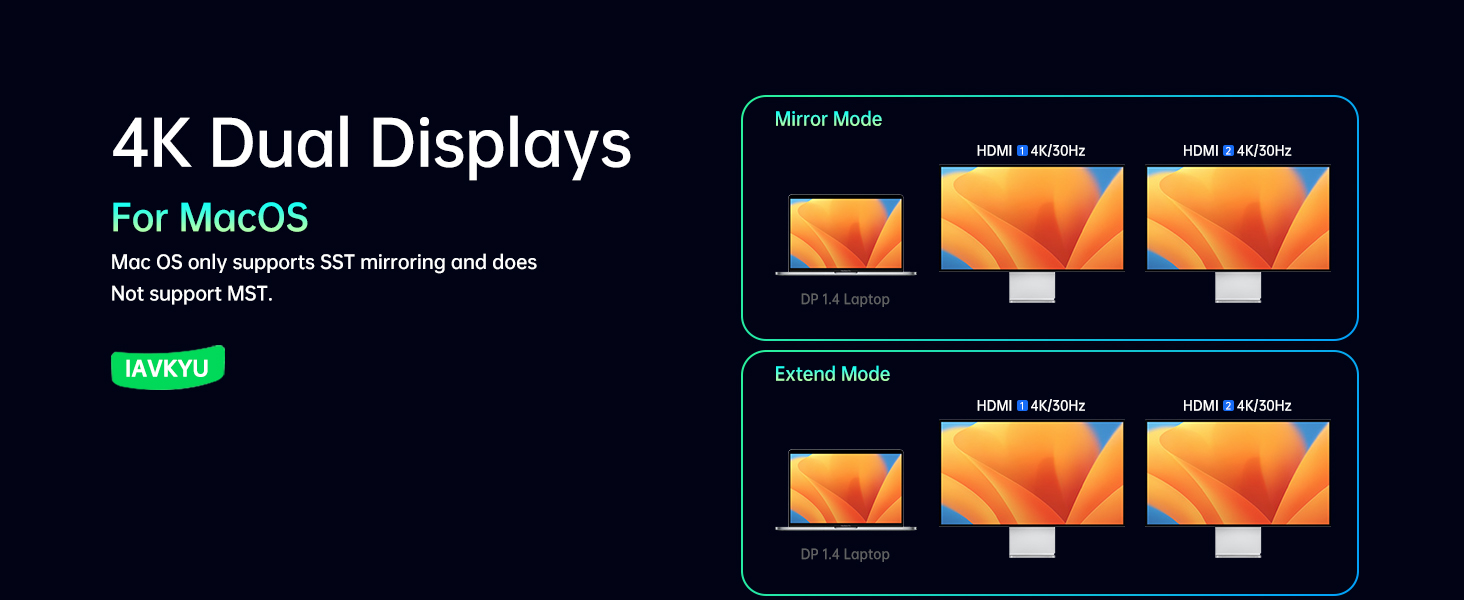
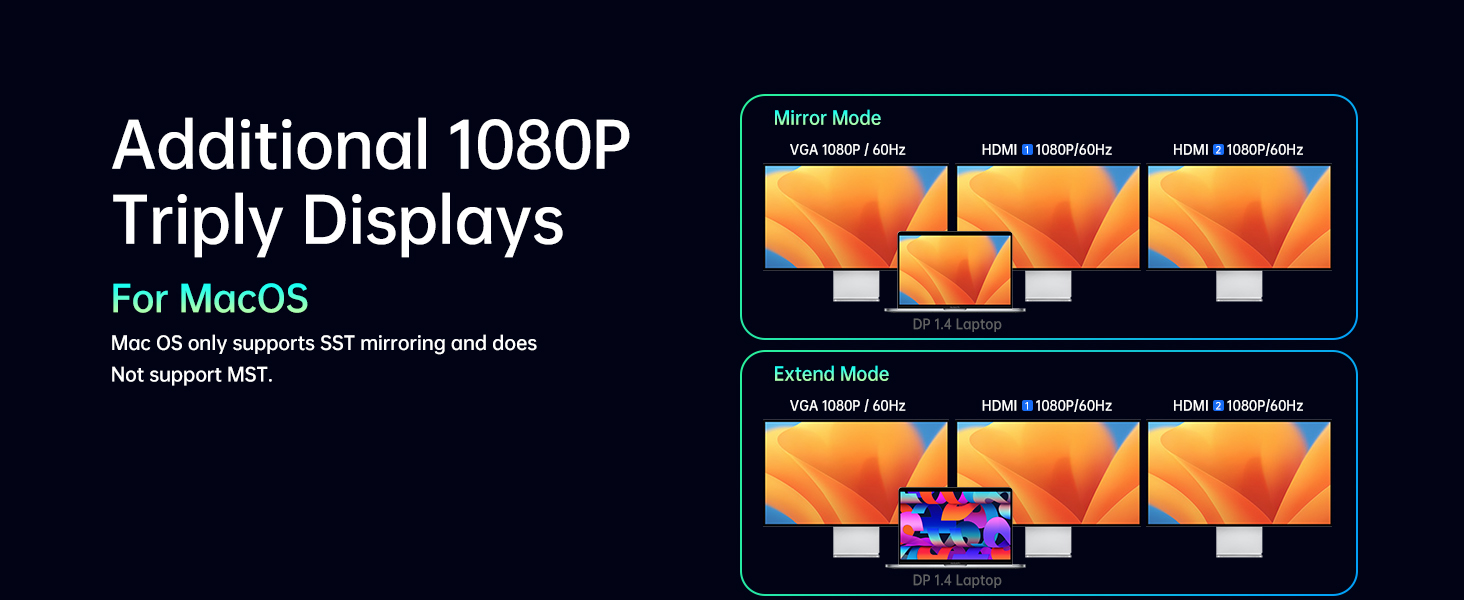
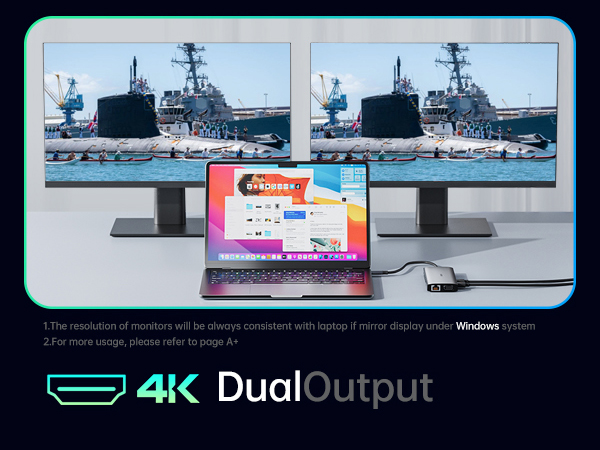
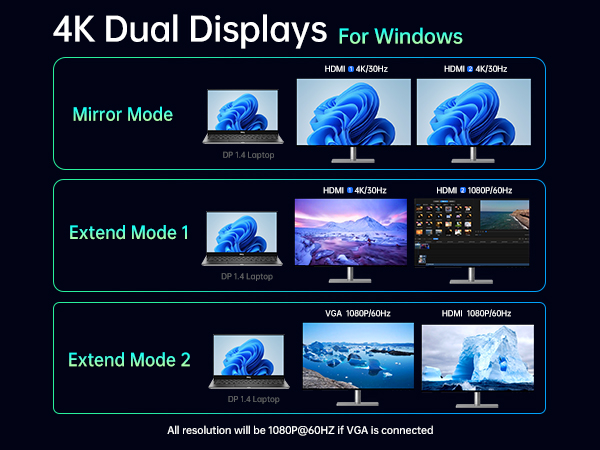
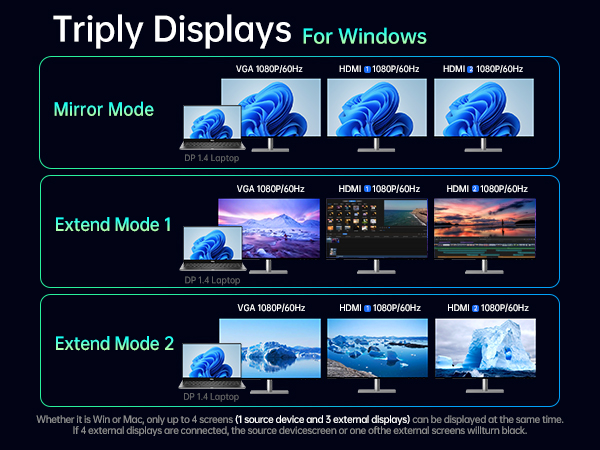
How to Set Up Displays on Windows and Mac Operating Systems? Mac OS does not support extending multiple display scenes
Windows OS: Right-click on the desktop > Graphics Settings > Display > Extend Desktop
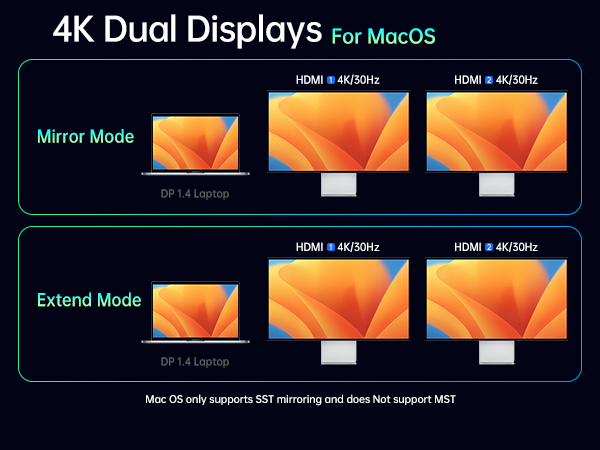
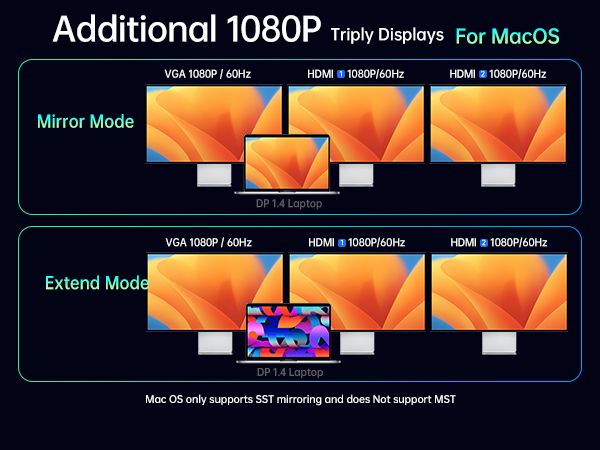
Mac OS: Apple logo > System Preferences > Display > Mirror Display
Note: Mac OS does not support extending multiple display scenes (Extended Mode).
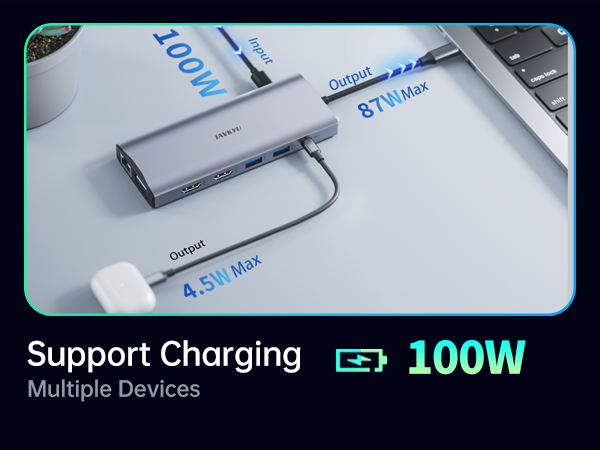
Is there advice on power connection and adapter usage?
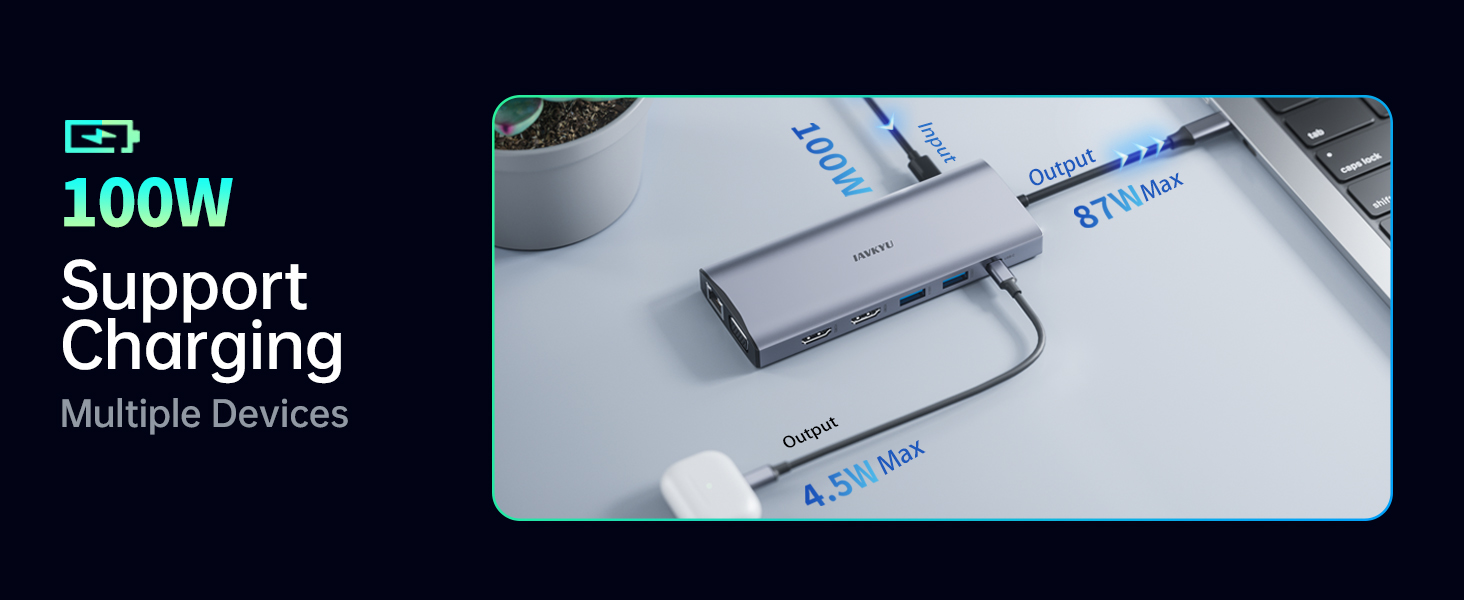
1.It is recommended to connect to power during use, with a power input of 65-100W for optimal performance.
2.We do not recommend using any other adapters with the docking station as compatibility cannot be guaranteed
List of Compatible Devices for 14-in-1 USB-C Docking Station (Not a Full List)
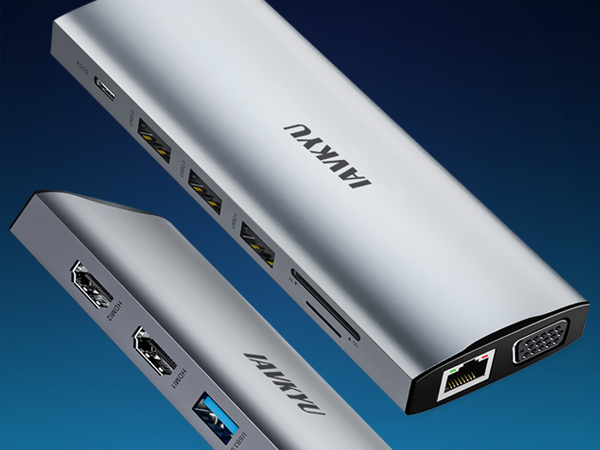
IAVKYU Laptop Docking Stations
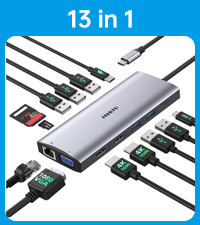 2*HDMI+1*VGA | 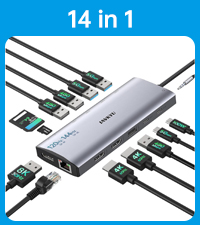 HDMI(4k@60Hz)+DP(8k@30Hz) | 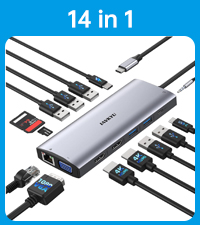 1*VGA+2*HDMI | 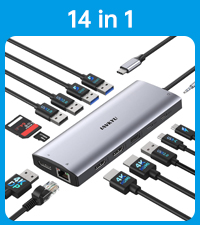 2*HDMI+1*DP | 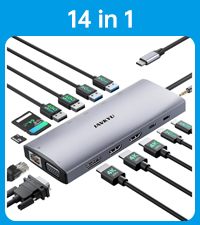 2*HDMI+1*DP+1*VGA | |
|---|---|---|---|---|---|
Customer Reviews | — | — | — | — | — |
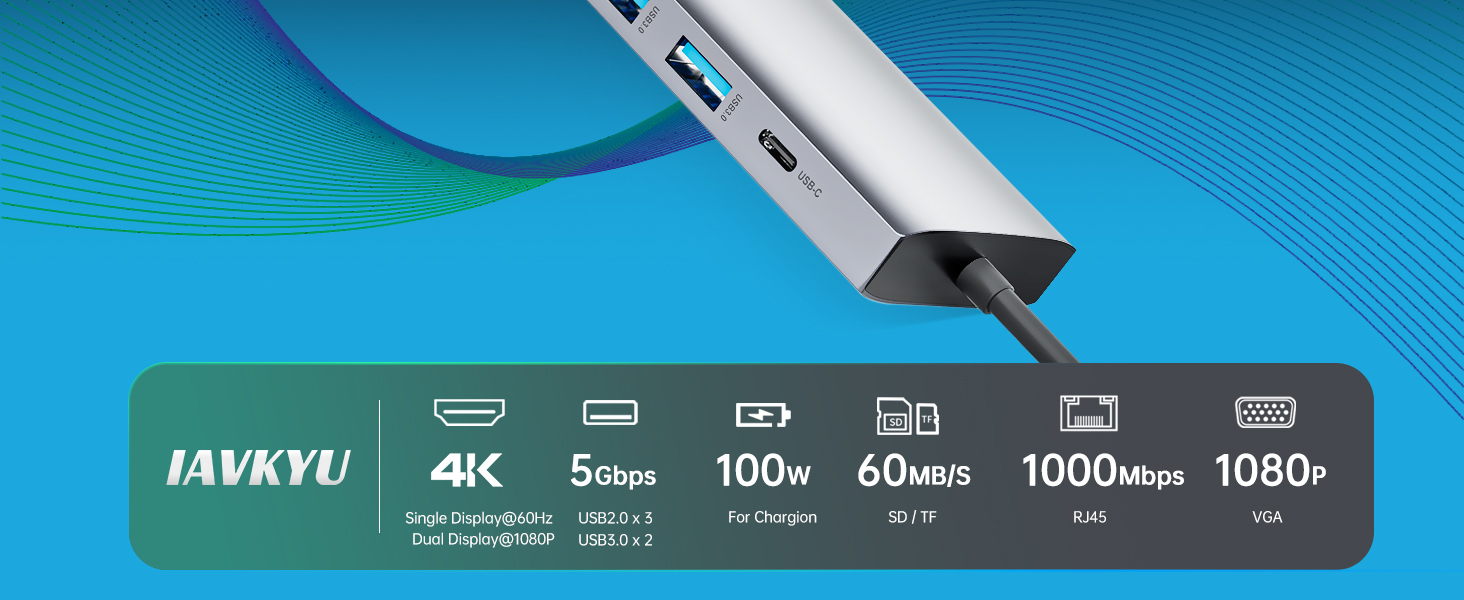
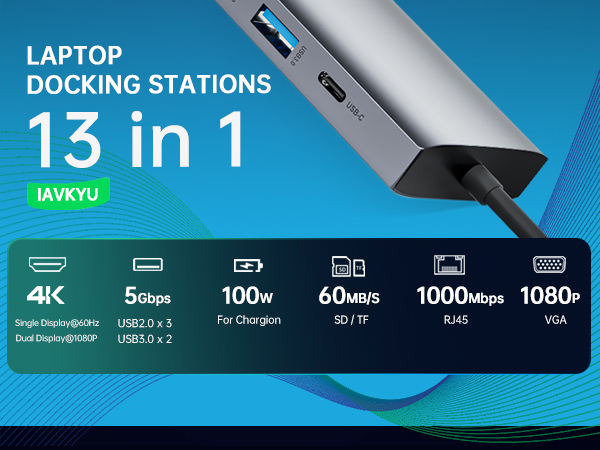
Display Ports | 3 | 3 | 3 | 3 | 4 |
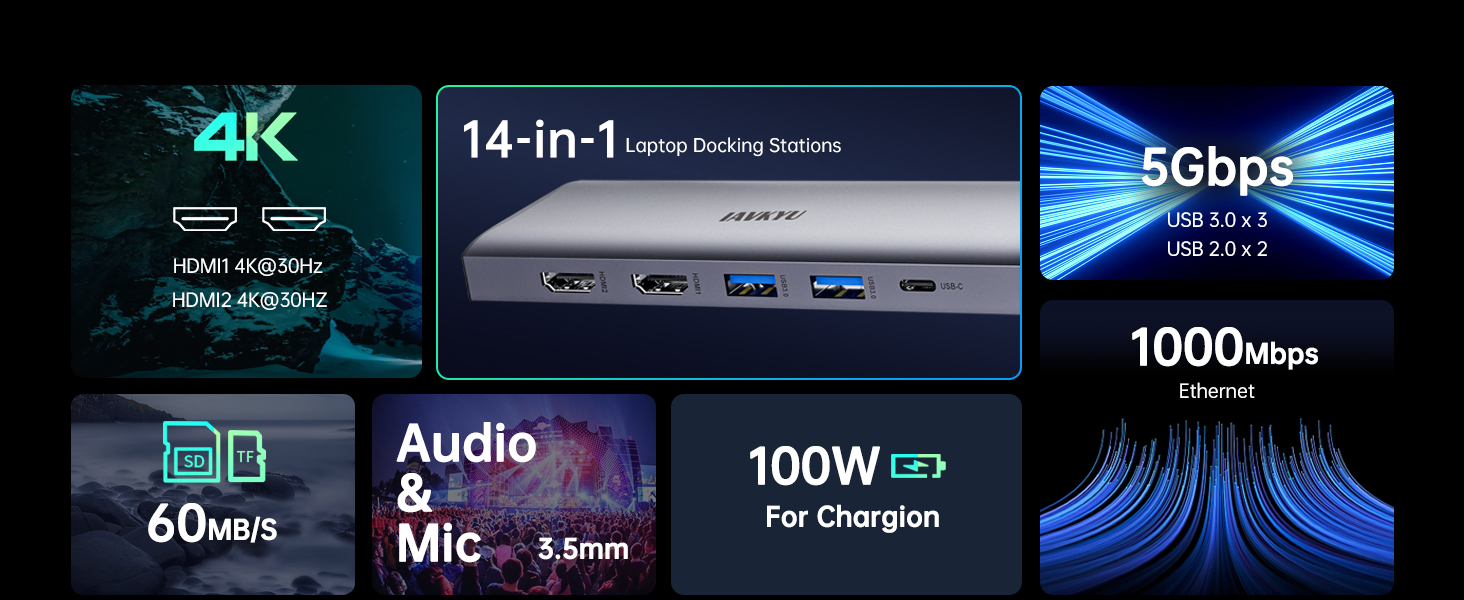
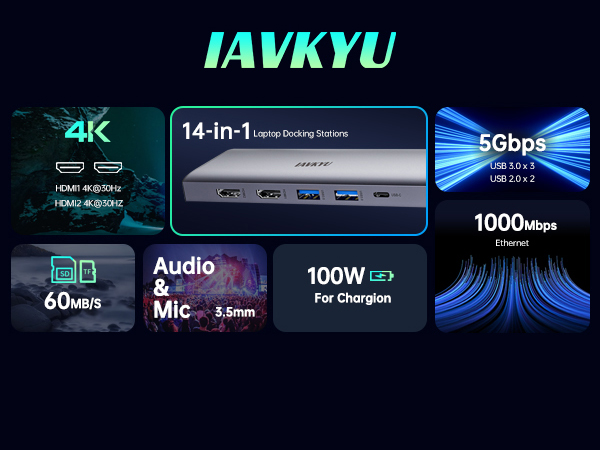
Resolution (Max) | 4K@60Hz | 8K@30Hz/4k@144Hz | 4K@60Hz | 4K@60Hz | 4K@60Hz |
USB-C Power Ports | 1 | 1 | 1 | 1 | 1 |
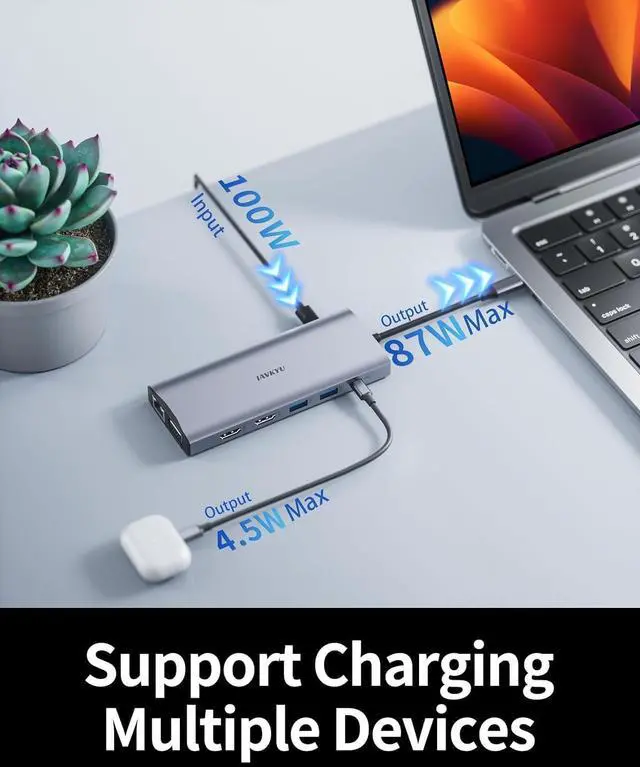
USB-C Power Deliver(Max) | 87W | 87W | 87W | 87W | 87W |
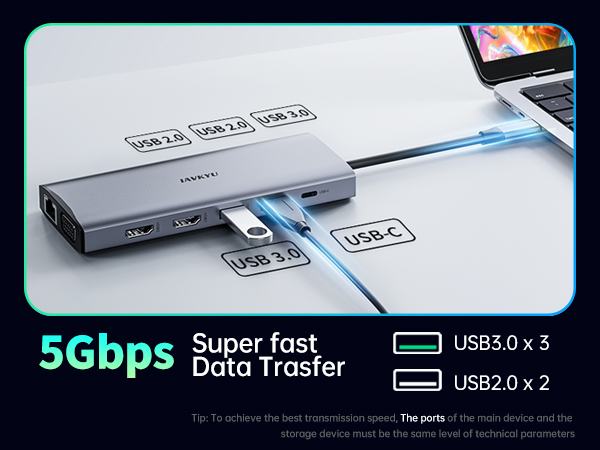
USB-A Data Port | 5 | 5 | 5 | 5 | 5 |
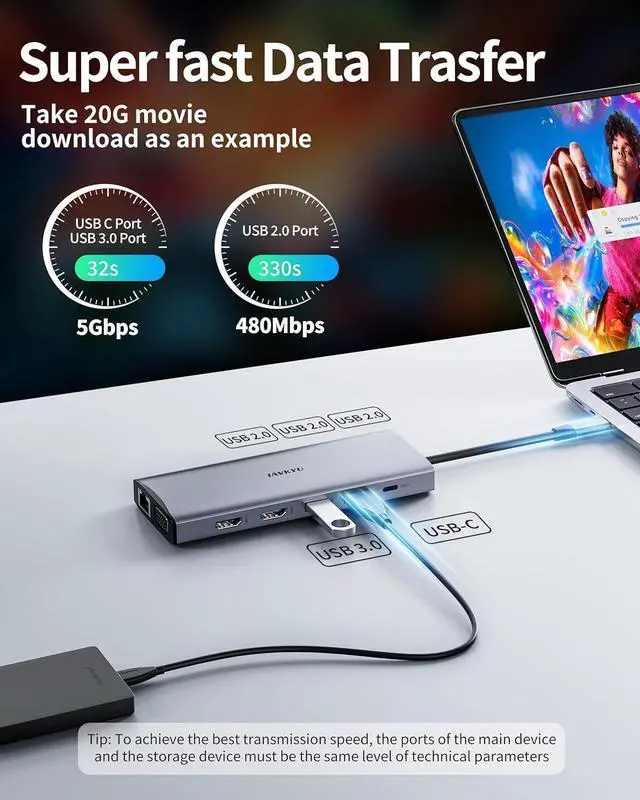
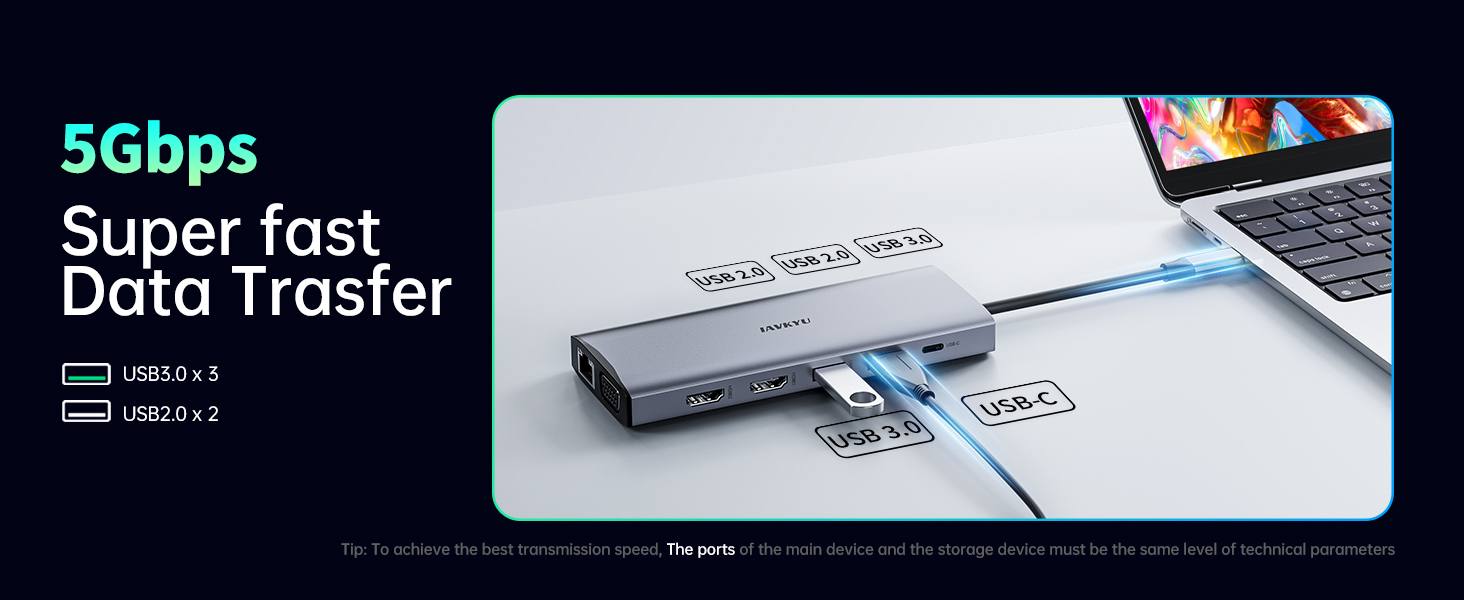
USB-A Transfer Speed (Max) | 5Gbps | 5Gbps | 5Gbps | 5Gbps | 5Gbps |
USB-C Data Port | 1 | 1 | 1 | 1 | 1 |
USB-C Transfer Speed (Max) | 5Gbps | 5Gbps | 5Gbps | 5Gbps | 5Gbps |
SD/TF Card Reader Port | 2 | 2 | 2 | 2 | 2 |
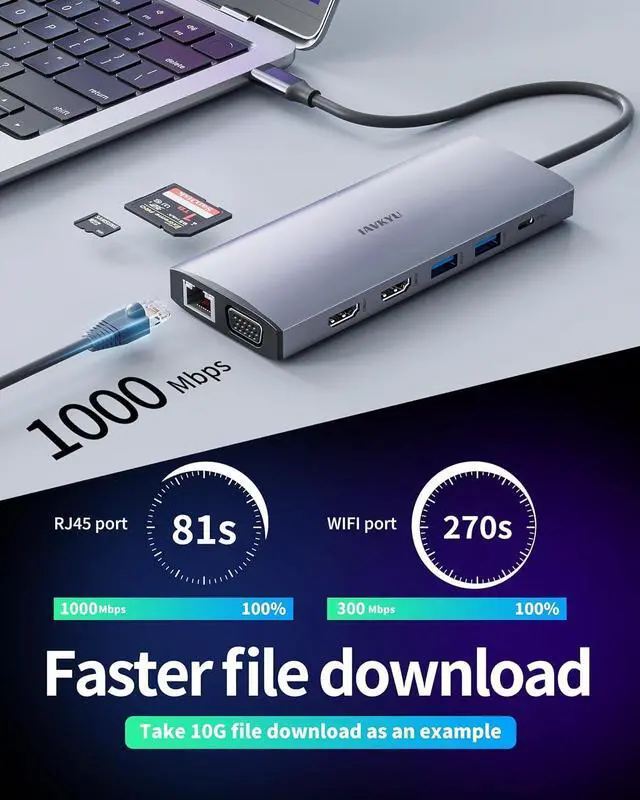
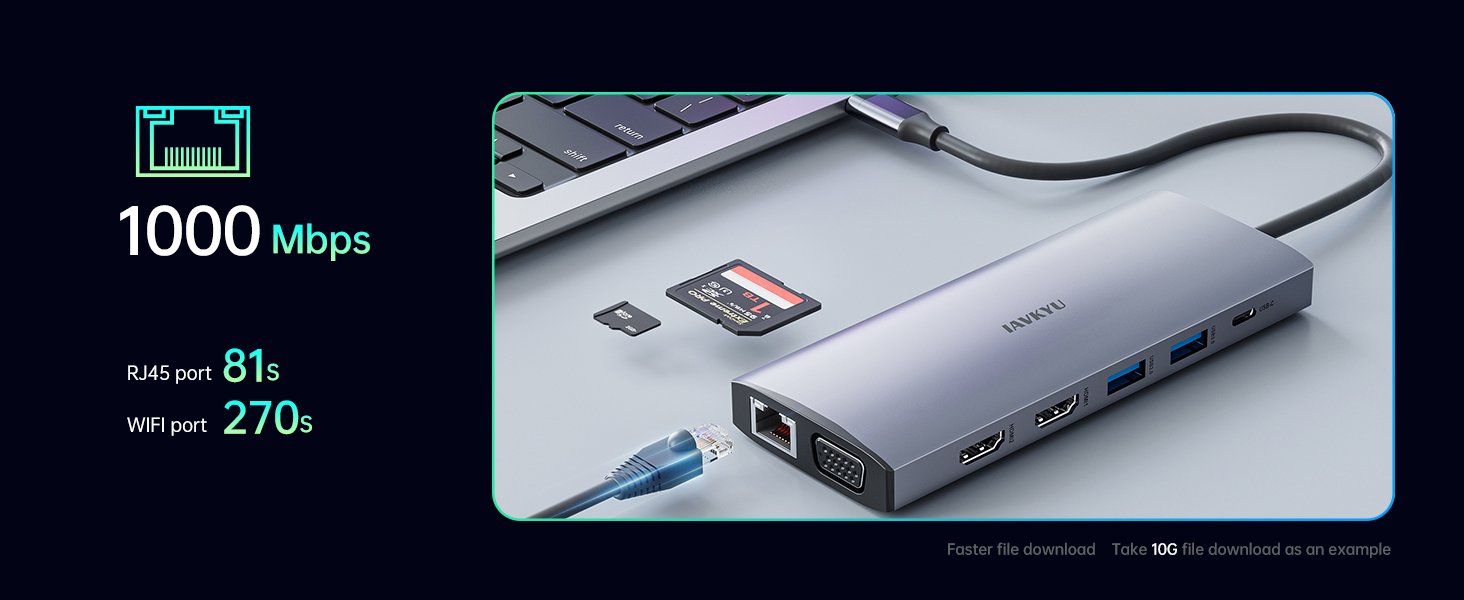
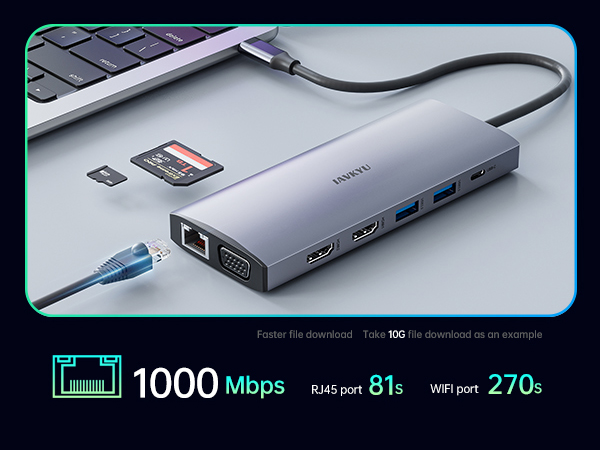
Enthernet (Max) | 1000Mbps | 1000Mbps | 1000Mbps | 1000Mbps | 1000Mbps |
Audio 3.5 | 1 | 1 | -- | 1 | 1 |
Is this USB-C docking station compatible with my laptop?
Only when the USB-C port on your laptop supports charging, data transfer, and video output simultaneously, can you fully utilize the functionality of this USB-C docking station, including USB4, Thunderbolt 3/4, Type C 3.1/3.2 Gen 2.
My docking station not charging my laptop?
1.Please check if your laptop has multiple USB-C ports and identify the one that supports PD charging.
2. Ensure that the external power input charges through the PD charging port on the docking station.
Why is there no video output?
1.Please make sure your host supports DisplayPort video output functionality!
2.Please use standard HDMI/DP cables.
3.Check if the cables are well connected.
4.Ensure you select the correct input source for your HDMI and DP monitors.
How to Set Up Displays on Windows and Mac Operating Systems? Mac OS does not support extending multiple display scenes
Windows OS: Right-click on the desktop > Graphics Settings > Display > Extend Desktop
Mac OS: Apple logo > System Preferences > Display > Mirror Display
Note: Mac OS does not support extending multiple display scenes (Extended Mode).
Is there advice on power connection and adapter usage?
1.It is recommended to connect to power during use, with a power input of 65-100W for optimal performance.
2.We do not recommend using any other adapters with the docking station as compatibility cannot be guaranteed
List of Compatible Devices for 14-in-1 USB-C Docking Station (Not a Full List)
| For Dell Laptops | Dell Inspiron 7420/7425/7430/7435/7506 /7610/7620/7630/7635/7791/3420/5420/5425/5430/5620/5625/5630/5635;Dell Latitute 7320/7340/7400/7410/7420/7430/7440/7480/7490/7530/7640/9420/9430/9440/7230/7280/7300/7330/5310 /5340 /5411/5420 /5421 /5430 /5400 /5440 /3110/3140/3420/3440/3445/3510 /3520 /3540/5491/5510/5520/5540/5530/5580; Dell Vostro 5620/5410; XPS 9380/13/15/17;Dell G15-5530/G16-7630; Dell Precision 7780/7770/7680/7670/7750/7730/3551/3470/3480/3570/3571/3580/3581/5470/5480/5570/5680; |
|---|---|
| For Dell Laptops | Precision Workstation Model 5570/5680/5690/5490/7780/7680/5480/3591/3581/3480/3580/3590/3490;Inspiron 16 5630; Inspiron 16 2-in-1 Laptop 7630/7635 2-IN-1;Inspiron 14 Model5430/3420; Inspiron 14 2-in-1 Laptop Model 7435;Inspiron 16 Plus 7630/7640;Alienware m16/m16 R2/m18/m18 R2 Gaming Laptop;Alienware x15 R2 Gaming Laptop/ x15 R7 Gaming Laptop/ x14 R2 Gaming Laptop;Gaming Laptop G16 Model7630/G15 Model 5530 5535; x16/x16 R2 Gaming/ x17 R2 Gaming Laptop;Updating... |
| For Lenovo Laptops | Lenovo Yoga 900/920/720/730;ThinkPad t490;Lenovo Yoga 9;ThinkPad t15/t16 Gen 1;T16 (16” Intel);ThinkPad T14/T14s Gen 4 /3 (14? Intel) ;ThinkPad P16/s Gen 2 (16? Intel) ;ThinkBook 14 Gen 6/4 (14? Intel) Laptop;ThinkPad L390/ L13 /X390/X380 Yoga(13") Laptop;ThinkPad P1 Gen 5/6 (16? Intel);ThinkPad P14s Gen 4 (14? Intel); ThinkPad X1 Carbon Gen 7/Gen8/Gen 10 Gen 12 (14” Intel) Laptop/Gen 11 (14” Intel) Laptop;ThinkPad X1 Yoga Gen 5/Yoga Gen 7/8 (14” Intel) 2 in 1; T16 Gen 2 (16? Intel) ; |
| For Lenovo Laptops | HP Elitebook ( 735 G6/745 G5/800 G4/830 G5/840 G5 series/6850 G5/850 G7/850 G8/845 G7/840 G8 845 G8/830 G6),HP Zbook ( 15 G5/ 17 G4/ 16 G6 ),HP robook ( 450 G7/450 G6/440 G7/ 450 g5/640 G5/ 650 G5),HP Spectre( 13/ 360/ X360-13T/ 15T/ X369),HP Envy( Geforce MX250/ 17T/ X360) |
| For Hp Laptops | HP Elitebook 650 G9/830 G9 Pro/830 G9 13.3in/830 G10 13.3 in/830 G8/840 G7/840 G8/840 G9 14 in/840 G10 14 in/850 G5/855 G8/860 G10 16 inch/860 G9 16inch/1040 G9 14inch/1040 G10 14 in;HP ProBook 450 G5 G6 G7/440 G9/450 G9/455 G8/470 G5/455 15.6 inch G10/450 G10 15.6 inch/440 G10 14 inch;ZBook 17 G4/ 15 G3/FURY 16 in G10/Fury 15.6 in G10/ STUDIO 16 in G10/FIREFLY 16 inch G10/Power 15.6 inch G10/ Firefly 14 inch G10/Firefly 14 g7/Firefly g8 Laptop; |
| For Hp Laptops | Envy x360 13-bd0080ng/X360 2-IN-1 Laptop 15-EW0007TX/ 360 convertible 15/Laptop 16-h1047nr/Envy 2-IN-1 X360 15.6 in Laptop 15-FE0001TU /FE0000TX/Envy 16 in Laptop 16-H1003TX; Pavilion 2-IN-1 X360 14 in Laptop 14-EK1040TU/14-EK1025TU/14-EK1026TU/14-EK1027TU; Omen 16.1 in Laptop 16-wf0015TX/wf0014TX/WF0013TX;Victus 15.6 in Laptop 15-fa0023TX/FA1035TX, HP Elite×2 1012/Elitebook Folio G1;HP Spectre x360/Spectre x2/Spectre x360 13t/Spectre Laptop 13-af001TU/Spectre folio (13t-ak000cto);Updating... |
| For Surface Laptops | Surface Pro X/7/8/9;Surface Laptop 3/4/5;Microsoft Surface Book 2;Surface Go 4/Go 3;Surface Laptop Studio2/2+; |
| For Apple Laptops | MacBook Pro(2017,2018,2019,2020,2021,2022,2023),MacBook Air 2018-2023,Mac mini 2018-2023 ,iPad Pro 2018,iPhone 15 Series NOTE:Mac OS only supports a single display (Mirror Mode) and does not support multiple displays (Extended Mode). |
| Incompatible Devices | Incompatible Compatible Device's Models (not full list),If your device is not listed here, please verify with us. |
| Incompatible Dell Devices | Vostro 14 Laptop Model3430;Vostro 15 Laptop Model 3530 3535; Vostro 3420Laptop;Dell Latitude 3390;Dell Inspiron 15 Laptop Model 3525/3520/3511/7000/3000;Inspiron 11 3000 2-in-1, Inspiron 17 3000;Dell Chromebook 5190; , Dell inspiron 3525 /7706 2n1,Dell Inspiron 15-5000 series/14-5410 15-3000/15-3583; |
| Incompatible Lenovo Devices | Lenovo AMD and IdeaPad Series;IdeaPad C340-14API;T14 Gen 2,T15 Gen 2,P14s Gen 2 P15s Gen 2 AMD ;Chromebook Duet 3 (11”)/Duet 5 13”;ThinkPad X240;V15 G2; legion y540;IdeaPad 5 15ial7/pro14acn6 82l700bpus;IdeaPad 3 15ITL6/3i (15”, Intel) ;IdeaPad 1-15IJL7;IdeaPad 720 Miix;Yoga Flex 5; |
| Incompatible HP Devices | Elitebook x360 1030 G2/745 G3/820 G3;ProBook 6550b/650 G2/430 G5;HP 15-dw3205ng/ef2xxx/dy2176nr/dw3xxx/dw 3033 dx;Pavillion 15 ck009/cs3000/cs1014-ng/cw1003ng/15t-eg200/All-in-one 24-k0xxx;HP Laptop 14-dq2033cl;FD0062TU/FD0068TU/15S-FQ5057TU/FD0064TU/FD0060TU/14-EP0049TU/EP0048TU/17-CN3000TX/FC0087AU/FC0084AU;Pavilion Power 15-cb,HP bs049dx; |
| Incompatible ASUS Devices | ASUS VivoBook Laptop X1704ZA - i7 1700MHz 10 Cœurs 12 processeurs. Bios IEFI 3.5 - WINDOWS 11;VivoBook 15 X1500EA;VivoBook 17 - X705UA-GC340T;VivoBook flip 14;Asus ZenBook Pro UX550VE/15UX580GD/UX580GE/UX581/UX391; |
| Incompatible Acer Devices | Acer Aspire A515-44-R1DM, Aspire a515-54 model,Acer Aspire E15, Acer chromebook model CB515-1HT-C2AE;AcerAcer Nitro 5 AN515-45 AN517-41 AN517-54;Acer Aspire A717-72G, Acer predator helios neo;Acer F5-573G; |
| Incompatible Samsung Devices | Samsung S23 FE phones/Samsung galaxy tab s6 tablet/Samgung Galaxy a7/a8/a10 e/a20/a50/j7 Prime/ Samsung Galaxy Tab S3/4/ Samsung Galaxy Tab E/ Samsung Galaxy s5/s6/s7 or older verision |
| Not Compatible List | Google Pixel, Pixel2,Pixel xl,Pixel C;LG G6/K8/K20/K30/Stylo 5/4/G7 thin Q;Power Laptop 15-cb, 15 ck009,15-cs3000,Microsoft: Surface Pro 4/ Surface Pro 3/ book 3 /laptop1/2;Motorola G7/G6/G5/Zplay/Z3;ZTE/ZTE max pro/ZTE Blade X;Honor view 10;Lenovo Tab 4;ASUS zenpad z10;Google pixel book 2;Max/zxon 7;Blu vivo xl,blu vivo 5r; |
IAVKYU Laptop Docking Stations
2*HDMI+1*VGA | HDMI(4k@60Hz)+DP(8k@30Hz) | 1*VGA+2*HDMI | 2*HDMI+1*DP | 2*HDMI+1*DP+1*VGA |
|---|---|---|---|---|
| Customer Reviews | ||||
| — | — | — | — | — |
| Price | ||||
| — | — | — | — | — |
| Display Ports | ||||
| 3 | 3 | 3 | 3 | 4 |
| Resolution (Max) | ||||
| 4K@60Hz | 8K@30Hz/4k@144Hz | 4K@60Hz | 4K@60Hz | 4K@60Hz |
| USB-C Power Ports | ||||
| 1 | 1 | 1 | 1 | 1 |
| USB-C Power Deliver(Max) | ||||
| 87W | 87W | 87W | 87W | 87W |
| USB-A Data Port | ||||
| 5 | 5 | 5 | 5 | 5 |
| USB-A Transfer Speed (Max) | ||||
| 5Gbps | 5Gbps | 5Gbps | 5Gbps | 5Gbps |
| USB-C Data Port | ||||
| 1 | 1 | 1 | 1 | 1 |
| USB-C Transfer Speed (Max) | ||||
| 5Gbps | 5Gbps | 5Gbps | 5Gbps | 5Gbps |
| SD/TF Card Reader Port | ||||
| 2 | 2 | 2 | 2 | 2 |
| Enthernet (Max) | ||||
| 1000Mbps | 1000Mbps | 1000Mbps | 1000Mbps | 1000Mbps |
| Audio 3.5 | ||||
| 1 | 1 | -- | 1 | 1 |
We are a young team, and we want to change the world; Your trust can help us accelerate the pace of innovation.
A team that strives for almost perfect product details strives to provide you with a highly cost-effective product experience.
This is what we are doing. We find happiness for this.
Laptop Docking Stations
Steam Deck Dock(7-in-1)
Steam Deck Dock