











Overview
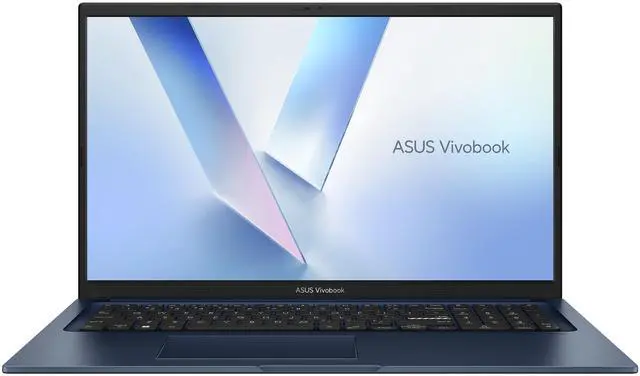
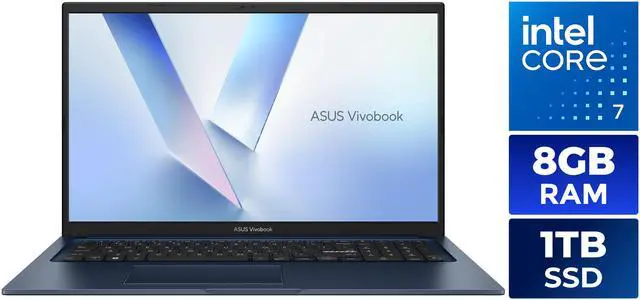
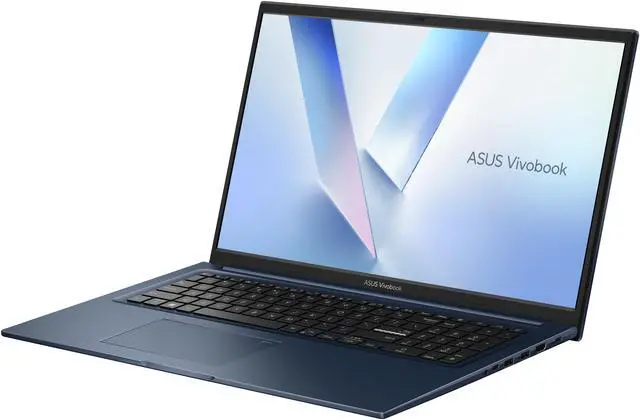
ASUS Vivobook 17 is a thin and light laptop for home, personal, and mainstream use. It combines a 17.3-inch FHD display, Intel Core 7 150U processor, 8GB DDR5 memory, 1TB SSD storage, and Windows 11 Home in a Quiet Blue design.
Key Features
Performance
The Intel Core 7 150U processor provides 10-core (2P+8E) processing and 12 MB CPU L3 cache. The laptop includes 8GB DDR5 memory, a 1TB SSD, integrated Intel Graphics with shared system memory, and a 50WHrs, 3S1P, 3-cell Li-ion battery with battery life up to 10 hours. Fast charging allows a low battery to reach 60% in as little as 49 minutes.
Design
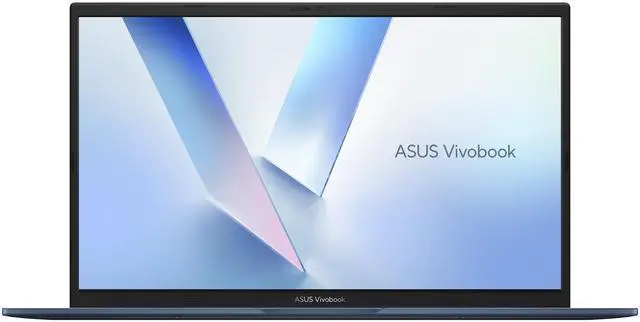
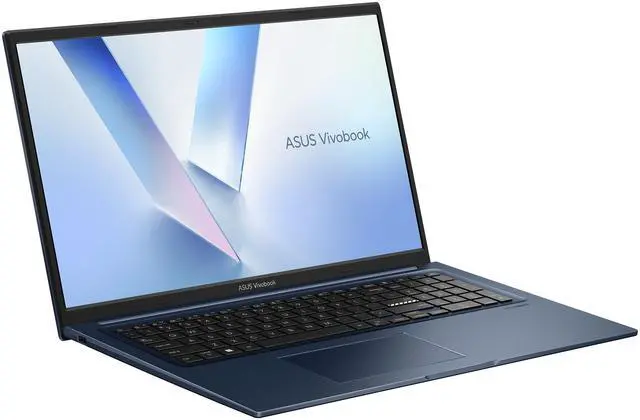
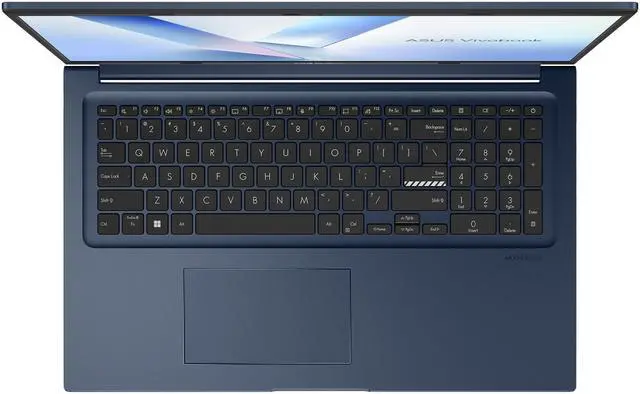
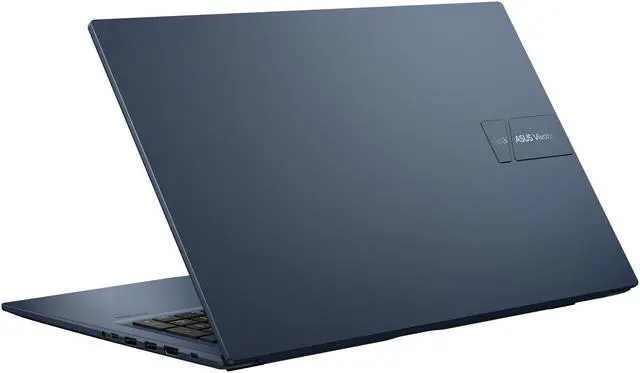
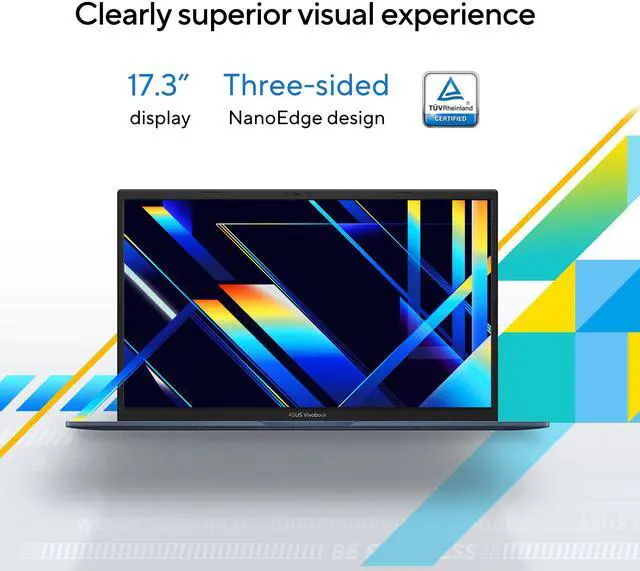
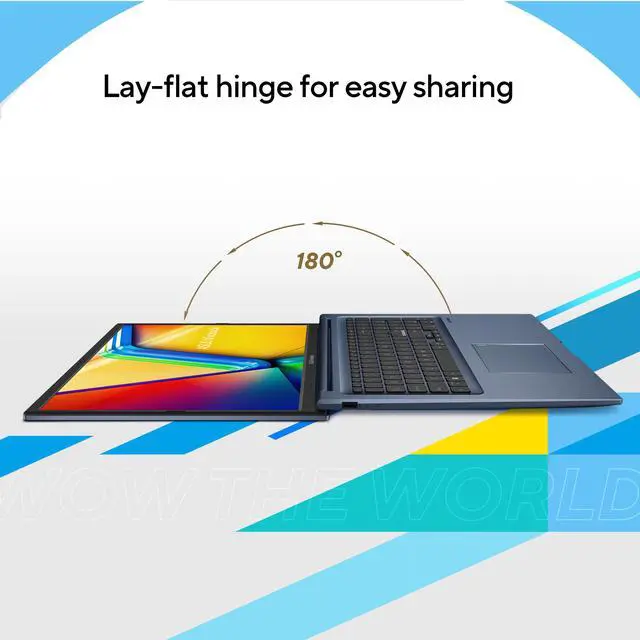
The Quiet Blue laptop has a thin and light form factor measuring 15.72" x 10.01" x 0.78" and weighing 4.63 lbs. Its 17.3-inch display uses a slim-bezel NanoEdge design with wide viewing angles. The backlit Chiclet keyboard includes a numeric keypad, while the Precision touchpad supports everyday navigation.
Connectivity & Compatibility
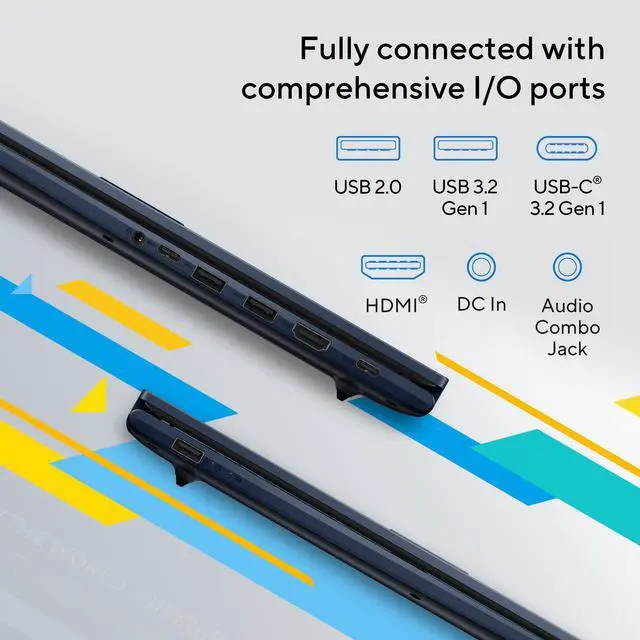
Wireless connectivity includes 802.11ax Wireless LAN with Wi-Fi 6 and Bluetooth 5.2. Ports include one USB 2.0 Type-A, two USB 3.2 Gen 1 Type-A ports, one USB 3.2 Gen 1 Type-C port, one USB 3.2 Gen 1 Type-C port with support for power delivery, one HDMI 1.4 port, and one 3.5mm combo audio jack.
Reliability & Durability
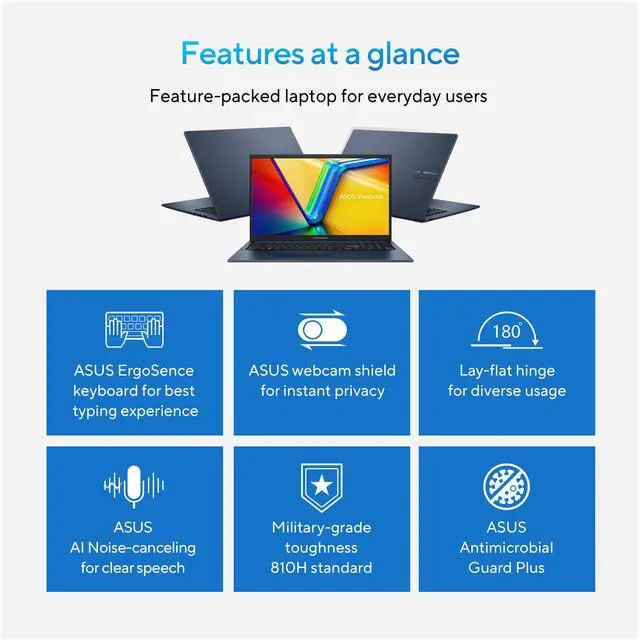
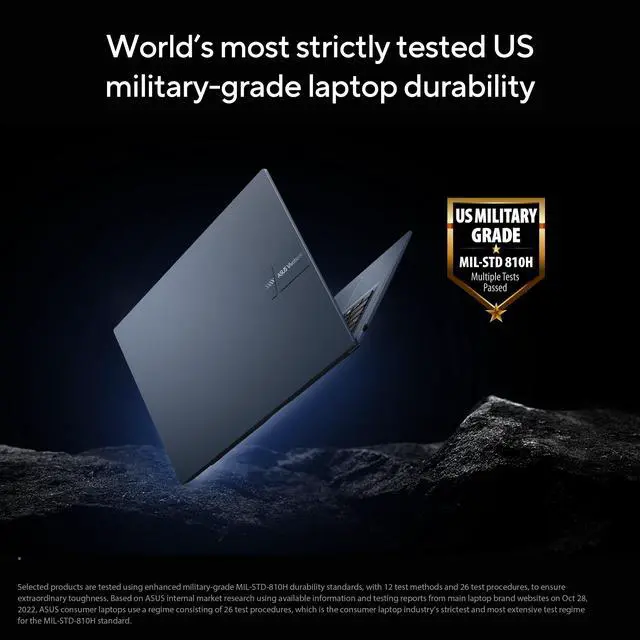
The 17.3-inch display carries TÜV Rheinland eye-care certification. Antimicrobial Guard Plus inhibits over 99% of germs on frequently touched surfaces, including SARS-CoV-2, H3N2 (Influenza A), H1N1, and E. coli.
Specifications
We want to ensure your holiday shopping this year is hassle-free. That’s why we’re automatically extending our return policies on almost every product! For purchases placed between November 1st, 2026 and December 31, 2026 you will have until January 31, 2027 to return your product.
The ASUS Vivobook 17 F1704VAP-NB71 is a 17.3-inch Windows 11 laptop built for everyday home, school, and office use, offering an Intel Core 7 150U, 8GB DDR5 memory, and a 1TB SSD for browsing, documents, streaming, and multitasking on a large Full HD display.
| Attribute | Value |
|---|---|
| Best For | Home/personal mainstream 17.3-inch laptop for everyday productivity and media with a 10-core Intel Core 7 150U, 8GB DDR5 RAM, 1TB SSD, and Windows 11 Home |
| Processor And Core Count | Intel Core 7 150U, 10-core (2P+8E) processor with 12 MB L3 cache |
| GPU And VRAM | Integrated Intel Graphics using shared system memory |
| Display Spec | 17.3-inch FHD non-touch widescreen display (1920 x 1080) at 60 Hz |
| Memory Configuration | 8GB DDR5 system memory |
| Storage And Expansion | 1TB internal SSD, no optical drive |
| High Speed I O | I/O includes 1× USB 2.0 Type-A (up to 480Mbps), 2× USB 3.2 Gen 1 Type-A (up to 5Gbps), 2× USB 3.2 Gen 1 Type-C (up to 5Gbps; one supports power delivery), HDMI 1.4, and a 3.5mm combo audio jack |
| Battery And Power | 50WHrs 3-cell Li‑ion (3S1P) battery rated up to 10 hours, with 48W USB-C AC adapter (Output: 20V DC, 2.4A, 48W; Input: 100~240V AC 50/60Hz) |
| Wired And Wireless Networking | 802.11ax Wi‑Fi 6 wireless LAN and Bluetooth 5.2 |
| Webcam And Privacy | 720p HD webcam |
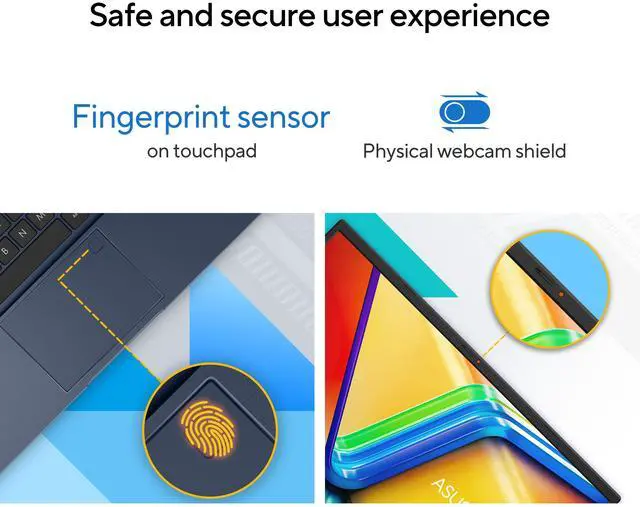
| Keyboard And Control | Backlit chiclet keyboard with numeric keypad, precision touchpad, and fingerprint reader |
| Audio Setup | SonicMaster-tuned audio with built-in speaker(s) and built-in array microphone |
| Portability | Thin-and-light design, dimensions 15.72 x 10.01 x 0.78 inches, weight 4.63 lbs |
| External Display And Docking Fit | HDMI 1.4 for external displays; USB-C ports provide data (up to 5Gbps) and power delivery for charging |
| Model Identifiers | ASUS VivoBook 17 F1704VAP-NB71 (Part Number 90NB13Y2-M01JN0) in Quiet Blue, ships with Windows 11 Home |
Q: Should I choose this ASUS Vivobook 17 or a 15.6-inch Vivobook for everyday work?
A: Choose the ASUS Vivobook 17 if screen space and a full-size workspace matter more than portability. Its 17.3-inch display and numeric keypad are a better fit for spreadsheets, multitasking, and home use. A 15.6-inch Vivobook is usually the better choice if you carry your laptop often, since the smaller size is easier to fit in bags and use on the go. The core trade-off is larger viewing area versus easier mobility.
Q: Is this Core 7 150U Vivobook 17 worth choosing over a Core i5 U-series 17-inch laptop?
A: Choose this model over a Core i5 U-series alternative when you want a modest step up in CPU headroom for heavier multitasking, larger spreadsheets, and longer-term everyday use. The Core 7 150U stays in the same low-power class as common Core i5 U chips, so the difference is usually incremental rather than a major class change. If your workload is mainly web, documents, streaming, and video calls, a Core i5 version often delivers a similar overall experience at a lower cost. This Vivobook 17 makes more sense when the price gap is small or when you want the stronger configuration without moving to a heavier performance laptop.
Q: Should I get this 8GB Vivobook 17 or a 16GB configuration?
A: Choose this 8GB configuration if your use is light and predictable: web browsing, Office apps, streaming, email, and video calls. Choose a 16GB configuration if you expect heavier browser tab use, frequent multitasking, or a longer ownership cycle. The main trade-off is that this model's Core 7 processor is capable enough for everyday productivity, but 8GB memory is the part most likely to define how smooth the laptop feels under load. In practical buying terms, 8GB fits basic home use, while 16GB is the safer choice for multitasking and longevity.
Q: Is this Vivobook 17 a better buy than a performance-focused laptop with dedicated graphics?
A: Choose this Vivobook 17 if your priority is a large display, quiet everyday productivity, and lower-power home use. Its Core 7 150U processor and integrated graphics are well matched for documents, browsing, media, and general office tasks. A performance-focused laptop with dedicated graphics is the better fit for gaming, 3D work, video editing, or other graphics-heavy workloads. The trade-off is straightforward: this ASUS model is aimed at mainstream productivity, while a dedicated-GPU laptop is for users who need clearly higher graphics and sustained performance.
Q: Should I upgrade to this model from an older 11th- or 12th-gen mainstream 17-inch laptop?
A: This model is a sensible upgrade if your current 17-inch laptop feels slow in multitasking, still uses a smaller SSD, or lacks newer convenience features such as Wi-Fi 6, USB-C charging support, a webcam privacy shutter, and fingerprint sign-in. The gain is usually more about overall responsiveness, storage capacity, and modern connectivity than about a dramatic jump in graphics power. If your older laptop already feels fast enough and has 16GB RAM, the upgrade case is mainly about the newer platform features and the 1TB SSD rather than a complete change in experience.
Q: Is this ASUS Vivobook 17 a good fit for office work, note-taking, video meetings, and everyday home use?
A: Yes. This configuration is well suited for everyday productivity such as web browsing, Microsoft Office, email, note-taking, streaming, and video calls. The Intel Core 7 150U, 8GB RAM, and 1TB SSD are enough for mainstream work, and the 17.3-inch FHD display is useful if you prefer larger text and more on-screen space. The trade-off is that it is a big-screen laptop, so it is better as a home or desk-based machine than as a highly portable carry-everywhere device.
Q: Is it worth buying as a travel work laptop?
A: Only if screen size matters more than portability. At 4.63 lb with a 17.3-inch chassis, this model is larger and less travel-friendly than a typical 14-inch or 15.6-inch laptop. It can still work for trips if you mainly want a big display for spreadsheets or multitasking, but most frequent travelers will find a smaller laptop easier to carry and use on the go.
Q: Who is this laptop best suited for?
A: It is best for buyers who want a large-screen Windows laptop for general use: home users, students, remote workers, and anyone doing documents, browsing, media streaming, light multitasking, and routine business tasks. It is less suitable for gaming, heavy video editing, 3D work, or buyers who want a touchscreen, high-refresh display, or dedicated graphics.
Q: What are the main trade-offs versus a smaller 15-inch or 16-inch laptop?
A: The main advantage is the larger 17.3-inch screen, which is better for split-screen work, reading, and media. The main trade-offs are portability and flexibility: this model is heavier, takes up more bag space, has a standard 60Hz non-touch display, uses integrated graphics, and does not include built-in Ethernet. A smaller 15-inch or 16-inch laptop is usually easier to carry, while this one is the better choice if screen size is the priority.
Q: Is 8GB RAM enough on this model, or should you look for a 16GB alternative?
A: 8GB is acceptable for basic use, but 16GB is the safer choice for longer-term value. If your workload is mostly browser tabs, Office apps, streaming, and meetings, 8GB can work. If you multitask heavily, keep many tabs open, run creative apps, or want more headroom over time, a comparable 16GB model will feel less constrained.
Q: Is the ASUS Vivobook 17 F1704VAP-NB71 a good everyday laptop for work, web browsing, and media?
A: Yes for general daily use. The Core 7 150U, 1TB SSD, 17.3-inch FHD screen, full keyboard, and Wi-Fi 6 make it a practical fit for office work, browsing, video calls, and streaming. The main trade-off is memory: 8GB RAM is enough for light multitasking, but it is less ideal if you keep many tabs and apps open at once.
Q: Who is this Vivobook 17 best suited for?
A: It is best suited for buyers who want a large-screen home or desk laptop for productivity, spreadsheets, documents, email, classes, and media. It is a better fit for users who value screen size and a number pad than for users who need high portability or stronger graphics performance.
Q: What are the main trade-offs of buying this model?
A: The main trade-offs are 8GB RAM, integrated Intel graphics, a basic 60Hz display, and a larger 17.3-inch chassis. That means it is better for mainstream productivity than for gaming, heavy creative work, or frequent travel. The large screen helps usability, but the size and 4.63 lb weight make it less convenient as a carry-everywhere laptop.
Q: Is this a good choice if I want a big-screen laptop instead of a desktop replacement?
A: Yes, if you want a simpler, mainstream large-screen system rather than a powerful desktop replacement. It gives you a 17.3-inch display, 1TB SSD storage, and modern connectivity in a thinner consumer laptop, but it does not offer the RAM, graphics power, or port selection that some users expect from true performance-oriented desktop replacements.
Q: Is this model worth buying if I plan to keep it for several years?
A: It can be worth buying for long-term basic use if your needs are limited to everyday productivity and media, especially because the 1TB SSD is generous. The caution is that 8GB RAM gives it less headroom over time than a 16GB configuration, so buyers planning heavier multitasking or longer-term flexibility may want a higher-memory variant instead.