




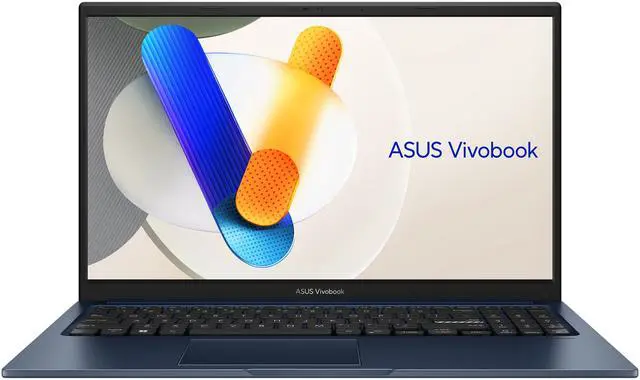
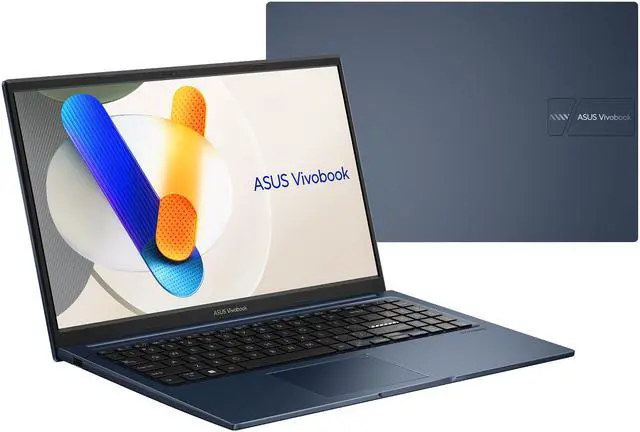
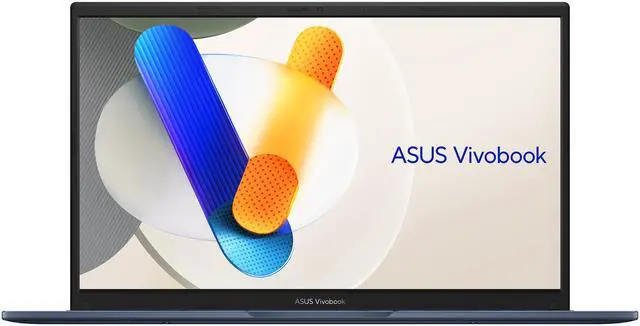
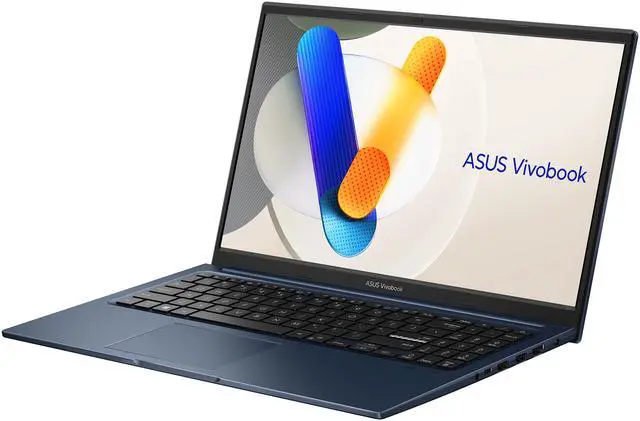
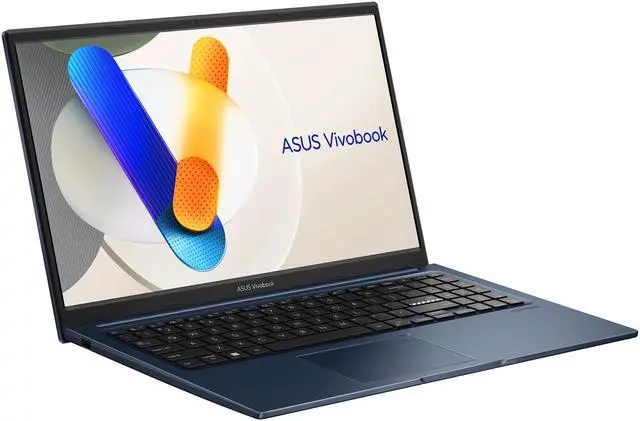

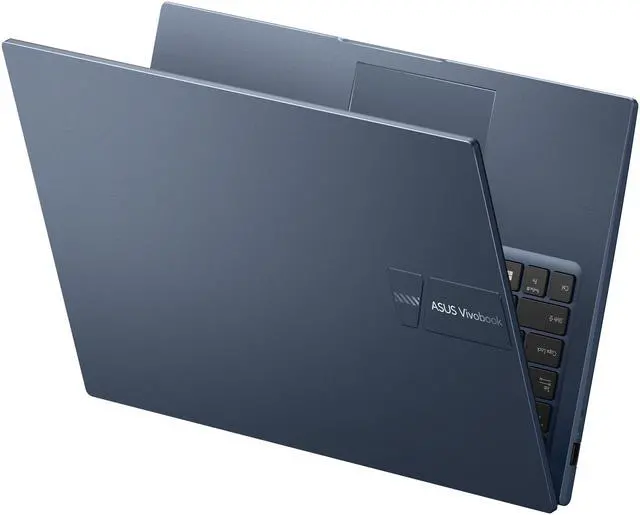





ASUS VivoBook 15.6" Touchscreen Laptop, Intel Core i5-1334U, 16GB DDR4, 512GB PCIe G3 SSD, Windows 11 Home, F1504VA-BS51T
- Processor: Intel Core i5-1334U 10-core processor with 2P+8E architecture and 12 MB L3 cache
- Graphics: Integrated Intel Iris Xe Graphics with shared system memory
- Memory: 16GB DDR4 3200 memory with 8 GB onboard plus 8 GB x 1
- Storage: 512 GB PCIe G3 SSD for everyday file and application storage
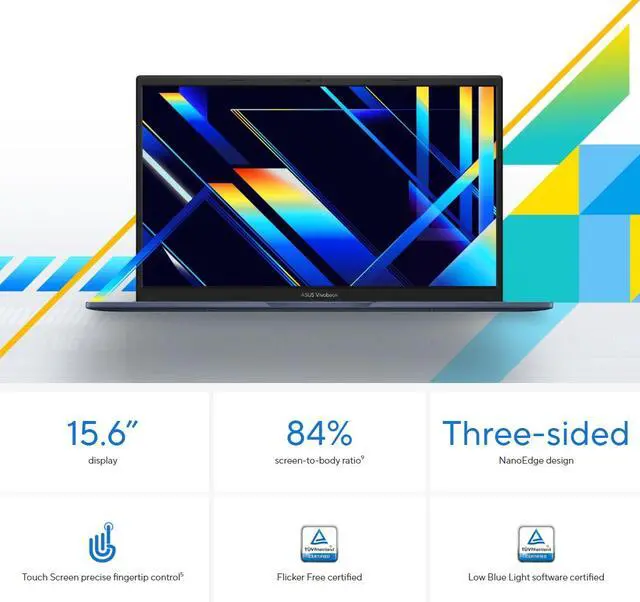
- Touchscreen Display: 15.6" IPS touchscreen with 1920 x 1080 resolution and 60 Hz refresh rate
- Operating System: Windows 11 Home with Wi-Fi 6E, Bluetooth 5.3, and built-in connectivity options
+
+
Overview
Specs
Reviews (12)
Overview
The ASUS VivoBook F1504VA-BS51T is a thin and light 15.6" touchscreen laptop for home and personal use. It combines an Intel Core i5-1334U processor, 16GB DDR4 memory, 512 GB PCIe G3 SSD storage, and Windows 11 Home in a Quiet Blue design.
Key Features
- 15.6" IPS touchscreen display with 1920 x 1080 resolution
- Intel Core i5-1334U 10-core processor
- 16GB DDR4 3200 memory
- 512 GB PCIe G3 SSD
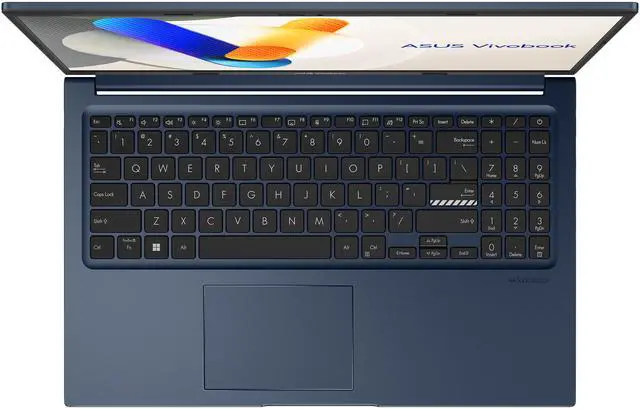
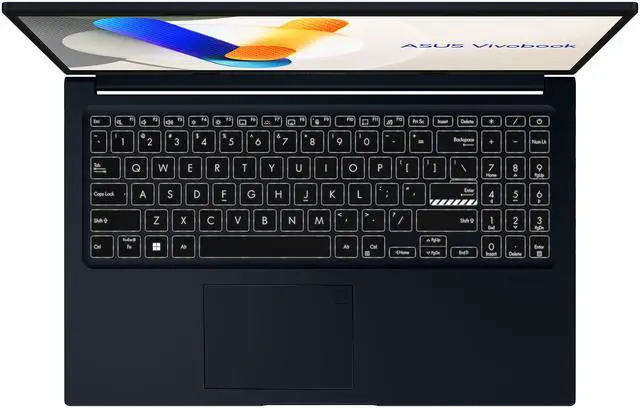
- Backlit Chiclet keyboard and Precision touchpad
- 720p HD webcam, built-in speaker, and array microphone
Performance
The Intel Core i5-1334U is a 10-core processor with 2P+8E architecture and 12 MB L3 cache. Integrated Intel Iris Xe Graphics uses shared system memory. The laptop includes 16GB DDR4 3200 memory and a 512 GB PCIe G3 SSD.
Design
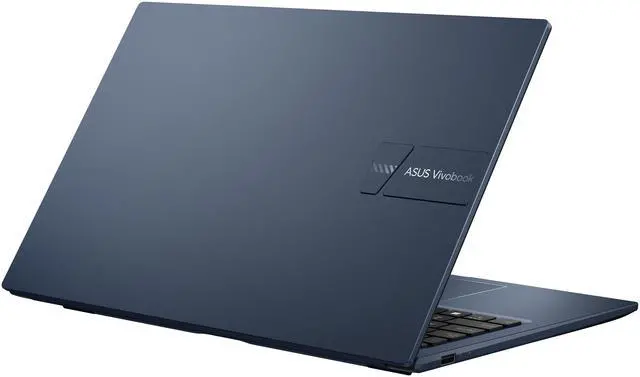
The thin and light laptop measures 14.16" x 9.15" x 0.70" and weighs 3.75 lbs. It features a Quiet Blue color, 15.6" IPS touchscreen, backlit Chiclet keyboard, Precision touchpad, built-in speaker, SonicMaster audio, array microphone, and 720p HD webcam. Power is provided by a 42WHrs, 3S1P, 3-cell Li-ion battery and a 45-watt AC adapter.
Connectivity & Compatibility
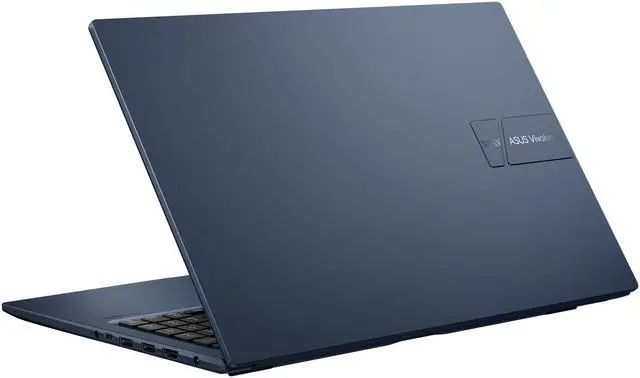
Wireless connectivity includes 802.11ax Wireless LAN with Wi-Fi 6E and Bluetooth 5.3. Ports include 1 x USB 2.0/1.1, 1 x USB 3.2 Gen 1 Type-C, 2 x USB 3.2 Gen 1 Type-A, 1 x HDMI 1.4, and 1 x headphone/microphone combo jack. The laptop runs Windows 11 Home.
Specifications
- Brand: ASUS
- Series: VivoBook
- Model: F1504VA-BS51T
- Part Number: 90NB10J1-M02XS0
- Color: Quiet Blue
- Operating System: Windows 11 Home
- Processor: Intel Core i5-1334U
- Processor Cores: 10-core (2P+8E) Processor
- CPU L3 Cache: 12 MB
- Graphics: Intel Iris Xe Graphics, integrated card
- Video Memory: Shared system memory
- Display: 15.6" IPS touchscreen
- Resolution: 1920 x 1080
- Refresh Rate: 60 Hz
- Memory: 16GB DDR4 3200
- Memory Configuration: 8 GB onboard + 8 GB x 1
- Storage: 512 GB PCIe G3 SSD
- Wireless LAN: 802.11ax
- Wi-Fi Generation: Wi-Fi 6E
- Bluetooth: Bluetooth 5.3
- Dimensions: 14.16" x 9.15" x 0.70"
- Weight: 3.75 lbs.
- Battery: 42WHrs, 3S1P, 3-cell Li-ion
- AC Adapter: 45-watt AC Adapter
Warranty & Returns
Warranty, Returns, And Additional Information
Warranty
- Limited Warranty period (parts): 1 year
- Limited Warranty period (labor): 1 year
- Read full details
Return Policies
- Return for refund within: 15 days
- Return for replacement within: 15 days
- This item is covered by Newegg.ca's 15-Day Return Policy.
- Read full return policy for details.
Manufacturer Contact Info
- Manufacturer Product Page
- Manufacturer Website
- Support Phone: 1-888-678-3688
- Support Website
- View other products from ASUS
LOADING...
LOADING...
The ASUS VivoBook 15 F1504VA-BS51T is a 15.6-inch Full HD touch laptop with an Intel Core i5-1334U, 16GB RAM, and 512GB SSD, making it a strong fit for students, home users, and office work that prioritizes everyday speed, touch input, and a full-size display.
Recommended For
- Students or home users who mostly work in a browser, Office apps, streaming, and video calls, and want a 15.6-inch screen with 16GB RAM for smoother multitasking than typical entry models.
- Remote workers who value a practical home-office setup: full-size 15.6-inch display, backlit keyboard, webcam privacy shutter, and a lay-flat hinge for everyday meetings and desk use.
- Shoppers who specifically want a touch-enabled Windows laptop for tapping through web pages, forms, school portals, or casual media use without moving up to a 2-in-1.
- Buyers who keep a laptop plugged in around the house and want a straightforward daily-use machine for email, budgeting, light photo handling, and family admin rather than specialized workloads.
Real-World Use Scenarios
- Daily work or school use with many browser tabs, Word, Excel, email, and video streaming should feel smooth for typical multitasking, with enough memory for common office and study workloads.
- For home productivity like paying bills, managing documents, joining Zoom or Teams calls, and light photo edits, it should handle routine tasks without feeling slow, but it is not aimed at heavy creative workloads.
- The touchscreen and 15.6-inch display fit well for casual couch use like web browsing, scrolling recipes, online shopping, and watching classes or YouTube, where direct touch input is more convenient than essential.
- It works as a portable everyday laptop for coffee-shop or commute use, but battery expectations should stay moderate rather than all-day, especially with brighter screen settings, many tabs, or video calls.
- For light creator or hobby use such as Canva, basic 1080p edits, presentations, and simple design work, it is generally suitable, but export times and graphics-heavy apps will be limited by the integrated GPU.
- It is a poor fit for modern AAA gaming or demanding 3D work; lighter games and older titles may run at reduced settings, but this model is mainly for everyday computing rather than gaming-first use.
Spec Summary
| Attribute | Value |
|---|---|
| Best For | Home/personal users and developers who want a 15.6" touchscreen laptop for everyday productivity, web/media and light development work, powered by a 13th Gen Intel i5 with 16 GB RAM and a 512 GB SSD running Windows 11 Home |
| Processor And Core Count | Intel Core i5-1334U (13th Gen) processor, 10 cores (2 performance + 8 efficiency), 12 MB L3 cache, listed processor speed 3.8 GHz |
| GPU And VRAM | Intel Iris Xe integrated graphics using shared system memory |
| Display Spec | 15.6" FHD (1920 x 1080) IPS touchscreen, LED backlight, 60 Hz |
| Memory Configuration | 16 GB total DDR4-3200 (8 GB onboard + 8 GB in one slot); no available user memory slots reported |
| Storage And Expansion | 512 GB PCIe Gen3 SSD |
| High Speed I O | Ports: 1x USB 2.0, 2x USB 3.2 Gen 1 Type-A, 1x USB 3.2 Gen 1 Type-C; HDMI 1.4 for external display; 1x headphone/microphone combo jack |
| Battery And Power | Built-in 42 WHrs, 3-cell Li‑ion battery with 45-watt AC adapter |
| Wired And Wireless Networking | Wi‑Fi 6E (802.11ax) wireless LAN and Bluetooth 5.3 |
| Webcam And Privacy | 720p HD webcam with built-in array microphone |
| Keyboard And Control | Backlit chiclet keyboard and precision touchpad |
| Audio Setup | SonicMaster audio with built-in speakers and support for headset via combo jack |
| Dimensions And Weight | 14.16 x 9.15 x 0.70 inches (W x D x H); weight 3.75 lbs |
| Model Identifiers | ASUS VivoBook model F1504VA-BS51T (Part 90NB10J1-M02XS0), Quiet Blue finish, Windows 11 Home, Manufacturer ASUS, Model Year 2026 |
Reference Q&A
Q: Should I choose the ASUS Vivobook 15 F1504VA or a Vivobook 15 OLED model?
A: Choose the Vivobook 15 F1504VA if you want a straightforward 15.6-inch touchscreen laptop for web, office work, school tasks, and everyday multitasking. Its Core i5-1334U, 16GB RAM, and 512GB SSD fit mainstream productivity well. Choose a Vivobook 15 OLED model if display quality matters more than touch input. ASUS positions the OLED version around a higher-contrast panel, and many OLED configurations also move to faster Ryzen 7 or H-series chips, which can improve heavier multitasking, media work, and light gaming. The trade-off is that the F1504VA is the simpler fit for general home use, while the OLED line is the better fit for users prioritizing screen quality and, in many configs, stronger performance.
Q: Is this Vivobook 15 with Core i5-1334U worth it over a cheaper Core i3 model?
A: Yes, this configuration is the better choice if you plan to keep the laptop for several years or regularly run many browser tabs, Office apps, video calls, and light photo editing. The jump to a Core i5-1334U and 16GB RAM gives this model more headroom than typical entry-level Core i3 versions, which are better suited to lighter workloads. For basic email, streaming, and documents, a lower-tier model can still be enough. This F1504VA makes more sense when smoother multitasking matters more than the lowest purchase price.
Q: Should I upgrade from this Core i5-1334U Vivobook 15 to a Core i7-1355U model?
A: Move to a Core i7-1355U model if your workload includes heavier multitasking, larger spreadsheets, more frequent content creation, or if you want somewhat stronger integrated graphics. Across benchmark references, the i7-1355U is typically a modest step up rather than a different class of laptop. For everyday school, office, streaming, and browser-heavy use, the Core i5-1334U version is usually the more balanced value. The upgrade makes the most sense when you will actually use the extra CPU and iGPU headroom.
Q: How does this Vivobook 15 compare with a Ryzen 7 7730U laptop?
A: Choose this Vivobook 15 if you want a balanced Intel-based everyday laptop with a touchscreen and mainstream productivity focus. Choose a Ryzen 7 7730U alternative if your priority is getting more CPU performance in the same general thin-and-light category, especially for heavier multitasking or light development workloads. Community discussions and benchmark references often point to the Ryzen 7 7730U offering stronger multi-core performance, while the buying decision usually comes down to the full laptop configuration: touchscreen, display quality, battery size, ports, and price matter as much as the processor difference.
Q: Is this Vivobook 15 better for portability or should I buy a performance-first 15-inch laptop instead?
A: This Vivobook 15 is the better choice for everyday portability within the 15-inch class. Its 0.70-inch profile, 3.75-pound weight, 42Wh battery, and 45W charger align with a general-use thin-and-light design. A performance-first 15-inch laptop is the better fit if you need stronger sustained CPU power, dedicated graphics, or plan to game and create more often. Those systems typically add weight, thicker cooling, and higher power draw in exchange for more performance. In short: choose the F1504VA for mobile productivity and choose a performance-first model for heavier creative or graphics work.
Q: Is this ASUS Vivobook 15 a good fit for office work, Zoom, and everyday school tasks?
A: Yes. This configuration is well suited to office apps, web browsing, video meetings, note-taking, and general school or home use. The Intel Core i5-1334U, 16GB RAM, and 512GB SSD are strong enough for typical multitasking, and the built-in webcam, microphone, HDMI output, and touchscreen support common work and study needs. The main limit is that it uses integrated Intel Iris Xe graphics, so it is not meant for heavier gaming or demanding creative workloads.
Q: Is it worth buying as a travel work laptop?
A: It can work well for travel if your priority is a full-size, reasonably light Windows laptop for documents, meetings, and browser-based work. At 3.75 lb with a 15.6-inch display, it is portable for a mainstream laptop but not especially compact. The trade-off is that you get a larger screen and number pad, but less mobility than a 13- or 14-inch model. It is a practical travel-work choice for moderate mobility, not the best choice if ultra-light weight is the top requirement.
Q: Can this laptop handle dual-screen or desk setup use at home or in an office?
A: Yes, for a basic productivity setup. It has HDMI for an external monitor and USB-C plus USB-A for common peripherals, so it fits a simple desk setup for email, spreadsheets, meetings, and web work. However, it does not include a built-in Ethernet port, and its USB-C port should be treated as a basic data port rather than a full-featured docking solution. If you need wired networking or more ports, plan on using a USB-C hub or adapter.
Q: Who is this laptop best suited for, and who should skip it?
A: It is best for students, home users, remote workers, and small-office buyers who want a mainstream 15.6-inch touchscreen laptop for productivity and everyday use. It is a weaker fit for users who need a very long battery life, a highly portable 13- or 14-inch system, upgrade-friendly memory, or dedicated graphics for gaming, 3D work, or heavier video editing. The installed 16GB memory is solid for today, but because the specs show 8GB onboard plus one 8GB module with no free memory slot, RAM expansion is limited.
Q: Is this a better buy than a similar 15.6-inch touchscreen laptop with the same i5-1334U, 16GB RAM, and 512GB SSD?
A: Usually yes if you specifically want a touchscreen Vivobook with 16GB memory and standard productivity performance, because the core performance profile is already strong for everyday use. In this class, the real decision is less about speed differences and more about trade-offs such as weight, port selection, battery expectations, screen finish, keyboard feel, and brand preference. If a competing model offers the same CPU, RAM, and SSD, choose based on portability, ports, display preferences, and price rather than expecting a major performance gap.
Q: Is the ASUS Vivobook 15 F1504VA a good buy for everyday work and study?
A: Yes for basic productivity. Its Core i5-1334U, 16GB RAM, and 512GB SSD fit common needs like web work, Office apps, video calls, and multitasking. It is a better fit for students, home use, and general office work than for demanding creative or gaming workloads.
Q: Who is this Vivobook 15 best suited for?
A: It is best suited for buyers who want a large-screen Windows laptop for general use: school, documents, browsing, streaming, email, and light multitasking. The touchscreen and 15.6-inch FHD IPS display also make it reasonable for note review, casual media use, and home productivity. It is less suited to users who need pen input, high color accuracy, or heavy GPU performance.
Q: What are the main trade-offs of buying this model instead of a more powerful laptop?
A: The main trade-off is performance headroom. This model uses a power-efficient U-series processor and integrated Intel Iris Xe graphics, so it favors battery-conscious everyday use over gaming, 3D work, or faster export times in heavy creative apps. Other practical limits are the basic 720p webcam, 60Hz display, HDMI 1.4 output, and limited memory upgrade flexibility because one RAM slot is already occupied and no slot is left open.
Q: Can this Vivobook 15 replace an older home or office laptop?
A: Yes, in most cases. For buyers coming from older dual-core or early quad-core laptops, this configuration is a practical replacement because it adds a modern 13th Gen Intel chip, 16GB RAM, fast SSD storage, Wi‑Fi 6E, and a full-size 15.6-inch display. It is a sensible replacement if your workload is mostly productivity and media, but not if you are replacing a laptop that had dedicated graphics for gaming or creator tasks.