




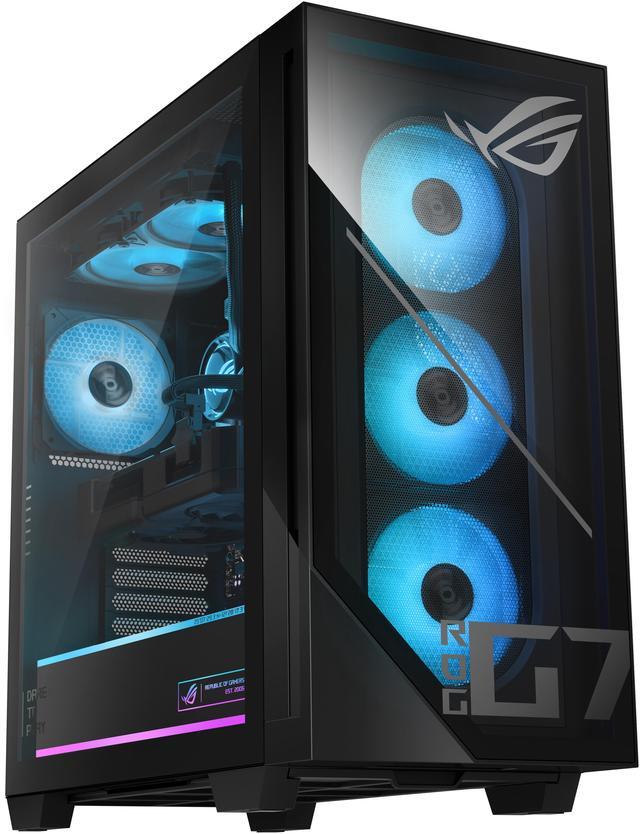
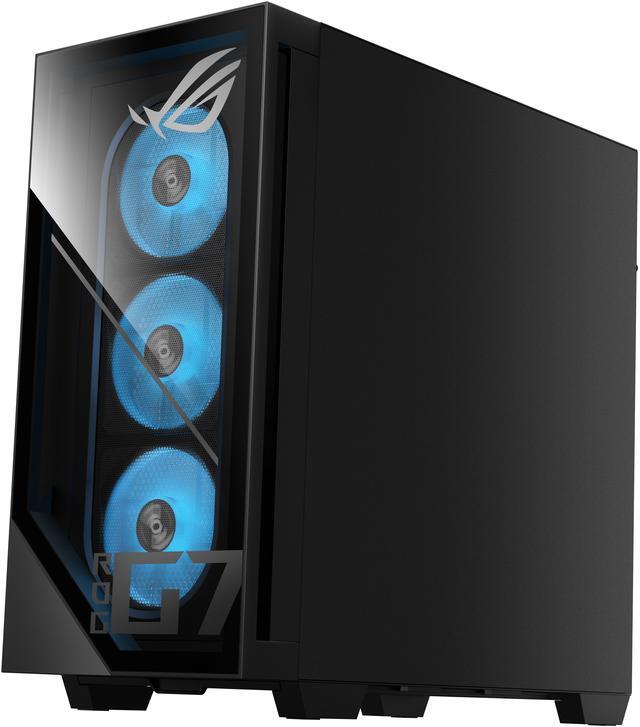
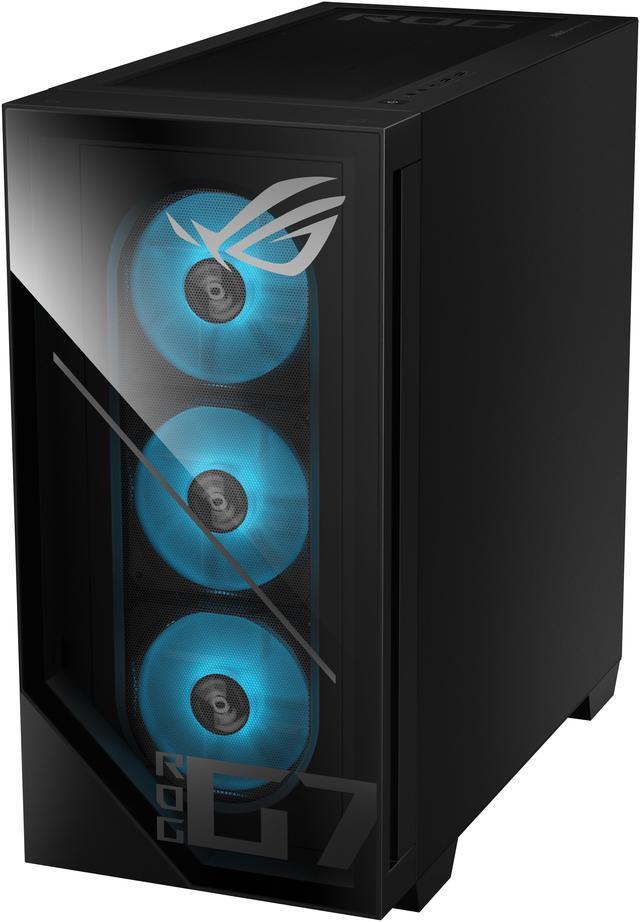
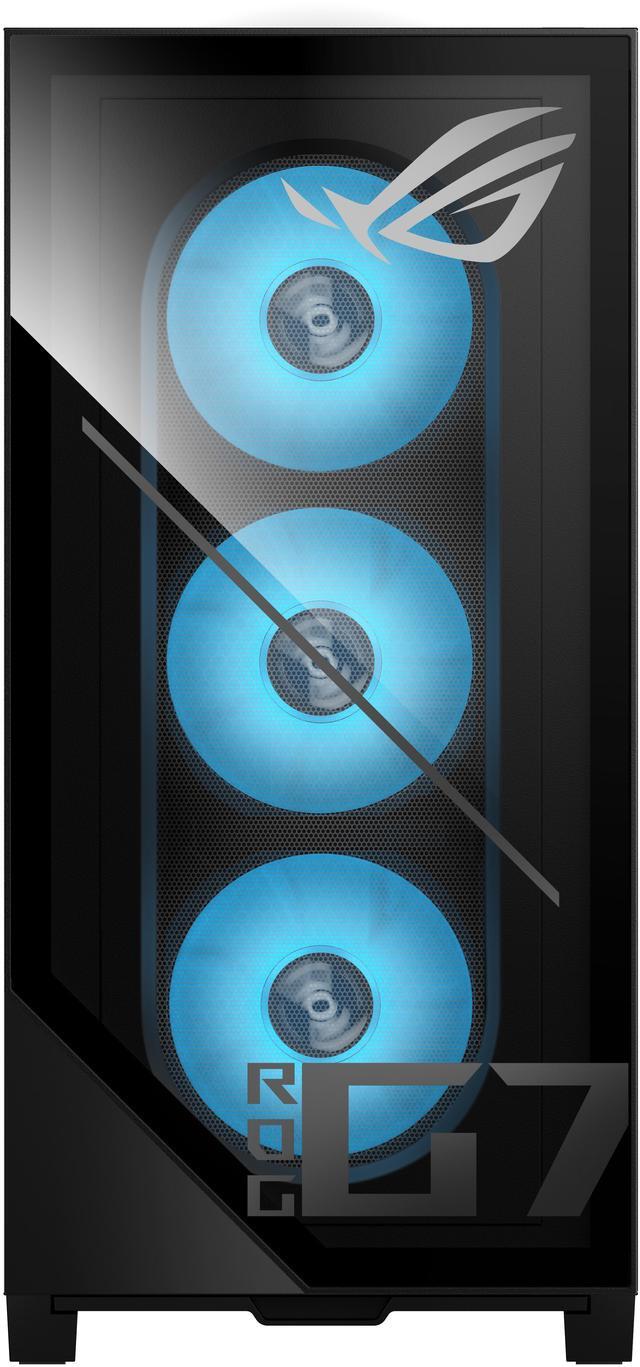
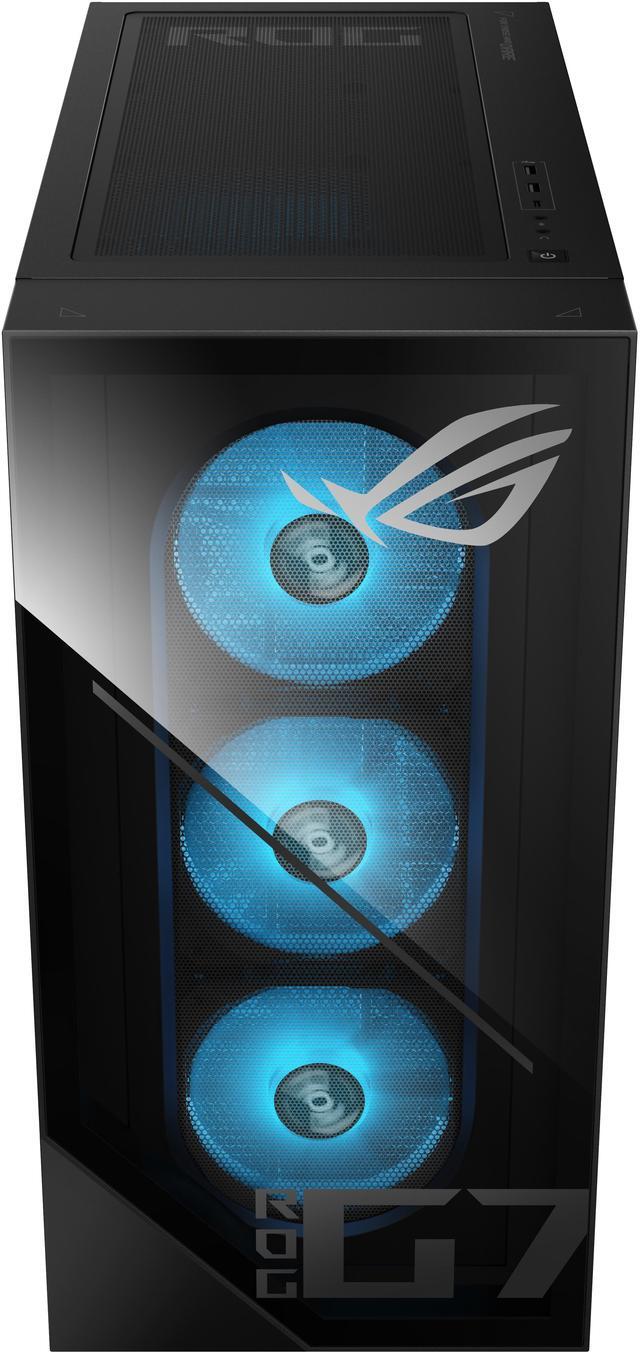
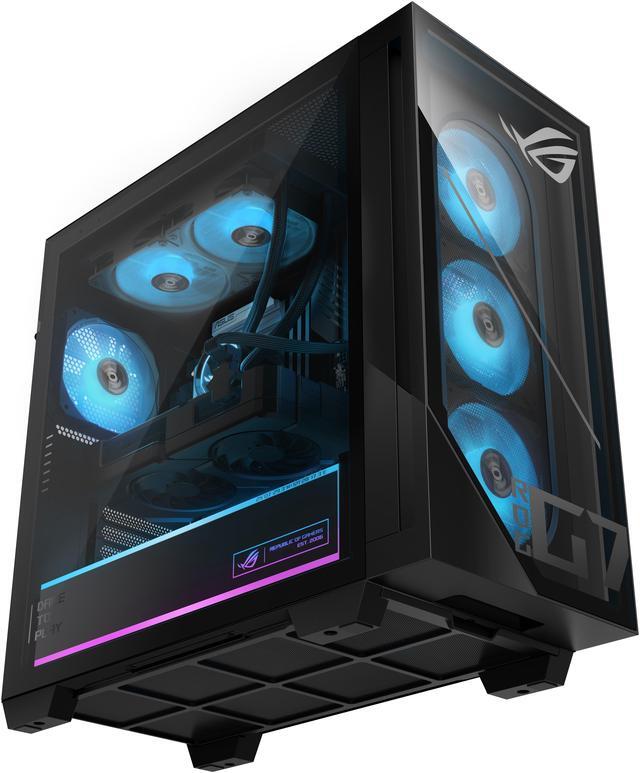
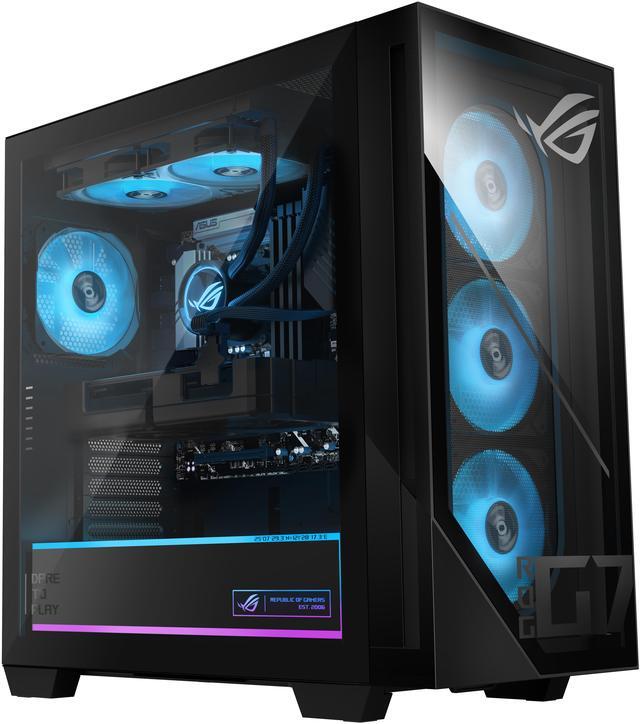
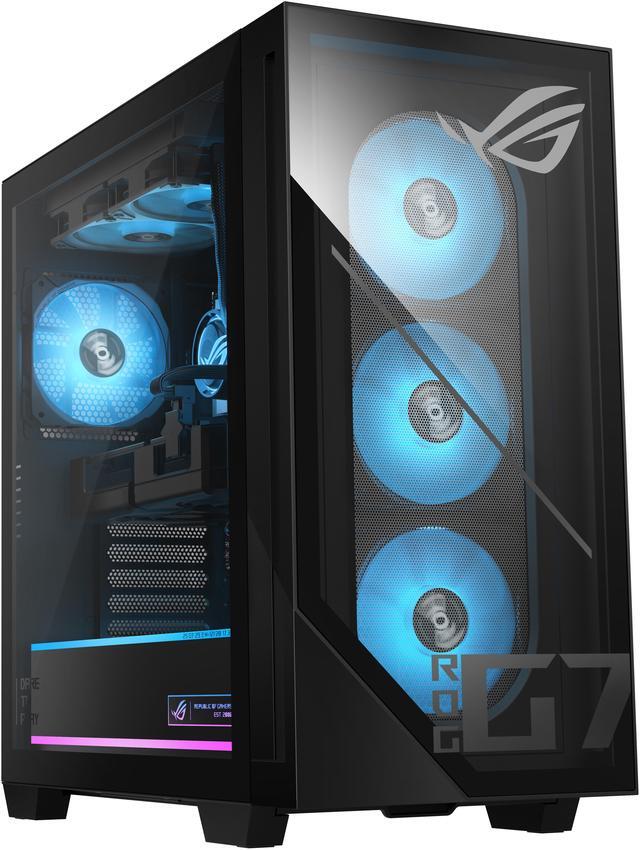


ASUS Gaming Desktop PC G Series G700TF-DS774 Intel Core Ultra 7 265F 16GB DDR5 1TB SSD GeForce RTX 5070 Windows 11 Home
Free gift w/ purchase, limited offer
- Intel Core Ultra 7 265F
- 16GB DDR5
- 1TB SSD
- Windows 11 Home
- GeForce RTX 5070 12 GB GDDR7
- Virtual Reality Ready
+
+
Overview
Specs
Reviews
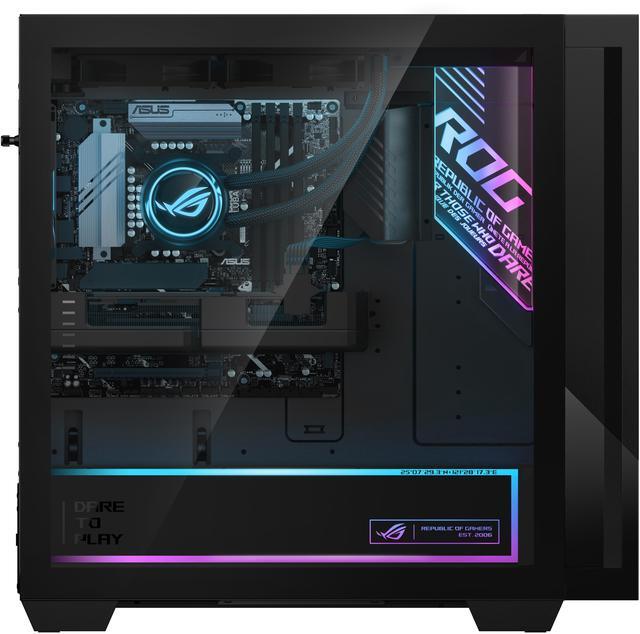
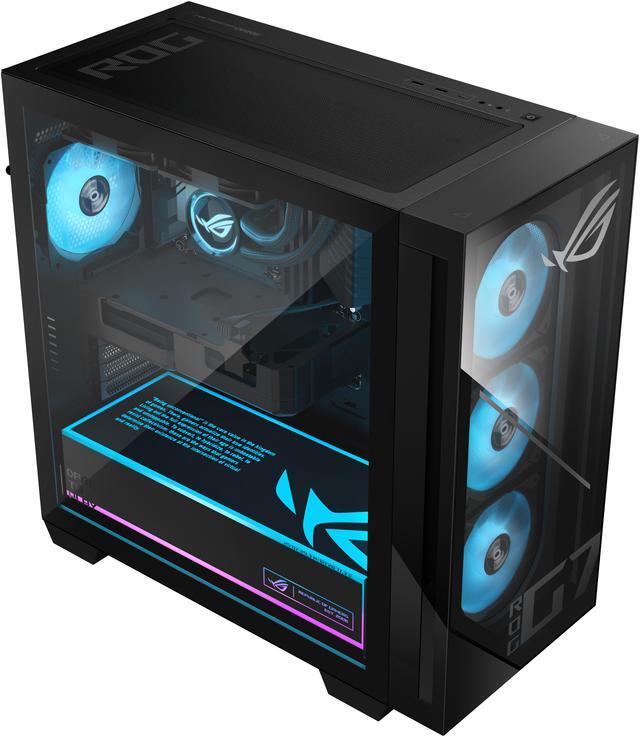
Next-Level GamingImmersive and versatile gaming experiences with Windows 11 HomeGame with confidencePowered by an Intel Core Ultra 7 processor and an NVIDIA GeForce RTX 5070 PRIME GPU, this machine is built from the ground up for gaming. High-performance partsThe G700 is built from the ground up with high-quality components and designed by the incredible people that make ROG the best brand in gaming. Breathe easyAvailable in both air and water cooling configurations, the G700 has optimized airflow with a clean path through the system with included dust filters. Speedy storageThe G700 comes equipped with 16GB of DDR5 RAM and supports high speed PCIe Gen 4 storage, making multitasking large projects a breeze.
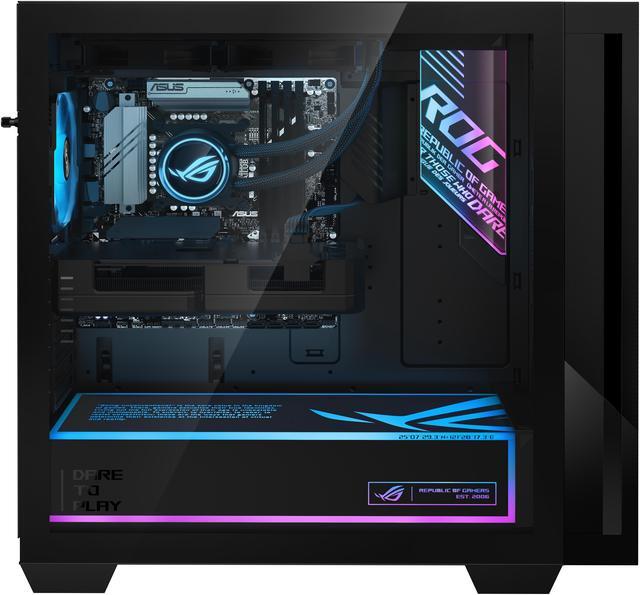
Painless upgradesTool-less access from the side and front panels makes cleaning your system a breeze, and standard-sized components ensure easy upgrades in the future. Ultimate cooling and performanceThe ROG G700 is fully equipped to be the perfect battlestation for any gamer. Boasting a 58L capacity, the G700 can easily accommodate triple-slot GPUs, making it plug and play compatible with the most powerful graphics cards, including the NVIDIA GeForce RTX GPU. A full-sized 850W power supply can drive the latest Intel Core Ultra processors, a graphics card of your choice, and any peripherals you have without breaking a sweat.
And with ample room for four included case fans and additional mounts for radiators, the G700's chassis offers exceptional cooling performance even when paired with high-performance hardware. Time-tested qualityASUS made its name on PC components like motherboards and graphics cards, so we know what a quality PC looks like. We carefully designed this entire system from the ground up, rigorously tested it for rock-solid stability and reliability, and tuned it for incredible power efficiency, and thermal performance. PerformanceHigh-performance gamingPowered by an Intel Core Ultra 7 processor and NVIDIA GeForce RTX 5070 PRIME GPU, this machine is built for high-performance gaming.
Play, stream, and chat with your friends, all at the same time with 16GB of high-speed DDR5 RAM. 1TB of PCIe 4 storage (upgradeable to PCIe 5) leaves loading times in the dust with plenty of room for your growing library. Dominate the competitionThe ROG G700 comes equipped with up to an NVIDIA GeForce RTX 50 Series GPU, giving you instant access to the best gaming experiences of today and tomorrow. From esports to AAA experiences, you can turn the graphics dials up and still enjoy eye-wateringly fast framerates, thanks to technologies like DLSS and Frame Generation.
GeForce RTX 50 SeriesThe Ultimate Platform for Gamers and
Creators Fifth-Gen Tensor Cores: Max AI performance with FP4 and DLSS 4
New Streaming Multiprocessors: Optimized for neural shaders
Fourth-Gen Ray Tracing Cores: Built for
Mega Geometry Cutting-Edge GPUs: NVIDIA Blackwell Architecture AI-Enhanced
Graphics and Performance: NVIDIA DLSS 4 with Multi Frame
Generation Game-Winning Responsiveness: NVIDIA Reflex 2 with
Frame Warp True-to-Life Graphics: Full ray tracing with neural rendering Digital Humans and
AI Assistants Accelerate Your Creativity: NVIDIA Studio creator tools and technology Enhance Any
Video with AI: NVIDIA Broadcast and ninth-gen NVIDIA Encoder
Performance and Reliability: NVIDIA app with Game Ready and Studio Drivers and Studio DriversROG innovationsThe ROG G700 comes equipped with our very own ROG graphics card, ensuring that you'll always get peak performance from your PC. With patented Axial-tech fans, a massive heatsink, and 0dB technology during light loads for truly silent operation, you'll never have to worry about having enough power for the latest games. Core powerAt the beating heart of the ROG G700 is the Intel Core Ultra 7 processor. Whether you're gaming, streaming your plays to the world, editing a video, or all of the above, this killer processor is more than up to the task
Painless upgradesTool-less access from the side and front panels makes cleaning your system a breeze, and standard-sized components ensure easy upgrades in the future. Ultimate cooling and performanceThe ROG G700 is fully equipped to be the perfect battlestation for any gamer. Boasting a 58L capacity, the G700 can easily accommodate triple-slot GPUs, making it plug and play compatible with the most powerful graphics cards, including the NVIDIA GeForce RTX GPU. A full-sized 850W power supply can drive the latest Intel Core Ultra processors, a graphics card of your choice, and any peripherals you have without breaking a sweat.
And with ample room for four included case fans and additional mounts for radiators, the G700's chassis offers exceptional cooling performance even when paired with high-performance hardware. Time-tested qualityASUS made its name on PC components like motherboards and graphics cards, so we know what a quality PC looks like. We carefully designed this entire system from the ground up, rigorously tested it for rock-solid stability and reliability, and tuned it for incredible power efficiency, and thermal performance. PerformanceHigh-performance gamingPowered by an Intel Core Ultra 7 processor and NVIDIA GeForce RTX 5070 PRIME GPU, this machine is built for high-performance gaming.
Play, stream, and chat with your friends, all at the same time with 16GB of high-speed DDR5 RAM. 1TB of PCIe 4 storage (upgradeable to PCIe 5) leaves loading times in the dust with plenty of room for your growing library. Dominate the competitionThe ROG G700 comes equipped with up to an NVIDIA GeForce RTX 50 Series GPU, giving you instant access to the best gaming experiences of today and tomorrow. From esports to AAA experiences, you can turn the graphics dials up and still enjoy eye-wateringly fast framerates, thanks to technologies like DLSS and Frame Generation.
GeForce RTX 50 SeriesThe Ultimate Platform for Gamers and
Creators Fifth-Gen Tensor Cores: Max AI performance with FP4 and DLSS 4
New Streaming Multiprocessors: Optimized for neural shaders
Fourth-Gen Ray Tracing Cores: Built for
Mega Geometry Cutting-Edge GPUs: NVIDIA Blackwell Architecture AI-Enhanced
Graphics and Performance: NVIDIA DLSS 4 with Multi Frame
Generation Game-Winning Responsiveness: NVIDIA Reflex 2 with
Frame Warp True-to-Life Graphics: Full ray tracing with neural rendering Digital Humans and
AI Assistants Accelerate Your Creativity: NVIDIA Studio creator tools and technology Enhance Any
Video with AI: NVIDIA Broadcast and ninth-gen NVIDIA Encoder
Performance and Reliability: NVIDIA app with Game Ready and Studio Drivers and Studio DriversROG innovationsThe ROG G700 comes equipped with our very own ROG graphics card, ensuring that you'll always get peak performance from your PC. With patented Axial-tech fans, a massive heatsink, and 0dB technology during light loads for truly silent operation, you'll never have to worry about having enough power for the latest games. Core powerAt the beating heart of the ROG G700 is the Intel Core Ultra 7 processor. Whether you're gaming, streaming your plays to the world, editing a video, or all of the above, this killer processor is more than up to the task
Warranty & Returns
Warranty, Returns, And Additional Information
Warranty
- Limited Warranty period (parts): 1 year
- Limited Warranty period (labor): 1 year
- Read full details
Return Policies
- Return for refund within: 15 days
- Return for replacement within: 15 days
- This item is covered by Newegg.ca's 15-Day Return Policy.
- Read full return policy for details.
Manufacturer Contact Info
- Manufacturer Product Page
- Manufacturer Website
- Support Phone: 1-888-678-3688
- Support Website
- View other products from ASUS
LOADING...
LOADING...
The ASUS G700TF-DS774 is a tower gaming desktop with an Intel Core Ultra 7 265F 20-core processor, GeForce RTX 5070 12GB GDDR7 graphics, 16GB DDR5 memory, and a 1TB PCIe 4.0 SSD. It suits PC gamers who want strong performance for modern games, entertainment, and VR-ready experiences.
Recommended For
- PC gamers targeting high-refresh 1440p play in modern games, including titles that support DLSS and frame generation; RTX 5070 reviews consistently identify 1440p as its strongest use case.
- Gamers replacing an older or weaker graphics card who want a ready-to-use Windows desktop rather than selecting and assembling individual components; testing shows a meaningful upgrade from GPUs such as the RTX 3070 and below.
- Desktop gamers who also edit video, transcode media, stream, or run other CPU-heavy workloads and want gaming performance in the same system; reviews of the G700 platform found strong productivity results from its Core Ultra 7 processor.
- Prebuilt buyers who want room for later memory or storage expansion instead of a permanently fixed configuration; the reviewed G700 chassis provided open memory and M.2 expansion capacity, while this SKU includes standard desktop upgrade options.
Real-World Use Scenarios
- A user playing modern AAA games at 1440p can generally use high or ultra settings and achieve a smooth experience; ray tracing-heavy titles may require DLSS or reduced settings to maintain higher frame rates.
- For 4K gaming on a monitor or television, the system can deliver playable results in many games when DLSS and frame-generation features are enabled, but native 4K with maximum ray tracing is not consistently a 60-FPS experience.
- A competitive-gaming user playing titles such as esports shooters or battle royale games can target high frame rates at 1080p or 1440p, making the desktop a practical match for a high-refresh-rate gaming monitor.
- A creator who records gameplay or livestreams from one PC can use the RTX 5070's hardware encoding and NVIDIA broadcast features to reduce CPU load; 1080p or 1440p streaming is a realistic target, while heavier editing workloads may benefit from more than the included 16GB of memory.
- For video editing, motion graphics, and GPU-accelerated creative applications, the desktop should provide responsive previews and faster exports than mainstream gaming PCs, although complex projects, large media libraries, or sustained multitasking may make a 32GB or larger memory upgrade worthwhile.
- A user combining gaming, school or office work, many browser tabs, and background applications can use the system as a general-purpose desktop, but the 1TB SSD may fill quickly with several large games and the 16GB RAM configuration is the most likely part to upgrade first.
Spec Summary
| Attribute | Value |
|---|---|
| Best For | Gaming and VR-ready desktop use with a 20-core Intel processor, dedicated GeForce RTX graphics, 16GB DDR5 memory, and included RGB keyboard and mouse |
| Processor And Cache | Intel Core Ultra 7 265F 20-core 64-bit processor with 2.4 GHz base speed, up to 5.3 GHz, 36MB L2 cache, and 30MB L3 cache |
| GPU And VRAM | Dedicated NVIDIA GeForce RTX 5070 PRIME graphics with 12GB GDDR7 memory and PCI Express interface, suitable for gaming and VR use |
| Memory Configuration | 16GB DDR5 U-DIMM memory running at 5600 MT/s |
| Storage And Expansion | 1TB M.2 2280 PCIe 4.0 SSD with two internal 3.5-inch bays and PCIe 4.0 expansion slots |
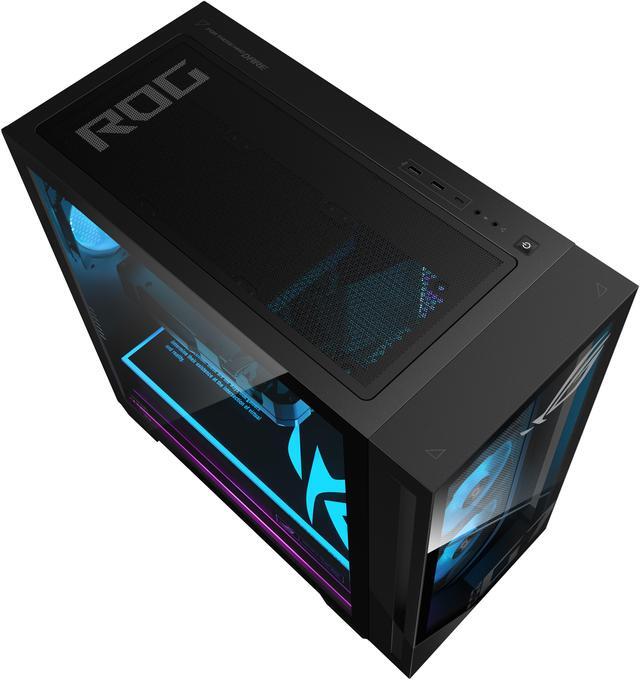
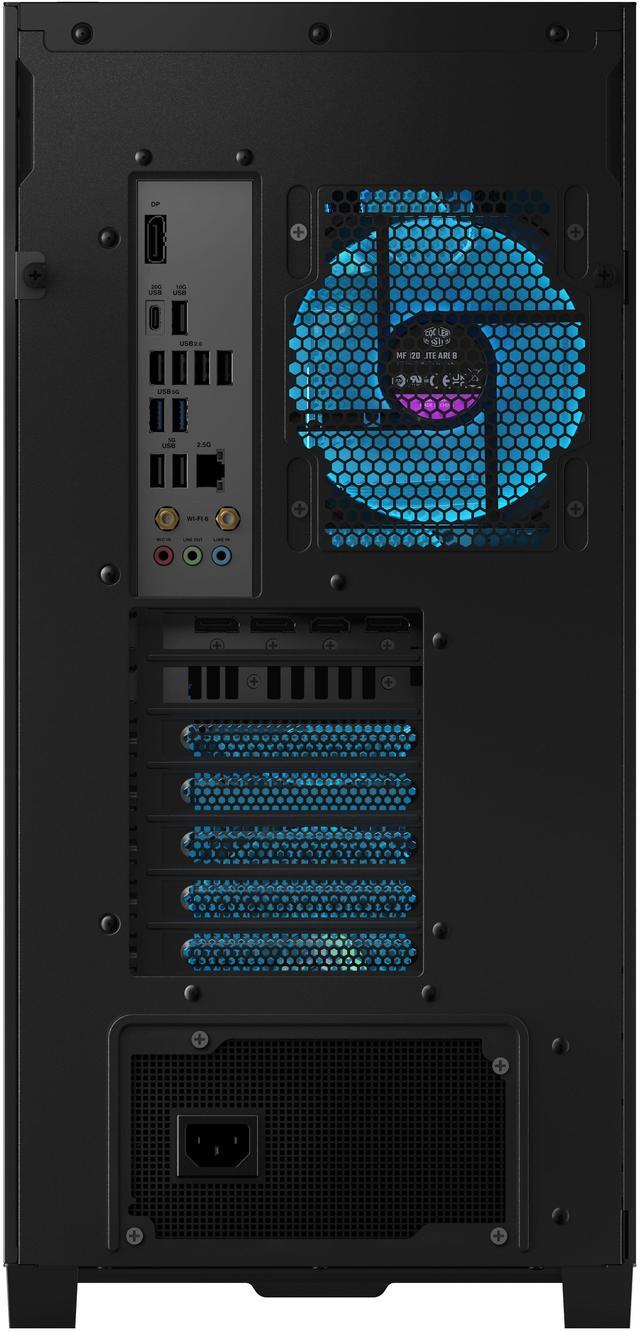
| High Speed I O | Front I/O includes one USB 3.2 Gen 1 Type-C port, two USB 3.2 Gen 1 Type-A ports, and two audio ports; rear I/O adds two USB 3.2 Gen 2 Type-A ports, four USB 2.0 Type-A ports, HDMI, three DisplayPort outputs, RJ45, and three audio ports |
| Networking And Wireless | Gigabit Ethernet, Wi-Fi 6 wireless networking, and Bluetooth 5.4 |
| Audio Setup | High Definition 7.1-channel audio with front and rear audio connections |
| Power And Cooling | 850W power supply with 80 PLUS Gold efficiency and 900W peak output; air cooling |
| Keyboard And Mouse | Included USB gaming RGB keyboard and USB gaming RGB mouse with QWERTY keyboard layout |
| Operating System | Windows 11 Home |
| Form Factor And Portability | Black tower desktop measuring 18.88 x 9.45 x 20.05 inches and weighing approximately 40.39 pounds |
| Model Identifiers | ASUS G Series G700TF-DS774, part number 90PF05Q1-M00100, with Intel B860 chipset |
Reference Q&A
Q: Is the ASUS G700TF-DS774 with RTX 5070 better than an RTX 5060 Ti gaming desktop?
A: Choose the ASUS G700TF-DS774 when 1440p gaming performance is the priority. Its RTX 5070 is substantially faster than the RTX 5060 Ti in professional comparisons, with Tom’s Hardware measuring about a 31% lead at 1440p. An RTX 5060 Ti system may be preferable when its lower price or 16GB of VRAM matters more than frame rate. The ASUS model includes a Core Ultra 7 265F, 16GB DDR5, a 1TB PCIe 4.0 SSD, and an 850W 80 Plus Gold power supply.
Q: Should I buy this RTX 5070 desktop or pay more for an RTX 5070 Ti system?
A: Choose the ASUS RTX 5070 desktop for strong 1440p gaming and a lower system cost. Choose an RTX 5070 Ti desktop when you plan to play demanding games at 4K, use intensive ray tracing, or want more performance headroom. Professional testing places the RTX 5070 Ti clearly above the RTX 5070, while the ASUS G700’s RTX 5070 is positioned primarily as a 1440p-class GPU rather than a consistently high-refresh-rate 4K solution.
Q: Is this ASUS RTX 5070 desktop a meaningful upgrade over an RTX 4070 Super PC?
A: For a new purchase, choose the ASUS G700TF-DS774 if you want the newer RTX 50-series platform, DLSS 4 features, GDDR7 memory, and a complete current-generation system. If you already own an RTX 4070 Super desktop, the upgrade is less compelling for ordinary rasterized gaming because reviews generally show a small performance difference rather than a major generational jump. Upgrading makes more sense when you also need a newer CPU, additional expansion capacity, or a complete replacement system.
Q: Should I choose this ASUS G700 desktop or a gaming laptop for portable gaming?
A: Choose the ASUS G700TF-DS774 for performance-first gaming at a desk. Its desktop RTX 5070, 850W power supply, tower cooling, upgradeable memory and storage, and multiple display outputs are better suited to sustained gaming and future expansion. Choose a gaming laptop when portability is essential because the laptop includes its display, keyboard, battery, and power management in one device. The ASUS tower weighs about 40.4 pounds and requires separate peripherals and a monitor, so it is designed for stationary use.
Q: Who is this ASUS gaming desktop best suited for?
A: This desktop is best suited for users who want a high-performance home gaming system for modern PC games, VR, streaming, creative applications, and demanding multitasking. It is less suitable for travel or portable work because it is a 40.39-pound tower that requires a separate monitor, power connection, keyboard, and mouse.
Q: Can this PC support two or more monitors?
A: Yes. The GeForce RTX 5070 provides one HDMI output and three DisplayPort outputs, so the system can support multiple monitors through the graphics card. DisplayPort cables or adapters may be required depending on the inputs available on the monitors.
Q: Is 16GB of RAM enough, and can the memory be upgraded later?
A: 16GB of DDR5 memory is sufficient for gaming, general office work, and everyday multitasking, but demanding games, content creation, virtual machines, and heavy multitasking may benefit from more RAM. The specifications identify the memory as DDR5 U-DIMM, but they do not confirm the number of free slots or the maximum supported capacity, so upgrade compatibility should be verified before purchasing additional memory.
Q: Is this desktop good for office work, note-taking, and online meetings?
A: Yes, it is well suited for office applications, web browsing, note-taking, video playback, and multitasking because it includes Windows 11 Home, a 20-core Intel Core Ultra 7 processor, 16GB of DDR5 RAM, a 1TB SSD, Wi-Fi 6, and Bluetooth 5.4. A webcam and microphone are not listed, so online meetings may require separate peripherals.
Q: Does this PC need upgrades before it can be used for gaming?
A: No immediate upgrade is required for basic use because the system includes the processor, graphics card, 16GB of DDR5 memory, 1TB PCIe 4.0 SSD, 850W 80+ Gold power supply, Windows 11 Home, keyboard, and mouse. Potential future upgrades include additional memory or storage, but the provided specifications do not confirm all upgrade limits or available expansion hardware.
Q: Is the ASUS G700TF-DS774 a good choice for 1440p gaming?
A: Yes. Its Core Ultra 7 265F and GeForce RTX 5070 are well suited to high-quality 1440p gaming. Community discussion around closely configured ASUS G700 systems generally positions the RTX 5070 as a strong 1440p GPU, while noting that performance varies by game and settings.
Q: Can the ASUS G700TF-DS774 handle 4K gaming?
A: Yes, but 4K gaming may require reduced settings in demanding titles. Discussion of the RTX 5070 in the ASUS G700 commonly describes 1440p as the better target, with VRAM and game requirements becoming more limiting at 4K.
Q: Is 16GB of RAM enough, or should I upgrade this ASUS G700 to 32GB?
A: 16GB is sufficient for gaming and ordinary desktop use, but 32GB is the safer choice for heavy multitasking, content creation, or gaming while running many browser tabs and background applications. The system uses DDR5 U-DIMM memory, and other ASUS G700 configurations and owner discussions commonly focus on 32GB as the preferred capacity.
Q: Is the ASUS G700TF-DS774 suitable as a first gaming PC?
A: It is suitable for buyers who want a prebuilt Windows desktop rather than assembling a system themselves. The RTX 5070 provides strong gaming capability, while the included keyboard, mouse, Wi-Fi 6, Bluetooth 5.4, and Windows 11 reduce setup requirements. The main compromises are the 16GB memory capacity and 1TB storage compared with higher-spec G700 configurations.
Q: What are the main trade-offs of buying the ASUS G700TF-DS774 instead of building a PC?
A: The prebuilt approach provides a ready-to-use system with an included operating system, peripherals, warranty support, and matched CPU, GPU, and power supply. The trade-offs are less control over component selection and potentially less value or upgrade flexibility than a carefully assembled custom PC. Reddit discussions also raise questions about ASUS OEM motherboard and upgrade compatibility, so buyers should verify supported parts before making major upgrades.