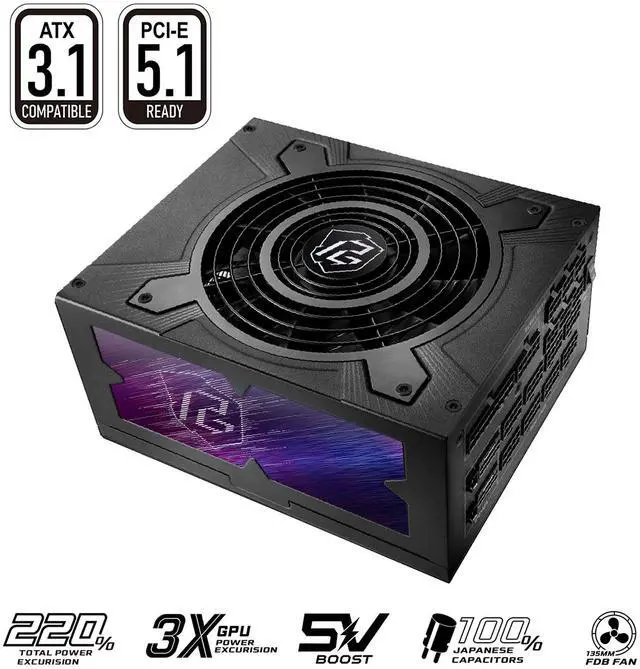
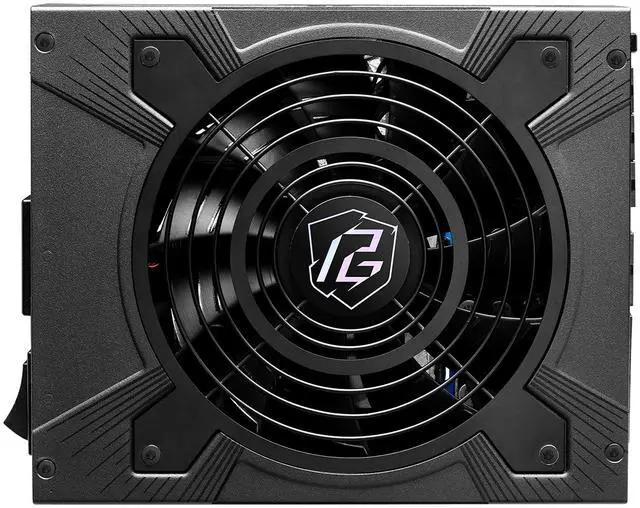
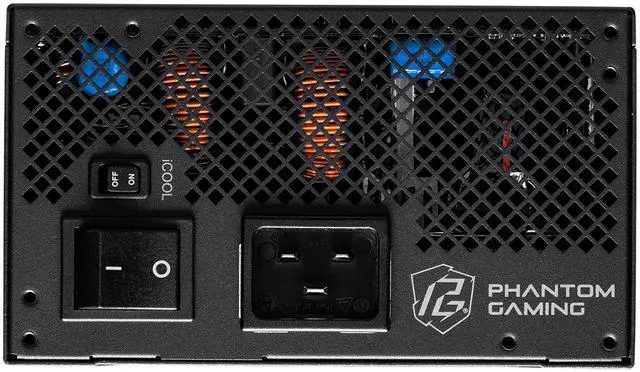
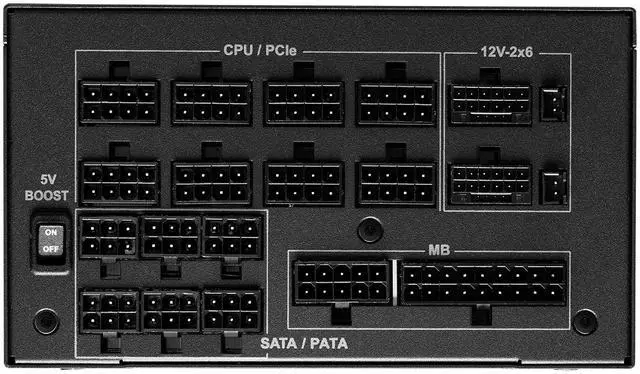
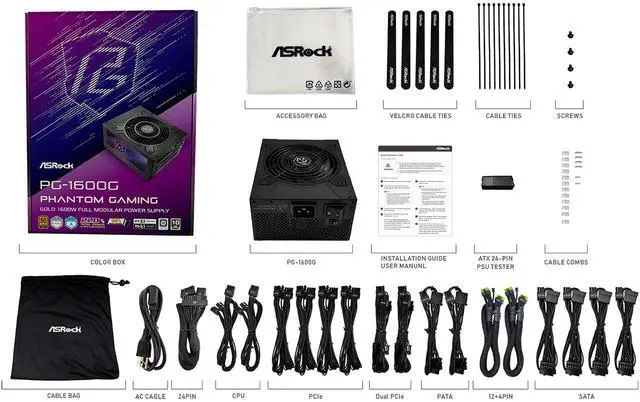
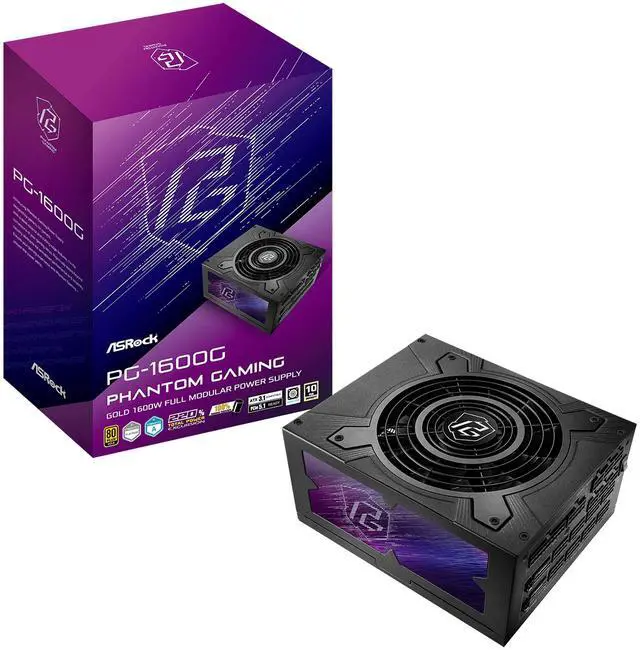
The ASRock Phantom Gaming PG-1600G is a 1600W fully modular ATX 3.1 power supply built for ultra-high-end gaming PCs and creator workstations that need strong headroom, dual native 12V-2x6 GPU support, and modern PCIe 5.1 compatibility.
Recommended For
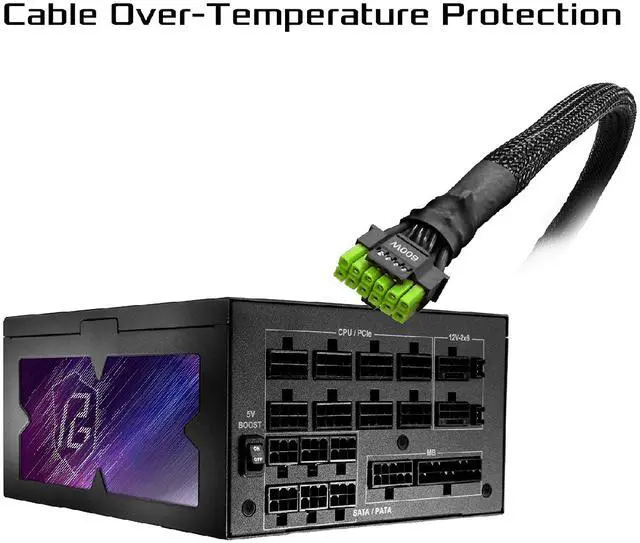
- Builders planning an RTX 5090 or similar flagship GPU setup who want a native 12V-2x6 power path and extra connector safety. ASRock positions this unit around ATX 3.1 / PCIe 5.1 support, and reviewers/community posts repeatedly call out the in-cable temperature sensor and shutoff feature as a practical reason to choose it for very high-end GPU builds.
- Enthusiast gaming or overclocked desktop users running a high-draw CPU and one or two power-hungry GPUs, where lots of PCIe leads and large transient headroom matter more than chasing the smallest PSU size. Review coverage frames the PG-1600G as a high-wattage unit for demanding systems, with two native PCIe 5.x connectors and a generous overall cable set.
- Workstation or lab builders who prefer oversized PSU headroom for long rendering, simulation, AI, or multi-accelerator sessions and want a modern ATX 3.1 platform rather than adapting an older supply. Community usage examples show this class of 1600W PSU appearing in homelab and GPU-heavy builds where stability margin is prioritized.
- Users who want a quieter high-capacity PSU during everyday desktop or gaming loads, not constant full-capacity operation. Professional testing found the fan stays off at low loads and remains reasonable under typical gaming conditions, which fits people building a powerful PC that is not pinned near 1600W all day.
Real-World Use Scenarios
- Building a flagship gaming PC with one high-end GPU and an overclocked CPU: users choose this PSU to avoid power-spike shutdowns and to use a native 12V-2x6 cable instead of an adapter, with the expected result being stable gaming and cleaner cable routing in large ATX cases.
- Powering a workstation or AI/deep-learning tower with multiple PCIe devices: builders use a 1600W class PSU when running a power-hungry GPU plus add-in cards, storage, and a high-core-count CPU, with the likely outcome being enough connector headroom and fewer compromises during parts selection.
- Upgrading to next-gen GPUs with concern about 12V-2x6 cable safety: users pick this model for its cable temperature-monitoring feature, expecting added peace of mind and an automatic shutdown response if the GPU power cable overheats.
- Assembling a cleaner-looking showcase build: users benefit from the fully modular layout and native GPU power leads, so the real-world experience is easier cable management and less clutter than using splitters or bundled adapters.
- Running long gaming or rendering sessions where fan noise matters less than sustained output: reviewers position this unit as more practical for heavy-load systems than for quiet-first builds, so users should expect solid high-wattage support but not class-leading acoustics under stress.
Spec Summary
| Attribute | Value |
|---|
| Best For | High-power ATX 3.1 / PCIe 5.1 systems and multi‑GPU or GPU‑heavy gaming and workstation builds that require up to 1600 W and extensive PCIe power connectivity |
|---|
| Power And Efficiency | 1600 W capacity with a single +12V rail rated up to 133.3 A; 110–240 VAC input range; >87% efficiency with 80 PLUS Gold plus Cybenetics/LAMBDA attestations; includes 5V BOOST mode and supports total power excursion up to 220% |
|---|
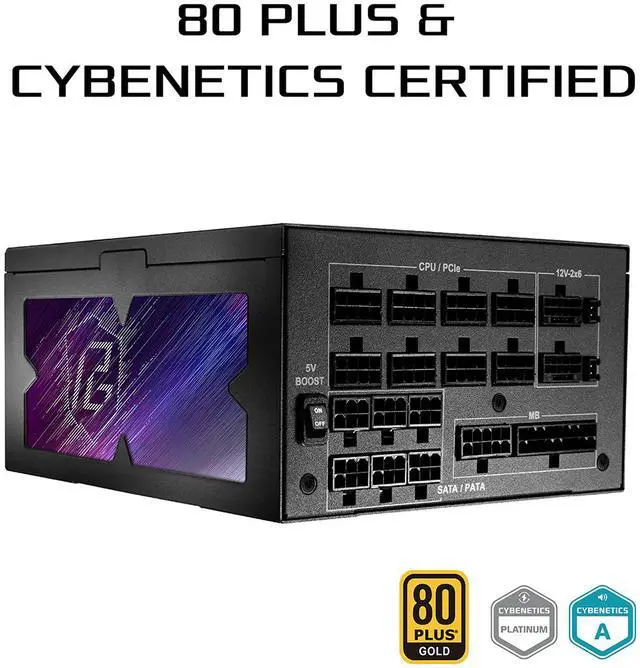
| Connectors And Cables | Full‑modular cable set including 24‑pin ATX, 2×4+4 EPS, 2×12+4 PCIe (native 12V‑2x6 dual‑color with TempGuard), eight 6+2‑pin PCIe connectors total, 12 SATA and 6 peripheral (Molex) connectors |
|---|
| Cooling And Fans | Air‑cooled by a single 135 mm striped axial fan with fluid‑dynamic bearing and iCool intelligent fan control for variable speed; Cybenetics A noise rating |
|---|
| Protections And Reliability | Comprehensive protections including OCP, SCP, OVP, UVP, OTP and OPP (over/under/short/over‑temp/overload protections); 100% Japanese capacitors and MTBF >100,000 hours |
|---|
| Certifications And Warranty | 80 PLUS Gold certification plus Cybenetics PLATINUM and LAMBDA A attestations with safety attestation true; backed by a 10‑year warranty |
|---|
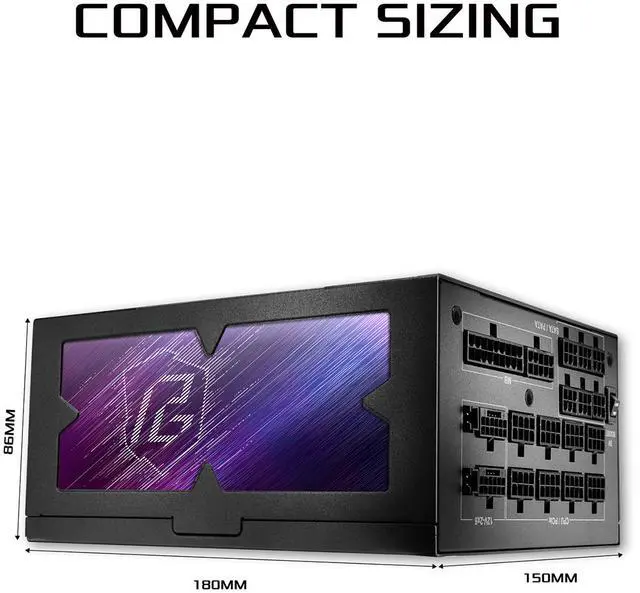
| Physical Dimensions And Weight | Chassis measures 180 × 150 × 86 mm (18 × 15 × 8.6 cm) with max PSU length 180 mm; unit weight 9.9 lb; package weight 4.731 kg and package dimensions 13.0048 × 24.003 × 31.496 cm |
|---|
| Modular, Form Factor And Compatibility | Full‑modular ATX 3.1 form‑factor power supply designed for personal computers and PCIe 5.1 systems |
|---|
| Model Identifiers | ASRock PG series model PG-1600G (part number PG-1600G), alternate model number 90-UXP160-GFUAAB; manufacturer ASRock |
|---|
Reference Q&A
Q: Should I buy the ASRock PG-1600G or a 1000W to 1200W ATX 3.1 PSU for a single high-end gaming PC?
A: Choose the ASRock PG-1600G if you specifically want extra headroom for power spikes, dual 12V-2x6 support, or a build that may later move into workstation, heavy overclocking, or next-upgrade territory. For most single-GPU gaming systems, especially builds that normally shop in the 1000W to 1200W range, community guidance and common build discussions treat 1600W as more capacity than most users need. The practical trade-off is simple: the PG-1600G gives more expansion margin and cable flexibility, while a good 1000W to 1200W ATX 3.1 unit is usually the more size- and budget-efficient choice for standard gaming use.
Q: ASRock PG-1600G vs Corsair HX1500i Shift: which one makes more sense?
A: Pick the ASRock PG-1600G when you want maximum wattage headroom, two native 12V-2x6 connectors, and ASRock's cable temperature-monitoring feature aimed at high-power GPU safety. Pick the Corsair HX1500i Shift when your case supports side-mounted connectors and you value the Shift cable layout more than the extra 100W. In short, the ASRock model is the more straightforward choice for very high-power GPU planning, while the Corsair alternative is more about cable-access convenience in compatible cases.
Q: Is the ASRock PG-1600G a better fit than a premium Titanium 1600W PSU like the be quiet! Dark Power Pro 13 or MSI MEG Ai1600T?
A: Choose the ASRock PG-1600G when ATX 3.1 readiness, native dual 12V-2x6 cabling, and value within the 1600W class matter more than chasing a higher efficiency tier. Choose premium Titanium-class alternatives like the be quiet! Dark Power Pro 13 or MSI MEG Ai1600T when your priority is a more premium feature set around efficiency, acoustics, or flagship positioning. The ASRock unit is the more practical option when you want modern high-wattage support without stepping up to the highest-price tier.
Q: Should I choose the ASRock PG-1600G over an older flagship 1600W PSU like the Seasonic Prime TX-1600?
A: Choose the ASRock PG-1600G if you want a design positioned around newer ATX 3.1 and PCIe 5.1 compatibility, including native dual 12V-2x6 support for current high-power GPUs. Choose an older flagship like the Seasonic Prime TX-1600 if your priority is the long-established reputation of a premium high-efficiency platform and you do not need the same level of current-generation connector focus. The main decision is modern GPU standard alignment versus older flagship pedigree.
Q: Is the ASRock PG-1600G a better choice for RTX 5090-class or multi-accelerator builds than mainstream high-wattage PSUs?
A: Yes, the ASRock PG-1600G makes more sense when the build goal includes very high transient loads, dual native 12V-2x6 connectivity, or workstation-style expansion beyond a typical gaming tower. Official positioning and enthusiast discussion both point to its appeal for users planning around the heaviest modern GPU power scenarios. If the system is a conventional single-GPU gaming build, a lower-capacity ATX 3.1 PSU is often the simpler fit; if the build is closer to extreme GPU or expansion-heavy use, the PG-1600G is the more appropriate match.
Q: Is the ASRock PG-1600G a good choice for an RTX 4090, RTX 5090, or multi-GPU/workstation build?
A: Yes for very high-power single-GPU or workstation builds. The main reason to choose the PG-1600G is headroom: it provides 1600W, supports ATX 3.1 and PCIe 5.1, includes two native 12V-2x6 GPU power connectors, and lists 220% total power excursion support. That makes it more suitable for flagship GPUs, heavy CPU loads, overclocking, or future upgrades than a typical 850W–1000W unit. The trade-off is cost, size, and overkill for mainstream gaming PCs.
Q: Is 1600W overkill for most PC builds?
A: Usually yes. For a standard gaming or productivity PC, 1600W is more than most buyers need. This model makes the most sense for extreme GPUs, multi-accelerator setups, heavy overclocking, or users who want unusually large upgrade margin. If your system would normally fit well on a quality 850W, 1000W, or 1200W PSU, the PG-1600G is a capacity-first choice rather than a value-first one.
Q: Does it have the newer GPU power connector, or does it rely on adapters?
A: It has the newer native connector. The PG-1600G is specified as ATX 3.1 and PCIe 5.1 ready and includes two native 12V-2x6 connectors, so buyers choosing modern high-end GPUs do not need to depend on older multi-plug adapter solutions. That is a practical buying advantage over older ATX 2.x or early ATX 3.0 units that may require separate cables or adapters.
Q: Will this power supply fit in most PC cases?
A: Not always. The PG-1600G is an ATX power supply, but it is 180 mm long, which is larger than many mainstream units. Buyers should check the case's PSU clearance, especially in compact mid-tower or dual-chamber layouts where long PSUs and stiff GPU cables can reduce cable-management space. It is a safer fit in larger mid-tower, full-tower, or workstation cases.
Q: What are the main trade-offs versus a Titanium-rated 1600W competitor?
A: The PG-1600G is the more practical choice if you want very high wattage with modern connector support and likely lower cost than flagship Titanium models. A Titanium competitor may offer better peak efficiency and sometimes a longer warranty, but the real-world decision is usually about budget and priorities: the ASRock unit focuses on high capacity, modern GPU support, full modular cabling, and low-noise certification, while top-end Titanium units focus more on maximum efficiency and premium positioning.
Q: Who is the ASRock PG-1600G actually suitable for?
A: The PG-1600G makes the most sense for very high-power PCs, such as builds with flagship GPUs, multi-GPU or accelerator setups, or workstations that need large power headroom. For a typical gaming PC, 1600 W is usually more capacity than necessary, so value depends on whether your build genuinely needs that wattage, dual 12V-2x6 support, and ATX 3.1 compliance.
Q: Is the ASRock PG-1600G worth buying over a lower-wattage PSU?
A: It is worth buying if you need unusually high power capacity or want extra transient headroom for top-end parts. If your system is more conventional, a good 850 W to 1200 W PSU is often the more practical choice because the main trade-off here is paying for capacity many users will not use.
Q: What are the main trade-offs of choosing the PG-1600G?
A: The main trade-offs are size, overkill wattage for many builds, and potentially higher cost than smaller high-quality alternatives. In return, you get 1600 W capacity, full modular cabling, ATX 3.1 and PCIe 5.1 readiness, and two native 12V-2x6 connectors, which matter more for extreme systems than for mainstream PCs.
Q: Is the PG-1600G a good match for modern high-end GPUs?
A: Yes, it is built for that use case. The PG-1600G supports ATX 3.1 and PCIe 5.1 and includes two native 12V-2x6 connectors, so it is a better fit for current high-end GPU builds than older PSUs that rely on adapters. It is most compelling when your build benefits from both native cabling and very high total wattage.