
Your Browsing History



 We‘re shipping as usual! The Canada Post strike only affects certain remote deliveries and PO Boxes. Details
 Holiday Shipping Details & Extended Holiday Returns


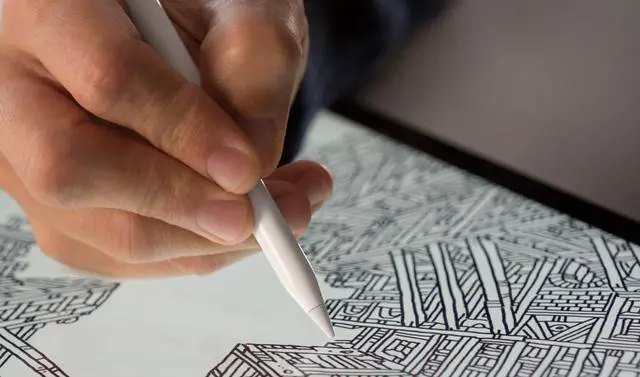
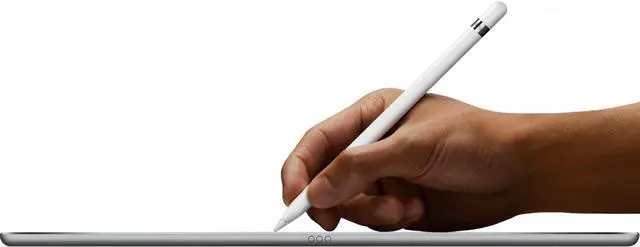
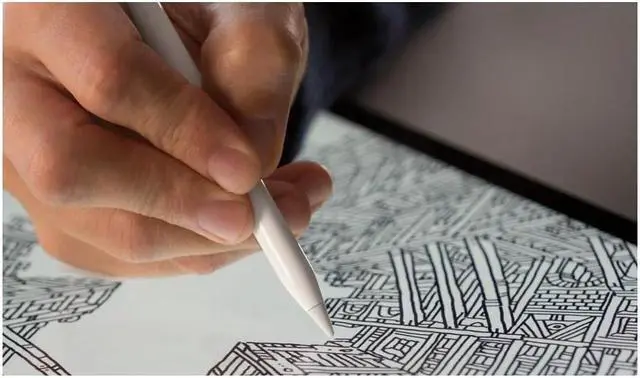
The versatile Apple Pencil is the best tool to reach for when you need pixel-perfect precision. Use it to jot down notes, draft a schematic, or paint a watercolor. Or sign a lease or mark up an email. Whatever you need to do, Apple Pencil is easy to use but impossible to put down.
Malika Favre
An artist with a bold, minimal style who explores positive and negative space with vibrant color.
While it resembles a classic writing tool, Apple Pencil is so much more. Whether you're marking up a complex document, designing a building on-site, or retouching layers in a photo, you get an astonishing selection of tools in a single instrument. With amazing apps designed to take full advantage of its distinctive features, Apple Pencil offers unmatched versatility.
Jonathan Calugi
An illustrator who creates continuous single-line drawings of extraordinary balance and composition.
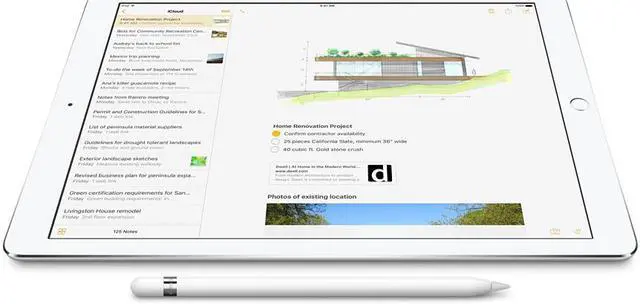
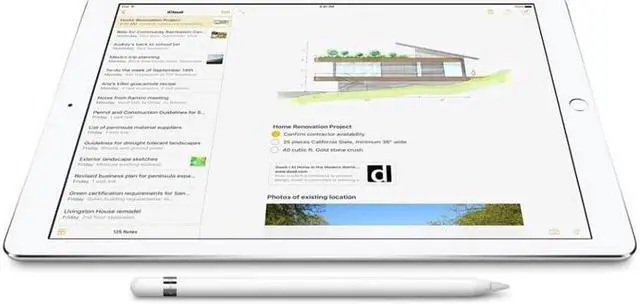
Apple Pencil lets you jot down notes and sketch ideas as naturally as you do on paper. And with iOS 11, you can add handwriting and drawings alongside text and search handwritten notes using Spotlight. There are also great note-taking apps in the App Store that let you do even more.

 Notes
NotesIn iOS 11, write a note instantly without unlocking your iPad. Scan paper documents right from the Notes app. And pin your most-used notes to the top of your notes list.

 Notability
Take notes, sketch ideas in decorative ink styles, and mark up photos.

 GoodNotes 4
Create beautiful, searchable handwritten notes and easily annotate documents.

 MyScript Nebo
Enhance your notes with diagrams and sketches and convert handwriting, including formulas, into type.

 Paper by FiftyThree
Easily write, sketch, diagram, annotate photos, and more.

 Felt
FeltDesign beautiful cards in your own handwriting on iPad Pro.

 Complete Anatomy
Annotate and share visuals from a comprehensive 3D atlas of the human body.

 join.me
Write and sketch ideas on a digital whiteboard during video meetings.

 Adobe Photoshop Mix
Use Apple Pencil to cut out, combine, and seamlessly blend images.

 Morpholio Trace
Use your favorite architectural drafting tools to create beautiful sketches at multiple scales.

 PDF Expert 6
Write on and highlight text in PDFs, insert text and stamps, and sign and merge documents.

 Annotable
Mark up any screenshot or image with customizable colors and fonts.

 Safari
In iOS 11, mark up a PDF of an entire web page for easy sharing.
Seb Lester
An artist who expands upon the expressive potential of letterforms and ornamental design.

Swedish illustrator Cecilia Lundgren works mostly with ink and watercolor processed in Photoshop. "I was surprised how easily I could create an illustration using only iPad Pro with Apple Pencil. I normally use lots of paper, pencils, watercolors, a scanner, and Photoshop on my laptop to get the same result and expression."

British artist Seb Lester is singularly focused on the expressive potential of letterforms and ornamentation. He uses principles of harmony, contrast, and vitality to produce intricate and beautiful examples of both. "I'm very impressed with how sensitive Apple Pencil is as a drawing tool. It was a very natural transition from traditional methods. Apple Pencil offers a tremendous amount of control, so the marks you make can be as dramatic or as nuanced as you like. It is also an object of beauty in and of itself."

Illustrator Sarah Clifford turns biological concepts into bright, colorful pictorial notes that are easy to learn and remember. She refined her technique over years of study in medical school in England. "Apple Pencil is a dream to work with. I achieve far more accuracy and detail than I ever managed with pen and paper. And I can replicate my exact style. Being able to erase, resize, and move parts of my illustrations has revolutionized the way I produce images. I couldn't go back to working without it."

Brooklyn-based author and designer Tim Leong creates bold infographics and data visualizations across a wide variety of topics, especially pop culture. He's published infographics books about comic books and Star Wars. "I really liked how precise the pencil was. Certainly way more precise than if I tried to draw something with my finger. So it was easy to translate what I saw in my brain and put it to tablet."

A graduate of London's Central Saint Martins and the Royal College of Art, French artist Jean Jullien's eclectic practice ranges from illustration to photography, video, costumes, installations, books, posters, and apparel.

Artist and designer Gemma O'Brien's work ranges from calligraphic brushwork, illustration, and digital type to large-scale hand-painted murals. Language, words, and phrases are frequent starting points for dynamic compositions that merge illustration and type. "The first time I used Apple Pencil I was surprised at the similarity to the analog drawing experience. The reaction speed and immediacy of the stroke was fantastic. And Apple Pencil and iPad are great for drawing on the go."

Brooklyn-based designer Bec Brittain manufactures bespoke light fixtures that are as sculptural as they are functional. She uses Apple Pencil to conceive an array of projects. "Apple Pencil has a very short learning curve. In less than an hour it felt natural to sketch with. I was pleasantly surprised at how tactile it felt to draw with."

Information designer Catherine Madden creates hand-drawn infographics, data doodles, and sketched notes for herself and clients. She uses iPad in every phase of her design process, from note-taking and idea sketching to creating the final piece. "The first time I used Apple Pencil I was blown away by how lifelike the drawing experience was, particularly with different pressure and angles. It also feels more natural in my hand than other styluses because the shape is closer to a standard pen or pencil."


