




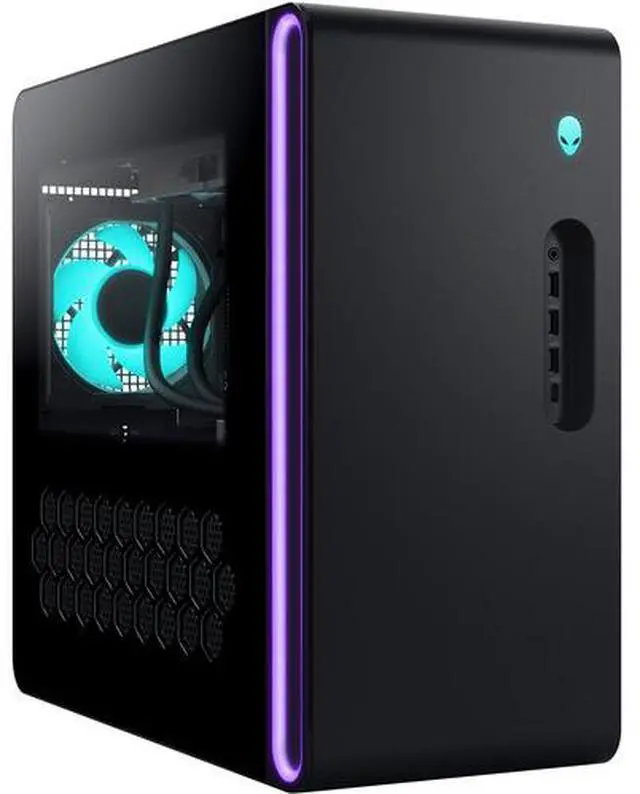
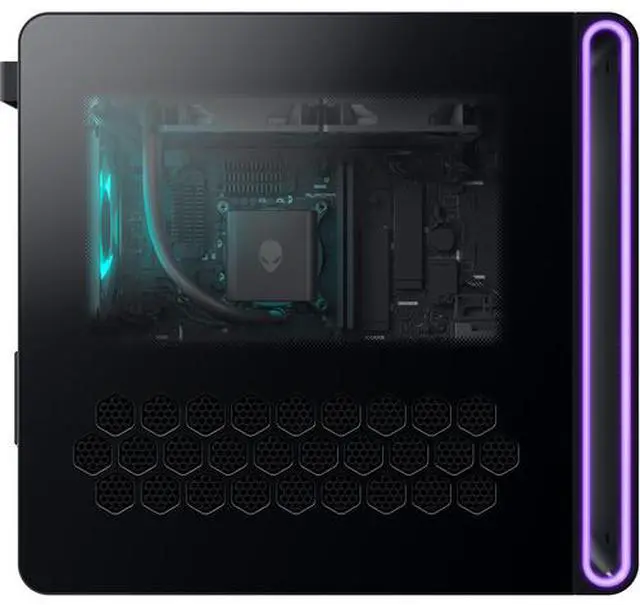
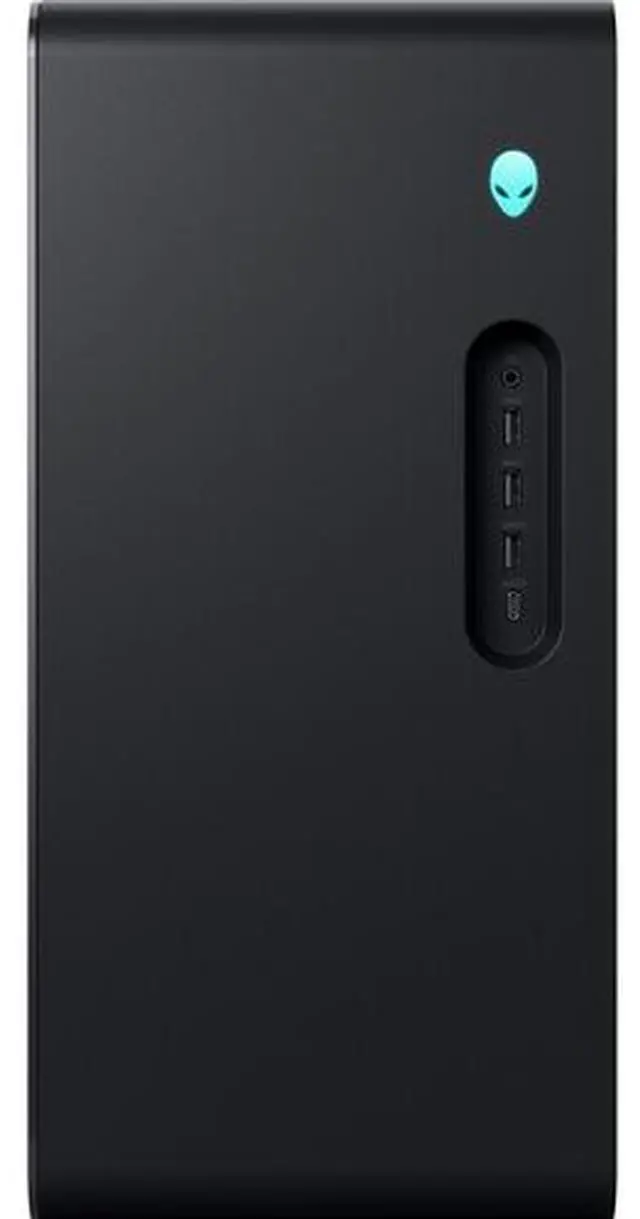
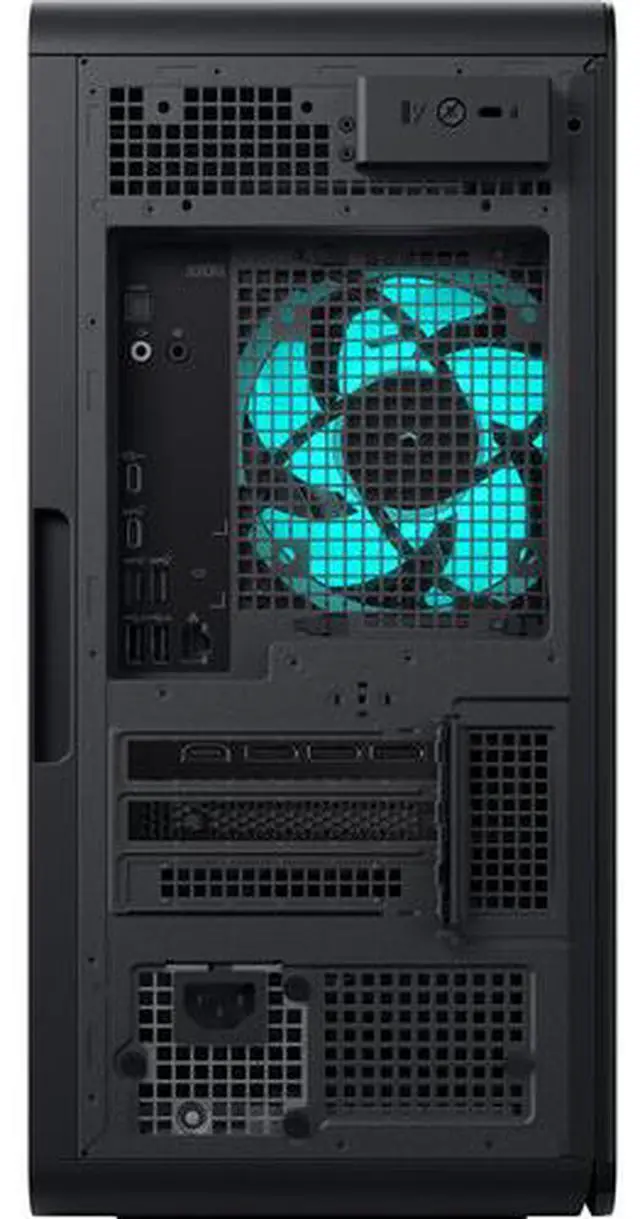


Alienware Aurora DACT1250-9216BLU-PUS Gaming Desktop PC Intel Core Ultra 9 285 NVIDIA GeForce RTX 5070 Ti 32 GB RAM 1 TB SSD Windows 11 Home
- Intel Core Ultra 9 285
- 32GB
- 1TB SSD
- Windows 11 Home
- GeForce RTX 5070 Ti
- Virtual Reality Ready
- Actual component brands and configurations may vary, including but not limited to the motherboard, graphics card, power supply, Wi-Fi module, I/O ports, storage, and RAM (including DIMM quantity and capacity per DIMM)
+
+
Overview
Specs
Reviews (2)
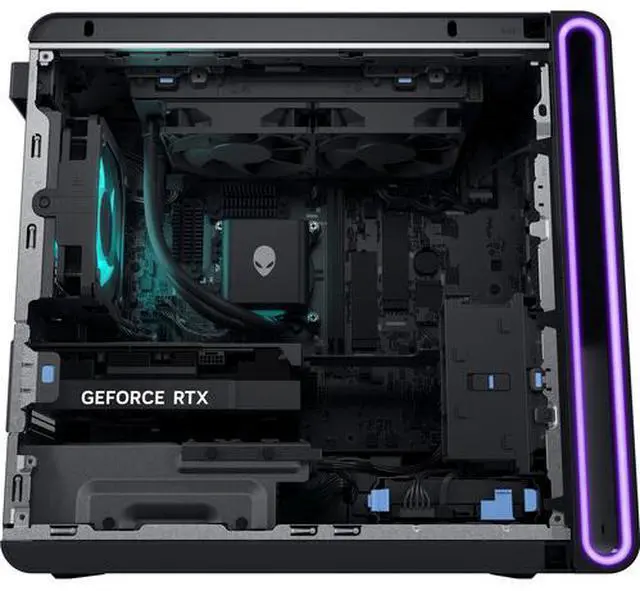
Top-tier gaming versatility. The Alienware Aurora is engineered for exceptional performance with a streamlined, minimal design. This generation of Aurora desktops focuses on reducing acoustics while maintaining airflow, making it a perfect gaming system for any setting. Dominate the game with Dell Alienware gaming desktops. Featuring latest NVIDIA GeForce RTX graphics, Intel Core Ultra processors & proprietary cooling for max performance. Shop on Newegg. Experience the ultimate performance with Dell Alienware.
Every Alienware desktop has been designed for gaming. The best Alienware desktop depends on each individual’s needs and preferences. The Area-51 is for gamers who want to own a flagship product where performance, technology, and system updates are top of mind. The Aurora is perfect for gamers who seek high performance with efficient design and a more compact size supporting a variety of living and gaming spaces.
Every Alienware gaming system is built around a chassis design, a thermal strategy, Alienware Command Center and technology components that drive the most immersive games in the known galaxy. The technology components include efficient, high-performance and AI-ready Intel processors. We also feature a variety of NVIDIA GeForce RTX graphics options, Memory or RAM options that prioritize speed with XMP profile options, a variety of solid-state storage options, power supplies with high 80 Plus efficiency ratings and high-quality motherboards with finely routed cable management to keep everything working in harmony.
Warranty & Returns
Warranty, Returns, And Additional Information
Warranty
- Limited Warranty period (parts): 1 year
- Limited Warranty period (labor): 1 year
- Read full details
Return Policies
- Return for refund until: January 31, 2027
- Return for replacement until: January 31, 2027
- This item is covered by Newegg.ca's Extended Holiday Return Policy.
- Read full return policy for details.
We want to ensure your holiday shopping this year is hassle-free. That’s why we’re automatically extending our return policies on almost every product! For purchases placed between November 1st, 2026 and December 31, 2026 you will have until January 31, 2027 to return your product.
Manufacturer Contact Info
LOADING...
LOADING...
The Alienware Aurora DACT1250-9216BLU-PUS is a high-performance gaming desktop with an Intel Core Ultra 9 285 24-core processor, 32GB of memory, 1TB SSD storage, and NVIDIA GeForce RTX 5070 Ti graphics. It is suitable for demanding PC gaming, immersive VR, AI-ready workloads, and everyday Windows 11 use.
Recommended For
- Desktop gamers who want a ready-to-use prebuilt for demanding 1440p or 4K gaming, including high settings and ray tracing, without assembling or tuning a PC themselves.
- Gamers who prioritize graphics performance for modern AAA games, ray tracing, and VR over maximum component customization; the RTX 5070 Ti configuration is positioned for visually demanding play rather than entry-level gaming.
- Users who want a relatively compact gaming desktop for a permanent desk setup and prefer Alienware’s subdued case design, integrated lighting, and liquid-cooled configuration over a traditional oversized tower.
- Gamers and home users who value quieter everyday operation while gaming, streaming, or multitasking; professional testing found the Aurora notably quiet in standard performance use.
- Users who need a gaming-capable home PC for CPU-heavy multitasking such as game streaming, content creation, large software projects, or simultaneous applications, and who can work within the included 32GB RAM and 1TB SSD capacity.
Real-World Use Scenarios
- When playing demanding modern games at 1440p, the system is likely to deliver high-settings gameplay with smooth frame rates; reviews of the same Aurora platform and RTX 5070 Ti configuration measured strong 1440p results with ray tracing enabled.
- When playing visually demanding single-player games such as Cyberpunk 2077 or Indiana Jones and the Great Circle, the PC can support 4K gaming in selected titles, although demanding ray-tracing modes may require DLSS or reduced settings to maintain smoother performance.
- When using a high-refresh-rate 1080p or 1440p monitor for competitive games, the RTX 5070 Ti configuration can produce high frame rates in titles such as Call of Duty, Doom, and similar esports-oriented games, making the system suitable for responsive play.
- When using a VR headset for compatible games and applications, the desktop is intended to provide a ready-to-use VR setup without requiring a separate gaming system, subject to the headset, software, and game requirements.
- When editing video, rendering projects, or multitasking with creative applications, browsers, and communication tools open at the same time, the 24-core processor and 32GB of memory provide substantial application headroom; the included 1TB SSD may require additional storage for large media libraries.
Spec Summary
| Attribute | Value |
|---|---|
| Best For | Consumer gaming and entertainment, including virtual reality-ready use, with an AI-ready platform for home and personal computing |
| Processor And Core Count | Intel Core Ultra 9 285 processor with 24 cores and 64-bit architecture |
| Cache And TDP | 40 MB L2 cache and 36 MB L3 cache |
| GPU And Graphics | NVIDIA GeForce RTX 5070 Ti graphics |
| Memory Configuration | 32 GB of system memory |
| Storage | 1 TB SSD storage |
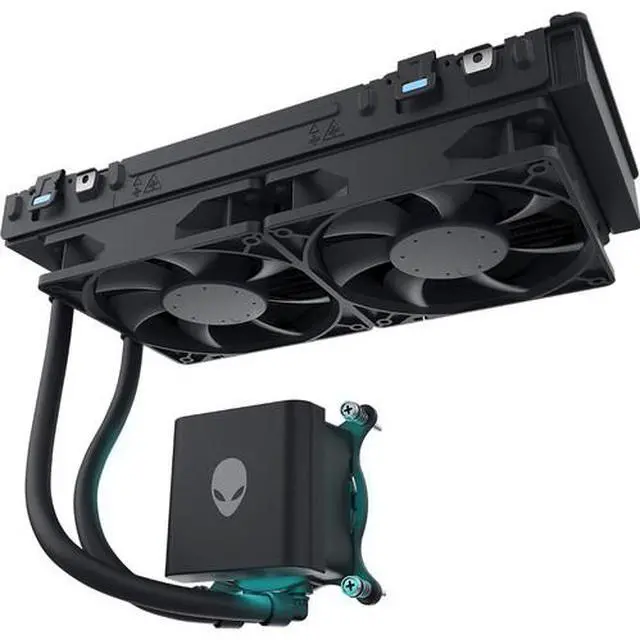
| Cooling | Liquid cooling system |
| Operating System | Windows 11 Home |
| Model Identifiers | Alienware Aurora gaming desktop from Alienware, model DACT1250-9216BLU-PUS |
Reference Q&A
Q: Should I choose this Alienware Aurora with an RTX 5070 Ti or a lower-tier Aurora with an RTX 5070?
A: Choose this RTX 5070 Ti configuration if you plan to play at 1440p with high settings, use ray tracing, or keep the PC for several years. The RTX 5070 Ti provides 16GB of GDDR7 memory, while the RTX 5070 uses 12GB. Choose the lower-tier RTX 5070 Aurora if you mainly play at 1080p or standard 1440p settings and want to reduce the purchase price.
Q: Is this RTX 5070 Ti Aurora better than an RTX 5080 Aurora for gaming?
A: The RTX 5070 Ti Aurora is the more suitable choice for most 1440p gaming setups because it delivers strong performance with lower GPU power requirements than an RTX 5080 system. Choose an RTX 5080 Aurora when you use a 4K monitor, want higher performance in demanding ray-traced games, or plan to run high-refresh 4K gaming. The RTX 5080 has more CUDA cores and a higher 360W graphics power rating, compared with the RTX 5070 Ti's lower power class.
Q: Should I upgrade from an Alienware Aurora R16 to this Core Ultra 9 and RTX 5070 Ti model?
A: Upgrade if your Aurora R16 uses an older midrange GPU and you want Blackwell features such as DLSS 4, 16GB of graphics memory, and stronger 1440p or entry-level 4K capability. The upgrade is less compelling if your R16 already has a high-end RTX 4070 Ti Super, RTX 4080, or similar GPU, because professional reviews found that raw frame-rate gains between some Aurora generations can be modest. The newer model is most valuable when you need additional GPU memory and newer AI-assisted graphics features.
Q: Is this Alienware Aurora better than an Alienware 16X Aurora laptop?
A: Choose this Aurora desktop for sustained gaming performance, larger desktop-class cooling capacity, and easier access to a full-size monitor and peripherals. Choose the Alienware 16X Aurora laptop when portability is important or you need to move between locations. A desktop RTX 5070 Ti configuration is generally better suited to performance-first gaming, while the laptop prioritizes mobility and includes the display, battery, and keyboard in one system.
Q: Should I buy this Aurora or move up to an Alienware Area-51 desktop?
A: Choose this Aurora if you want a smaller 36-liter gaming tower with a high-end Core Ultra 9 processor, RTX 5070 Ti graphics, 32GB of memory, and liquid cooling. Move up to the Area-51 if you need the highest available GPU tier, more substantial cooling, or a platform positioned for flagship configurations such as the RTX 5080 and RTX 5090. The Aurora is the more practical performance-focused choice when RTX 5070 Ti gaming is sufficient; the Area-51 is aimed at buyers prioritizing maximum graphics performance.
Q: Is this desktop suitable for VR gaming?
A: Yes. The product is listed as Virtual Reality Ready and combines an Intel Core Ultra 9 285 processor, 32GB of memory, and an NVIDIA GeForce RTX 5070 Ti graphics card. A compatible VR headset and required accessories are still needed.
Q: Is this gaming desktop good for office work, meetings, and everyday productivity?
A: Yes. Windows 11 Home, 32GB of memory, a 24-core processor, and a 1TB SSD are suitable for office applications, web browsing, video meetings, note-taking, and multitasking. It is a desktop tower, so it is not a convenient travel computer and requires a separate display and workspace setup.
Q: Can the memory or storage be upgraded later?
A: The system includes 32GB of memory and a 1TB SSD. Retail gaming-PC Q&A pages commonly raise questions about adding RAM or storage, but the supplied specifications do not confirm the available memory slots, drive bays, motherboard layout, or power-supply capacity for this specific model. Verify compatibility before purchasing upgrade parts.
Q: Does the desktop include a monitor, keyboard, and mouse?
A: The provided product information lists the computer tower and its internal components but does not state that a monitor, keyboard, or mouse is included. Treat those accessories as separate unless the seller’s package contents explicitly confirm otherwise.
Q: Who is this Alienware Aurora desktop best suited for?
A: It is best suited for users who want a high-performance Windows gaming desktop for demanding games, VR, multitasking, and graphics-intensive applications. It is less suitable for users who need portability, a compact computer, or a complete setup with a monitor and accessories included.
Q: Is the Alienware Aurora ACT1250 with an RTX 5070 Ti worth buying?
A: It is worth considering if you want a ready-to-use gaming desktop with a Core Ultra 9 285, 32GB RAM, 1TB SSD, liquid cooling, and an RTX 5070 Ti. The main trade-offs discussed by users are Alienware’s potentially higher price and limited long-term upgrade flexibility, so value depends heavily on the purchase price.
Q: Is this Alienware Aurora suitable for 1440p and 4K gaming?
A: Yes. The RTX 5070 Ti makes this configuration well suited to 1440p gaming and capable of 4K gaming, although frame rates will vary by game, graphics settings, ray tracing, and upscaling. Users discussing similar Aurora configurations commonly treat the 5070 Ti as a meaningful step above the RTX 5070 for higher-resolution gaming.
Q: How upgradeable is the Alienware Aurora ACT1250?
A: It should be treated as a relatively fixed prebuilt rather than an ideal upgrade platform. Users report that the proprietary motherboard and power supply, tight internal space, and component compatibility can make major upgrades difficult. The 32GB RAM and 1TB SSD are adequate to start, but buyers planning frequent GPU, PSU, or motherboard upgrades may prefer a more standard desktop design.
Q: Does the liquid cooling make this Aurora quieter or better for sustained gaming?
A: The included liquid cooling is intended to manage CPU heat during sustained workloads, but it does not guarantee silent operation. In discussions of similar Aurora systems, users generally preferred liquid cooling over smaller air coolers because air-cooled versions were reported as louder under load. Noise still depends on fan curves, room temperature, and workload.