Skip to: |

Newegg.ca - A great place to buy computers, computer parts, electronics, software, accessories, and DVDs online. With great prices, fast shipping, and top-rated customer service - once you know, you Newegg.

If you are reading this message, Please click this link to reload this page.(Do not use your browser's "Refresh" button). Please email us if you're running the latest version of your browser and you still see this message.

Newegg.ca - Computer Parts, Laptops, Electronics, HDTVs, Digital Cameras and More!

  • | Wish List
  • Help

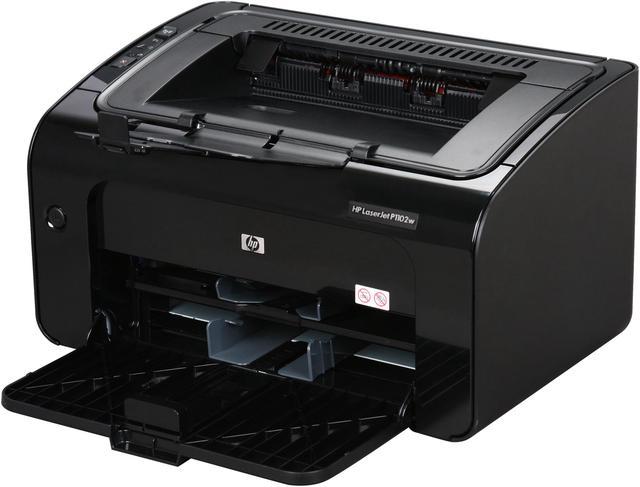
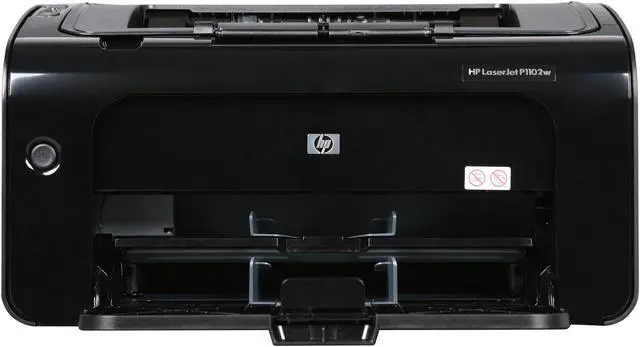
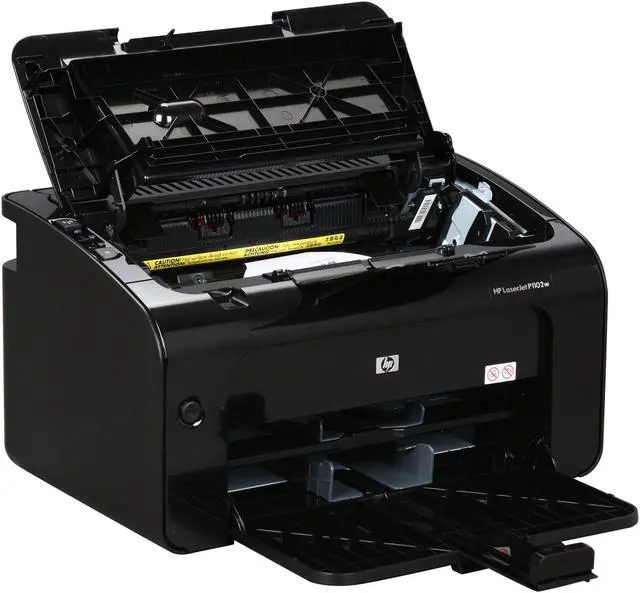
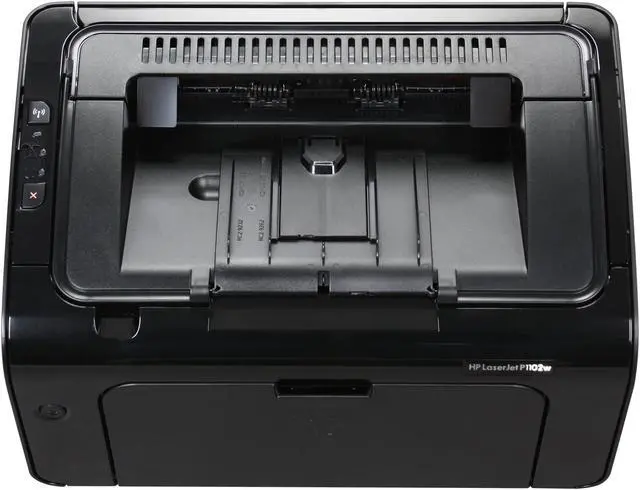
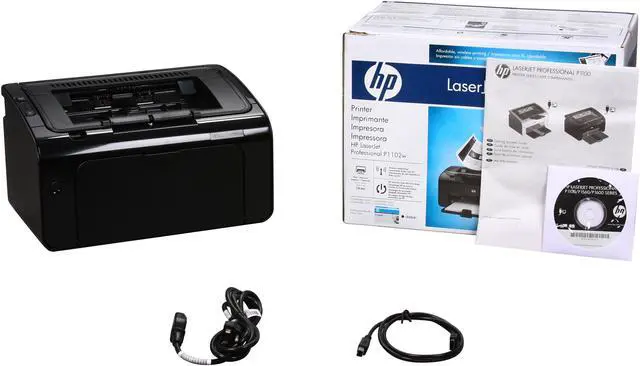
HP LaserJet Pro P1102W CE657A Personal Up to 19 ppm Monochrome Laser Printer

neweggOUT OF STOCK.

  • CE657A
  • Up to 600 x 600 x 2 dpi (1200 dpi effective output)
  • Up to 19 ppm
ICON Loading...

The P1102W’s 150-sheet paper tray and single-sheet feeder allow you to print on letter, legal, executive, postcard sized paper, and envelopes. The 100-sheet output tray keeps your print job neatly stacked until you're ready to pick it up. The compact LaserJet P1102W fits easily on your desk or shelf and is an economical solution for users who print lots of text documents!

  • newegg Improved Productivity The HP LaserJet P1102W features breathtaking print speeds of up to 19ppm in monochrome for efficient printing.
  • newegg Instant-on Technology Incorporating Instant-on technology, the HP LaserJet P1102W outputs the first page in as fast as 8.5 seconds so your print job is done sooner.
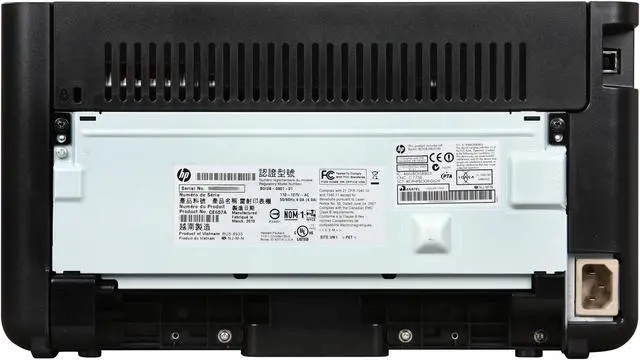
  • newegg Wireless Network Connectivity With the wireless connectivity, put the HP LaserJet P1102W anywhere that is convenient and share the printer function among multiple computers.
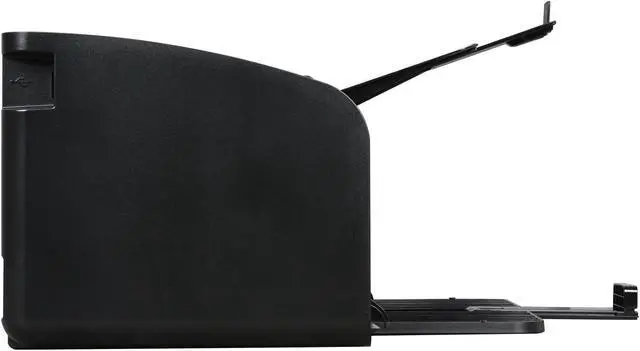
  • newegg USB 2.0 Connectivity The convenient Hi-Speed USB 2.0 connectivity ensures rapid set-up of the printer and fast data transfer.

Learn more about the Hewlett-Packard CE657A

General

Brand
HP
Series
LaserJet Pro P1102W
Model
CE657A
Recommended Use
Personal
Dimensions
13.74" x 9.38" x 7.71"
Weight
11.6 lbs

Printing

Output Type
Monochrome
Laser Technology
Laser
Black Print Speed
Up to 19 ppm
Black Print Quality
Up to 600 x 600 x 2 dpi (1200 dpi effective output)
Time To First Page (seconds)
8.5 sec.
Print Languages, std.
Host-based printing
Duplex printing
Manual
Max. Duty Cycle
Up to 5,000 pages monthly

Media Handling

Paper Trays, std.
1
Paper Trays, max.
1
Input Capacity, std.
10-sheet priority feed slot, 150-sheet input tray
Output Capacity, std.
100-sheet face-down bin
Media Type
Paper (laser, plain, photo, rough, vellum), envelopes, labels, cardstock, transparencies, postcards
Media sizes supported
Letter, legal, executive, postcards, envelopes (No. 10, Monarch)

150-sheet input tray: 5.8 x 8.27 to 8.5 x 14 in; priority feed slot: 3 x 5 to 8.5 x 14 in

Ports

USB Ports
Yes
Other Ports
WiFi 802.11b/g

Hardware SPEC

Processor(MHz)
266
Memory, std.
8 MB
Memory, max.
8 MB
Power Consumption
370 watts

Compatibility

Windows Compatible
Microsoft Windows 7 (32-bit/64-bit), Windows Vista (32-bit/64-bit), Windows XP (32-bit/64-bit), Windows Server 2008 (32-bit/64-bit), Windows Server 2003 (32-bit/64-bit)
Macintosh Compatible
Mac OS X v 10.4, v 10.5, v 10.6

Features

Features
Recommended monthly (250 to 1500 pages)

Manufacturer Warranty

Parts
1 year limited
Labor
1 year limited

Quick Info

Warranty

  • Limited Warranty period (parts): 1 year
  • Limited Warranty period (labor): 1 year


Customer Reviews of the Hewlett-Packard CE657A

Do you own this product? Write a Review

Filter Results

Go
  • JordanAustin
  • 4/5/2013 12:49:48 PM
  • Tech Level: High
  • Ownership: more than 1 year
  • Verified Owner

5 out of 5 eggsGood for our Home

Pros: * Fast
* Spot on
* Fairly small

Cons: * Toner cartridge is quite small
* Wifi but not hard wired

Other Thoughts: * We are like most people I'm sure. We don't print very much, but it's annoying when we do and the ink is dried up. This one we fill toner about once a year if even that.
* The toner cartridge is small which to me seems like a marketing ploy, sure you save because toner is cheaper but they make the cartridge small than you have to refill more.
* Wifi didn't work so well for us. Not easy to setup and didn't seem to be stable at all. So I tied it into a machine and shared it on our network. I would of loved for this to of just been hard wired, but it was cheap.

Did you find this review helpful? Yes No

  • Supreme IT
  • 12/4/2012 7:45:08 PM
  • Tech Level: High
  • Ownership: 1 month to 1 year
  • Verified Owner

1 out of 5 eggsGarbage WIFI, Garbage HP Support

Pros: Small foot print, Black looks nice.

Cons: Wifi either is intermittent or completely not working.
HP support is garbage, on the phone for 1hr 30min with no help at the end and a poor attitude from support staff.

Other Thoughts: Do youself a favor and buy brother or someother printer, this one only works via USB and should not sell it as working with WIFI.

Did you find this review helpful? Yes No

  • Kguy
  • 11/19/2012 8:53:42 AM
  • Tech Level: Average
  • Ownership: 1 month to 1 year
  • Verified Owner

5 out of 5 eggsIts good!

Pros: Decent Price, Fast Printing, multiple paper types/formats to print on (with a decent program).

Cons: I had to reload the driver for this printer almost every time i plugged it in via the usb cable. I have not tried the wireless function on it yet.

Other Thoughts: Where the driver issue is annoying, it only takes a minute to get running after plugging it back in, and this does not always happen. I assume the wireless connection would eliminate this problem ( or would hope so ) as it may be a plug n play problem. In either case, the rate at which this printer spits sheets of text back at you is amazing. I have not had a laser printer before.

I printed off a 600 page manual in under 30 minutes. I am satisfied.

Did you find this review helpful? Yes No

  • Bob the Accountant
  • 11/6/2012 8:34:51 PM
  • Tech Level: Somewhat High
  • Ownership: 1 month to 1 year
  • Verified Owner

5 out of 5 eggsvery pleased

Pros: speedy printer, not too loud considering it is on my desk

Cons: The printer sounds very annoying when it is out of paper. It sounds like it is upset and throwing a fit.

Other Thoughts: good price, good printer

Did you find this review helpful? Yes No

  • Cloakedboltz
  • 11/6/2012 12:30:32 PM
  • Tech Level: Somewhat High
  • Ownership: 1 month to 1 year

4 out of 5 eggsSo Far So Good

Pros: Nothing outstanding. It works for its intended purpose.

Cons: Sometimes need to wake up the printer manually and resend the job (using wireless feature).

Other Thoughts: I'm not using it that much. No paper jams so far.

Did you find this review helpful? Yes No

  • Rupocinski
  • 11/4/2012 11:43:10 AM
  • Tech Level: High
  • Ownership: 1 month to 1 year
  • Verified Owner

5 out of 5 eggsGreat

Pros: Great printer for the money

Cons: No eithernet connection

Did you find this review helpful? Yes No

  • Wolvenar
  • 11/3/2012 4:22:01 PM
  • Tech Level: High
  • Ownership: more than 1 year
  • Verified Owner

4 out of 5 eggsFast spooling and printing

Pros: Fast printer, good quality

Cons: Feels cheap, and it's driver and wifi setup leaves much to be desired. To setup wifi you seem to need a machine that HAS wifi. I would think it should be possible to setup the wifi from any machine connected to it via USB.

Did you find this review helpful? Yes No

  • amassed
  • 9/17/2012 3:26:55 AM
  • Tech Level: Somewhat High
  • Ownership: more than 1 year

2 out of 5 eggsMac Users Beware

Pros: I'm giving it two stars because it works fine with USB connection.

Cons: The wireless feature will not work for Mac. If your Mac is 10.7 or above you're probably going to have to return this printer. The instruction manual is very limited while the online information is scattered and ineffective. This printer may perform differently with PCs but when it comes to Mac the wireless feature is a wash. It's simply a waste of time. No sense in paying for a wireless feature if it does not work.

Did you find this review helpful? Yes No

  • N/A
  • 9/12/2012 12:43:35 PM
  • Tech Level: Somewhat High
  • Ownership: 1 month to 1 year
  • Verified Owner

5 out of 5 eggsGreat Printer

Pros: 1. Very Fast Printer

2. Great Wireless Feature

3. Included toner has been lasting for 3 months and counting. (Definitely a great upgrade from inkjet printers)

4. Cheap (for a laser printer)

5. AIRPRINT!!!

Cons: 1. Will only print in black and white.

2. Does not have an automatic duplex feature

3. No feeder scanning and copying feature

Did you find this review helpful? Yes No

  • acemoonbeam
  • 9/9/2012 3:48:28 AM
  • Tech Level: Somewhat High
  • Ownership: 1 week to 1 month
  • Verified Owner

5 out of 5 eggsFINE PERSONAL LASER PRINTER

Pros: Easy to set up
Inexpensive
Manual duplex easy to use

Cons: none at this time

Other Thoughts: Quite suitable for personal use. Much faster than inkjet printers. Generic toner cartridges available. I use it to print pages for proofreading. Manual duplex is easy to use; print one side, reinsert paper without reorienting, print other side. Econo mode is fine for everyday use, saves toner. Pages come out hot, need to lie flat while they cool.

1 out of 1 people found this review helpful. Did you? Yes No

ICON Loading...
Discontinued
  • This item is currently out of stock and it may or may not be restocked.
  • $16.59 Shipping
Discontinued
Are you an E-Blast Insider? Subscribe Newegg e-Blast

Buzz

So far, so good!

5 out of 5 eggs
I haven't had an easier time installing a wireless device before. Hitting the WiFi protected setup button on my wireless ...
— holyfork 5/2/2010

Excellent Laserjet for the $$$$

5 out of 5 eggs
Easy to setup using USB. If you are using wireless you'll need the USB cable and the CD or the download from HPs website ...
— 1/24/2012


LOADING... LOADING...
Shop by Region: United States | Canada | China
Follow us:   RSS Feeds Youtube
VeriSign Reliability Seal1 PaypalVerify GoldenSeal InteracThis site protected by Trustwave's Trusted Commerce program Inc500

Policy & Agreement | Privacy Policy

 © 2000-2013 Newegg Inc.  As used herein, “Newegg.ca” means Newegg Canada Inc. unless the context specifically refers to the www.newegg.ca web address.
If the Adobe Reader does not appear when you click on a link for a PDF file, you can download Adobe Reader from the Adobe web site. nassau