Newegg.ca - A great place to buy computers, computer parts, electronics, software, accessories, and DVDs online. With great prices, fast shipping, and top-rated customer service - once you know, you Newegg.

If you are reading this message, Please click this link to reload this page.(Do not use your browser's "Refresh" button). Please email us if you're running the latest version of your browser and you still see this message.

Newegg.ca - Computers, Computer Parts and Electronics

My Account
All prices shown in Canadian dollars unless otherwise specified. 

About UsBrowse Entire SiteShop All BrandsHelp & Info
topNavRowBottom  
Home
Home. > 
Computer Hardware0_. > 
SSD1_. > 
OCZ Technology2_. > 
Item#: N82E16820227373

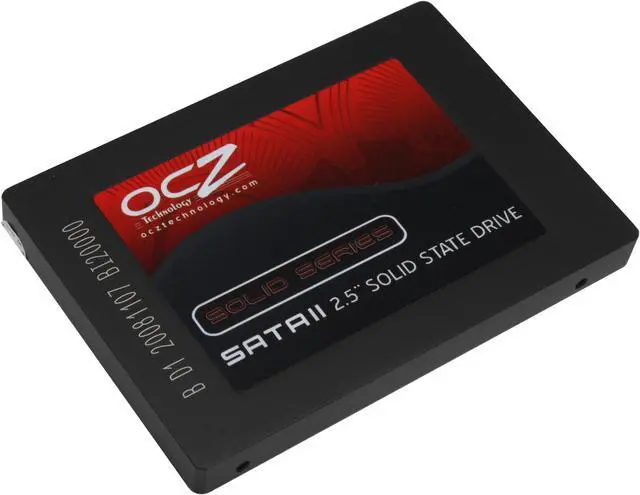
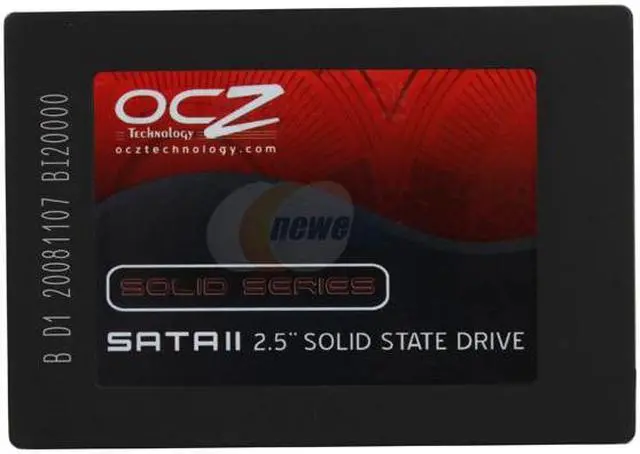
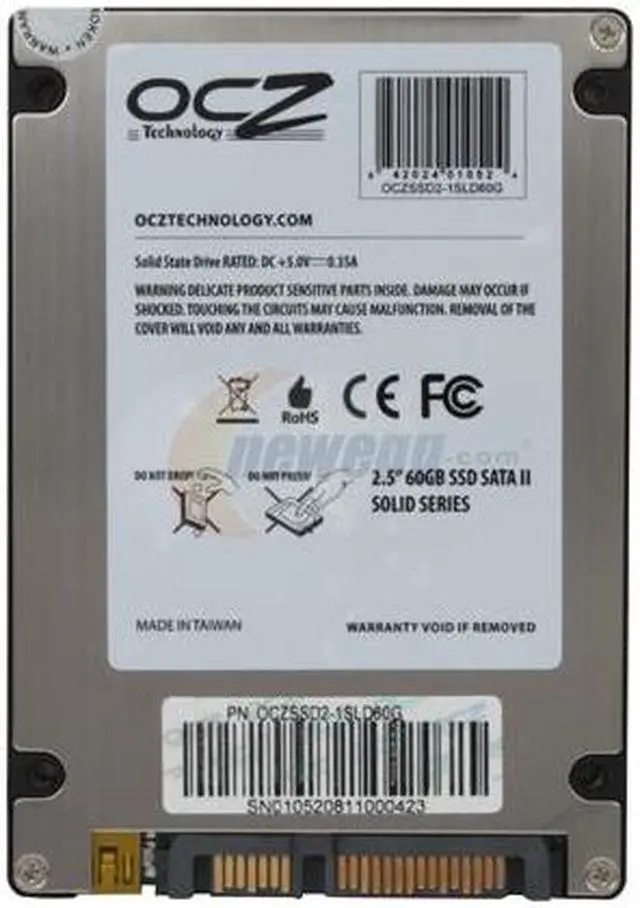
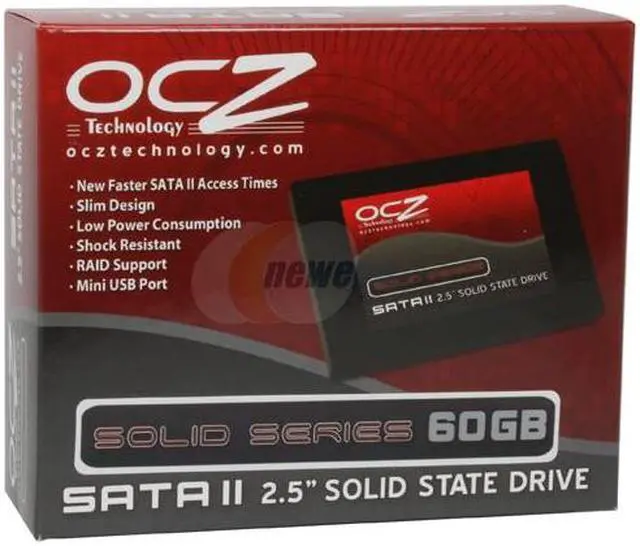
OCZ Solid Series OCZSSD2-1SLD60G 2.5" 60GB SATA II MLC Internal Solid State Drive (SSD)

Average Rating

4 out of 5 eggs(87 reviews)

OUT OF STOCK.

Deactivated. This item is currently out of stock and it may or may not be restocked.
$9.99 Shipping
Buzz
Amazingly fast, low power consumption and completely silent
5 out of 5 eggs
I used this drive in the construction of a new PC for my parents for Christmas and I could not be more pleased with the end ...
— Sam E. 1/5/2009
Quite happy
5 out of 5 eggs
Bought for my IBM/Lenovo T60p laptop -- I replaced a 100GB travelstar (Hitachi) 7200rpm spinning HDD with this ...
— LJ 2/14/2009


Quick Info
Manufacturer Warranty
  • Manufacturer Limited Warranty period (parts): 3 years
  • Manufacturer Limited Warranty period (labor): 3 years


Return Policies

This item is covered by Newegg.ca's Limited Replacement Only Return Policy.

  • Return for refund within: Non-Refundable
  • Return for replacement within: 30 days

Learn more about the OCZ Technology OCZSSD2-1SLD60G

General
Brand
OCZ
Series
Solid Series
Model
OCZSSD2-1SLD60G
Device Type
Internal Solid State Drive (SSD)
Architecture
MLC
Expansion / Connectivity
Form Factor
2.5"
Capacity
60GB
Interface Type
SATA II
Features
RAID Support
Mini USB 2.0 Port
Performance
Max Shock Resistance
1500G
Sequential Access - Read
up to 155 MB/sec
Sequential Access - Write
up to 90 MB/sec
MTBF
1,500,000 hours
Manufacturer Warranty
Parts
3 years limited
Labor
3 years limited

Customer Reviews of the OCZ Technology OCZSSD2-1SLD60G

Do you own this product? Write a Review
Filter Results
Go
  • N/A
  • 1/31/2010 2:45:06 PM
  • Tech Level: above average
  • Ownership: 1 month to 1 year
  • Verified Owner
1 out of 5 eggsSlow even when not stuttering

Pros: USB port allows it to be used as a big flash drive when you realize it's not useful as a primary drive.

Cons: Slows down a reasonably fast system, even when it's not stuttering.

OCZ wasted a lot of my time with all their tips to improve performance. At least now their response is honest (buy a better model or use in RAID) but that doesn't make up for selling a product that's broken by design. And the idea that it's okay because it's inexpensive is dishonest. You didn't advertise it's shortcomings. For what it is it's expensive - it's a paperweight.

Manufacturer Response:

Hello, we are sorry that you are having difficulties. Please visit the link below and create a support ticket to get in touch with our support staff. We will be happy to make some direct recommendations to get you running more consistently.
Thank you

0 out of 1 people found this review helpful. Did you? Yes No

  • raptor
  • 11/21/2009 9:36:28 AM
  • Tech Level: above average
  • Ownership: more than 1 year
  • Verified Owner
2 out of 5 eggsNo firmware updates here

Pros: noise free, low power consumption, fast when new

Cons: No firmware updates from from OCZ website, they call this ssd a "value series" . The new tools they have do not work on this drive, after so much use the drive slows down a lot, and they have no firmware updates to help on this matter.
This aggravates the hell out of me
No more OCZ products for me, just look at the rate their PSU's are failing

Other Thoughts: If I pay high dollar for a product, I have high expectations

2 out of 3 people found this review helpful. Did you? Yes No

  • Beauchee
  • 10/28/2009 6:53:51 PM
  • Tech Level: above average
  • Ownership: 1 day to 1 week
  • Verified Owner
4 out of 5 eggsWoot Woot

Pros: Super low price, great booting speed and i didn't do any tweeks...just opened the box and booted it.

Cons: Only got 5.9 in windows 7 ranking even do it is faster then my previous raid 0 setting with 2x WD HD :(

Other Thoughts: If you got a bit more to spend go with the Pratiot Torqx witch i also have in another system (with 7.2 of ranking out of 7.9 in win 7) if you don't have that kind of money, this OCZ drive is a great great deal !

1 out of 1 people found this review helpful. Did you? Yes No

  • pa_pilot
  • 10/27/2009 6:13:00 PM
  • Tech Level: above average
  • Ownership: 1 week to 1 month
  • Verified Owner
5 out of 5 eggsPretty good for a basic SSD

Pros: It's fast. Ridiculously fast in comparison to a platter drive. Win 7 boots in just seconds, and programs start instantaneously.

Cons: Price (especially the recent price increase)

Other Thoughts: I probably should have gotten the 120. Had I not moved the page file to a HDD and taken the performance hit, I'd be sitting at 10GB free with the O/S, OpenOffice, Pinnacle Studio 11, MS Office H&S, and a few other big applications installed. Right now I have this SSD, a 1TB array, and an 8GB ReadyBoost flash card on a Phenom 925 box with 8GB of memory. It's still so much faster even with the page file on a HDD.

Did you find this review helpful? Yes No

  • Dewales
  • 10/18/2009 1:04:18 AM
  • Tech Level: above average
  • Ownership: 1 month to 1 year
5 out of 5 eggsStill Kickin

Pros: I've had one of these drives for 10 months, and the performance is decent, given the system it's on (SATA1)

Cons: nothing other than jmicron controller

Other Thoughts: performance after the entire drive has been used (dubbed "used performance") is sort of lame, but still better than traditional HDD's. I was browsing the market and noticed these things are still for sale, i paid a little under $100 for this drive back in january. Im happy with my purchase, but im much happier with my intel 80gb ssd in my modern rig.
I also use one of these solid series drives portably (as a "thumb drive") because it has the usb2.0 port on it. I am reasonably satisfied with the product.

Did you find this review helpful? Yes No

  • N/A
  • 9/25/2009 5:40:08 PM
  • Tech Level: above average
  • Ownership: 1 month to 1 year
  • Verified Owner
4 out of 5 eggsDecent Entry-Level SSD

Pros: - relatively inexpensive
- pretty fast
- low energy consumption (i.e. no heat - great for fanless systems)

Cons: - occasional stuttering

Other Thoughts: I've used this SSD in streaming servers and HTPC as a OS drive (to stream from NAS) - for that particular purpose it works very well. However, I would probalby not use it in my primary machine.

1 out of 1 people found this review helpful. Did you? Yes No

  • George
  • 8/30/2009 9:00:03 PM
  • Tech Level: above average
  • Ownership: 1 month to 1 year
1 out of 5 eggsDon't buy this drive, period.

Pros: None.

Cons: As many pointed out, this drive uses the faulty JMicron controller. Along with the absence of on-board cache, what you end up with is an SSD that stutters like there's no tomorrow. Even after doing most of the tweaks from the OCZ forum, my ThinkPad T60 is still close to unusable due to random freezes that can last over ten seconds at a time. In comparison, the 60GB, 5400RPM stock drive feels a lot faster.

Other Thoughts: The new generation of OCZ drives - Vertex, Summit and Agility has made tremendous improvements by utilizing better controllers and on-board caches. If you can wait for another month or so, then definitely go for the second generation Intel SSDs once they come back in stock and prices have settled. They are arguably superior to anything OCZ has to offer at this point. Otherwise the aforementioned OCZ's can be a cheap alternative.

And to the employees of OCZ, no thanks, I don't need any responses. All SSDs with the JMicron's are absolutely terrible and you know it. Good job with the new generation of drives though. The right thing to do now is to offer some kind of upgrade programs for owners of pre-Indilinx drives.

Manufacturer Response:

Hello, we understand that you do not want a response, but these drives do work well in RAID applications and we encourage customers with fast computers that want a single drive solution to look at our Vertex and Summit drives.
Thank you

7 out of 8 people found this review helpful. Did you? Yes No

  • -pookie
  • 8/26/2009 3:50:57 PM
  • Tech Level: above average
  • Ownership: 1 month to 1 year
5 out of 5 eggsOCZ ‘OCZSSD2, 60GB’ EXCELLENCE!

Pros: I sold my dual VelociRaptors and still didn’t have enough $$$ to buy the dual SSD’s I originally wanted and now I am happy I didn’t because the dual 150BG SSD’s I had my eye on would have cost more than the 4 OCZSSD2, 60GB's I have now but anyway, we will do whatever it takes to make our rigs super fast no matter how long the wait and I could have really saved some big bucks if I had bought my OCZSSD2, 60GB ‘s here at NewEgg but I was anxious with nada patience so I bought 4- OCZSSD2, 60GB’s at the first online retailer that had the 60GB's available. I then counted down the hours until they arrived then immediately installed them in my rig on a 128K Stripe, RAID 0 Array and now startup on my Vista Ultimate 64-Bit, PHILON MK V is almost as fast as hitting a light switch ‘These OCZ SSD’s are really that fast!’, dependable as any drives or RAID 0 Array I ever ran, and running the 4-SSD’s have never stuttered once and I am once again I LOVE my Rig all over again!
5-Stars & YOU ROCK OCZ!

Cons: I have no cons regarding the OCZSSD2, 60GB's other than I wish I could afford 4-more to run in my backup rig on another RAID 0 Array but regarding installation and those having problems, it is unfortunate some of us rarely ever respect following a couple of simple rules of thumb before installing a new HD or SSD leaving us bound to have problems like the usual cough on or after startup, a hiccup or the biggie, a stutter after startup and what do we do anytime there is a problem with new hardware? We blame the obvious or in this case the manufacturer and it rarely fails the first thing we say is: ‘well this didn’t happen with my Raptors, Segate’s or Caviar Blacks’ so I got a BAD SSD! After that I have often heard the screaming follow-up of: ‘I GOT A BAD DRIVE or THESE DRIVES ARE A PIECE OF JUNK, DO NOT BUY THIS DRIVE and the biggie: ‘OCZ SUCKS!’ This is WRONG Guys! I have 4-new OCZSSD2, 60GB's setup on a RAID 0 Array on a 128K Stripe and logically I should be having problems right?

Other Thoughts: First and foremost, read your installation guide and never forget anytime you install a new HD or SSD, single drive or RAID Array, ‘WE MUST ALWAYS’ add a ‘NEW SATA Cable’ to those New Drives People! SATA Cables are high end, extremely versatile but cheap and usually work great for years but let’s get real for a minute guys and remember SATA Cables ‘like most anything else’ wear and spread every time you plug or unplug those cables to the drive and the one important thing we must never do is use a SATA Cables over and over or from one drive to the next and when we do, we will most definitely have the occasional hiccup or stutter especially on any new HD or SSD. Most of us neglect to remember HD’s and especially SSD’s are high voltage, DATA transfer precision units that must have clean and tight connections so when you consider spending a huge chunk of $$$ on any HD or SSD what’s a couple more bucks for a new cable to add to your new drive? After all, one deserves the other right?

2 out of 5 people found this review helpful. Did you? Yes No

  • ravenx2k
  • 8/18/2009 2:52:45 PM
  • Tech Level: above average
  • Ownership: 1 month to 1 year
  • Verified Owner
2 out of 5 eggsand the verdict is...

Pros: Price - for those looking for a low-cost solution and want to give SSD a try, here it is.

Cons: The stuttering. Just to be clear: no, the tweaks and adjustments the manufacturer recommends won't ulitimately resolve this issue. Additionally, these symptoms have progressed to a point where I'm definately going back to a traditional drive.

Other Thoughts: Ultimately, I would never buy this drive again. OCZ even mentions on their forums that if you don't like the stuttering, buy a different drive that's more expensive. Really, that's the solution? How about not selling it at all?

Manufacturer Response:

Hello, we are sorry that you have had issues. This SSD drive is a low cost alternative, and when used in a raid configuration they can be very fast and effective. We can get most customers running smoothly in a single drive config, but if you have a very fast system and want to run a single SSD, we encourage our customer to look at our higher line drives that have on-board cache memory.
Thank you

2 out of 3 people found this review helpful. Did you? Yes No

  • NoIwon'tFixYourPuter
  • 8/3/2009 8:50:24 PM
  • Tech Level: above average
  • Ownership: 1 month to 1 year
3 out of 5 eggsStuttering

Pros: But they are cheap... I got the 32GB's when they were discounted. Reasonably fast ... for now.

Cons: NO CACHE - Stutters, even after following the OCZ tweaking guides (tried both XP & Vista OS's). No wear-levelling algroithm, expect degradation sooner than later.

Other Thoughts: ICH10R controller

Manufacturer Response:

Hello, we are sorry that you are having stuttering issues. We recommend our newer SSD offerings, such as the Vertex and Summit for those with very fast systems that require cache. We can help most customers achieve smooth operation on our support forums at the link below.

Did you find this review helpful? Yes No

Home
Home. > 
Computer Hardware0_. > 
SSD1_. > 
OCZ Technology2_. > 
Item#: N82E16820227373
Shop by Region: United States | Canada | China
Affiliated Sites:
EggXpert.com
Newegg Community
VeriSignReliability Seal1PaypalVerify GoldenSealThis site protected by Trustwave's Trusted Commerce program

Policy & Agreement | Privacy Policy

 © 2000-2010 Newegg Inc.  As used herein, “Newegg.ca” means Newegg Canada Inc. unless the context specifically refers to the www.newegg.ca web address.
If the Adobe Reader does not appear when you click on a link for a PDF file, you can download Adobe Reader from the Adobe web site. nassau