Skip to: |

Newegg.ca - A great place to buy computers, computer parts, electronics, software, accessories, and DVDs online. With great prices, fast shipping, and top-rated customer service - once you know, you Newegg.

If you are reading this message, Please click this link to reload this page.(Do not use your browser's "Refresh" button). Please email us if you're running the latest version of your browser and you still see this message.

Newegg.ca - Computer Parts, Laptops, Electronics, HDTVs, Digital Cameras and More!

  • | Wish List
  • Help

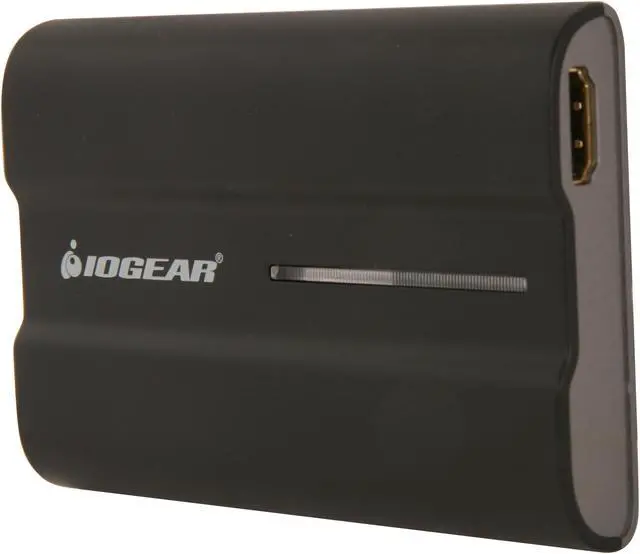
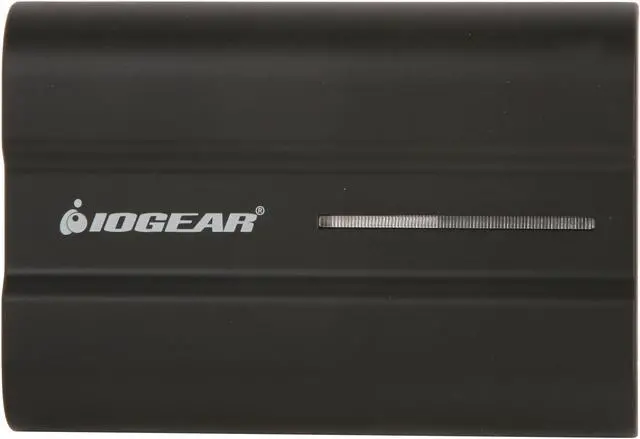
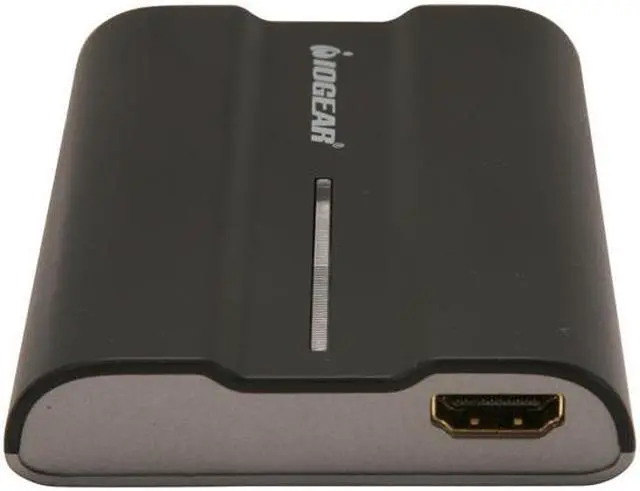
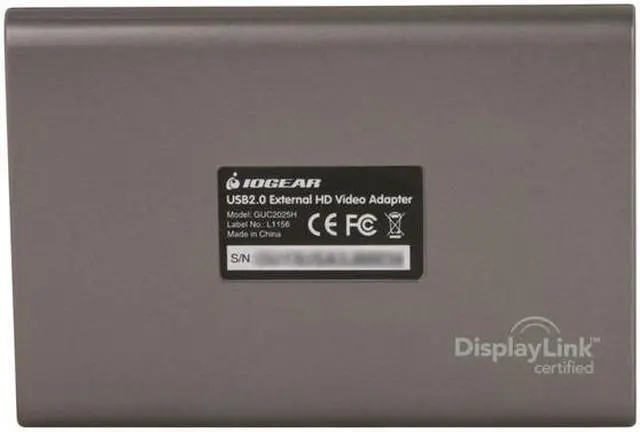
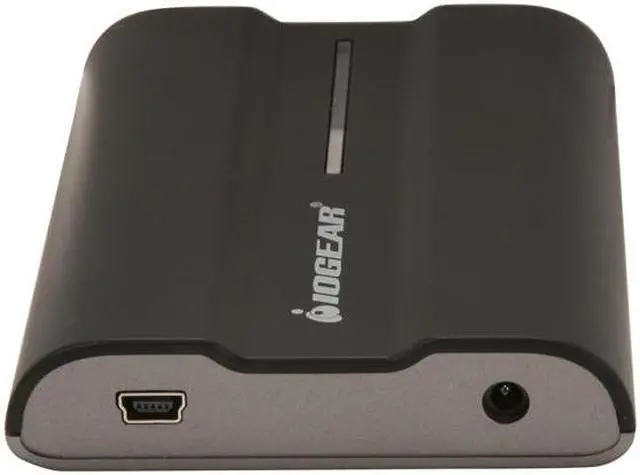
IOGEAR GUC2025H USB 2.0 to HDMI External Video Card

In stock.

  • USB to HDMI
  • Max Res. 1920x1080
  • 32-bit Color
  • Pin It
  • Email this page
ICON Loading...

The IOGEAR USB 2.0 External HD Audio / Video Adapter instantly enables you to connect a high resolution HD display through your USB 2.0 port on your computer. Extend your desktop to watch HD quality videos on your flat panel TV or use it to increase productivity in your office environment. Adding an HD display to your computer setup improves your multimedia experience like never before. Watch HD movies on one display, while reading your email on the other. Expand spreadsheets across both monitors or increase your working area in graphics programs by putting all your pallets on the second display. IOGEAR's USB External HD A/V Adapter is powered through the USB cable, so no additional power supply is needed. By using USB, there is no need to open the computer case. Installing a second video card to a desktop or laptop can be complicated and impossible in some cases. With the IOGEAR HD Display Adapter, installation is a breeze. Simply install the CD driver, plug the adapter into the USB 2.0 port and you're ready to go!

  • newegg Expand Your Display Estate The IOGEAR GUC2025H allows you to expand your display area to a secondary HD display via the USB port on your computer, increasing your working area for improved productivity and efficiency.
  • newegg High Performance Equipped with an HDMI port, the IOGEAR GUC2025H provides superior video quality at resolutions of up to 1600x1200 / 1920x1080 at 32-bit color, and supports both video and audio signals. (If use more than one USB to HD adapter, users can only select one of the display devices for sound output).

Learn more about the IOGEAR GUC2025H

General

Brand
IOGEAR
Model
GUC2025H
Type
USB to HDMI Adapters

Connectors

Specifications
Power Consumption: 5V
Ports: 1 Female HDMI / 1 USB 2.0 Type mini-B
Video Resolution: Max 1920 x 1080
Color Depth: 32-bit true color

Physical Characteristics

Dimensions
4.2" x 0.63" x 2.8"
Weight
0.16 lbs.

Features

Features
Connect your desktop, laptop, or ultrabook to a large screen TV

Extend your desktop with multiple monitors

Enjoy resolutions of up to 1600x1200 / 1920x1080 at 32-bit color

Support both video and audio signals

Bus Powered - No external power supply needed

No need to open cases- Great for laptops or leasing computers

Packaging

Package Contents
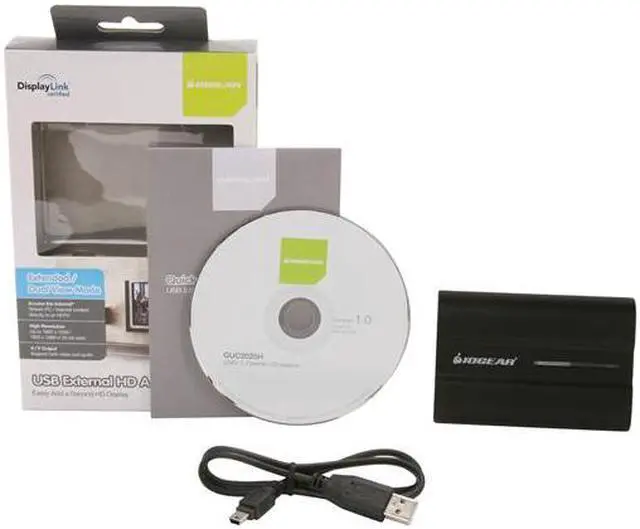
1 x USB 2.0 to HDMI External Video Card
1 x CD-ROM with User Guide and Installation Software
1 x USB 2.0 Cable
1 x Quick Start Guide
1 x Warranty Card

Quick Info

Warranty

  • Limited Warranty period (parts): 3 years
  • Limited Warranty period (labor): 3 years


Customer Reviews of the IOGEAR GUC2025H

Do you own this product? Write a Review

Filter Results

Go
  • Linda S.
  • 5/20/2013 9:21:33 AM
  • Tech Level: Somewhat High
  • Ownership: 1 day to 1 week
  • Verified Owner

1 out of 5 eggsthis is NOT a video card

Pros: easy to set up

Cons: This is NOT an external video card as advertised. It is a usb-to-hdmi signal converter. I wanted to add a graphics card to send a discreet 720p signal to a small tv via HDMI cable, simultaneous with viewing our large 1080i TV in HD - same display, different resolutions. This device down-converts the signal to the large TV just like any cheaper signal splitter would. I'm returning it since it's useless to me.

Other Thoughts: Should be very specific that this is a signal converter not a "video card."

Did you find this review helpful? Yes No

  • Arkus
  • 5/9/2013 8:48:13 AM
  • Tech Level: High
  • Ownership: 1 month to 1 year
  • Verified Owner

5 out of 5 eggsWorks suprisingly well!

Pros: Picked it up for 35 with a free HDMI cable. Installed in windows 7 without using the driver CD, just had windows search it's online database for the driver and it has worked great streaming video to a 720p HDTV. Audio quality is good, would purchase again if needed another.

Cons: Blue LED bar on the top is very bright, but I turn it upside down to mitigate this issue.

Other Thoughts: Video was stuttering at first due to high CPU usage of McAfee virus scan on a friend's laptop. Uninstalled that CPU hog and installed the free Microsoft Security Essentials. Configured the background scanner to limit CPU usage to 10% and there hasn't been any issues even if the scanner kicks in while using the IOGEAR USB to HDMI adapter.

Did you find this review helpful? Yes No

  • philfromwv
  • 3/31/2013 1:18:28 PM
  • Tech Level: Somewhat High
  • Ownership: 1 month to 1 year
  • Verified Owner

5 out of 5 eggsNot HDCP compatible

Pros: Easy to install. I use it with windows 7. Works pretty well.

Cons: After testing everything out, this device isn't HDCP compatible. It won't play the newer movies/blu-rays that check for that.

Did you find this review helpful? Yes No

  • Ryan DH
  • 3/14/2013 10:28:19 PM
  • Tech Level: Average
  • Ownership: 1 day to 1 week
  • Verified Owner

5 out of 5 eggsworks as expected

Pros: 1080P resolution, works well on windows 7 /8.

Cons: NA

Did you find this review helpful? Yes No

  • Van
  • 1/8/2013 6:24:59 PM
  • Tech Level: High
  • Ownership: less than 1 day
  • Verified Owner

5 out of 5 eggsWorks on Windows 2008 R2

Pros: Inexpensive. Relatively easy to setup.

Cons: It's limited by USB throughput.

Other Thoughts: My rig is a Samsung QX-410 laptop (Core i5 quad-core, 8 GB of RAM, NVIDIA Optimus). It is already using an external monitor on the built-in HDMI port, but I needed a second external monitor for web development purposes. The laptop is running Windows 2008 R2 x64 as the base OS with Windows 7 x64 as a virtual machine.

I didn't bother with the CD that came with the unit. Instead, I went to DisplayLink.com and downloaded the latest version of the software (version 7.1). Here's the direct link:
http://www.displaylink.com/support/downloads.php

I installed the software before I connected the unit to a USB port. It took about 2 minutes to install. The odd thing was that it never reported that the installation finished successfully or unsuccessfully. Instead the installation status window just disappeared. However, Task Manager showed that the DisplayLinkUserAgent.exe process was running the background.

Then I connected the IOGear unit to a USB port on the laptop without a monitor being attached on the HDMI port on the IOGear unit. It took about 2 to 3 minutes for the driver installation/configuration process to complete. It reported that the following devices were installed successfully:
- USB Composite Device
- DisplayLink Display Adapter (4120)
- USB to HDMI
Then it required a reboot.

After the laptop rebooted, I gave it a couple of minutes to "settle down". The DisplayLink icon now appeared in the SystemTray area.

Then I attached an LCD monitor to the IOGear unit. It took about 1 to 2 minutes for the DisplayLink software to tweak the video configuration, and then the Monitor activated in Extended mode at 1920x1080 automatically. This is exactly what I wanted!

And as a bonus it got the orientation/location correct because it was on the right-side of the laptop and the when I dragged my mouse off of the right-side of the laptop display it appeared on the IOGear display. This was just a lucky coin flip, though.

The Remote Desktop Connection software works great across all 3 monitors now when I connect to my Windows 7 virtual machine from the base OS. It rocks!

Be aware that I'm just using this to display web pages while working on web sites, and this unit is perfect for this purpose. I did not attempt to stream 1080p BlueRay movies or NetFlix on it like other folks have.

The installation was flawless for me. No complaints. I recommend to anyone else that you skip the CD and download the latest drivers from DisplayLink.


See Ya!
Van

1 out of 1 people found this review helpful. Did you? Yes No

  • Frenchi
  • 1/5/2013 4:49:26 AM
  • Tech Level: Somewhat High
  • Ownership: 1 month to 1 year
  • Verified Owner

5 out of 5 eggsExcellent within it's limit

Pros: Watch movies from laptop to big screen TV
Sound come out from TV/Sound sys. instead of having to use a usb speaker.
25 bucks shell shocker

Cons: USB 2.0 is lagging/struggling with 1080 movies

Other Thoughts: If you limit the use of this adapter in using a 720p resolution maximum, you will have a very decent viewing experience, without lag, and a very good sound getting to your TV. It does it's job very well. Install the new driver (7.1) from displaylink.com, IOGEAR site is at 6.3. If it breaks, I'll definitely buy another one.

Did you find this review helpful? Yes No

  • Dave
  • 1/4/2013 8:13:20 AM
  • Tech Level: High
  • Ownership: less than 1 day
  • Verified Owner

4 out of 5 eggsLooks good so far

Pros: Works on Mac OSX!

Cons: * Slightly laggy when moving things around, but livable. At least I have my second screen now.
* Requires connection directly to a USB port on the machine, and not a USB hub.
* Makes the Mac fan run a lot due to the extra processing required for the second monitor.

Other Thoughts: I've had two Diamond USB-HDMI adapters before that worked fine, although they both died after a year. So I'm trying this one now to see how it goes. Its one of the few that seem to work for Macs, although its stressing my system a bit. I'll see how it goes over time and hopefully it will let the fan take a break :)
It comes with a USB cable only, no power cable. I was hoping to plug this into my powered USB hub, but it doesn't work there. Now I need to figure out where to plug my external harddrive I use for Time Machine, as it also doesn't work with the hub...might need a different hub, actually.

If there's any change/update, I'll update this review.

Did you find this review helpful? Yes No

  • core2
  • 1/2/2013 4:19:22 AM
  • Tech Level: Somewhat High
  • Ownership: 1 week to 1 month
  • Verified Owner

3 out of 5 eggs

Pros: simply put, this is an average product at best. Meaning it wont hurt you if you have it, but it will not be the best product, so don't expect the highest quality in picture.

sleek, finish

Cons: Took a bit of time to get the hang of the hardware, and even more tinkering after your monitor's resolution change after using.

Either the hdmi cable I got supplied with in a combo pack (also by iogear) makes for a laggy unreliable media cable, or the adapter or both can be laggy at times. So don't expect a quality vid feed or fonts in video mode.

Adapter might not recognize audio coming from browser if browser/video was already in memory before connecting to HDMI port of tv, even after re-starting service in services.msc, cleaning cache, and re-starting window/video. Unreliable drivers/adapter not practical for everyday usage unless you are connected to a hdmi interface exclusively.

Other Thoughts: Dont care about nice looking activity light. I have to increase priority in task manager to get the best performance. Get it at a good price or look for a product with more reliability. It lets you watch your laptop or pc in an HDTV. Does what its intended to do, but as many have said, after tinkering with the settings, weaknesses abound, although they don't usurp the practicality its intended for, I just would not recommend it to a friend.

Manufacturer Response:

Thank you for choosing IOGEAR and we apologize for the inconvenience. We recommend using the updated software for this devise direct from displaylink.com. To better service you and understand your set up, please feel to contact our customer support at 1-866-946-4327 or email us: support@iogear.com. Once again, thank you for choosing IOGEAR.

2 out of 4 people found this review helpful. Did you? Yes No

  • Matt
  • 12/30/2012 4:42:20 PM
  • Tech Level: High
  • Ownership: 1 day to 1 week
  • Verified Owner

4 out of 5 eggs

Pros: Allows me to utilize a 3rd monitor, or a TV (in my case), without the 2 display restriction based on the outputs from my video card. Setup was fairly simple and consistent with other iomega products I've tried in the past.

Cons: Installation could've gone more smoothly and the additional output is not always labelled when identifying displays in the Windows config.

Other Thoughts: If you're expecting to use this as a way of playing 720p/1080p movies to another display or gaming, you're going to be disappointed. You'll get decent, but choppy playback - I didn't notice it on older movies when I tried it, but HD movie playback was too sluggish to be enjoyable. USB 2.0 connections weren't meant for those kinds of output, anyway.

Overall, it's a handy peripheral device to have if you have no HDMI-out ports or if your video card doesn't support the number of monitors you require.

2 out of 2 people found this review helpful. Did you? Yes No

  • Brian
  • 12/18/2012 5:31:28 PM
  • Tech Level: Average
  • Ownership: 1 week to 1 month
  • Verified Owner

5 out of 5 eggsWorks

Pros: I'm not a video buff, but I'm using this to connect different PCs to different TVs and it works. Generally using 1024x768 res.

Cons: It does take a little longer than expected to get the drivers all loaded up after connecting, but less than a minute.

Other Thoughts: I don't know if this works at 1080p or not, I haven't tried.

Did you find this review helpful? Yes No

ICON Loading...
  • $69.99
  • $49.99
  • Save: $20.00 (29%)
  • $6.99 Shipping
 
Are you an E-Blast Insider? Subscribe Newegg e-Blast

Buzz

great customer service

5 out of 5 eggs
Works great. Writing this review on a monitor connected to the usb device.
5 egg customer service. I had an issue and ...
— computer user 8/18/2012

4 out of 5 eggs
Allows me to utilize a 3rd monitor, or a TV (in my case), without the 2 display restriction based on the outputs ...
— Matt 12/30/2012


LOADING... LOADING...
Shop by Region: United States | Canada | China
Follow us:   RSS Feeds Youtube
VeriSign Reliability Seal1 PaypalVerify GoldenSeal InteracThis site protected by Trustwave's Trusted Commerce program Inc500

Policy & Agreement | Privacy Policy

 © 2000-2013 Newegg Inc.  As used herein, “Newegg.ca” means Newegg Canada Inc. unless the context specifically refers to the www.newegg.ca web address.
If the Adobe Reader does not appear when you click on a link for a PDF file, you can download Adobe Reader from the Adobe web site. nassau