
Your Browsing History



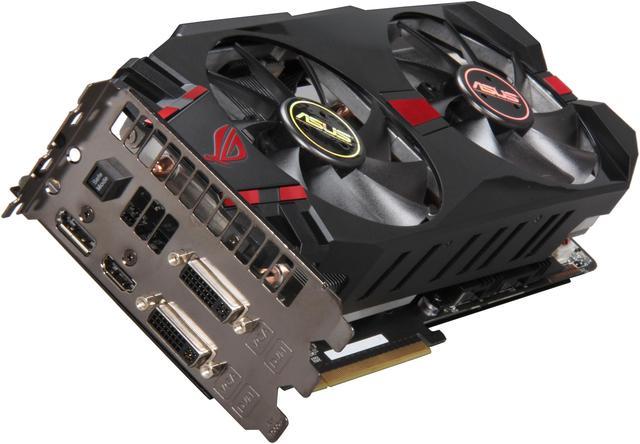
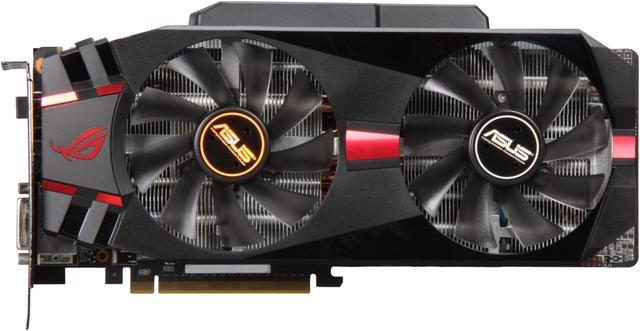
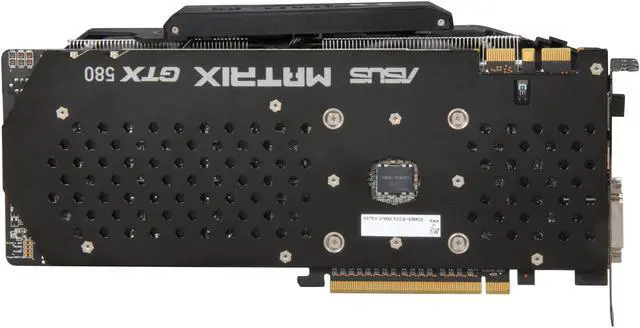
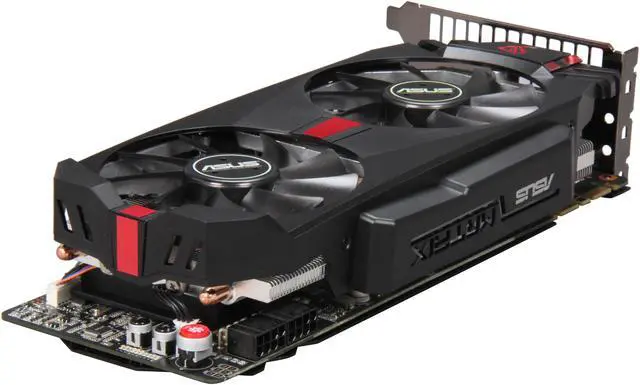
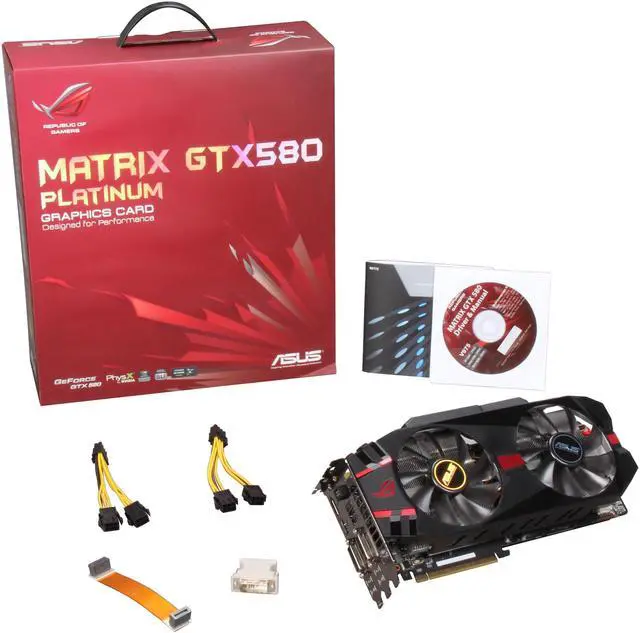


ASUS GeForce GTX 580 (Fermi) 1536MB GDDR5 PCI Express 2.0 x16 SLI Support Graphics Card MATRIX GTX580 P/2DIS/1536MD5
- 1536MB 384-Bit GDDR5
- Core Clock 816MHz
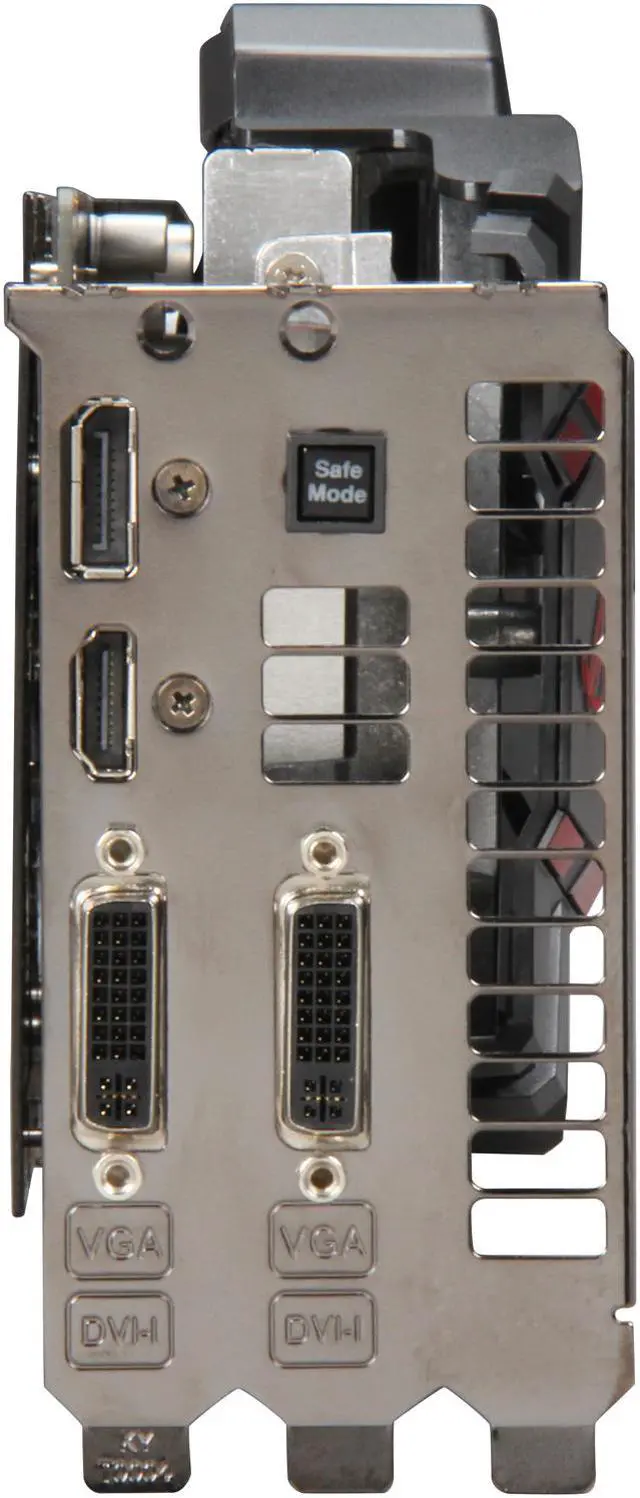
- 2 x DVI 1 x HDMI 1 x DisplayPort
- 512 CUDA Cores
- PCI Express 2.0 x16
Overview
Specs
Reviews (41)
The Republic of Gamers consists only the best of the best: the best hardware engineering, the fastest performance, the most innovating ideas, and we welcome the best gamers to join in. In the Republic of Gamers, mercy rules are only for the weak, and bragging rights means everything. The ROG MATRIX GTX 580 continues the success of ASUS’ ROG MATRIX Series graphics cards. It comes preloaded with a variety of hardware-based tools, including TweakIt and ProbeIt for instant overclocking adjustment and measurement, plus a Safe Mode button for the instant restoration of stable settings at any time.
With a ground-up PCB redesign and exclusive 19-phase Super Alloy Power technology, the ROG MATRIX GTX 580 has been created to deliver the ultimate in overclocking performance, with a 15% performance boost, 2.5 times longer lifespan and 35°C cooler operation than the reference card design. The new GPU Tweak overclocking tool has integrated the GPU-Z to provide accurate information about the graphics card, while ASUS engineers have developed real-time clock frequency, voltage, fan speed and profile adjustments for up to four different card settings in combination to this.
Also helping cool the MATRIX GTX 580 is an exclusive DirectCU II thermal design that puts copper heatpipes in direct contact with the GPU to effectively dissipate heat. Twin sound-dampened fans also pull 600% more air across the card’s heatsinks than the reference design, achieving 20% cooler operating temperatures. The multicolored MATRIX LED load indicator provides an at-a-glance, color changing display of the card’s overall load in real-time, too.
The Republic of Gamers consists only the best of the best: the best hardware engineering, the fastest performance, the most innovating ideas, and we welcome the best gamers to join in. In the Republic of Gamers, mercy rules are only for the weak, and bragging rights means everything. The ROG MATRIX GTX 580 continues the success of ASUS’ ROG MATRIX Series graphics cards. It comes preloaded with a variety of hardware-based tools, including TweakIt and ProbeIt for instant overclocking adjustment and measurement, plus a Safe Mode button for the instant restoration of stable settings at any time.
With a ground-up PCB redesign and exclusive 19-phase Super Alloy Power technology, the ROG MATRIX GTX 580 has been created to deliver the ultimate in overclocking performance, with a 15% performance boost, 2.5 times longer lifespan and 35°C cooler operation than the reference card design. The new GPU Tweak overclocking tool has integrated the GPU-Z to provide accurate information about the graphics card, while ASUS engineers have developed real-time clock frequency, voltage, fan speed and profile adjustments for up to four different card settings in combination to this.
Also helping cool the MATRIX GTX 580 is an exclusive DirectCU II thermal design that puts copper heatpipes in direct contact with the GPU to effectively dissipate heat. Twin sound-dampened fans also pull 600% more air across the card’s heatsinks than the reference design, achieving 20% cooler operating temperatures. The multicolored MATRIX LED load indicator provides an at-a-glance, color changing display of the card’s overall load in real-time, too.
 TweakIt – Instant Voltage Adjustment!TweakIt provides users with flexible overclocking control even when running benchmark programs! The “+” and “-” button puts overvolting adjustments in the user´s fingertips, offering them performance optimization options during game play to gain the competitive edge.
 ProbeIt – Instant Voltage Measurement!ProbeIt takes the guesswork out of locating the graphics card´s measurement points, identifying them clearly in the form of 6 sets of detection points so you´ll know exactly where to get quick yet accurate readings using a multimeter.
 Safe Mode – Instant Settings Reset!Safe Mode button resets the graphics card back to default frequencies and BIOS. This is a very welcomed feature for hardware enthusiasts, think of it like the "Clear CMOS" on a motherboard.
 GPU Tweak – Professional Graphics Overclocking Tools for Enthusiasts!The latest ASUS overclocking utility offers: adjustment core and memory clocks, core voltage and fan speed on up to four cards setting; getting live updates on drivers and BIOS to keep your graphics card protected; viewing accurate card information with the most authoritative graphics card information tool GPU-Z; and saving your optimized settings into graphics card BIOS.
 19-phase Super Alloy Power – Efficient power delivery!Built with exclusive 19-phase Super Alloy Power technology, the MATRIX GTX 580 guarantees much greater overclocking headroom, with a 15% performance boost, 2.5 times longer lifespan and 35°C cooler operation than the reference card design.
 DirectCU II – 600% Greater Air Flow, 20% Cooler Operation Than Reference!Cooling is well taken care of by exclusive DirectCU II technology that puts copper heatpipes in direct contact with the GPU. The pipes efficiently transfer heat through two massive fans that deliver 600% more airflow than the reference design, resulting in a 20% lower operating temperatures.
 TweakIt – Instant Voltage Adjustment!TweakIt provides users with flexible overclocking control even when running benchmark programs! The “+” and “-” button puts overvolting adjustments in the user´s fingertips, offering them performance optimization options during game play to gain the competitive edge.
 ProbeIt – Instant Voltage Measurement!ProbeIt takes the guesswork out of locating the graphics card´s measurement points, identifying them clearly in the form of 6 sets of detection points so you´ll know exactly where to get quick yet accurate readings using a multimeter.
 Safe Mode – Instant Settings Reset!Safe Mode button resets the graphics card back to default frequencies and BIOS. This is a very welcomed feature for hardware enthusiasts, think of it like the "Clear CMOS" on a motherboard.
 GPU Tweak – Professional Graphics Overclocking Tools for Enthusiasts!The latest ASUS overclocking utility offers: adjustment core and memory clocks, core voltage and fan speed on up to four cards setting; getting live updates on drivers and BIOS to keep your graphics card protected; viewing accurate card information with the most authoritative graphics card information tool GPU-Z; and saving your optimized settings into graphics card BIOS.
 19-phase Super Alloy Power – Efficient power delivery!Built with exclusive 19-phase Super Alloy Power technology, the MATRIX GTX 580 guarantees much greater overclocking headroom, with a 15% performance boost, 2.5 times longer lifespan and 35°C cooler operation than the reference card design.
 DirectCU II – 600% Greater Air Flow, 20% Cooler Operation Than Reference!Cooling is well taken care of by exclusive DirectCU II technology that puts copper heatpipes in direct contact with the GPU. The pipes efficiently transfer heat through two massive fans that deliver 600% more airflow than the reference design, resulting in a 20% lower operating temperatures.
Warranty & Returns
Warranty, Returns, And Additional Information
Warranty
- Limited Warranty period (parts): 3 years
- Limited Warranty period (labor): 3 years
- Read full details
Return Policies
- Return for refund within: 30 days
- Return for replacement within: 30 days
- This item is covered by Newegg.ca's Standard Return Policy.
- 15% restocking fee may apply.
- Read full return policy for details.
Manufacturer Contact Info
- Manufacturer Product Page
- Manufacturer Website
- Support Phone: 1-510-739-3777
- Support Website
- View other products from ASUS
LOADING...
LOADING...