Skip to: |

Newegg.ca - A great place to buy computers, computer parts, electronics, software, accessories, and DVDs online. With great prices, fast shipping, and top-rated customer service - once you know, you Newegg.

If you are reading this message, Please click this link to reload this page.(Do not use your browser's "Refresh" button). Please email us if you're running the latest version of your browser and you still see this message.

Newegg.ca - Computer Parts, Laptops, Electronics, HDTVs, Digital Cameras and More!

  • | Wish List
  • Help
Home
Home > 
Computer Hardware > 
Computer Cases > 
Computer Cases > 
Sentey > 
Item#: N82E16811322014

Sentey Slim 2421 Slim Flex Case w/Power Supply LCD DISPLAY SECC 0.7mm 2x USB/1x Fan/Micro ATX-ITX

neweggOUT OF STOCK.

  • SECC 0,7mm / Plastic
  • MicroATX Slim Case
  • USB 2.0 x 2 , Audio & Mic
ICON Loading...

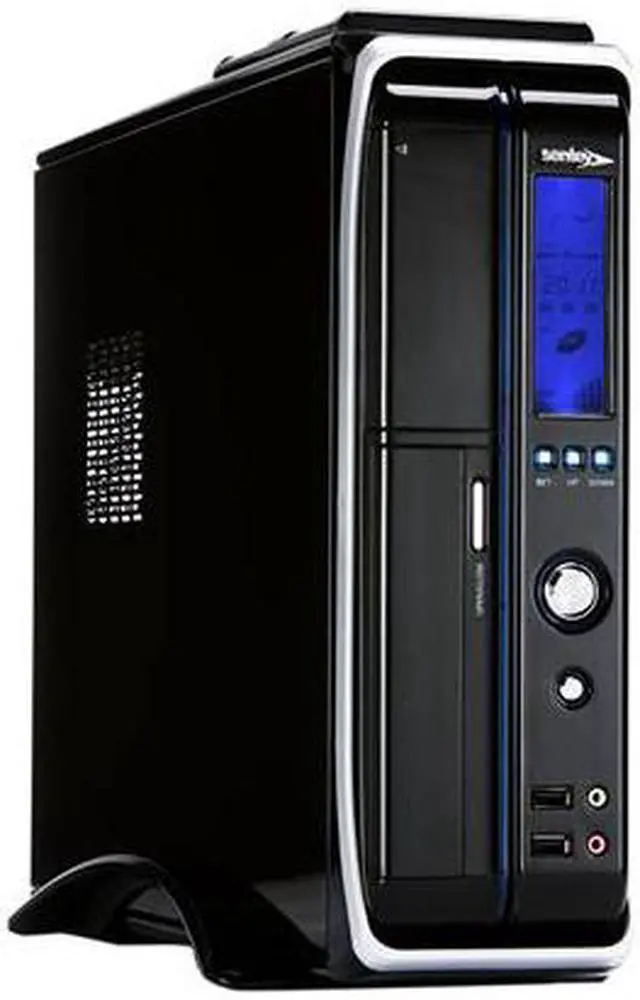
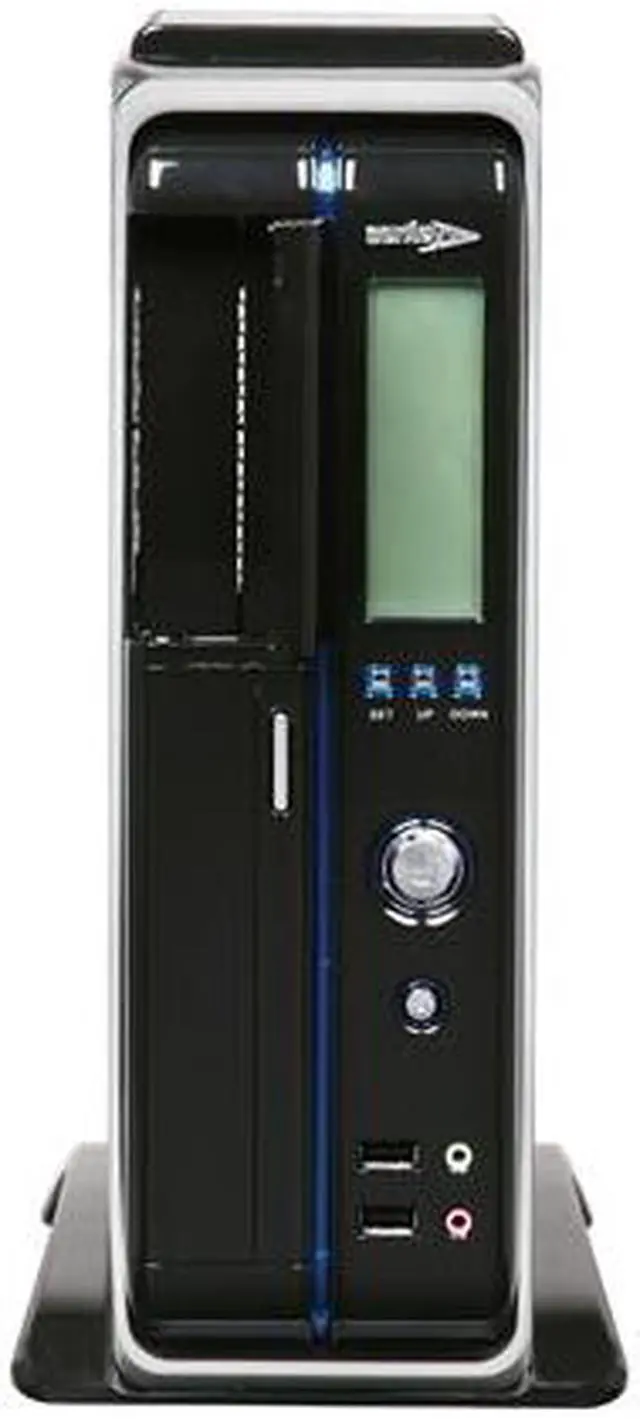
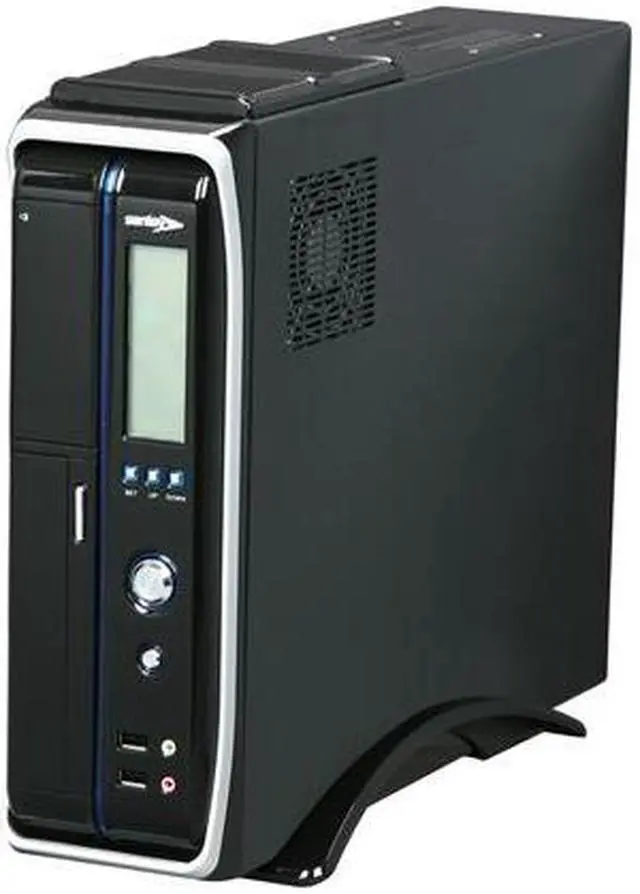
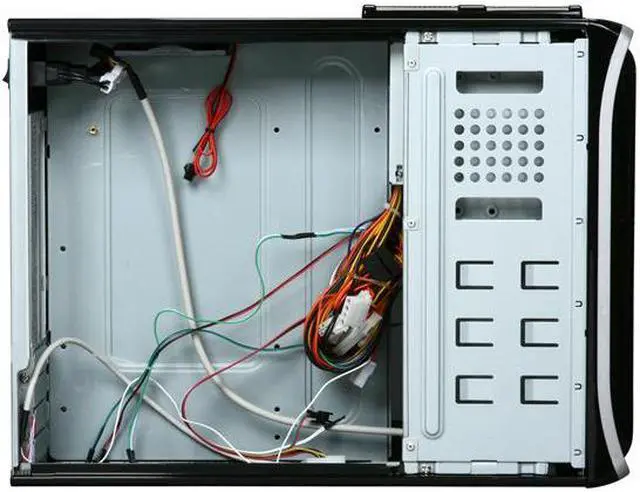
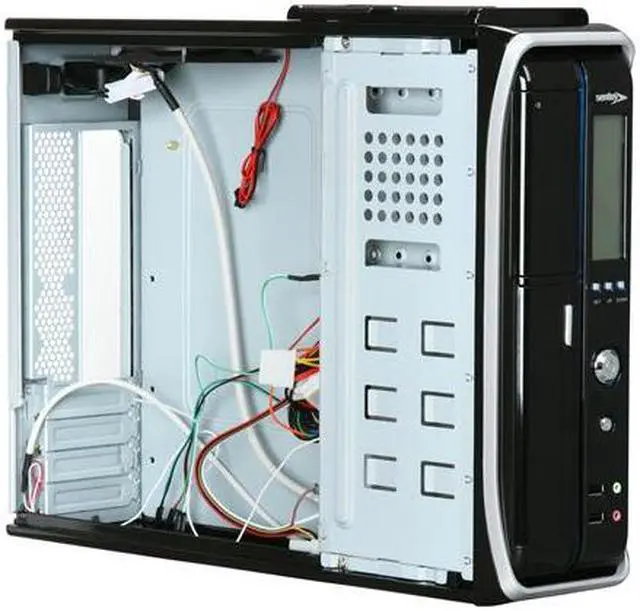
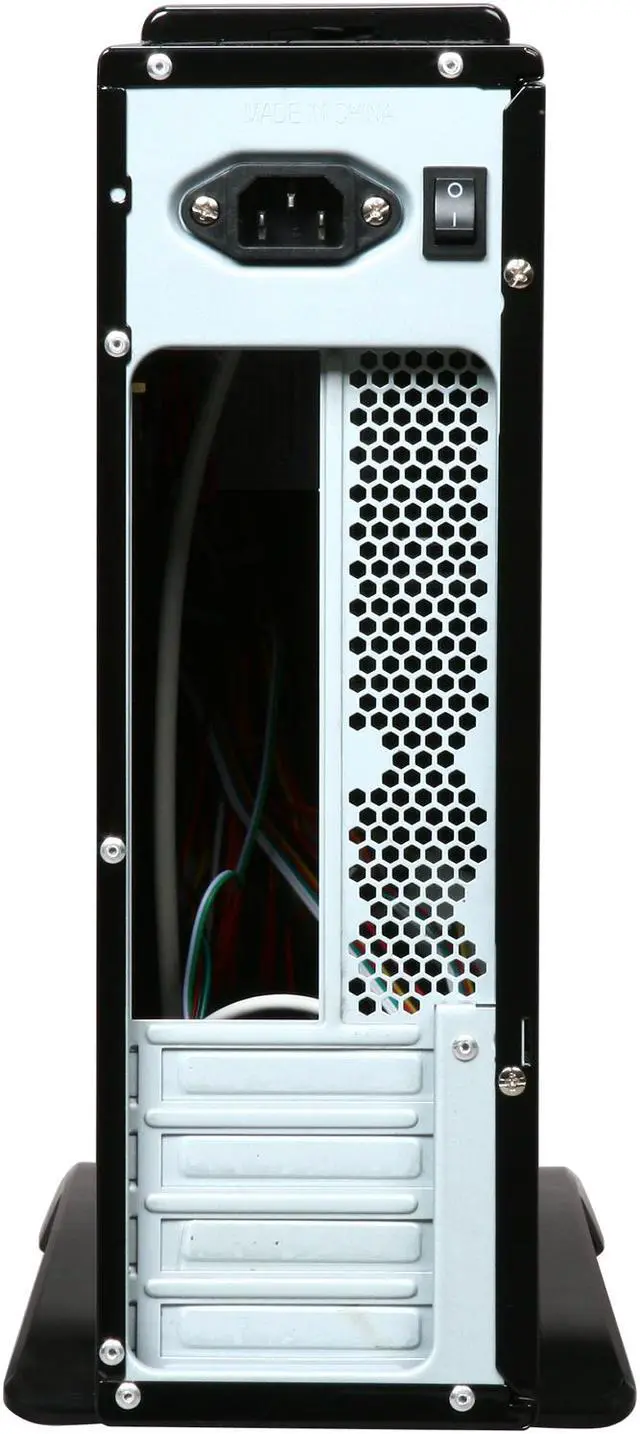
Featuring slim and compact footprint, the Sentey Slim Series SS1-2421 case is an ideal choice for the situation where space is at a premium. Cute yet rugged, and featuring classic color tone with glossy black painting, the SS1-2421 is welcome on everyone's desktop. A front panel LCD display allows direct view of system status. Inside the case, you'll find ample space for your Micro ATX / ITX motherboard, drives and low-profile add-on cards. One pre-installed 80mm top fan helps cool the components. As an added bonus, a robust PSU is included to provide stable and reliable power to your entire system.

  • newegg Slim Case Measuring 15.74" x 4.09" x 12.79" (L x W x H), the Sentey SS1-2421 takes up a fraction of space of standard mid tower or full tower, perfect the space-sensitive users.
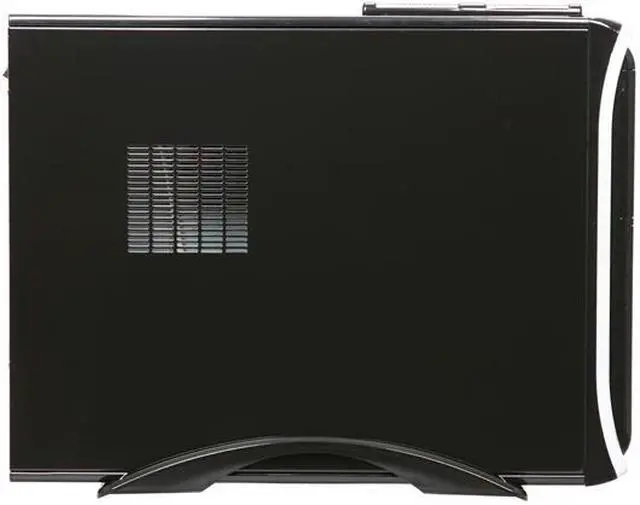
  • newegg Cooling Equipped with one 80mm top fan, the Sentey SS1-2421 provides efficient ventilation and effective system cooling.
  • newegg LCD Display With a bright LCD display located at the front panel, you can get the vital system information such as fan speed, temperature and more at a glance.
  • newegg PSU Included Sentey BCP450-OM power supply unit (250 Watt Constant /450 Watt Peak) is included to handle the power needs of a low-power system.

Learn more about the Sentey SS1-2421

Model

Brand
Sentey
Series
Slim Series
Model
SS1-2421

Spec

Type
MicroATX Slim Case
Color
Glossy Black
Case Material
SECC 0,7mm / Plastic
With Power Supply
Yes
Power Supply
BCP450-OM 250 Watt Constant/450 Watt Peak
Power Supply Mounted
Top
PSU Main Connector
20+4Pin
Motherboard Compatibility
Micro ATX / ITX
With Side Panel Window
No

Expansion

External 5.25" Drive Bays
1
External 3.5" Drive Bays
1
Internal 3.5" Drive Bays
1
Hot-Swap Drive Bays
1 Sliding Bays
Expansion Slots
4 Low Profile
With front LCD display
Yes

Front Ports

Front Ports
USB 2.0 x 2 , Audio & Mic

Cooling System

80mm Fans
1 x 80mm Top Fans

Physical Spec

Dimensions
17.1" (L) x 4.1" (W) x 12.8" (H)
Weight
9.50 lbs.

Features

Features
Included LCD Display

Supports Micro-ATX / ITX

Glossy Black Painting

Slim and compact design

Supports Low Profile Cards

Included Power Supply Sentey BCP450-OM

Manufacturer Warranty

Parts
1 year limited
Labor
1 year limited

Quick Info

Warranty

  • Limited Warranty period (parts): 1 year
  • Limited Warranty period (labor): 1 year


Customer Reviews of the Sentey SS1-2421

Do you own this product? Write a Review

Filter Results

Go
  • Nick Neim
  • 12/24/2012 10:12:17 AM
  • Tech Level: Average
  • Ownership: 1 week to 1 month
  • Verified Owner

3 out of 5 eggsSentey Slim 2421

Pros: Price

Cons: Noisy PSU fan, psuedo fan control lcd that really doesn't do much, absolutely no tech support

Other Thoughts: Everything about the case says CHEAP. I have bought other inexpensive cases that really seemed to be a lot better quality.

Did you find this review helpful? Yes No

  • N/A
  • 11/27/2012 7:33:19 AM
  • Tech Level: Somewhat High
  • Ownership: 1 day to 1 week
  • Verified Owner

4 out of 5 eggsCase POWER!

Pros: Sleek, Looks awesome when blue lights kick in and very quite.

Cons: Power Supply is soooo weak cant even handle just my motherboard...with built in yes built in graphics...Good case but replace the power supply.

Did you find this review helpful? Yes No

  • N/A
  • 2/2/2012 4:32:15 PM
  • Tech Level: Somewhat High
  • Ownership: less than 1 day
  • Verified Owner

5 out of 5 eggsGood cheap case

Pros: Very easy install, LED front screen is cheap and hard to see at angles. Manual has no info on how to operate the screen but its pretty simple. Everything fits very very tightly so if your going with a micro ATX beware of large CPU heatsinks not clearing. My hard drive is pretty much touching the motherboard power connector. I'm very happy with the case its a great deal for the money and the quality is good.!

Cons: The lack of room for a full size hard drive

1 out of 1 people found this review helpful. Did you? Yes No

  • Ranger
  • 1/28/2012 8:58:40 AM
  • Tech Level: High
  • Ownership: 1 day to 1 week
  • Verified Owner

5 out of 5 eggsGood HTPC case

Pros: I am using this as a HTPC case. This is the best “Living Room” computer I Have ever had.
A sharp looking, compact case with room for DVD drive and two 3.5” HDD.(I am using HDD for media files and SSD for Windows 7 and programs)

HDD connector needs only one wire to display HDD operation on the LCD. The icon looks like a flashing fallout shelter sign,also displays case temperature and speaker volume. The exhaust fan icon is animated. Awesome display,very useful.(Sentey should incorporate CPU and GPU temperature into the display, I would be willing to pay more for it)

Cons: I found out the hard way that the LCD will not work if you don't plug the mull-ex power connecter to the power supply. (It should have been plugged in at the factory)

The power supply fan was too loud, I replaced it with a $3 fan. (Watch polarity if you need to replace the fan)

Other Thoughts: If you don't want the CPU cooler to ramp up to full speed, you will need to set the exhaust fan controller to the lowest setting possible. The display will turn red and keep the fan on all the time.(The red color best anyway for watching movies in the dark)

My case stays at 31 degrees and never beeps and is nearly silent.

1 out of 1 people found this review helpful. Did you? Yes No

  • N/A
  • 1/16/2012 9:24:29 PM
  • Tech Level: Somewhat High
  • Ownership: 1 week to 1 month
  • Verified Owner

2 out of 5 eggsA pile of feces

Pros: Good looking case, rather snazzy for the price... The drive bay was easily removable and fit my HD perfectly.

Cons: First of all, the power supply was crud. I expected that, more or less, but is so frigging loud that I'm scared to turn it on and be greeted with a hellish popping noise followed by smoke. I know that the only moving part in a power supply is the fan, but it still makes me really uneasy having it on.

The front panel lcd display isn't working, but I haven't double-checked it yet to troubleshoot it.

I'd send the infernal thing back to swap it out, but my funds are too tight to shell out for shipping it back.

Not to whine, but this was the insult added to injury that hosed my Christmas present to myself and my girlfriend(long story).

0 out of 5 people found this review helpful. Did you? Yes No

  • electric dino
  • 1/16/2012 5:26:11 PM
  • Tech Level: Average
  • Ownership: 1 week to 1 month
  • Verified Owner

3 out of 5 eggsJust okay

Pros: Looks great.

Easy installation IF you are using the right type of Micro ATX board.

Compact Design

Nice vertical support stand

Cons: Case fan turns off if temperature threshold is set high. I prefer my case fan to always be on. An alarm will sound if the case temperature threshold is set too low, HOWEVER, the speaker IS mutable. Just press UP and DOWN buttons at the same time. The display will say OFF where the temp reading is, and then you won't have to hear that annoying buzzer.

Instructions are horrible. I had to find the speaker muting information online.

HDD connector had only one wire therefore does not display HDD operation on the LCD. Stupid.

Does NOT fit all Micro ATX boards. Learned that the hard way.

Other Thoughts: Works well enough, but would look for something else in the future

2 out of 3 people found this review helpful. Did you? Yes No

  • Jhupfer
  • 1/6/2012 12:34:56 AM
  • Tech Level: Somewhat High
  • Ownership: 1 day to 1 week
  • Verified Owner

3 out of 5 eggsEh...

Pros: Case looks great, vents great [1], and its architecture is fantastic! Motherboard, HDD, and the optical drive [7] all fit snug and without operation vibration. Plenty of room for cable management and blue LED spotlight for decoration (the side vent allows for a little peek inside). Automatic fan controller and case thermostat seem to work well enough - when the internal temp rises above the set temp, the front display color changes from blue to red, alarm sounds [2], and the fan kicks in to do a great job at removing heat quickly. I verified heat sensor by touching it to an item of a known temperature; gave congruent reading. Simple array of front panel buttons; not difficult figuring out on your own what did what [3]. Ample power unit for supplying a 65W CPU, GeForce GT 520 (with fan), DVD, 7200rpm HDD, a USB multi card-reader, and the 5 case lights (including my own) [4].

Cons: [1] Only top vent has mounting holes (two holes) for fan. I was not able to add a fan for intake at bottom-rear of case beneath the GPU (without drilling; I didn't want to drill).

[2] Temperature alarm is NOT mutable. Thermostat was factory set at 20°C so the front display remained red and in alarm (3x3 short beeps@15min) I had no clue what was going on until I messed with the buttons... Which brings me to:

[3] Instruction manual provided NO info about front display function or temp. alarm; had to learn on my own.

[4] Didn't know one of the two power LEDs was disconnected until system was on. I have smaller hands, but big hands would need to remove entire front panel to hot-glue it back in.

[5] Front audio and mic. ports did not work. I rechecked connection at mobo and only explanation is bad case wiring (see mobo).

[6] HDD LED connector missing +wire. Result: no HDD activity on front display. From package photos, it seems ALL of these cases will suffer this issue

Other Thoughts: [2] Choose between °C and °F by pressing the 'up' button. Toggle display backlight by pressing 'down'. Adjust the thermostat by pressing the 'set' button, then 'up' or 'down'.

[7] Sony Optiarc drive barely fit; it took some real fiddling to get it to slide in. Once in, though, it was fine (so this isn't really a con as much as it is a bother).

2 eggs off rating because of the front audio/mic and because of the HDD LED wire. I judge that the other problems, though irritating, do not adversly affect the general functionality of your system. It's an inexpensive, solid case that is good enough for the casual/sub-casual user, but not for the office. Nor in areas where heat might be above 26°C, as the alarm will surely drive you up the wall.

mobo: ASUS P8H61-M LE/CSM

1 out of 2 people found this review helpful. Did you? Yes No

  • N/A
  • 12/29/2011 1:21:01 PM
  • Tech Level: High
  • Ownership: 1 day to 1 week
  • Verified Owner

4 out of 5 eggsFactory Power Supply is JUNK

Pros: The case looks good and is laid out nicely for a micro-ATX case.

Cons: The power supply only powered on the system for about 10 sec and then died. I'm runnig a Micro-ITX MB with 65watt CPU, 4GB Ram, one SSD, and a DVD drive so it's not drawing very much power.

Other Thoughts: If you buy this case go ahead and order a different PS and throw the factory on out.

Did you find this review helpful? Yes No

  • N/A
  • 12/6/2011 10:15:47 AM
  • Tech Level: Somewhat High
  • Ownership: 1 day to 1 week
  • Verified Owner

4 out of 5 eggs

Pros: Vey nice case, looks great, not loud for me at least, had no problems with a build this case, purchased when it was on a one day sale.

Cons: Theres one thing I dont like, if the PC doesn't go above the temp threshold the top fan is never on, I would prefer the fan to be on at all times and then kick in to high speeds when system gets hot.

Did you find this review helpful? Yes No

  • N/A
  • 12/4/2011 7:46:09 AM
  • Tech Level: High
  • Ownership: 1 week to 1 month
  • Verified Owner

3 out of 5 eggsNice look, loud fan, no EPS

Pros: First off, I should mention that my 2421 did come with two SATA power connectors. Perhaps they have changed this in newer models. The case looks sleek, and it's fairly small, though I would imagine that an HTPC case should not be this deep. I do not have any issues with the power supply meeting power needs, though I'm using a 45W CPU and onboard video. Assume less than 300W, and you should be fine.

I have no issues with temperature alerts.

Cons: Yes, the fan is loud. Maybe not compared to your bathroom fan, but relative to CPU fans, this one is loud.

As mentioned by another reviewer, the power supply does not come with an 8-PIN EPS connector for the CPU, and my MB needed one - had to buy a connector. In addition my 24-pin MB connector was right where the hardrive connectors were, and it was really difficult to fit the drive bay back in.

Other Thoughts: Case vibrates when the DVD drive is in use, but this could be the fault of the drive - not sure, so not really a con.

Did you find this review helpful? Yes No

ICON Loading...
Discontinued
  • This item is currently out of stock and it may or may not be restocked.
  • $16.19 Shipping
Discontinued
Are you an E-Blast Insider? Subscribe Newegg e-Blast

Buzz

Single SATA power connector

5 out of 5 eggs
Nice looking case. Just had a day 1 comment, see other thoughts.
— Govir 2/25/2011

You can turn off the speaker!

5 out of 5 eggs
Very sleek looking case
sturdy construction
small footprint
— two_way_mirror 1/23/2011


Home
Home > 
Computer Hardware > 
Computer Cases > 
Computer Cases > 
Sentey > 
Item#: N82E16811322014
LOADING... LOADING...
Shop by Region: United States | Canada | China
Follow us:   RSS Feeds Youtube
VeriSign Reliability Seal1 PaypalVerify GoldenSeal InteracThis site protected by Trustwave's Trusted Commerce program Inc500

Policy & Agreement | Privacy Policy

 © 2000-2013 Newegg Inc.  As used herein, “Newegg.ca” means Newegg Canada Inc. unless the context specifically refers to the www.newegg.ca web address.
If the Adobe Reader does not appear when you click on a link for a PDF file, you can download Adobe Reader from the Adobe web site. nassau