If you are visually impaired and are having difficulty navigating this site, please call our Customer Support line via our toll free number (800) 390-1119.

Newegg.ca - A great place to buy computers, computer parts, electronics, software, accessories, and DVDs online. With great prices, fast shipping, and top-rated customer service - once you know, you Newegg.

If you are reading this message, Please click this link to reload this page.(Do not use your browser's "Refresh" button). Please email us if you're running the latest version of your browser and you still see this message.

Newegg.ca - Computers, Computer Parts and Electronics

My Account

About UsHelp & Info All prices shown in Canadian dollars unless otherwise specified. 
topNavRowBottom  
Thermaltake  Thermaltake News Room

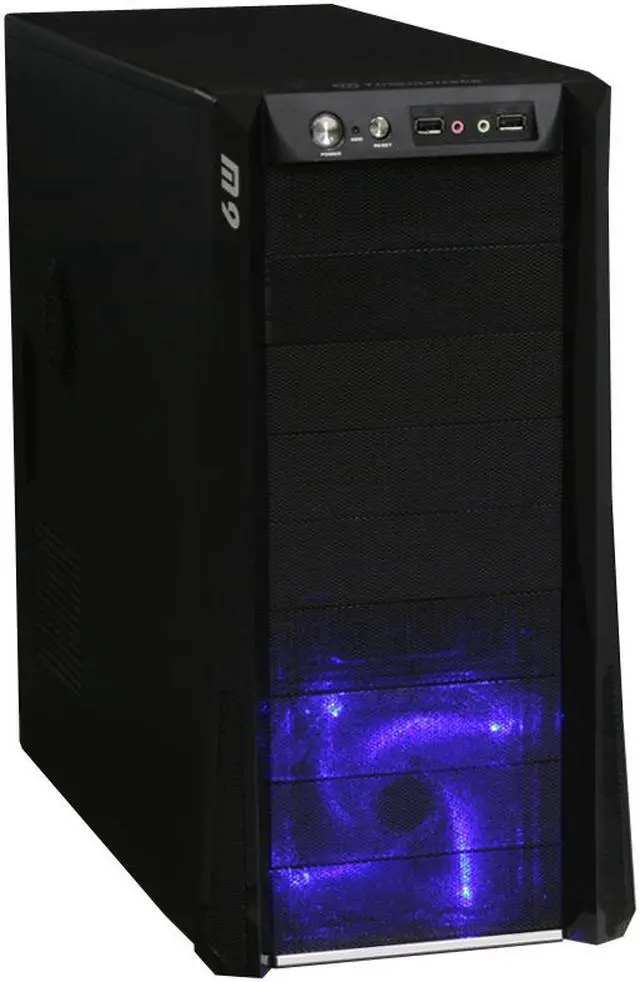
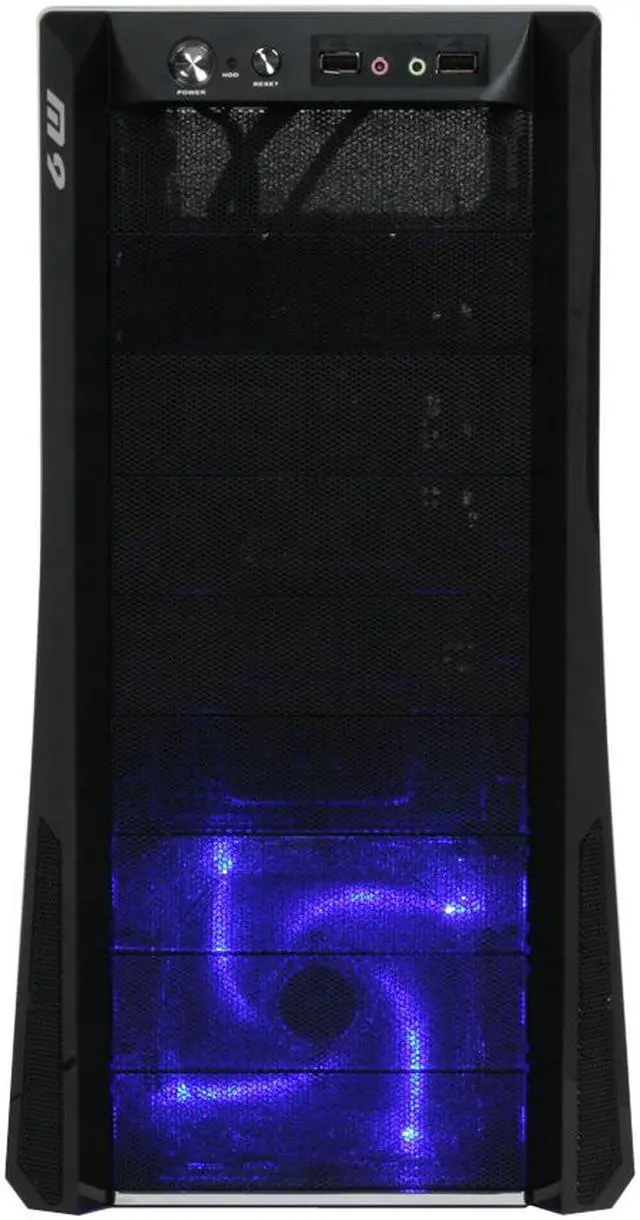
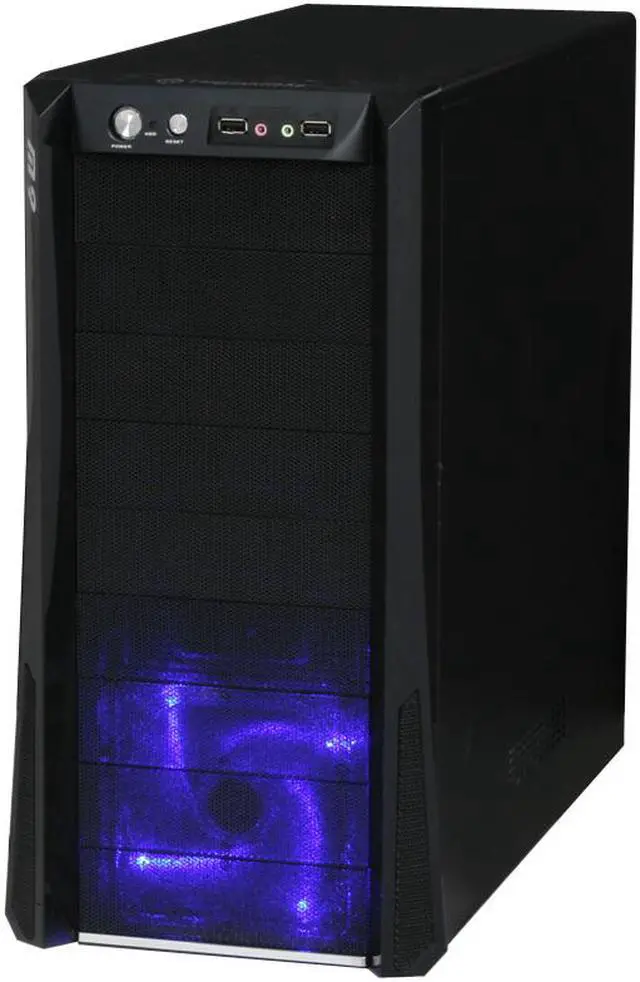
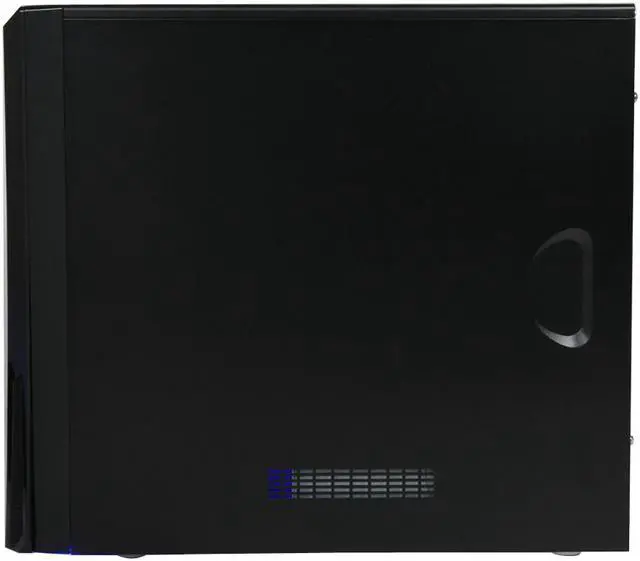
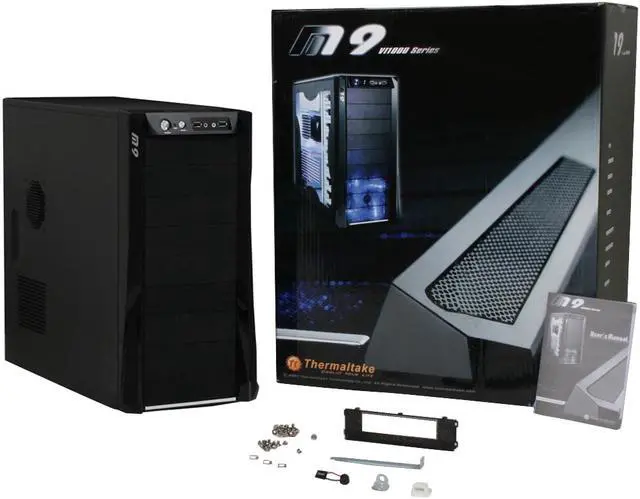
Thermaltake M9 VI1000BNS Black SECC Steel ATX Mid Tower Computer Case - Retail

newegg
Currently Unavailable What's this?
Print This Page

Shop Similar Products

Similar Items

Not the product you're looking for? We can make some suggestions to help you decide on a product that fits your needs.
view similar products

Manufacturer InfoReturn Policies

Manufacturer Warranty

Beyond any applicable Newegg return policy, this item is warranted independently by the product's Manufacturer. Below is a summary provided for convenience only and may not be accurate or current. Use this link for full details.

  • Manufacturer Limited Warranty period (parts): 3 years
  • Manufacturer Limited Warranty period (labor): 3 years

Manufacturer Contact Info

Return Policies

This item is covered by Newegg.ca's Standard Return Policy.

  • Return for refund within: 30 days
  • Return for replacement within: 30 days
  • Restocking Fee: Yes
OverviewCustomer ReviewSpecificationsProduct Tour
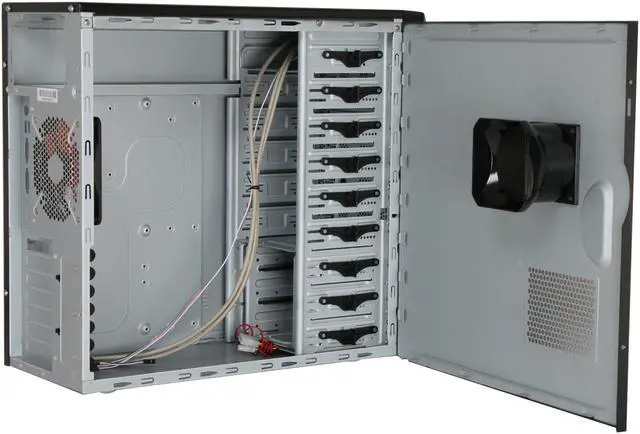
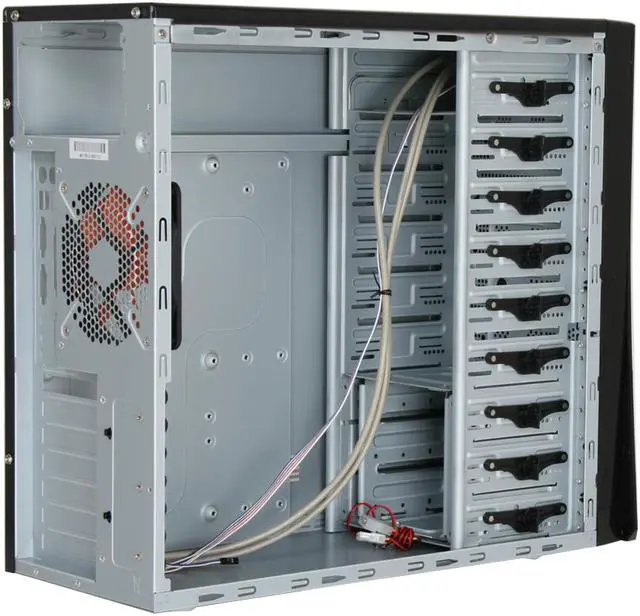
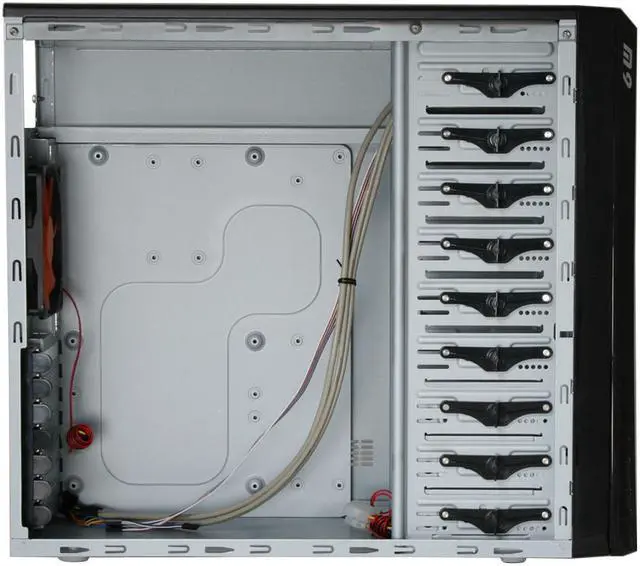
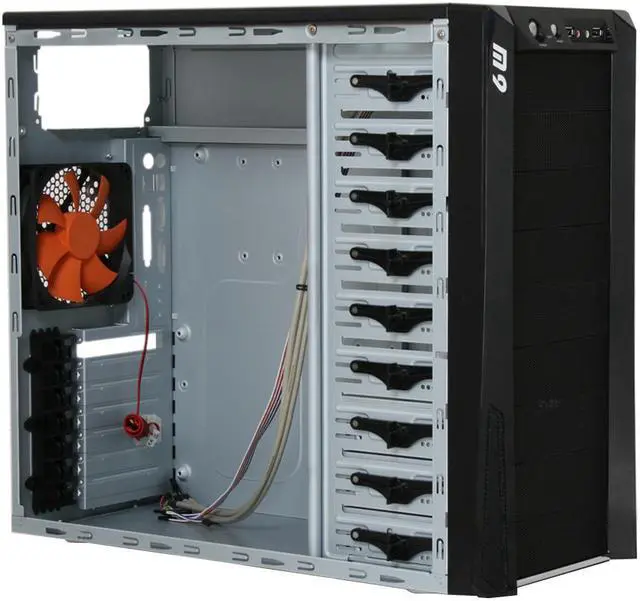
Thermaltake's VI1000BWS is an affordable, no-nonsense case that combines style, function and performance. Part of the M9 series of mid-tower cases, it has plenty of room for expansion and tons of potential for modders. It holds up to nine 5.25" drives with the option to convert one of the external bays being convertible to mount a 3.5" drive. The three internal drives mount into a front removable cage – and like the other drives install easily without tools.

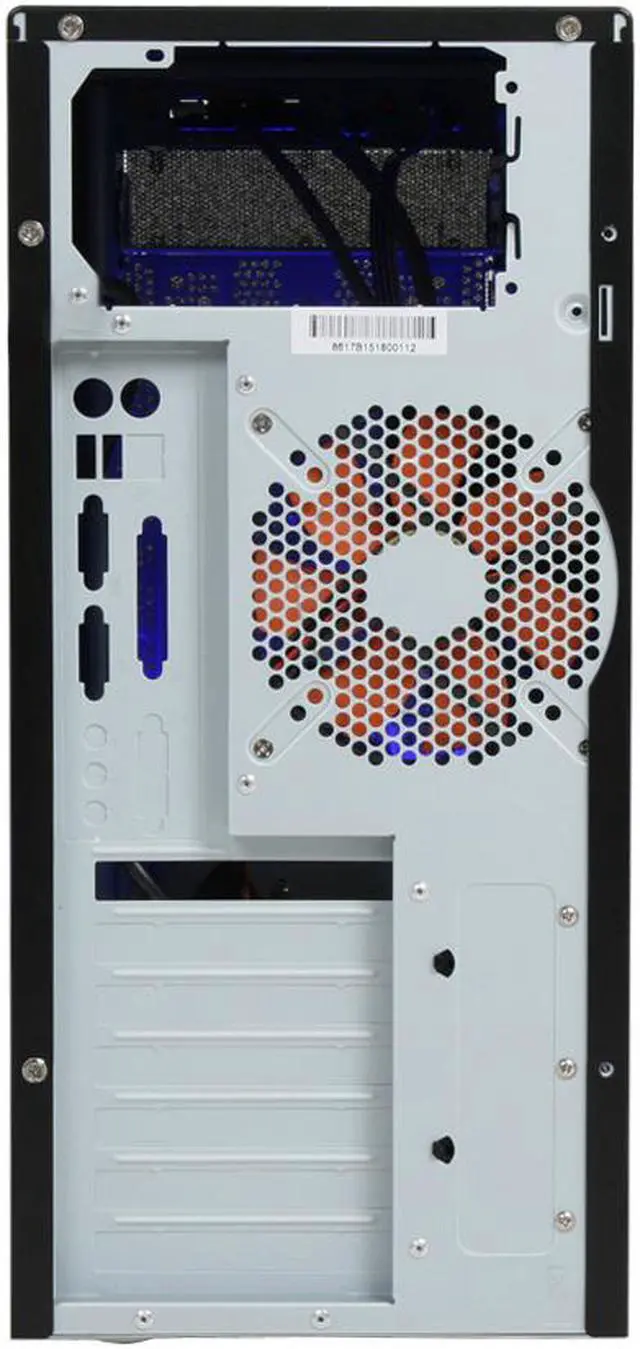
Up to 7 expansion cards can be installed as well – again without tools. Most standard ATX boards will install effortlessly thanks to the standoffs built into the motherboard tray. The entire case is cooled by a pair of silent, blue LED 120mm fans which draw air through the metal grille front bezel and out through the rear of the case. Up to two more 120mm fans can be installed behind the front grille in two different configurations to provide increased air intake.

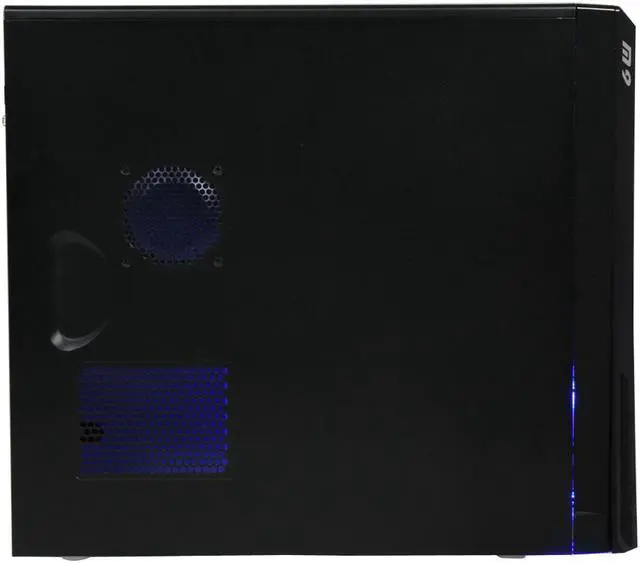
A ducted mount is included for a fan to cool the VGA cards through the side panel and provisions are made for additional 80mm, 90mm and 120mm fans. A pair of easily accessible USB 2.0 ports are located at the top of the front plate along with HD audio input and output jacks.

Review Summary (read more reviews)

5
newegg
50%
4
newegg
36%
3
newegg
9%
2
newegg
5%
1
0%
Product Rating:
Total Reviews: 22

pretty nice

white Reviewed By: Spoolin92 on 8/23/2008
Rating + 5
Tech Level Tech Level: average - Ownership: 1 month to 1 year
This user purchased this item from Newegg
Pros: Excellent ventilation, good layout. Looks cool and keeps things that way too. I added a 2nd i-cage for more airflow up front.
Cons: Would've liked to have seen foam filters for the side vents too. I built this pc for my aunt who has cats, and the front foam filters catch most of the cat hair from entering the case, and it wipes off nice and easy, but some still gets in from the side vents. Small gripe, I know, but a valid one.
Other Thoughts: Like another reviewer said, it'd be nice if there was a motherboard connector for the fans instead of just a 4 pin molex. However, that said, the fans are pretty quiet, and still move a decent amount of air, so it's really a non-issue.
1 out of 1 people found this review helpful. Did you? Yes No

Nice Case

white Reviewed By: Midik on 8/18/2008
Rating + 5
Tech Level Tech Level: somewhat high - Ownership: 1 week to 1 month
This user purchased this item from Newegg
Pros: I like this case, despite all the criticism about it. Fits all my parts nicely, and was easy to work with. The HDs (when installed) do stick out past the mobo a bit, but the HDD cage can be removed from the front of the case so its no big deal. The airflow is excellent with the front and rear fans, and the blue LED fan is not overdone. Overall its an attractive, sturdy, easy to work with case.
Cons: I really don't get why they put 5 5.25" drive bays in it since most users will use 2 or 3 at most. I don't find it a negative against the case, just strange.
Other Thoughts: If you're looking for a nice entry to mid level case at a good price, I think the M9 is worth a close look.

System (Music PC): Thermaltake M9 Case, Foxconn P45A-S Mobo, Core2Duo 3.0 Wolfdale, G. Skill 4G Ram, Rosewill 550W PSU, Rosewill CPU Fan, XFX 8600GT, Hiro Wireless PCI Card, Lite-On DVD/RW
1 out of 1 people found this review helpful. Did you? Yes No

Quick Specs (view all30)

ModelVI1000BNS
TypeATX Mid Tower
ColorBlack
Case MaterialSteel
With Power SupplyNo

Review Summary (read all 22 Reviews)

5
newegg
50%
4
newegg
36%
3
newegg
9%
2
newegg
5%
1
0%
Product Rating:
Total Reviews: 22

Nice

white Reviewed By: Pffft on 4/9/2009
Rating + 3
Tech Level Tech Level: high - Ownership: 1 month to 1 year
This user purchased this item from Newegg
Pros: Sexy, black, fans included, Not flimsy, filtered front.
Cons: Side vents are not filtered, fans do not plug into mother board they plug directly into the power supply, front head phone jacks are starting to act up and usb ports look mangled.
Other Thoughts: had to get filters for side vents and plug a massive hole on the bottom of the front cover to keep the dust out. Also had to take cover apart to fix the usb ports so they didnt look so bad, they worked the whole time, but ugly. also the headphone and Mic jacks seem messed up. they always work, i can always hear both channels and the mic always works, but the software on my computer occasionally says the headphones have been removed even though they have not, had to bend some metal in the jack to fix it, but I will have to do it again over time. Room for a 9600gt if you move the HDD tray up 1 slot.
1 out of 2 people found this review helpful. Did you? Yes No

Great Case

white Reviewed By: NoveL on 3/13/2009
Rating + 5
Tech Level Tech Level: somewhat high - Ownership: 1 month to 1 year
Pros: Well this case is a perfect size.. Great for building a gaming computer.. The fans work perfectly an no problems so far
Cons: The hard drive cases can be pushed in and look bad and annoy you. BUT if u push them really hard and tuck them UNDER the little plastic that holds them you should have no problems unless you swing at it with a baseball bat.
Other Thoughts: Very nice case.. Good looking aswell.
Did you find this review helpful? Yes No

Review after some time has past...

white Reviewed By: lkegley9 on 3/12/2009
Rating + 5
Tech Level Tech Level: high - Ownership: 1 month to 1 year
This user purchased this item from Newegg
Pros: Good airflow. Thats probably the main positive about the whole case. The airflow is fantastic. If you put your hand in it (without touching critical components of course), you can feel air between your fingers.

Which is good.

But besides airflow, the case has a genuine this-is-a-gaming-computer feel to it because of the blue LED in the front. Its nothing like the Antec 900, but its still plenty.

Front 120mm fan, Rear 120mm fan, and the side panel has a "CPU Ventilation Duct" on it, which can be removed and replaced with a 80mm fan.

The width is just enough to get a Arctic Cooling Freezer 7 Pro in it with about three inches of clearance, which is plenty considering some cases have a problem fitting it.

Also on a last note, the fan in the front keeps your HDD nice and ice cool. My 640GB Seagate runs 21-24 C almost 24/7.
Cons: I suppose there has to be a problem with something. Nothing is perfect.

There are quite a few sharp edges, particularly around the power supply region. When you have the side panel off, there are no problems with the borders around the panel, but its with the border around the back of the power supply, where the region where you have to screw in screws, etc. While there is no power supply in this spot, NEVER pick up the case from there. Bad deal. I cut off a small sliver of skin with little bleeding.

Also the front panel tends to pop off if someone bumps into it if they're walking near it with their feet. Be weary of this and keep the computer clear of any walking paths.

I just so happen to have mine next to the door to my room.

Also, with the dust filters in the front, the little bending clips that hold the filters in tend to break off after you bend them back and forth three-ish times.
Other Thoughts: So far, its keeping all of my critical components cool. Running an 8800GT and a Q6600 can be pretty hot these days, so its understandable. I live in a basement, and its considerably cooler down here. So if you live in a hotter environment, there is a possibility that your case will perform differently. Ambient temperatures in the room that the computer is operating in makes a huge difference on temps. I constantly need to wrap up in a blanket or wear a coat down here.

But winter is almost over.

Also, my last point. The front cover is very easy to remove. Take off the cover by pulling with a reasonable amount of force from the top left corner, then the top right, then pull right off. The bottom will pop off. To replace, repeat the same order. Put the top left clip in first, top right next, etc.

Also, cleaning the filters is a complicated job. I found that soaking them in a bucket of cool water, then rubbing off the dust worked nicely. Then use a hair dryer or drip dry.
3 out of 4 people found this review helpful. Did you? Yes No
Model
Brand Thermaltake
Series M9
Model VI1000BNS
Spec
Type ATX Mid Tower
Color Black
Case Material SECC Steel
With Power Supply No
Motherboard Compatibility Micro ATX , Standard ATX
With Side Panel Window No
Expansion
External 5.25" Drive Bays 6
External 3.5" Drive Bays 1 (converted from one 5.25” drive bay)
Internal 3.5" Drive Bays 3
Expansion Slots 7
Front Ports
Front Ports USB / Audio
Cooling System
80mm Fans No
120mm Fans 1 x 120mm front fan
1 x 120mm rear fan
Side Air duct Yes
Physical Spec
Dimensions(L x W x H) 17.3" x 7.9" x 19.5"
Weight 14.6 lbs.
Features
Features Glossy finish
9 Drive Bays - 9 5.25” drive bay, swappable to 3.5” drive bay using HDD cage
High efficiency ventilation: 120mm silent fan in front and rear
Metal grilled front bezel for maximum air intake
Air guide and openings on side panel enhance CPU & VGA heat dissipation
Tool-free installation for 5.25” drive bays and add-on cards
Manufacturer Warranty
Parts 3 years limited
Labor 3 years limited

Introduction

Thermaltake's VI1000BWS is an affordable, no-nonsense case that combines style, function and performance. Part of the M9 series of mid-tower cases, it has plenty of room for expansion and tons of potential for modders. It holds up to nine 5.25" drives with the option to convert one of the external bays being convertible to mount a 3.5" drive. The three internal drives mount into a front removable cage – and like the other drives install easily without tools.

Up to 7 expansion cards can be installed as well – again without tools. Most standard ATX boards will install effortlessly thanks to the standoffs built into the motherboard tray. The entire case is cooled by a pair of silent, blue LED 120mm fans which draw air through the metal grille front bezel and out through the rear of the case. Up to two more 120mm fans can be installed behind the front grille in two different configurations to provide increased air intake.

A ducted mount is included for a fan to cool the VGA cards through the side panel and provisions are made for additional 80mm, 90mm and 120mm fans. A pair of easily accessible USB 2.0 ports are located at the top of the front plate along with HD audio input and output jacks.

Highlights

newegg Excellent Expandability with 9 Drive Bays
Featuring six 5.25" external drive bays (one convertible to 3.5" external drive bay) and three 3.5" internal drive bays, the Thermaltake M9 VI1000BNS provides excellent expandability.
newegg Efficient Ventilation
Dual 120mm blue LED cooling fans ensure highly-efficient ventilation for great heat dissipation. The mesh front panel maximizes airflow of the inner system and reveals the cool LED lights for added stylishness and eye-catching fun.
newegg Tool-free Installation
The tool-free design ensures quick installation and upgrade for expansion cards, 5.25" and 3.5" devices to save your time. Start enjoying computing rapidly!
newegg Convenient Front I/O Panel
The Thermaltake M9 VI1000BNS features a convenient front I/O panel for easy access to two USB 2.0 and two audio ports.

Quick Specs

BrandThermaltake
Case MaterialSteel
ColorBlack
TypeATX Mid Tower
External 5.25" Drive Bays6
External 3.5" Drive Bays1
Internal 3.5" Drive Bays3
Expansion Slots7
Front PortsUSB / Audio
Side Air ductYes
EggXpert.com
Newegg Community
Shop by Region: United States | Canada | China
VeriSignReliability Seal1PaypalVerify GoldenSealThis site protected by Trustwave's Trusted Commerce program

Policy & Agreement | Privacy Policy | Newegg USA

 © 2000-2010 Newegg Inc.  As used herein, “Newegg.ca” means Newegg Canada Inc. unless the context specifically refers to the www.newegg.ca web address.
If the Adobe Reader does not appear when you click on a link for a PDF file, you can download Adobe Reader from the Adobe web site. nassau