


Newegg.ca - A great place to buy computers, computer parts, electronics, software, accessories, and DVDs online. With great prices, fast shipping, and top-rated customer service - once you know, you Newegg.

If you are reading this message, Please click this link to reload this page.(Do not use your browser's "Refresh" button). Please email us if you're running the latest version of your browser and you still see this message.

Newegg.ca - Computers, Computer Parts and Electronics

My Account
All prices shown in Canadian dollars unless otherwise specified. 

About UsBrowse Entire SiteShop All BrandsHelp & Info
topNavRowBottom  
Home
Home. > 
Computer Hardware0_. > 
Computer Cases1_. > 
Computer Cases2_. > 
Antec3_. > 
Item#: N82E16811129058

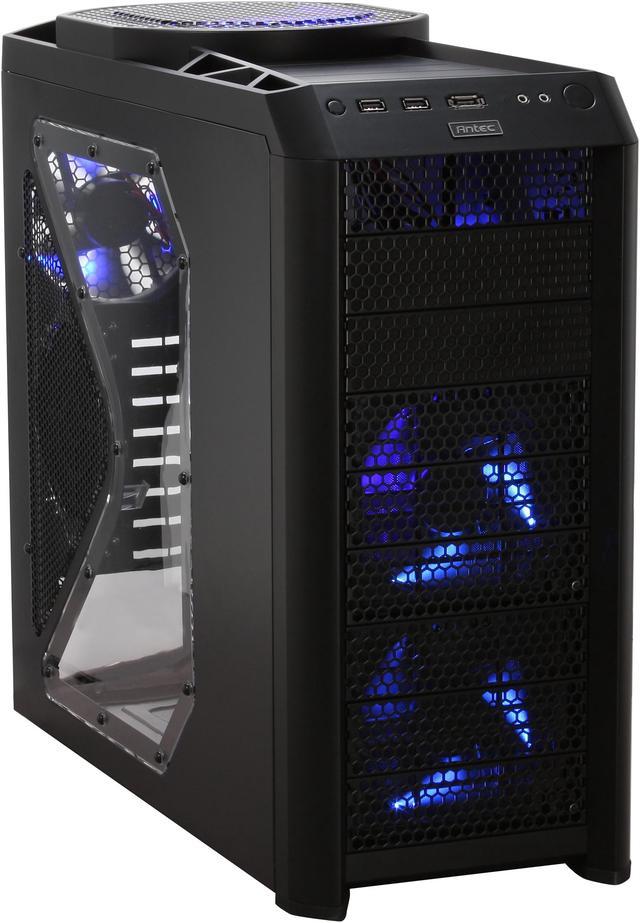
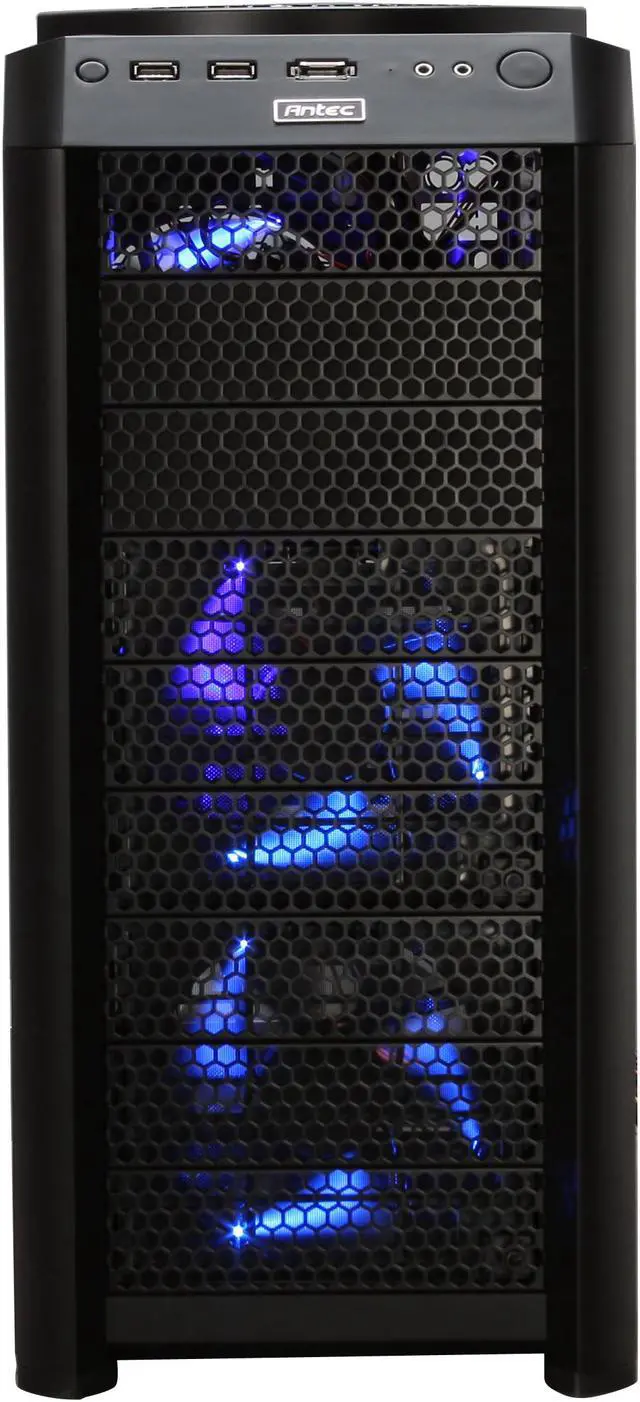
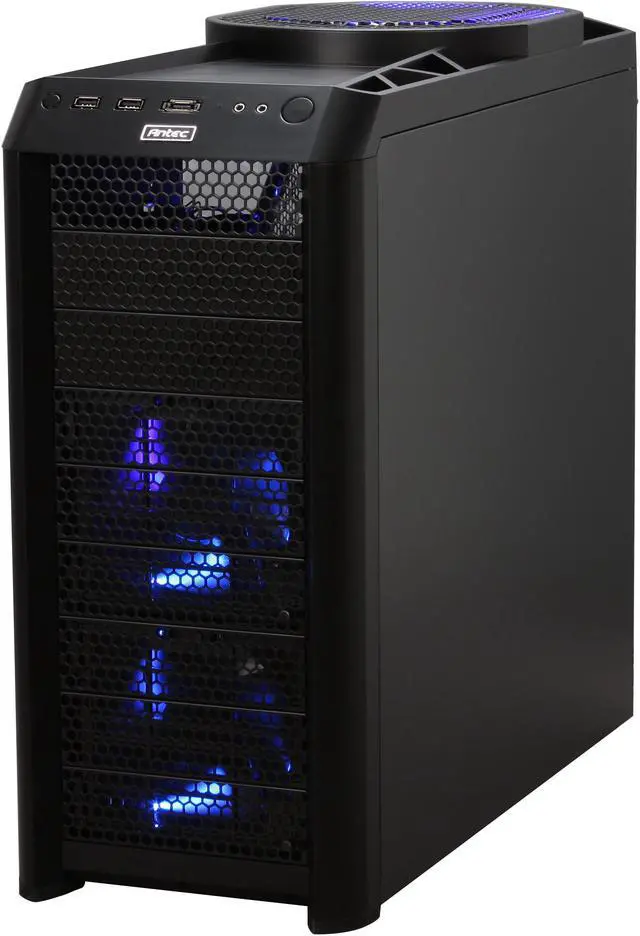
Antec Nine Hundred Two Black Steel ATX Mid Tower Computer Case

Average Rating

5 out of 5 eggs(541 reviews)

In stock.

Was: $139.99
Now: $119.99
Save: $20.00
 Add to Cart
  • Add to WishlistAdd to Wishlist
  • Log In RequiredPrice Alert
  • PrintPrint This Page
  • Email This Page Facebook Twitter Sharethis Share...
$9.99 Shipping
Buzz
Pictures do not do this justice
5 out of 5 eggs
Very nice case and pictures really don't reveal all the subtle lines on this case. It looks REALLY nice. Fan controllers ...
— pk4490 1/24/2009
QUIET! FITS ATI 5870!! 11.1 Long Card!!
5 out of 5 eggs
I own this case but did not buy here cause I got gift card from BB. This case fan is very quiet and easy to work with. ...
— 9/30/2009


Quick Info
Manufacturer Warranty
  • Manufacturer Limited Warranty period (parts): 1 year
  • Manufacturer Limited Warranty period (labor): 1 year


Return Policies

This item is covered by Newegg.ca's Standard Return Policy.

  • Return for refund within: 30 days
  • Return for replacement within: 30 days
  • Restocking Fee: Yes

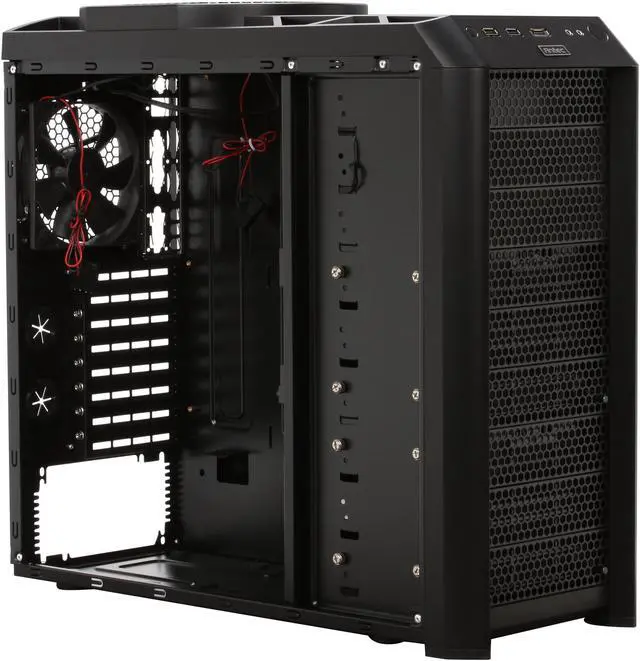
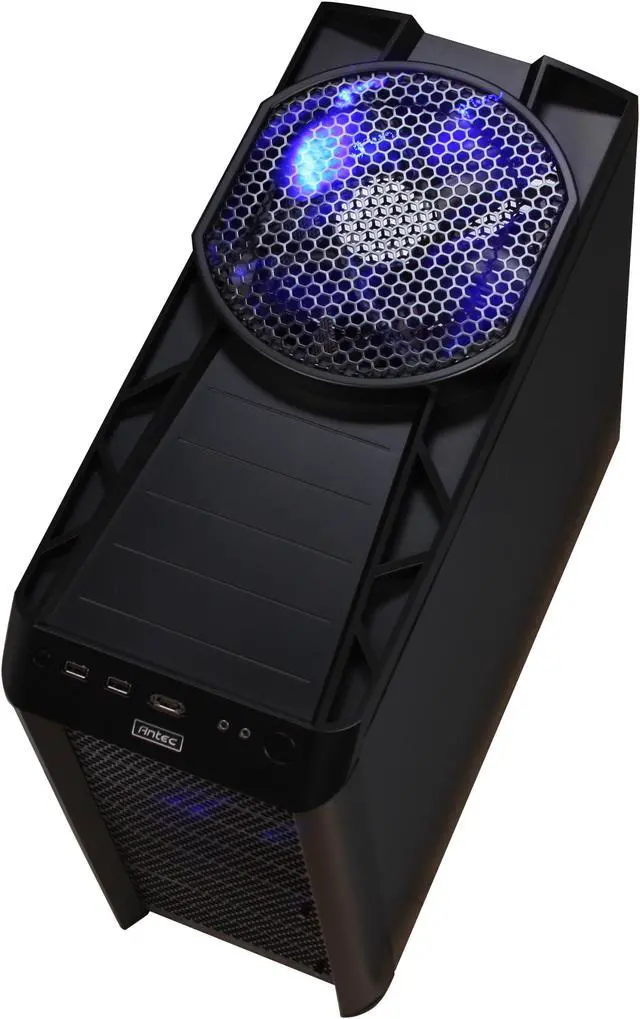
Ultimate gamer case? Just maybe. With a partially perforated package that still finds room for four huge yet quiet fans, you have a seriously cool gaming case, and that's no joke. You expect the Antec Nine Hundred Two to be ready for lift off, especially with the 200mm TriCool exhaust fan and perforated port atop this stylish case. It even has mounted dual 120mm fans in the front and a 120mm fan at the rear panel! Contrary to what you might expect, this case is very quiet, unless you have all the fans going at their highest settings, at which point you might hear . . . something.

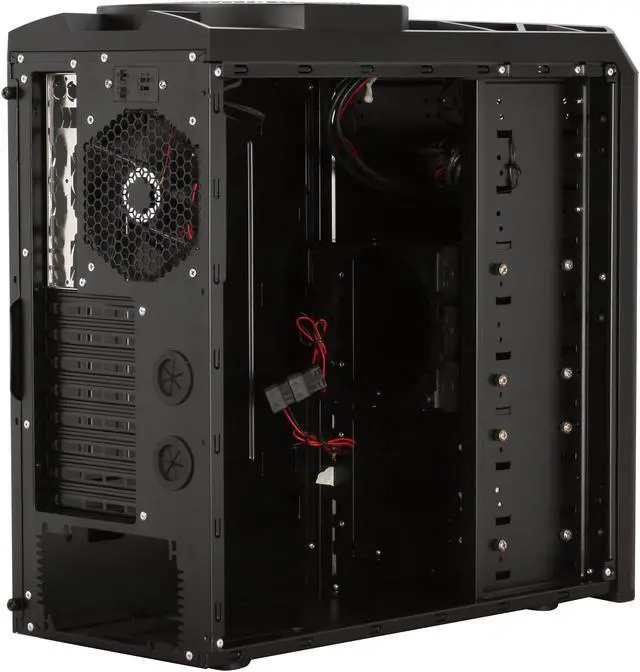
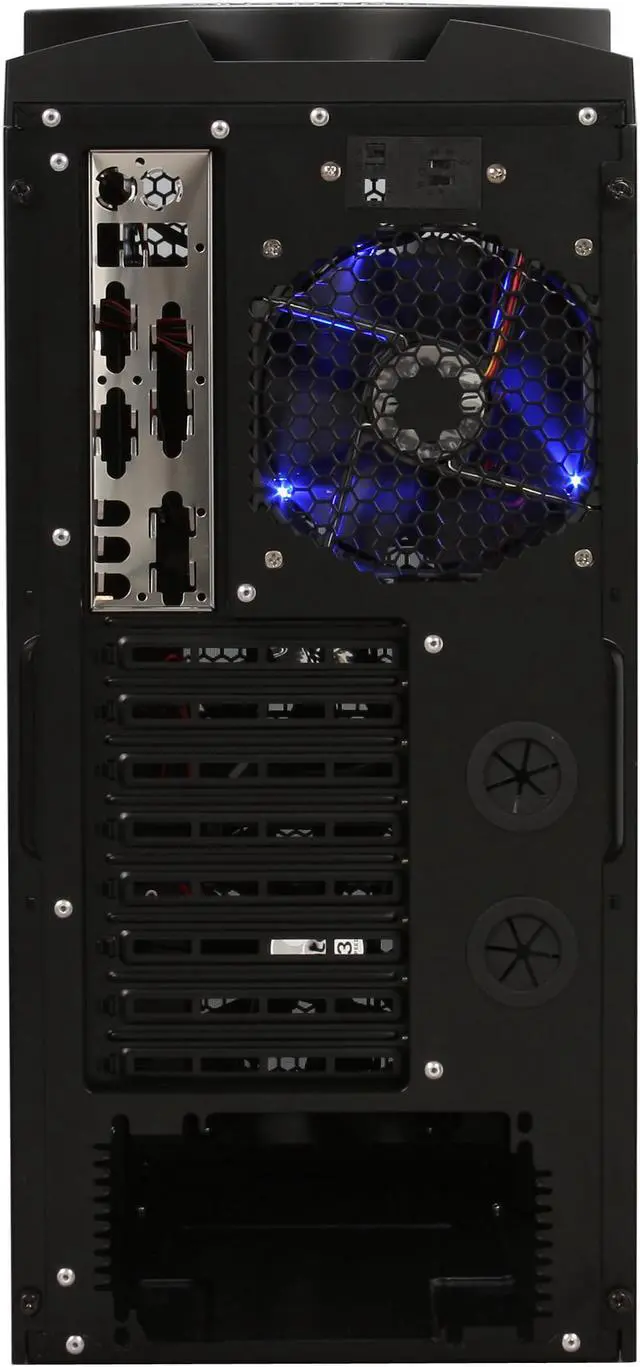
The 5.25" bays will hold optical drives, burners, or even (gasp!) your aging floppy drive, and up to six 3.5" drives can be installed in cages behind the fans, and these can be arranged along the front any way you like. This case provides a plethora of possibilities, and room to explore placement of all the pieces. The PSU, in a departure, is at the bottom of the case, for better case stability and thermal environment for the CPU.

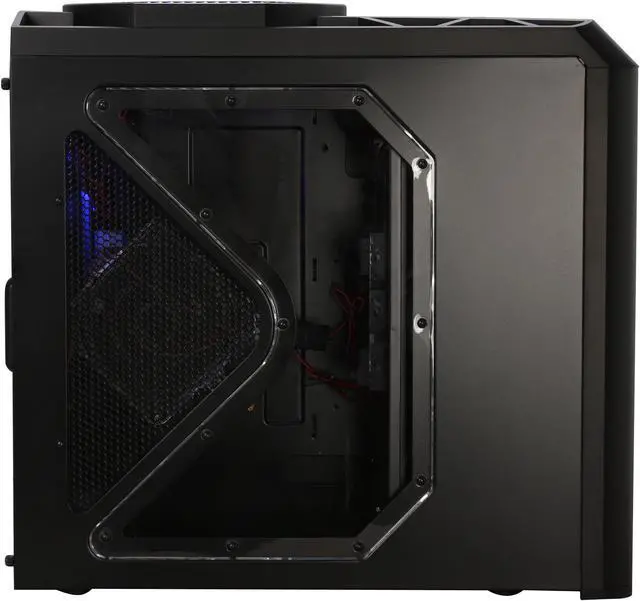
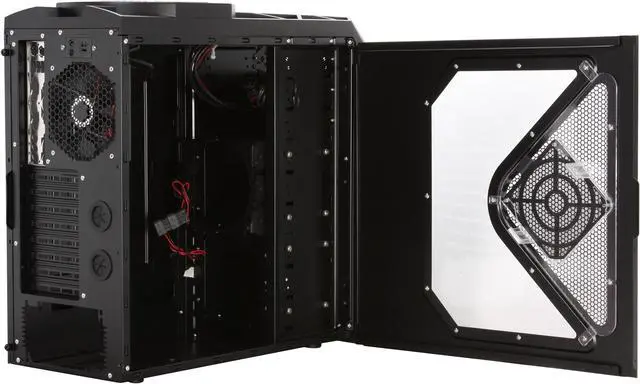
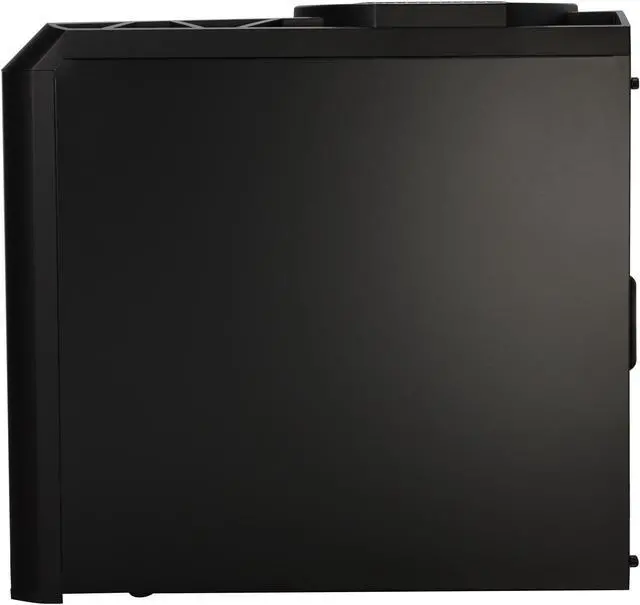
The side window of the case, in addition to letting you show things off, provides additional ventilation, either by way of the vented screen, or by the fourth fan in the box, mounted in clear plastic, for a clear and elegant mounting. This is a sturdy steel case, with enough cooling technology to keep things frosty in the hottest action. Take one home today and build yourself the "coolest" rig around!

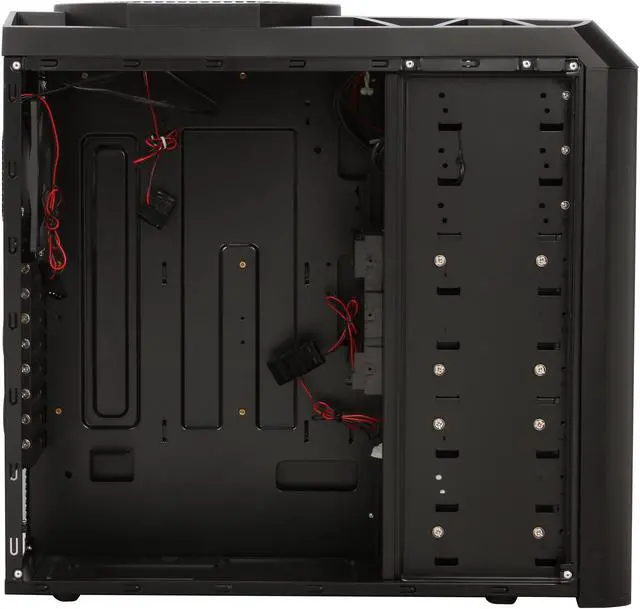
  • newegg Superior Expandability with 9 Drive Bays The Antec Nine Hundred Two’s nine drive bays provide three possible combinations including 3 x 5.25-inch external and 6 x 3.5-inch internal drive bays, or 6 x 5.25-inch external and 3x 3.5-inch internal drive bays, or 9 x 5.25-inch external drive bays.
  • newegg Transparent Side Panel Window The Antec Nine Hundred Two’s transparent side panel window provides a direct view of the inner system. A 120mm fan can be installed on the side panel for maximum heat dissipation of the system.
  • newegg Extreme Airflow and Cooling The Antec Nine Hundred Two features one 200mm TriCool fan on the top, two 120mm front blue LED fans, one 120mm rear fan and optimized internal airflow for peerless cooling performance.
  • newegg Convenient Front I/O Panel The convenient front I/O panel enables easy access to two USB 2.0 ports, one eSATA port and two audio ports.

Get the most from your Antec Nine Hundred Two with these extras!

Select Additional Items
Popular Rosewill RV2-600 600 W ATX12V v2.2 / EPS12V SLI Ready   Power SupplyRosewill RV2-600 600 W ATX12V v2.2 / EPS12V SLI Ready Power Supply0
Intel Core i7-930 Bloomfield 2.8GHz LGA 1366 130W Quad-Core Desktop Processor BX80601930Intel Core i7-930 Bloomfield 2.8GHz LGA 1366 130W Quad-Core Desktop Processor BX806019301
Suggested Antec EarthWatts EA650 650W Continuous Power ATX12V Ver.2.2 / EPS12V version 2.91 SLI Certified CrossFire Ready 80 PLUS Certified  Active PFC "compatible with Core i7/Core i5" Power SupplyAntec EarthWatts EA650 650W Continuous Power ATX12V Ver.2.2 / EPS12V version 2.91 SLI Certified CrossFire Ready 80 PLUS Certified Active PFC "compatible with Core i7/Core i5" Power Supply0
  • Selected Items: 0
  • Featured Product plus Selected: $119.99
Add to cart

Learn more about the Antec Nine Hundred Two

Model
Brand
Antec
Model
Nine Hundred Two
Spec
Type
ATX Mid Tower
Color
Black
Case Material
Steel
With Power Supply
No
Power Supply Mounted
Bottom
Motherboard Compatibility
Mini-ITX, microATX, Standard ATX
With Side Panel Window
Yes
Expansion
External 5.25" Drive Bays
3
External 3.5" Drive Bays
No
Internal 3.5" Drive Bays
6
Expansion Slots
8
Front Ports
Front Ports
USB / Audio / e-SATA
Cooling System
120mm Fans
1 x 120mm blue LED exhaust rear fan
2 x 120mm blue LED intake front fans
200mm Fans
1 x 200mm blue LED exhaust top fan
Physical Spec
Dimensions(L x W x H)
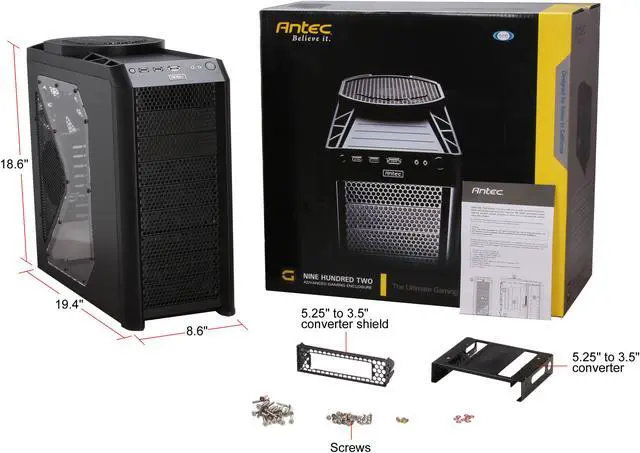
18.60" x 8.60" x 19.40"
Weight
25.4 lbs.
Manufacturer Warranty
Parts
3 years limited
Labor
3 years limited

Customer Reviews of the Antec Nine Hundred Two

Do you own this product? Write a Review
Filter Results
Go
  • N/A
  • 8/30/2010 10:55:35 PM
  • Tech Level: above average
  • Ownership: 1 day to 1 week
  • Verified Owner
5 out of 5 eggsGreat case

Pros: -Solid construction
-eSATA
-Relatively quiet
-Good cable management

Cons: -Lack of instructions in the box. Could be difficult for a first time builder.
-Can be a tight fit for the SATA plugs if you have certain ATX boards that has the SATA plugs sticking out to the side.

Other Thoughts: -Yes, Antec is not including instructions in the box for the sake of being green. However, if you are building that one computer in the house and your phone does not have internet, where are you going to get instructions? Luckily you can play around with the case and should be able to figure things out. Overall, this is a solid case and warrants 5 eggs for its price level.

Did you find this review helpful? Yes No

  • Triskite
  • 8/28/2010 9:26:32 AM
  • Tech Level: above average
  • Ownership: 1 day to 1 week
  • Verified Owner
5 out of 5 eggsI usually don't write reviews... but this case is AMAZING

Pros: this case has everything you could hope for and WAY more.

it's extremely rugged and the metal feels like eating heat is its job. the instructions are pretty decent (you must go online to get them, however)

THE INTAKE and EXHAUST FANS ARE EXCELLENT.
If you don't plan on using more than 3 HDDs and 3 optical bays you can use the middle hdd cage as a fan bay. yes a fan bay- not only do the two hdd cages each have intake fans, but the middle (upper) cage has an extra slot for another 120mm fan- so I have two fans in that middle cage deluging my CPU and graphics with fresh air.

also, this case has easily removable filters for the fans - a huge plus

the top exhaust fan is powerful and awesome.

the case fans are pretty quiet.

Cons: absolutely none - i have no suggestions to make this any better.

Other Thoughts: This was my first time building a computer- and it was easy as pie. Booted perfectly on first try.

I used all of the fans it came with and had space for 2 more 120mm fans.

using the kingwin aftermarket CPU cooler it was too tight to fit the side case fan in. however, with a little dremeling, i got it to work. now I have 4 intake fans and 2 exhaust fans.

i7 930
MSI N250GTS TwinFrozr 1G OC GeForce GTS 250 1GB 256-bit GDDR3
G.SKILL 6GB (3 x 2GB) 240-Pin DDR3 1600 (PC3 12800) Triple Channel Kit
2 x Western Digital Caviar Green WD20EADS 2TB 32MB Cache SATA 3.0Gb/s
SAMSUNG Black 8X BD-ROM
Random DVD RW Drive
Rosewill BRONZE series RBR1000-M 1000W
Antec Nine Hundred Two
KINGWIN XT-1264 120mm H.T.C. CPU Cooler
+2 120mm fans
Windows 7 64-bit Pro
BOINC
Don't let your new computer sit idle.

Did you find this review helpful? Yes No

  • Tamarocker88
  • 8/26/2010 12:37:13 PM
  • Tech Level: above average
  • Ownership: 1 day to 1 week
  • Verified Owner
4 out of 5 eggsPretty Good

Pros: Spacious, great value, superior cooling, modularity, great cable management.

Cons: All provided fans only have 4 pin Molex connectors. If you're planning on running these fans through your motherboard you're going to need 4 pin to 3 pin female adapters. I am running these through a zalman 6 port fan controller, but it only comes with 3 pin adapters. I ended up dishing out another $30 to just buy new 120mm fans with direct 3 pin connectors and RPM monitoring.

Other Thoughts: Again, just pay attention to the fans if you plan on running them through a controller. You'll need to pick up new fans or try to find 4 pin molex to 3 pin female connectors if the controller only has 3 pin connectors.

Did you find this review helpful? Yes No

  • Zindria
  • 8/24/2010 9:24:47 AM
  • Tech Level: above average
  • Ownership: 1 month to 1 year
  • Verified Owner
5 out of 5 eggsAbsolutely worth it

Pros: All Steel, 6 fans, comes with removable & washable filters, quiet, combined with my Cooler Master 212 the internal temp is around 100 degrees. Comes with many slots for various drive dock options, including a bracket to adjust sizes. Love the ports on the front for easy access. I've had this for about 4 months, and just bought a second one.

Cons: Really the only downside is that the first computer I built in one was sloppily put together, and you could see it in the side window. Other wise, fan removal is a little tough, but a great feature worth the trouble.

Did you find this review helpful? Yes No

  • Kinetic
  • 8/22/2010 4:30:08 PM
  • Tech Level: above average
  • Ownership: 1 week to 1 month
4 out of 5 eggsGreat case

Pros: Great airflow, near silent even when all the fans are running on high, removable filters work well, VERY modular in design (see other thoughts), good cable routing, sturdy, affordable, looks nice, every fan's speed can be adjusted, an all around great case.

Cons: Side panel with the window on it is a very tight fit, and I had to take a razor to one spot on the case itself to get my panel back on after removing it. It's still a very tight fit but better than it was. The side panel fan mount and the internal fan mounts aren't a tight fit and either will vibrate without rubber washers in place on the holding pegs. No CPU backplate cutout. Also a bit on the heavy side for a mid tower. Fan filters are still inaccessible without taking apart the case.

Other Thoughts: Overall an amazing case I had a lot of fun with. Like I said, everything is very modular. Hard drive enclosures can be removed to accommodate larger video cards or cable management. The fan enclosures that snap onto the front of these cages can be mounted independently afterward. The internal fan mount is easily removed from the second cage, and cable management is a breeze. For someone used to working on mid tower cases I have to say that this is easily the best case I've ever owned. If the side panel would have fit better I'd say it was perfect, and from what I've read it's not an isolated issue, which is the only reason I knocked off an egg.

*Also, no I didn't buy from newegg. I bought this case at Best Buy (for $130, and it was still worth it), but I wanted to review it here in order to recommend it to others*

3 out of 3 people found this review helpful. Did you? Yes No

  • Trigger
  • 8/22/2010 2:18:22 AM
  • Tech Level: above average
  • Ownership: 1 week to 1 month
5 out of 5 eggs

Pros: Everything about the case is a pro. I could only find small nit-picky details to complain about.

Cons: The power supply is on the bottom of the case. This is one of those nit picky details. But in place of the ascended power supply, theres a giant fan instead..

Other Thoughts: Great buy. Antec forever.

Did you find this review helpful? Yes No

  • N/A
  • 8/21/2010 11:34:01 AM
  • Tech Level: above average
  • Ownership: 1 week to 1 month
1 out of 5 eggsFront Panel Grounding Issues

Pros: Easy to setup, quite fans.

Cons: The front panel of mine has serious issues. I've stopped using the front USB ports because doing so will often cause my computer to instantly shutoff (an apparent grounding issue, based on reports I've found while researching this issue). The front panel audio jacks leave a lot to be desired as well. While I haven't experienced the audio static reported by others, my microphone frequently stops working, and so I've resorting to using the read audio panel which is a pain (there is a reason manufacturers make a front audio panel, after all).

I have a ticket open with Antec right now, and I'll update this review based on their response.

0 out of 2 people found this review helpful. Did you? Yes No

  • N/A
  • 8/18/2010 9:22:21 PM
  • Tech Level: above average
  • Ownership: 1 week to 1 month
5 out of 5 eggsLove it so far

Pros: Dropped the temps 15c-20c when I gutted an HP Elite Q8300-XFX 9500gt-stock 350w PS/ changed PS to 650w Antec and changed the GPU to XFX GT260 dropped everything in the Antec 902 and the idle temps are @27c cpu/26c hdd#1/27c hdd#2 & 36c idle on GPU, all fans on low. While gaming the temps raise 10c 15c max. all great temps,now I just need to upgrade everything else;)

Cons: a little trouble getting the headphone jacks to work.

Other Thoughts: Love all the room in the case and the all black interior

Did you find this review helpful? Yes No

  • N/A
  • 8/18/2010 2:01:28 PM
  • Tech Level: above average
  • Ownership: 1 month to 1 year
  • Verified Owner
5 out of 5 eggsMostly Solid - Full Case Review (2)

Pros: This is the same reviewer as the one below (with the same title) obviously. I figured I'd make a really complete review for anyone that is on the fence about this case. I needed to mention a couple more things:

- Dust filters on intake fans. These are awesome because I know that if you're like me you hate cleaning dust out from between the fins on your CPU heatsink and out of EVERY other little space inside your computer case as well.

- This case will accommodate almost any motherboard, fits the biggest video cards, will fit medium aftermarket CPU coolers (110 mm Zalman cooler is about the max), and clearly shows that the case designers thought about just about everything.

Cons: - Dust filters... they are annoying to take out to clean because in order to do so (assuming you secure your hard drive bays in place) you need to take off both side panels and a total of 8 thumb screws in order to slide the hard drive bay out and gain access to the filter. (And then another 8 thumb screws to get at the other intake filter). The side panel fan mount (doesn't come with a fan, see my previous review) also has a filter which is much easier to get at and clean.

Other Thoughts: Wiring too me a lot of time with this case...and I ended up wiring every single fan into a fan controller. This is difficult because each of the fans that come with this case have 2 components coming out of them: a 4-pin molex for power and a 3 speed switch. Here's the simple solution: leave the speed switch permanently set to high speed, convert the 4-pin molex into a 3-pin by using an adapter (bought for about $5 or less), or you can take apart the 4-pin molex and solder the wires directly into a 3-pin connector. I of course chose to take off the fan speed switch as well, but doing that makes you need to wire is "just so" in order to get the fan to run at it's actual maximum speed when you turn your controller all the way up. Long story short: permanently touch the black and yellow wires together (from the FAN SPEED SWITCH) and leave the red one out of it all. You can cut them nice and short and tuck them in near the fan. See above for converting the 4-pin to a 3-pin.

Did you find this review helpful? Yes No

  • N/A
  • 8/18/2010 1:45:40 PM
  • Tech Level: above average
  • Ownership: 1 month to 1 year
  • Verified Owner
5 out of 5 eggsMostly Solid - Full Case Review

Pros: - This case has a great build quality. All the parts are solid, nothing is going to break or randomly fail on you, with the exception of a fan or an LED maybe having limited issues.

- The wire management is excellent, allowing for virtually all wires that being plugged into the motherboard or other visible component to be completely hidden. With some time and consideration this case offers some of the best cable management I've seen.

- Great airflow for all computer builds. You can move the two 5.25" bays in front up or down as you need to, which also moves the two intake fans. So if you need space for an extra long video card (like I did) you can adjust the bays accordingly and give the cables plenty of room at the end of the video card. Additionally the overall flow is great. Dual intake, dual exhaust (note that the top fan means business when it comes to getting the heat away from your components), and TWO additional 120mm fan mounts (side panel and one internal).

Cons: - Configuring everything in this case can take some time. I'm very particular about having everything set up "just so" in my computer builds, and while this case allowed me to do it all, it did take some creative thinking at times.

- If you install two extra fans (like I did), good luck mounting control switches for them. Here is the mistake I made, take note!! When I got the case I decided I wanted my additional fans to match the ones already in the case (black with blue LEDs and one clear with blue LEDs for the side panel which is clear). The problem is that the "replacement" fans I bought from antec directly are in fact exactly like the fans in the case, meaning they have 3 speed control switches. There is NO WAY to mount those switches to have them accessible from the outside of the case....so you can either take off the side panel every time you want to change your fan speeds or you can try to extend the switches and rig up some kind of mount outside the case. SEE BELO

Other Thoughts: To fix the fan speed problem, I HIGHLY recommend you get a fan controller if you're like me and want to utilize the excellent airflow potential that this case has. Do NOT buy fans that match the fans already in the case because those fans don't have tachometers on them, so if you get a fan control with an LCD screen to tell you fan RPMs, it won't display anything for those fans. Additionally, I had to custom rig (meaning cut, re-wire, solder, etc) all my fans in order to work with the fan controller. I would say Scythe S-flex G fans are awesome, or even the Scythe ultra Kaze fans. And this controller is an absolutely PERFECT addition to the 902 case by Antec: "Lamptron FC-5 version 2" Which you can only find on one website right now...and it's not newegg. Happy hunting.

Conclusion: This case is awesome, it's not too heavy, completely solid, has great features, and is compatible with almost anything you can think of. I built a very high performance rig with this. Buy it.

1 out of 1 people found this review helpful. Did you? Yes No

Home
Home. > 
Computer Hardware0_. > 
Computer Cases1_. > 
Computer Cases2_. > 
Antec3_. > 
Item#: N82E16811129058
Shop by Region: United States | Canada | China
Affiliated Sites:
EggXpert.com
Newegg Community
VeriSignReliability Seal1PaypalVerify GoldenSealThis site protected by Trustwave's Trusted Commerce program

Policy & Agreement | Privacy Policy

 © 2000-2010 Newegg Inc.  As used herein, “Newegg.ca” means Newegg Canada Inc. unless the context specifically refers to the www.newegg.ca web address.
If the Adobe Reader does not appear when you click on a link for a PDF file, you can download Adobe Reader from the Adobe web site. nassau