Newegg.ca - A great place to buy computers, computer parts, electronics, software, accessories, and DVDs online. With great prices, fast shipping, and top-rated customer service - once you know, you Newegg.

If you are reading this message, Please click this link to reload this page.(Do not use your browser's "Refresh" button). Please email us if you're running the latest version of your browser and you still see this message.

Newegg.ca - Computers, Computer Parts and Electronics

My Account
All prices shown in Canadian dollars unless otherwise specified. 

About UsBrowse Entire SiteShop All BrandsHelp & Info
topNavRowBottom  
Home
Home. > 
Computer Hardware0_. > 
Computer Cases1_. > 
Computer Cases2_. > 
Cooler Master3_. > 
Item#: N82E16811119193

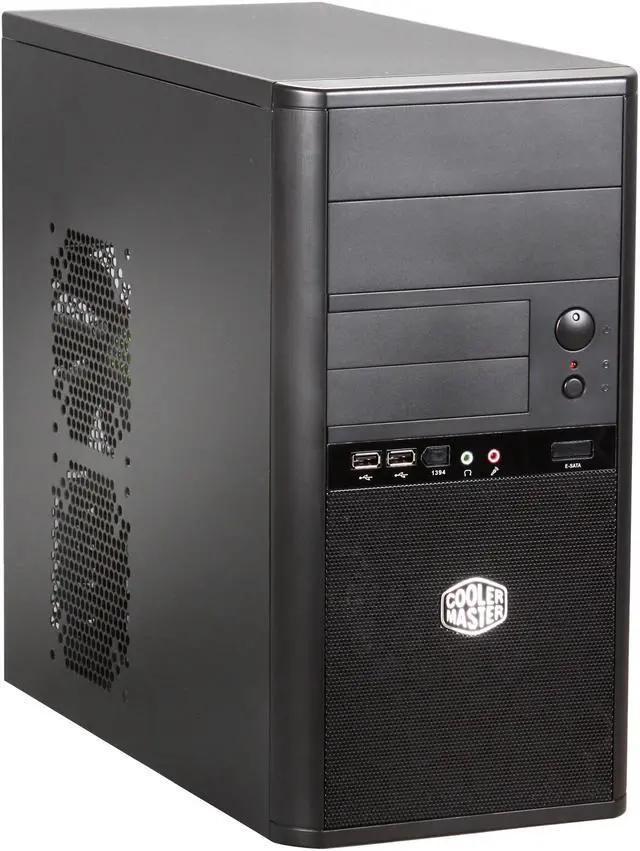
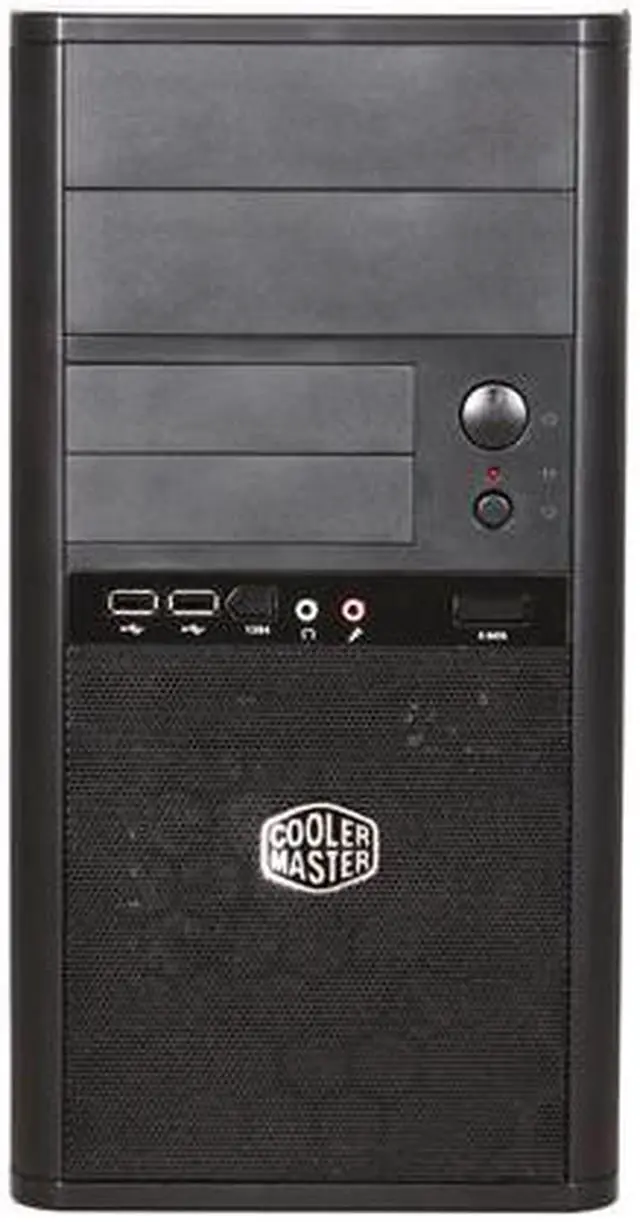
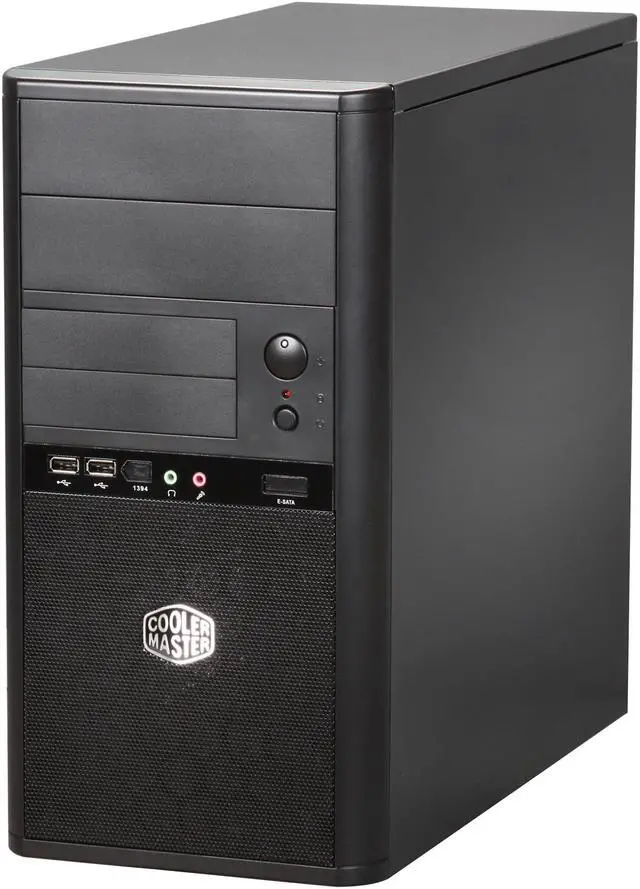
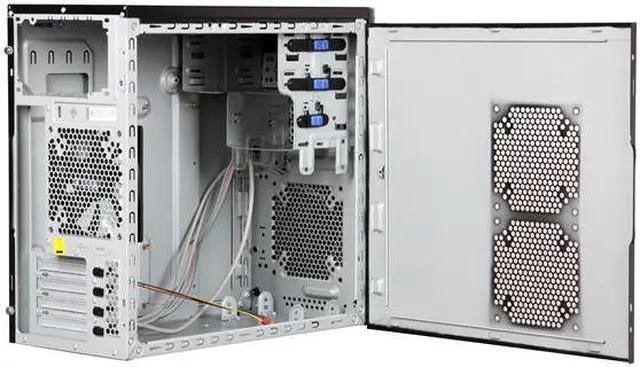
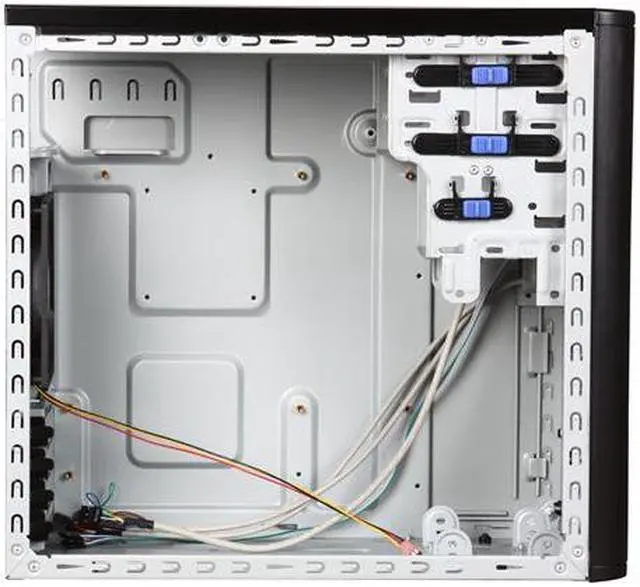
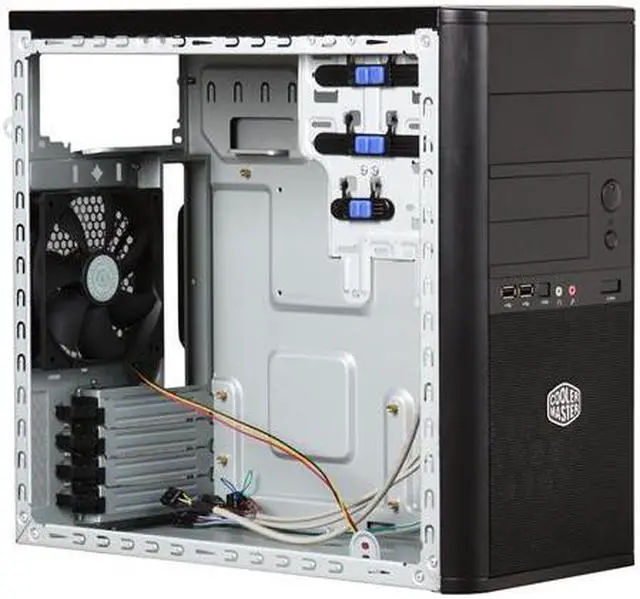
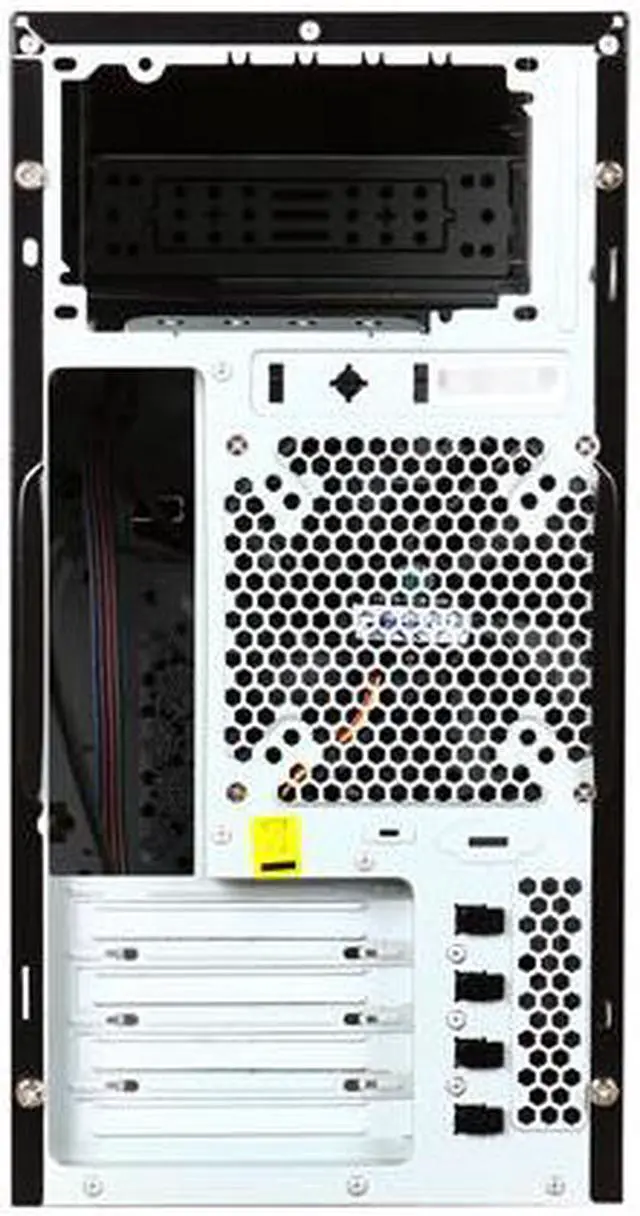
COOLER MASTER Elite 341 RC-341C-KKN1-GP Black Steel MicroATX Mid Tower Computer Case

Average Rating

4 out of 5 eggs(87 reviews)

In stock.

Was: $47.99
Now: $42.99
Save: $5.00
 Add to Cart
  • Add to WishlistAdd to Wishlist
  • Log In RequiredPrice Alert
  • PrintPrint This Page
  • Email This Page Facebook Twitter Sharethis Share...
$18.59 Shipping
Buzz
Decent Case - Minor Quibbles
4 out of 5 eggs
Attractive case, with front USB and Audio.
Perfect size for home use. Enough space to work around in, smart placement ...
— The Ripper 1/27/2009
Compact Gaming Case
5 out of 5 eggs
Fits four 120mm fans, no power supply (it would probably be the wrong one anyway), fits full size ATX power supply, ...
— DiodeTorch 6/4/2010


Quick Info
Manufacturer Warranty
  • Manufacturer Limited Warranty period (parts): 1 year
  • Manufacturer Limited Warranty period (labor): 1 year


Return Policies

This item is covered by Newegg.ca's Standard Return Policy.

  • Return for refund within: 30 days
  • Return for replacement within: 30 days
  • Restocking Fee: Yes
 
With Power Supply:
No
Power Supply Mounted:
Top
With Side Panel Window:
No
External 5.25" Drive Bays:
2
External 3.5" Drive Bays:
2
Internal 3.5" Drive Bays:
2
Front Ports:
USB / Audio
Motherboard Compatibility:
MicroATX

Get the most from your Cooler Master RC-341C-KKN1-GP with these extras!

Select Additional Items
Popular CORSAIR CMPSU-750TX 750W ATX12V / EPS12V SLI Ready CrossFire Ready 80 PLUS Certified Active PFC Compatible with Core i7 Power SupplyCORSAIR CMPSU-750TX 750W ATX12V / EPS12V SLI Ready CrossFire Ready 80 PLUS Certified Active PFC Compatible with Core i7 Power Supply0
Arctic Silver 5 Thermal Compound - OEMArctic Silver 5 Thermal Compound - OEM1
  • Selected Items: 0
  • Featured Product plus Selected: $42.99
Add to cart

Learn more about the Cooler Master RC-341C-KKN1-GP

Model
Brand
COOLER MASTER
Series
Elite 341
Model
RC-341C-KKN1-GP
Spec
Type
MicroATX Mid Tower
Color
Black
Case Material
Steel
With Power Supply
No
Power Supply Mounted
Top
Motherboard Compatibility
MicroATX
With Side Panel Window
No
Expansion
External 5.25" Drive Bays
2
External 3.5" Drive Bays
2
Internal 3.5" Drive Bays
2
Expansion Slots
4
Front Ports
Front Ports
USB / Audio
Cooling System
80mm Fans
No
120mm Fans
1 x 120mm rear fan
Physical Spec
Dimensions(L x W x H)
15.75" x 7.28" x 14.37"
Weight
13.3 lbs.
Features
Features
Tool-Free mechanical design for quick assembly and maintenance

Meshed front panel design provides the superior airflow and maximum cooling performance

Built-in washable front air filter

Modern and stylish design

Solid construction makes the chassis durable and sturdy
Manufacturer Warranty
Parts
1 year limited
Labor
1 year limited

Customer Reviews of the Cooler Master RC-341C-KKN1-GP

Do you own this product? Write a Review
Filter Results
Go
  • phlapjack
  • 8/16/2010 8:45:12 PM
  • Tech Level: above average
  • Ownership: 1 day to 1 week
  • Verified Owner
3 out of 5 eggsNot that bad

Pros: The hard drive mounting I am kind of 50/50 on but it is nice that it leaves an open spot so a fan in the front would be more effective. But there are only 2 hard drive mounts in this. which is the least amount I have ever seen for a bare case (I knew when I bought its just weird)

Cons: (Unless i am blind) The manual tells you nowhere in the description of how to take the other side panel off that THERE IS A SCREW INSIDE THE CASE THAT IS HOLDING IT ON. In my manual I got a picture of the 4 thumb screws being taken off and the panels being removed. Me and a helper spent 7 minutes at least just pulling on the panel thinking it was just on there real good until I looked into the case where it seemed it was stuck and noticed a D@m% screw......*sigh*

Other Thoughts: Still cant get over that screw........and I never thought of putting it back on because of it being the most pointless placement of a screw in history.

1 out of 1 people found this review helpful. Did you? Yes No

  • Foxprey
  • 8/11/2010 7:32:44 PM
  • Tech Level: above average
  • Ownership: 1 day to 1 week
  • Verified Owner
5 out of 5 eggsGreat Case

Pros: Awesome case! Everything fit and was as advertised. Got four 120mm fans hooked up and moves a lot of air. No problem routing wires.

Cons: None

Other Thoughts: Wish this case would fit a full size ATX MOBO. Would buy two more.

1 out of 1 people found this review helpful. Did you? Yes No

  • N/A
  • 7/21/2010 12:21:37 PM
  • Tech Level: above average
  • Ownership: more than 1 year
  • Verified Owner
4 out of 5 eggsMostly Perfect

Pros: Great price, enough room for my needs, and it doesn't flex too badly. The finish is a matte black so it doesn't show fingerprints like crazy. The usb/audio cables reach the connectors on the motherboard. I have a shorter GFX card (hd4770) in the system.

Cons: My only major gripe is the front audio port doesn't work. Minor gripes are that power hungry usb devices can't be plugged into the front usb ports, as they will not get enough juice to power up and the finish is a bit bubbly.

Other Thoughts: All in all, I got what I paid for. If you are looking to build things as cheap as humanly possible and still maintain a modicum of quality, this case is a pretty good choice. If you have a few dollars more and can afford the bigger form factor, get an Antec Three Hundred instead.

Did you find this review helpful? Yes No

  • mike_from_tulsa
  • 7/19/2010 12:20:20 PM
  • Tech Level: above average
  • Ownership: 1 week to 1 month
  • Verified Owner
5 out of 5 eggsA Tight Build (mainly in a good way)

Pros: Excellent for my microATX build.
External drive bay covers popped out easily (compared to some which seem to require a cutting torch).
NOT prepackaged w/ a PSU so I could pick my own.
Big enough to handle the Cooler Master Gemini II CPU fan.
Nice and compact to fit inside my desk's CPU holder w/ room to spare for air flow.

Cons: Tight when working w/ connectors for the the drive bays... but that's a 10-second inconvenience given the case's tool-free bays.

Other Thoughts: The external 3.5 bays can be used as internal HDD mounts... thus giving you 4 HDD places (not 2 as complained in some reviews) (although I'd worry about heat w/out adding the optional fans).

If you haven't figured out the "hidden" screw to remove the back panel then you really should read more of the reviews here on Newegg.

Did you find this review helpful? Yes No

  • N/A
  • 7/15/2010 11:29:59 AM
  • Tech Level: above average
  • Ownership: 1 month to 1 year
  • Verified Owner
4 out of 5 eggsGreat value

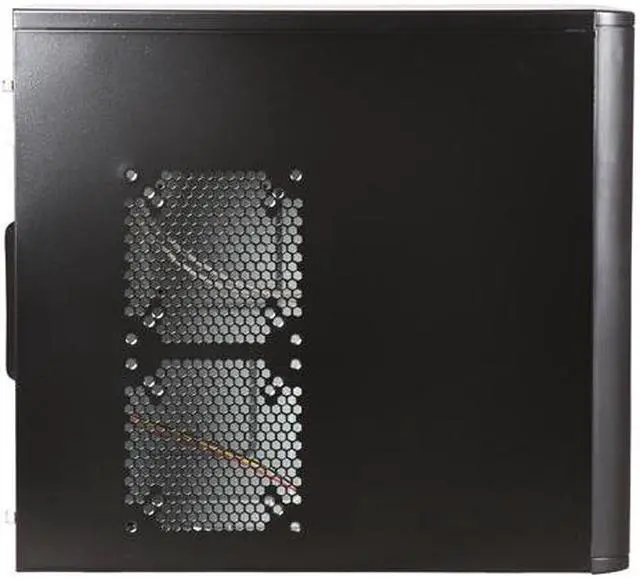
Pros: 4 spots for 120mm fans: 1 on front, behind mesh, 2 on side, and 1 on back. Lightweight. Tool-less drive bay and expansion card slots. Internal HD bays are positioned very well to take advantage of the airflow from the front fan, which is not impeded. Comes with one fan. Blue and red status lights up front look nice.

Cons: Only 2 internal HD bays, and they're not tool-less -- and the brackets are slightly too wide, so as you screw them in, they have to bend inward a little. Front panel port area has spots for Firewire and eSATA, but no actual ports there, so they're useless. Only purpose for them I can think of is to constantly remind you that you should have gotten a better case. ;)
The one fan it comes with runs at 1200 RPM so it's not very loud at all. However, I've noticed if you put it on one of the spots on the side door rather than the back, you'll notice a bit of a hum from the fan's motor, so might as well leave it on the back or move it to the front. (The included fan is a COOLER MASTER R4-S2S-12AK-GP, which is also sold separately here.) The blue and red status LEDs on the front are quite bright; in a dark room i'm sure they'd project.

Other Thoughts: This is a great case for a simple build -- I've used it about 4 times now for customers. Great airflow.

Did you find this review helpful? Yes No

  • Just Learning
  • 7/11/2010 4:20:50 PM
  • Tech Level: above average
  • Ownership: 1 week to 1 month
5 out of 5 eggsGreat Value Case!

Pros: I love this case! Used it for my second build. Nothing fancy but a great case for the money. Easy to use and everything fits well. A good looking compact case.

Cons: A few sharp edges but really no problem.

Other Thoughts: Remove the small screw on the inside, front middle of the case before trying to slide off the back side panel.

Did you find this review helpful? Yes No

  • average joe
  • 7/6/2010 10:02:14 AM
  • Tech Level: above average
  • Ownership: 1 month to 1 year
5 out of 5 eggsgreat case

Pros: great case for micro tower

Cons: none

Other Thoughts: I've used CM cases before and used this one for a general purpose mini-tower build using ASUS P5G43T board. My only wish is that I would have used this case on previous builds! I use NewEgg for all my PC hardware.

Did you find this review helpful? Yes No

  • Longhorn
  • 6/23/2010 10:32:30 PM
  • Tech Level: above average
  • Ownership: 1 week to 1 month
  • Verified Owner
5 out of 5 eggsHighly Pleased

Pros: Small size.
Quality construction. Good paint. Mounting holes line up.
Plenty of room for a minimal build like mine.
Conservative, business-like appearance.

Cons: Yes, there is an undocumented screw in an L-bracket located directly beneath the hard drive cage.
Front fan filter does not seem to be removable. I think its cover is glued into the plastic bezel from the front. It's going to be a problem when it gets dirty.

Other Thoughts: Case comes with a 120mm fan in back. This build runs cool with just this standard fan. But, there are two more openings for 120mm fans in the left side panel, and one more in the front. Because a filter impedes airflow, dirty or not, I think the side panel openings should have the filters--not the front one--in order to draw the maximum amount of air across the entire case.
The most frustrating part of the assembly was plugging the front panel wires--each plainly labelled--onto the header. It probably only took 5 minutes, though it seemed like 30. A removeable motherboard tray and better eyesight might have helped.
Though I am not intimidated by screwdrivers, the plastic locking mechanisms for PCI cards did work well.
This was my first build, so I can't compare the case to any other one. But, I am highly pleased. Assembly was easy. The case is solid, well finished, and attractive.

Did you find this review helpful? Yes No

  • C_G_K
  • 6/15/2010 10:57:31 AM
  • Tech Level: above average
  • Ownership: 1 month to 1 year
5 out of 5 eggsGreat Case

Pros: Good Quality, nice design. Switches don't feel cheap like you're going to put your finger through them. Looks decent. Very light.

Cons: Price is a little high once you add in shipping. It's worth about forty bucks IMO.

Other Thoughts: Good balance between price and quality if you can get it on sale.

Did you find this review helpful? Yes No

  • DiodeTorch
  • 6/4/2010 2:46:58 PM
  • Tech Level: above average
  • Ownership: 1 week to 1 month
  • Verified Owner
5 out of 5 eggsCompact Gaming Case

Pros: Fits four 120mm fans, no power supply (it would probably be the wrong one anyway), fits full size ATX power supply, no openings on the top so you can place other components there, truly a small size with no styling bumps handles or other do-dads to take up more space and dimensions are held to a high standard in that drives seem to fit just right and holes all line up.

Cons: Really wish they could have included the 1394 and SATA ports on the front panal but not a deal breaker by any stretch.

Other Thoughts: Another poster suggested to start your build from the top down and I will agree with this. PSU first then optical drive. Next was a different rear fan. Install CPU, Mem, and fan on MB then into the case. Standoffs already installed for MB in case, great! Front optional fan next. I then chose to install the HD in the very bottom (it just seemed like this case was getting to be to top heavy). Vid card was last. Wire things up as you go and the best you can do is keep the wiring mostly out of the fans airflow with this little case. Space is tight but managed with my fat little hands. Measured the inside space where the Vid card is located and you have 12.5" from back to front optional fan or 13.5" if you choose not to use a fan at this location. If you use 2 Vid cards the HD will have to go in one of the upper slots and HD mounting tabs may have to be bent down. Not sure if plug ins on your MB will be in the way if you go with 2 Vids. Nice Case!

2 out of 2 people found this review helpful. Did you? Yes No

Home
Home. > 
Computer Hardware0_. > 
Computer Cases1_. > 
Computer Cases2_. > 
Cooler Master3_. > 
Item#: N82E16811119193
Shop by Region: United States | Canada | China
Affiliated Sites:
EggXpert.com
Newegg Community
VeriSignReliability Seal1PaypalVerify GoldenSealThis site protected by Trustwave's Trusted Commerce program

Policy & Agreement | Privacy Policy

 © 2000-2010 Newegg Inc.  As used herein, “Newegg.ca” means Newegg Canada Inc. unless the context specifically refers to the www.newegg.ca web address.
If the Adobe Reader does not appear when you click on a link for a PDF file, you can download Adobe Reader from the Adobe web site. nassau